

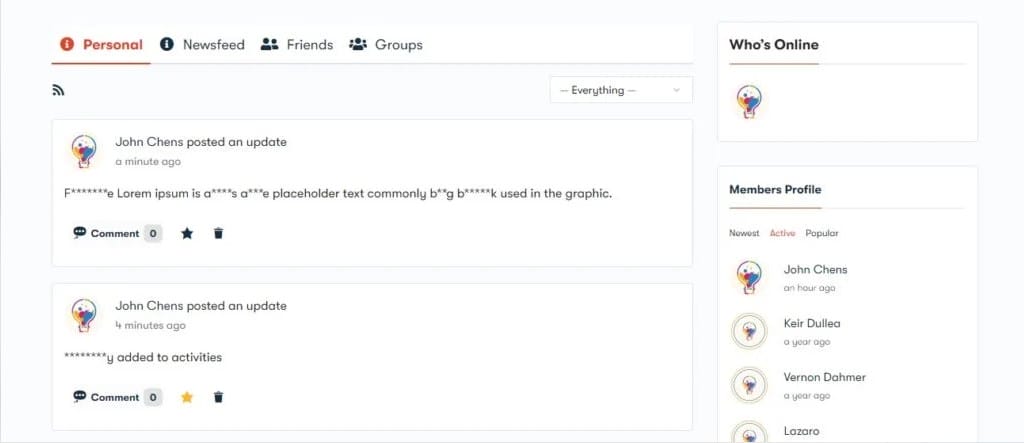
BuddyPress Profanity offers flexible options for controlling content within your BuddyPress community, providing advanced filtering capabilities. With features like strict and non-strict filtering, site administrators can effectively manage flagged keywords and ensure a respectful environment. For example, if “fan” is a flagged keyword, the word “profanity” can be ignored in the context, allowing for a more nuanced approach to content moderation.
Key Features of BuddyPress Profanity
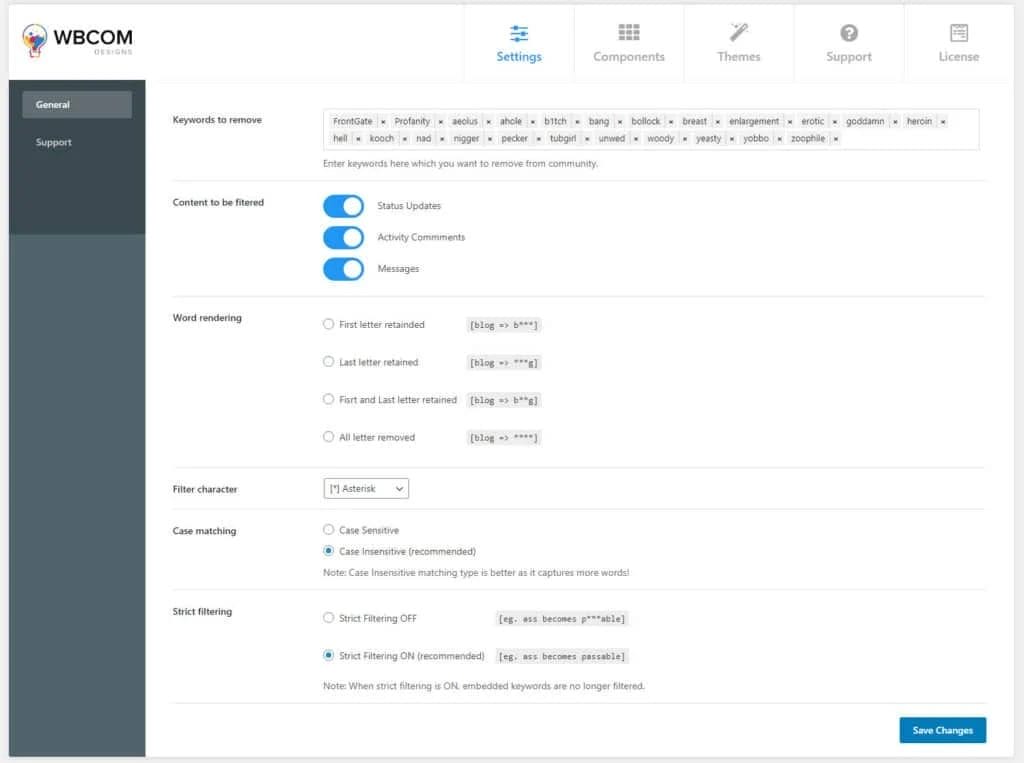
- Custom Bad Word List: Easily add your own list of inappropriate words to tailor the filter to your community’s needs.
- Content Filter Options: Enable content filtering for BuddyPress activities, comments, and private messages to maintain community standards.
- Word Rendering Choices: Admins can select the type of rendering for flagged words, choosing how they will be displayed on the site.
- Filter Character Selection: Choose the character to replace bad words, ensuring the filter aligns with your community’s values.
- Case-Sensitive Filtering: Admins have the option to enable or disable case-sensitive filters for more accurate content moderation.
- Strict Filtering Options: Activate strict filters to obscure characters within flagged words, enhancing content control.
Compatibility with BuddyX Theme
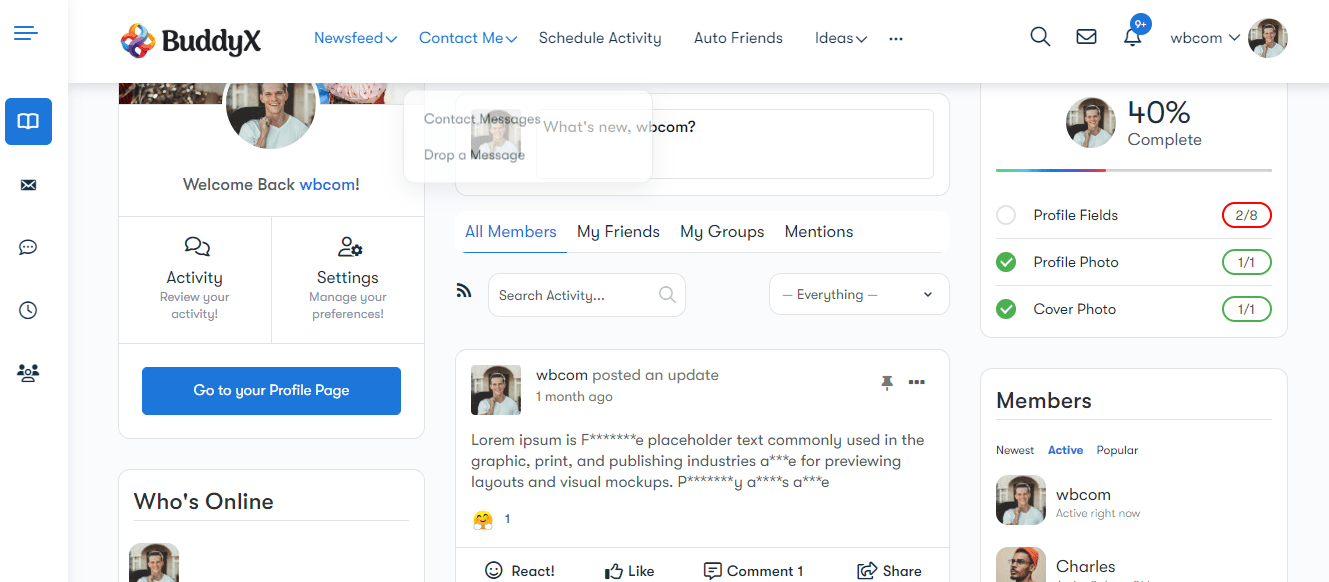
BuddyPress Profanity is fully compatible with the BuddyX Theme, providing a seamless integration into your community platform.