
Your WordPress community members upload photos, share clips, and post albums - but where does it all go? Into wp_posts. The same table holding your pages, posts, WooCommerce orders, and revision history. As your community grows to thousands of members, that table balloons, queries slow down, and the whole media experience starts creaking under the weight.
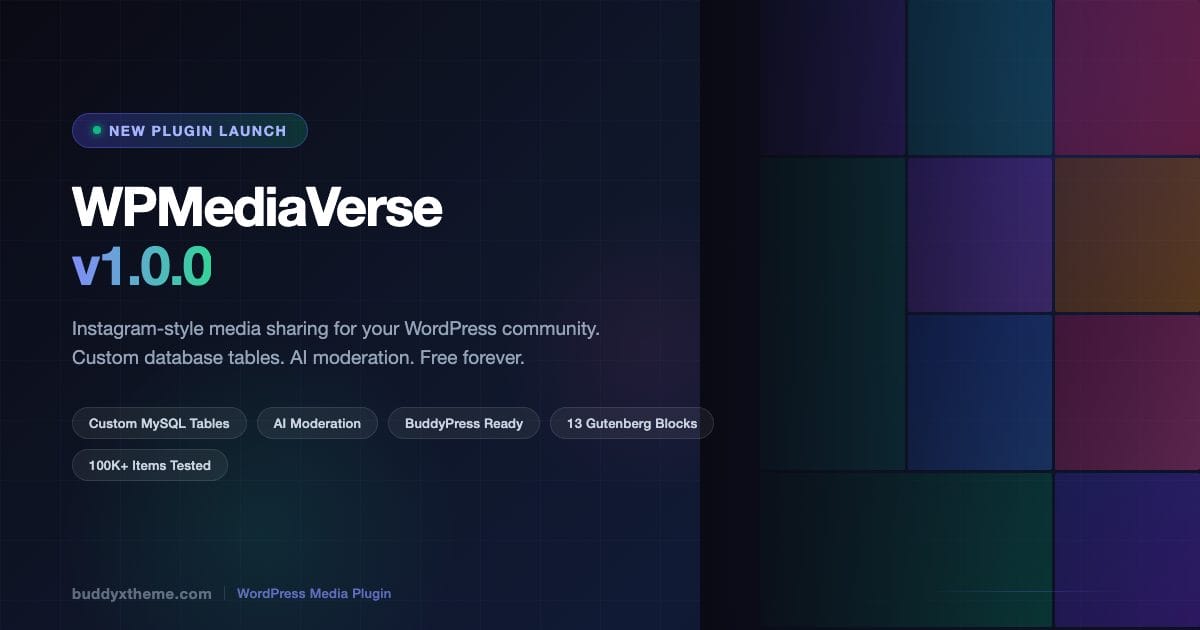
WPMediaVerse v1.0.0 solves that from the ground up. It is a free WordPress plugin that gives your community a full Instagram-style media sharing layer - photo and video uploads, albums, explore feeds, reactions, threaded comments, follow systems, direct messaging, and AI-powered moderation - all built on three dedicated MySQL tables that keep your core WordPress database clean and fast.
This launch post covers everything you need to know: what the plugin does, why the architecture matters, how it compares to rtMedia and MediaPress, and how to get it running on your site today.
What WPMediaVerse Actually Does
At its core, WPMediaVerse is a media-sharing platform for WordPress communities. Think of it as giving your members the tools they expect from Instagram or Google Photos - but inside your own WordPress site, with your own data, under your control.
Members can upload photos and videos with drag-and-drop. The plugin strips EXIF data automatically (protecting member privacy by removing GPS coordinates and device metadata), validates MIME types to block malicious uploads, and generates thumbnails on the fly. Duplicate files are detected before they even hit the disk.
Beyond raw uploads, members can organize their media into albums with custom cover images, create smart collections based on tags or dates, react to each other’s posts with emoji reactions, leave threaded comments, and mark favorites or bookmarks for later. There is a full follow-and-unfollow system, so members can curate feeds from the people whose content they care about. Built-in direct messaging means conversations can happen without leaving the site.
The public-facing explore feed shows a filterable grid of community content. Members control exactly who sees their uploads through six privacy levels: public, members-only, friends-only, group-restricted, private, and custom. That is a level of granularity most dedicated social platforms do not offer.
Why Custom Database Tables Change Everything
The single most important architectural decision in WPMediaVerse is one most users will never see directly: it does not use wp_posts.
Every major existing WordPress media plugin stores media as custom post types in wp_posts. rtMedia, MediaPress, BuddyBoss Media - they all do this. It is the path of least resistance because WordPress has built-in query infrastructure for it. But it creates a serious scaling problem.
wp_posts is WordPress’s central data table. It holds every post, page, attachment, nav menu item, block pattern, and revision your site has ever created. Every WP_Query scan, every admin screen load, and every sitemap generation touches this table. When a community site with 5,000 members starts accumulating 100,000 uploaded photos in wp_posts, that table crosses one million rows. Queries that once took 12ms start taking 400ms. Admin screens lock up. The entire site gets slower.
WPMediaVerse stores all media data in three separate tables: one for media items, one for albums, one for social interactions (reactions, comments, follows). These tables have their own indexes, their own query paths, and zero overlap with WordPress core queries. A site with 100,000+ media items has been tested and performs cleanly because the media data simply is not in the way of everything else WordPress does.
Three dedicated MySQL tables, tested with 100K+ items. 80+ REST API endpoints across 17 controllers. Built for communities that grow.
The REST API surface reflects this architectural seriousness. With 80+ endpoints across 17 controllers, WPMediaVerse is designed to be headless-ready. You can build custom front ends, mobile apps, or integrations on top of it without being locked into the default UI.
Free Features - The Full List
WPMediaVerse’s free tier is unusually complete. Here is every feature included at no cost:
Upload and Storage
- Drag-and-drop file uploads with real-time progress indicators
- MIME validation to block unsafe file types at upload time
- Automatic EXIF data stripping to protect member privacy
- On-the-fly thumbnail generation in multiple sizes
- Duplicate detection before files hit disk
Organization
- Albums with custom cover images
- Smart collections based on tags, dates, or categories
- Six privacy levels per item: public, members-only, friends-only, group-restricted, private, custom
Social Layer
- Emoji reactions on media items
- Threaded comments
- Favorites and bookmarks
- Follow and unfollow system with curated feeds
- Built-in direct messaging between members
Discovery and Moderation
- Explore feed with filterable public grid
- OpenAI Vision AI moderation - included free, not gated behind Pro
- GDPR-compliant data export and erasure
- Webhooks with HMAC signing for integration with external systems
Integration and Display
- BuddyPress profile tabs, group tabs, and activity feed uploads
- 13 Gutenberg blocks for embedding media anywhere in your site
- Works with any WordPress theme - no lock-in to specific themes
AI Moderation Included Free - Why That Matters
Community moderation is the silent tax every community site pays. As your member count grows, so does the stream of uploaded content. Manual review does not scale. Many plugins charge for AI moderation or require third-party services with separate billing. WPMediaVerse ships OpenAI Vision integration in the free tier.
When a member uploads an image, OpenAI Vision can analyze it for policy violations - explicit content, violence, spam, or other categories you configure - before it appears in the public feed. You set the sensitivity thresholds. The system flags, holds, or auto-rejects based on your rules. Your moderation team reviews edge cases instead of every upload.
This matters most for open community sites, fitness communities where workout photos get shared, or any niche where visual content moderation is a real operational burden. Getting this at no additional cost is one of WPMediaVerse’s strongest differentiators at launch.
BuddyPress Integration
If your community runs on BuddyPress, WPMediaVerse plugs in directly. Member profiles get a dedicated media tab where all of a user’s uploads, albums, and shared content live in one place. Group pages get their own media sections so team or club content stays organized by community. Activity feed uploads let members share media directly into the activity stream without navigating away.
This is direct competition territory for rtMedia and MediaPress, both of which built their entire products around the BuddyPress ecosystem. WPMediaVerse does the same BuddyPress integration while adding the custom-table architecture and AI moderation those older plugins lack.
Critically, WPMediaVerse does not require BuddyPress. If you run a community on a different platform, or just want a media-sharing layer for a non-BuddyPress WordPress site, the plugin works without it. The BuddyPress features activate when BuddyPress is detected.
Privacy Controls in Detail
Privacy is not an afterthought. WPMediaVerse offers six distinct visibility levels for every media item:
- Public - visible to everyone, including non-logged-in visitors
- Members only - visible to registered logged-in members
- Friends only - visible to users the uploader follows back (mutual connection)
- Group restricted - visible only to members of a specific BuddyPress group
- Private - visible only to the uploader
- Custom - configurable rule set the uploader defines
Most media plugins offer public/private/members only at most. The friends-only and group-restricted levels map to how people actually think about sharing in community contexts. A fitness coach might want to share progress photos with only their coaching group, not the entire site. A professional community might want certain content visible only to members with a specific membership level. Custom rules handle the cases that do not fit the standard buckets.
How WPMediaVerse Compares to rtMedia, MediaPress, and BuddyBoss Media
Three existing plugins dominate the WordPress community media space. Here is how WPMediaVerse stacks up against each.
| Feature | WPMediaVerse | rtMedia | MediaPress | BuddyBoss Media |
|---|---|---|---|---|
| Database storage | Custom tables (3) | wp_posts | wp_posts | wp_posts |
| Tested at 100K+ items | Yes | No public data | No public data | No public data |
| AI moderation (free) | Yes - OpenAI Vision | No | No | No |
| Six privacy levels | Yes | Partial (3 levels) | Partial (3 levels) | Partial |
| REST API (80+ endpoints) | Yes | Limited | Limited | Limited |
| BuddyPress integration | Yes (optional) | Yes (required) | Yes (required) | Yes (required + theme) |
| Theme independence | Any theme | Any theme | Any theme | BuddyBoss theme only |
| Follow system | Yes (built-in) | No | No | Partial |
| Direct messaging | Yes (built-in) | No | No | Separate add-on |
| EXIF stripping | Yes (automatic) | No | No | No |
| Gutenberg blocks | 13 blocks | Shortcodes only | Shortcodes only | Limited |
| GDPR export/erasure | Yes | Partial | Partial | Partial |
| Webhooks (HMAC) | Yes | No | No | No |
| Core feature pricing | Free forever | Free + paid | Free (development stalled) | Paid (BuddyBoss platform) |
vs. rtMedia
rtMedia is the longest-standing BuddyPress media plugin. It works, it is battle-tested, and it has a large user base. The problem is its core limitation: all media stored in wp_posts. For a site that was active in 2015 with a few hundred members, that was fine. For a community running in 2026 with thousands of members uploading photos daily, it creates real performance issues. rtMedia also has no AI moderation, limited privacy levels, and relies on shortcodes rather than Gutenberg blocks. For a detailed breakdown, read our rtMedia 2026 review.
vs. MediaPress
MediaPress is capable but development has essentially stalled. The plugin has not had a major feature release in years. It is BuddyPress-only, stores in wp_posts, and lacks the social features (follow system, direct messaging, AI moderation) that community builders now expect. For new projects, starting on MediaPress means building on a foundation that is not actively evolving.
vs. BuddyBoss Media
BuddyBoss Media is only available as part of the BuddyBoss Platform + BuddyBoss Theme bundle. If you are already deep in the BuddyBoss ecosystem, it works. But it locks you to a specific theme, a specific platform, and BuddyBoss pricing. Sites running BuddyX, Astra, GeneratePress, or any other theme cannot use BuddyBoss Media at all. WPMediaVerse has no such dependency - it works with any theme.
Who Should Use WPMediaVerse
WPMediaVerse is built for community site owners who need media sharing that scales. Specific use cases where it shines:
- Fitness communities - members sharing workout progress photos, transformation pics, training videos. AI moderation handles the content policy work automatically.
- Photography clubs and creative communities - dedicated media infrastructure with album organization and smart collections handles serious photographers’ organizational needs.
- E-learning communities - student portfolio sharing, project showcases, cohort galleries. Group-restricted privacy keeps each cohort’s work within that group.
- Professional associations - conference photo sharing, event galleries, member spotlights. The explore feed creates a magazine-style browse experience.
- BuddyPress site owners who currently use rtMedia or MediaPress and are hitting performance limits or missing features - see how BuddyX integrates WPMediaVerse natively.
- New community builds that want to start with a solid media foundation rather than bolt something on later when scaling becomes a problem - pair it with guidance on building a niche online community that retains members.
It is not the right choice for sites that simply need a lightbox gallery for displaying product photos or portfolio images. Those use cases have simpler, purpose-built solutions. WPMediaVerse is a social media layer for communities - if that is not what your site needs, look elsewhere.
The 13 Gutenberg Blocks
WPMediaVerse ships 13 Gutenberg blocks that let you embed media components anywhere in your WordPress content - pages, posts, custom post types, or theme templates.
The block set covers the full range of display needs: media grids for showing collections of items, individual media players for embedding a specific photo or video, user media feeds showing everything from one member, album galleries for organized collections, explore feed embeds for pulling the public discovery feed into any page, and social widgets for reactions and comment displays.
This is a significant advantage over rtMedia and MediaPress, both of which rely on shortcodes. Shortcodes work but require switching to code view, remembering parameter syntax, and produce blocks the site editor cannot preview. Gutenberg blocks give you live preview, visual configuration, and full compatibility with the block editor’s template and pattern systems.
Setup Walkthrough: From Zero to Running in 10 Minutes
Getting WPMediaVerse running is straightforward. Here is the path from a fresh WordPress install to a working media community.
Step 1: Download and Activate
Download WPMediaVerse from the store at store.wbcomdesigns.com/wpmediaverse. Install it like any WordPress plugin: upload the ZIP in Plugins - Add New - Upload, or extract to wp-content/plugins/ and activate.
On first activation, the plugin creates its three database tables. You will see a setup confirmation in the admin. No manual database work required.
Step 2: Configure Upload Settings
Navigate to WPMediaVerse in your WordPress admin. Under Upload Settings, configure:
- Allowed file types (images, video, audio)
- Maximum file size per upload
- Total storage quota per member (optional)
- Thumbnail sizes to generate
Step 3: Set Privacy Defaults
Under Privacy Settings, choose the default visibility level for new uploads. Most community sites will want “Members only” as the default, with members able to change it per upload. Set which privacy levels are available to members - you can restrict the options if your community’s policy requires it.
Step 4: Enable AI Moderation (Optional but Recommended)
Under AI Settings, paste in your OpenAI API key. WPMediaVerse uses the Vision API to analyze uploaded images. Set your sensitivity thresholds for each content category. Choose whether flagged content is held for manual review, auto-rejected, or passed through with a flag for your moderation queue.
This step requires an OpenAI account. The API cost per image analysis is fractions of a cent - for most community sites, AI moderation costs less than $5 per month even at high upload volumes.
Step 5: Connect BuddyPress (If Applicable)
If BuddyPress is active, WPMediaVerse detects it automatically and shows BuddyPress integration settings. Enable profile tabs, group tabs, and activity feed integration individually. Each can be toggled on or off - if you only want media on profiles but not groups, that is a one-checkbox change.
Step 6: Add the Explore Page
Create a WordPress page for your community’s public media explore feed. Add the WPMediaVerse Explore Feed block from the Gutenberg block inserter. Configure display options - grid columns, filter options, items per page. Publish the page and link it from your community navigation.
That is the complete setup. Members can start uploading immediately. The explore feed populates as content is shared publicly.
Webhooks and Integration Potential
For developers and site owners who want to integrate media events with external systems, WPMediaVerse includes a webhook system with HMAC request signing. When a member uploads a photo, creates an album, or reacts to a media item, WPMediaVerse can fire an authenticated HTTP request to any endpoint you configure.
HMAC signing means receiving systems can verify requests genuinely came from your WordPress site rather than a spoofed source. This matters for integration scenarios like pushing media uploads to a CDN, triggering notification emails through a third-party service, syncing community activity to a CRM, or connecting to no-code automation tools like Make or Zapier.
Combined with the 80+ REST API endpoints, WPMediaVerse supports a wide range of headless or hybrid build scenarios that the older shortcode-based plugins simply cannot match.
GDPR Compliance
For communities with European members, GDPR compliance is a baseline requirement, not a feature. WPMediaVerse includes full GDPR data export and erasure support. When a member requests a copy of their data, all of their media items, album information, interaction history, and messages are included in the export. When a member requests erasure, all personal data is removed from WPMediaVerse’s custom tables.
This integrates with WordPress core’s personal data tools (Exporter and Eraser hooks) so the process works through the standard WordPress privacy workflow your site already has.
Pricing: Free Core, Reasonable Pro
WPMediaVerse is free forever for all core features described in this post. The free tier is not a crippled demo - it includes AI moderation, BuddyPress integration, all 13 blocks, the full social layer, and the custom-table architecture.
The Pro tier unlocks advanced features starting at $69 per year for a single site (Personal plan) or $199 for a lifetime license. Pro features include advanced analytics dashboards, additional storage tiers, premium Gutenberg block variations, and priority support.
For most community sites, the free version will be sufficient for a long time. The Pro upgrade makes sense when you need detailed analytics on media engagement, are running a high-volume community with complex support needs, or want access to additional block designs as they are released.
The Unique Position in the WordPress Ecosystem
WPMediaVerse holds a specific position no other plugin occupies: it is the only free WordPress media plugin that combines custom database tables, AI moderation, and a full social layer without requiring BuddyPress or a specific theme.
That combination matters because each piece alone already exists. Custom-table media storage exists in enterprise solutions. AI moderation exists as a paid add-on. Social media features exist in BuddyBoss. But no free plugin has all three, and none of the paid options combine them without demanding you adopt an entire ecosystem.
If you are building a new community site on WordPress, this is worth evaluating seriously before defaulting to rtMedia out of habit. The architecture is cleaner, the feature set is broader, and the zero-cost entry point removes the usual barrier to getting started.
Common Questions Before Installing
Will it slow down my existing site during migration?
Installation creates three new tables and has no impact on existing content. If you are migrating from rtMedia, the migration process is additive - WPMediaVerse does not touch existing wp_posts data until you explicitly import it.
Does it work with multisite?
WPMediaVerse v1.0.0 supports standard single-site WordPress installs and BuddyPress single-site setups. Multisite support is on the development roadmap.
Do members need accounts to upload?
Yes. Uploads require a registered member account. Guest uploads are not supported by design - the privacy controls, follow system, and direct messaging all require persistent user identity.
What about video hosting costs?
WPMediaVerse stores videos on your server or your configured storage solution (S3-compatible storage is supported). Video hosting costs depend on your hosting setup, not WPMediaVerse itself. For communities with heavy video usage, pairing WPMediaVerse with Bunny CDN or similar object storage is recommended.
How does it handle existing media in the WordPress media library?
The WordPress media library (attachments in wp_media) continues to work independently. WPMediaVerse manages community-uploaded social media in its own tables. The two systems coexist without conflict.
Get Started with WPMediaVerse Today
WPMediaVerse v1.0.0 is available now. Download the free version, set it up alongside your existing WordPress community, and see whether the architecture and feature set fit your needs before deciding on Pro.
The documentation covers every configuration option in detail, including the AI moderation setup, BuddyPress integration options, REST API reference, and webhook configuration guide.
If you are currently running rtMedia or MediaPress and are hitting scaling issues or missing features, the migration path is worth exploring. And if you are starting a new community site from scratch, WPMediaVerse gives you a media foundation built for 2026 rather than 2015.