Exploring LearnDash Dashboard’s Student View with LMS Notes

The LearnDash Dashboard by Wbcom Designs is a comprehensive and user-friendly eLearning solution designed for both instructors and students. It provides a separate dashboard for admins, instructors, group leaders, and students, allowing them to manage their courses, lessons, and reports conveniently. One of the standout features of this plugin is the Frontend Course Builder. This feature allows instructors to create and manage their courses without having to navigate the complex WordPress backend. Instructors can assign quizzes, manage assignments, and even issue certificates directly from the frontend.
The LearnDash Dashboard’s Student View is a powerful feature designed to enhance the learning experience for students. It provides a personalized space where students can monitor their course progress, activities, and quiz attempts.
What is LearnDash Dashboard Student View?
The LearnDash Dashboard Student View is a feature that provides students with a personalized dashboard where they can monitor their course progress, activities, and quiz attempts. It is designed to give students a comprehensive overview of their learning journey, making it easier for them to track their progress and manage their learning.
The LearnDash Dashboard Student View is a comprehensive tool that empowers students to take control of their learning journey, providing them with the resources and information they need to succeed
Key Features of LearnDash Dashboard Student View
1. Dashboard
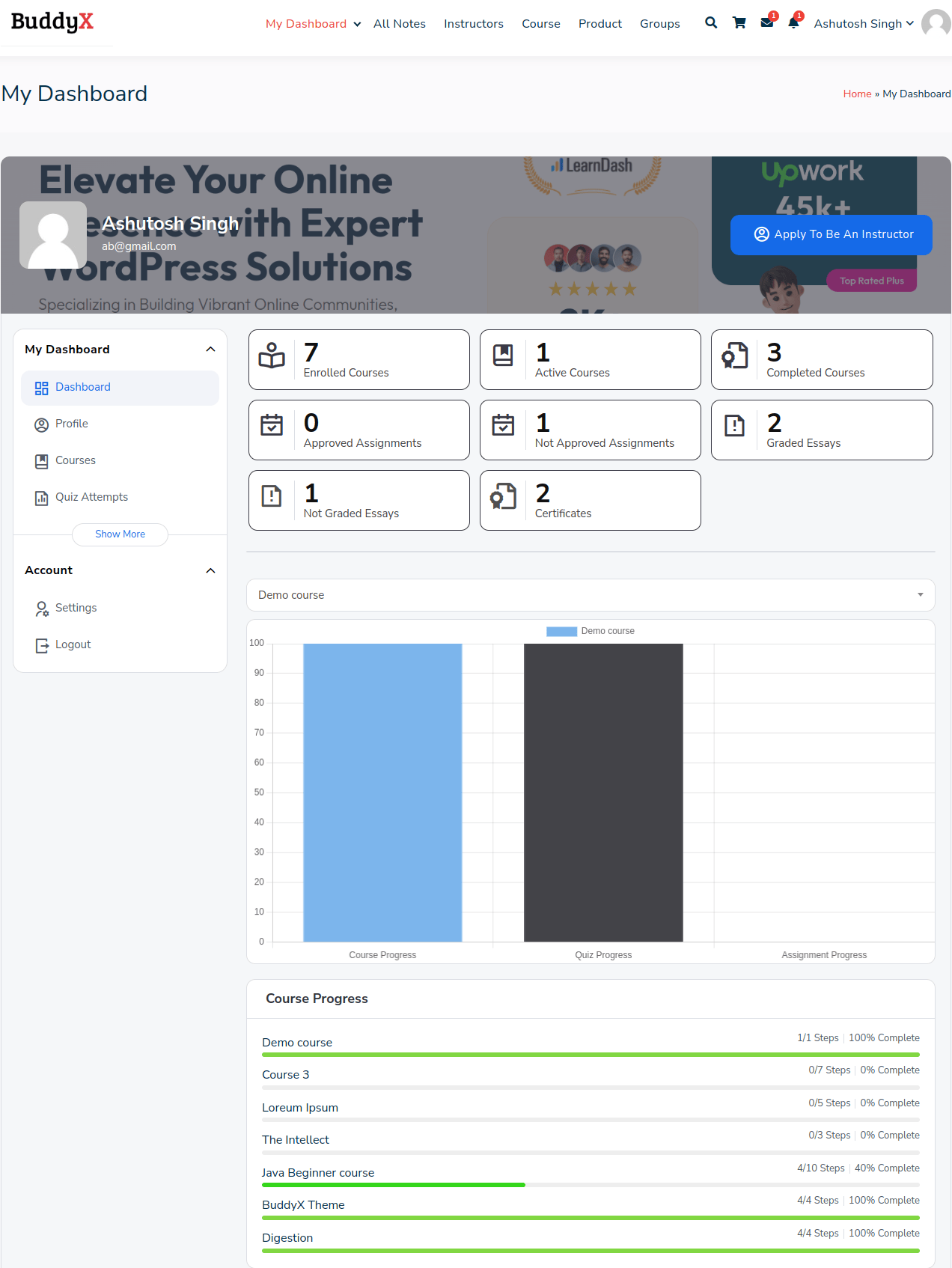
This is the core of LearnDash Dashboard’s Student View. The dashboard comprises of various sections, each offering a wealth of information. Those sections are as follows:
1. Dashboard tiles: This section provides a number of tiles providing information about the following.
i) Enrolled Courses
ii) Active Courses
iii) Completed Courses
iv) Approved Assignments
v) Not Approved Assignments
vi) Graded Essays
vii) Not Graded Essays
viii) Certificates
2. Detail of a course: In this section, there’s a filter enabling you to select a course, and it then provides the following information about that course:
i) Course progress
ii) Quiz progress
iii) Assignment progress
3. Course progress: The Course Progress feature within the LearnDash Dashboard’s Student View is a robust tool empowering students to track their progress within their courses. It offers a visual representation of a student’s advancement throughout the course.
2. Profile
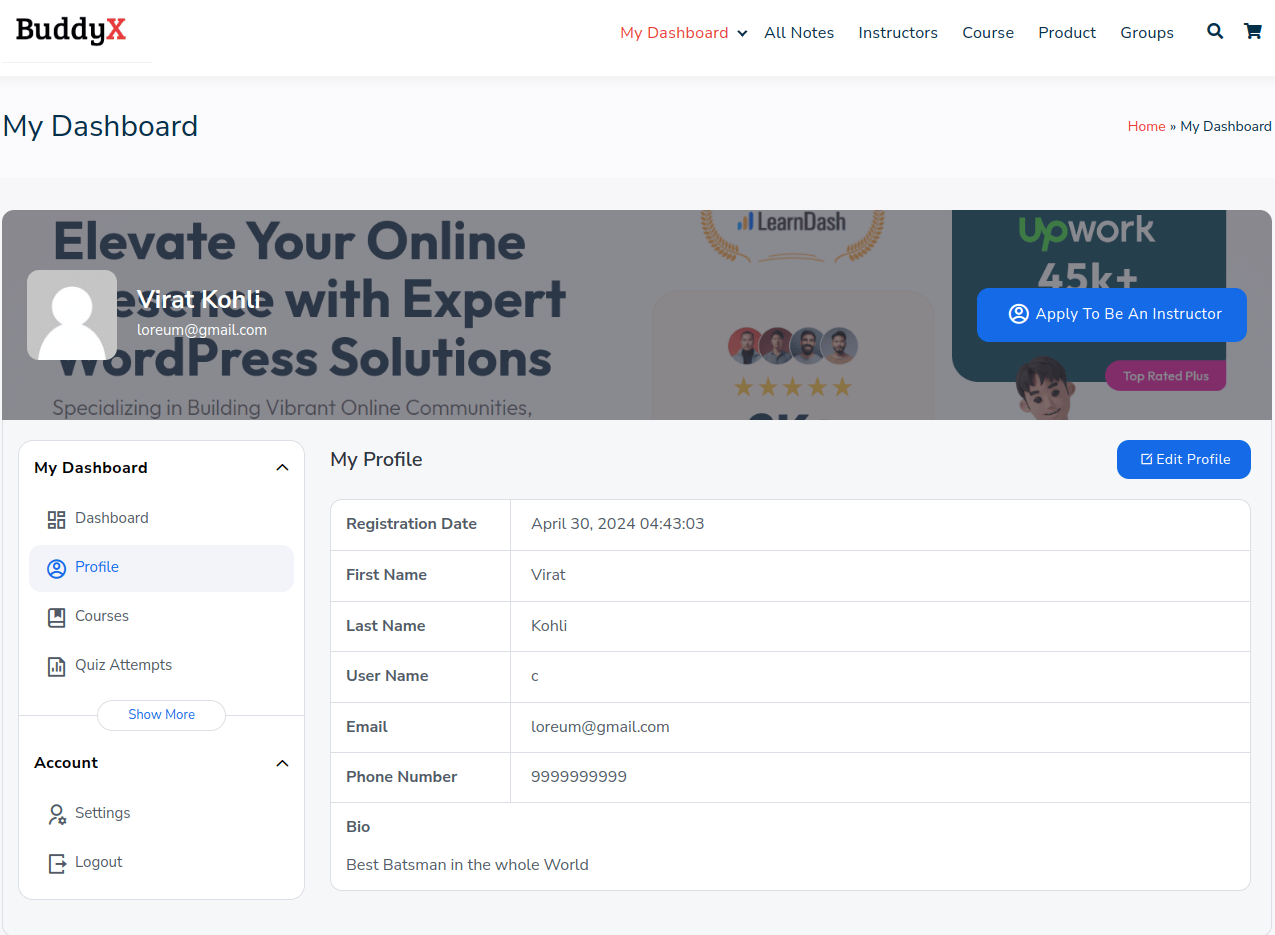
Students can view the profile details, which are entered in settings. These details are as follows:
i) Registration Date: Student registration date here.
ii) First Name: Display the student’s first name here.
iii) Last Name: Display the student’s last name.
iv) User Name: Display the student username here.
v) Email: Display the student email address here.
vi) Phone Number: Display the student’s phone number here.
vii) Bio: Display student Bio here.
3) Courses

In this section, you’ll find detailed information regarding the courses you’re currently enrolled in. It’s divided into three subsections, each offering specific insights into your learning journey.
1. All courses: This section displays comprehensive information about all the courses in which you are currently enrolled.
2. Active courses: Provides a list of active courses.
3. Complete courses: Provides a list of courses you have completed.
4. Quiz attempts
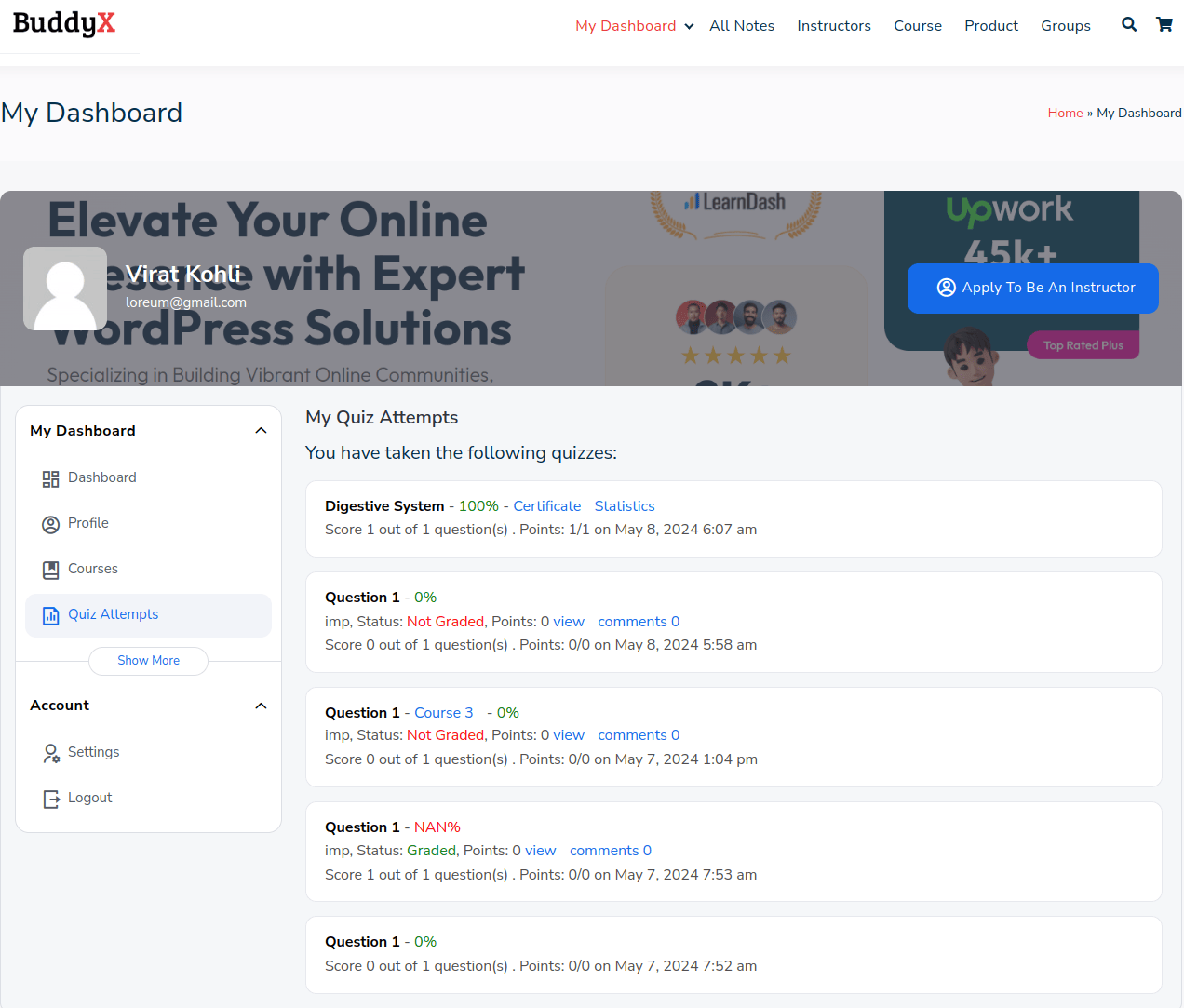
This section provides a comprehensive overview of the quizzes you’ve completed throughout your course. It allows you to revisit previous quizzes, review your answers, and assess your performance. By accessing this information, you can track your progress, identify areas for improvement, and reinforce your understanding of course material. It also serves as a valuable resource for exam preparation and self-assessment, enabling you to gauge your proficiency and readiness for assessments.
5. Course activity
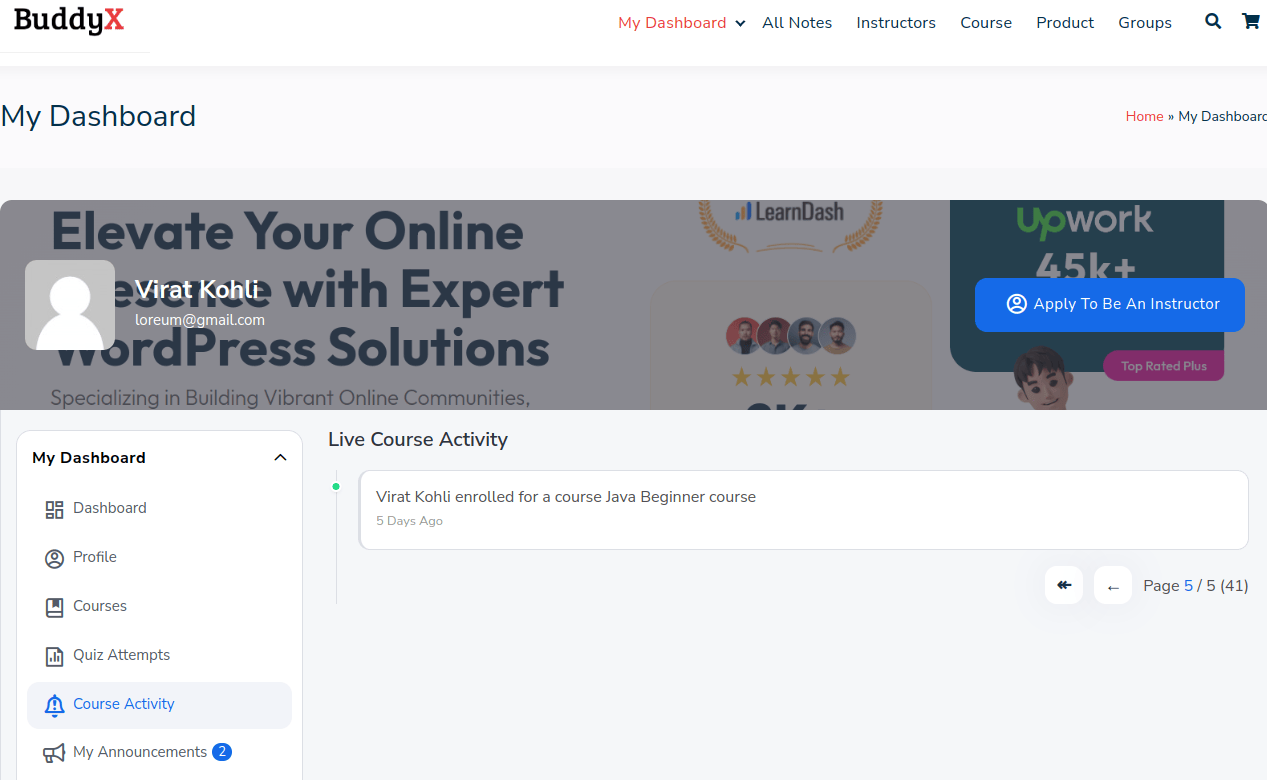
The Course Activity feature in the LearnDash Dashboard provides students with a dynamic overview of their engagement and progress within the course. It encompasses various elements such as lesson completions, quiz attempts, assignments submitted, and any other relevant actions taken by the student during their learning journey. Here’s how this feature benefits students:
i) Real-Time Progress Tracking: Students can monitor their progress in real-time, receiving immediate feedback on their performance. This helps them gauge their understanding of the course material and adjust their study habits accordingly.
ii)Personalized Learning Experience: By tracking their live course activity, students gain insights into their strengths and weaknesses. This enables them to tailor their learning experience by focusing on areas that require more attention, ultimately enhancing their understanding and mastery of the subject matter.
iii)Better Time Management: With the ability to see their activities and time spent on each task, students can effectively manage their study time. This feature enables them to allocate time appropriately to different course components, ensuring efficient progress through the curriculum.
iv) Increased Engagement: The Live Course Activity feature fosters greater engagement by providing students with a transparent view of their learning journey. Being able to visualize their progress and achievements can motivate students to stay actively involved in the course, leading to a more fulfilling learning experience.
6. My announcements
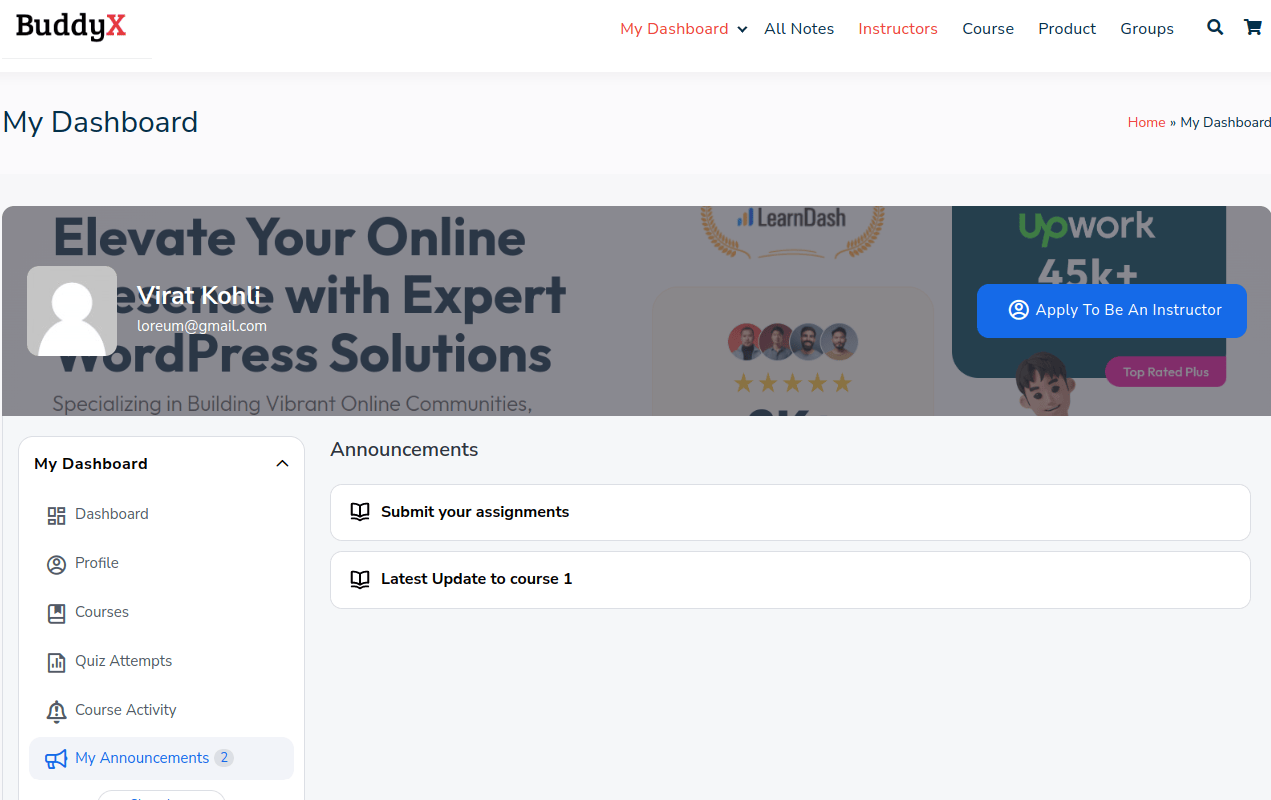
This section serves as a centralized hub containing a detailed list of all announcements pertinent to the course. Here, students can find important information, updates, reminders, and any other communication from instructors or administrators. By accessing this section, students can stay informed about the latest developments, upcoming events, deadlines, and any changes to course materials or schedules. It ensures transparency and effective communication between students and course facilitators, facilitating a smoother learning experience.
LMS notes
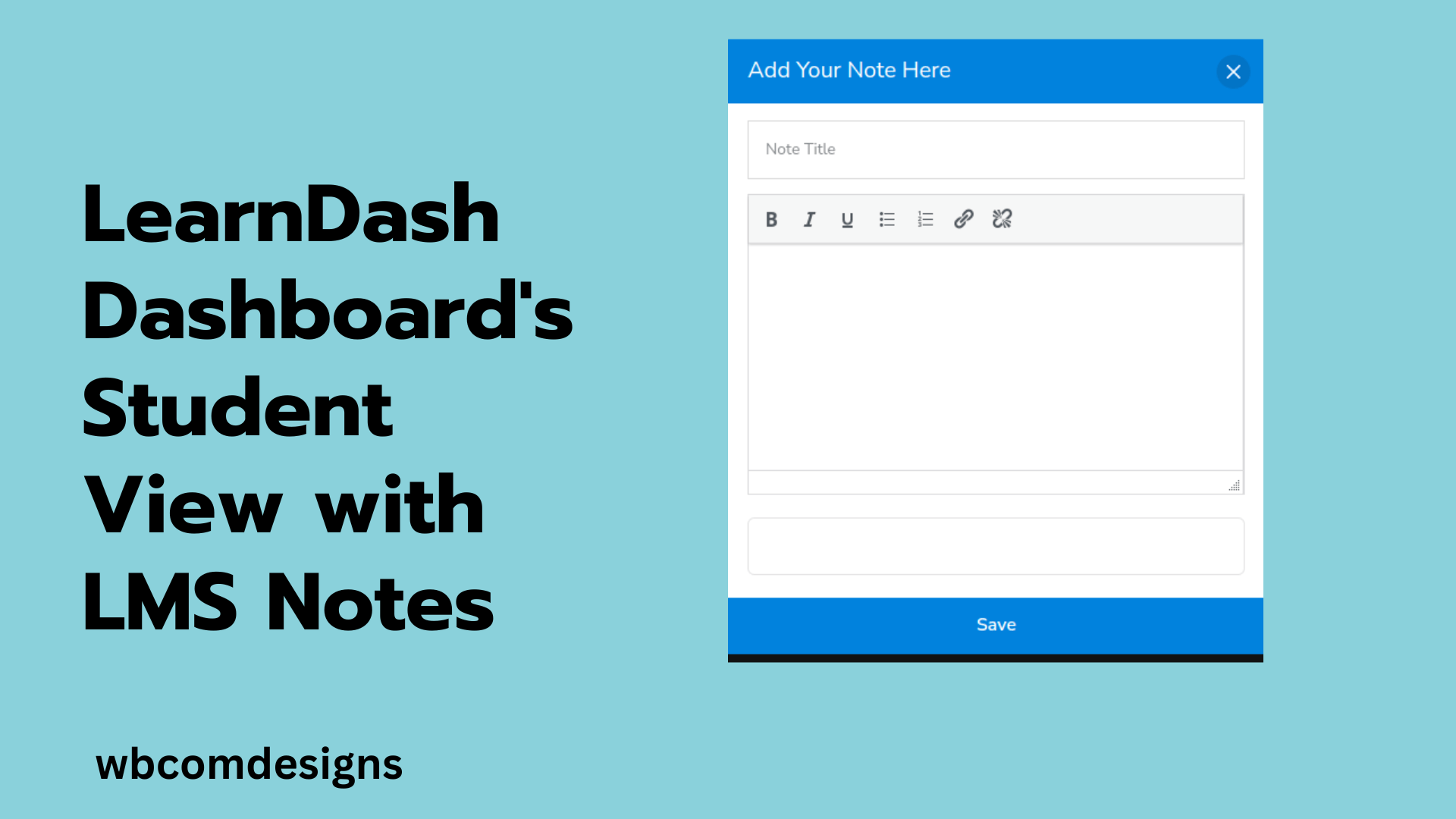
The WordPress LMS Notes plugin revolutionizes learning by introducing real-time note-taking for courses, lessons, and topics. This feature allows students to integrate their insights and queries directly within the learning management system, fostering an interactive and engaging study environment. Notes are displayed prominently within the user’s profile area, ensuring easy access and review at any point in their learning journey.
These personalized notes aid in reinforcing and retaining the material and serve as a valuable resource for exam preparation and assignment completion. The visibility of these notes to instructors and administrators further enriches the learning experience, enabling timely feedback and support where needed, thus creating a more collaborative and adaptive educational environment.

LMS notes Supports the following LMS:
1. Learndash
2. Lifter LMS
3. Sensei LMS
4. Tutor LMS
Benefits of using LMS notes
1. Personalized Learning: Students can utilize notes to highlight crucial information, summarize key concepts, and jot down inquiries. This customization allows learners to tailor their learning experience according to their preferences.
2. Improved Retention and Comprehension: Through note-taking and questioning during study sessions, students can deepen their understanding of the curriculum. This approach often leads to better retention of information and enhanced comprehension.
3. Enhanced Student Communication: With the LMS Notes add-on, students can directly communicate with their instructors from within their study materials. This fosters better communication and provides students with the feedback necessary for their academic success.
4. Secure and Reliable Infrastructure: Specifically designed to integrate with LearnDash, Notes offers a secure and dependable platform for educational and communication enhancements.
5. Increased Engagement: The act of taking notes can significantly boost student engagement with the course materials. It provides an active learning method that helps students better grasp and retain the course content.
Pricing of LMS notes
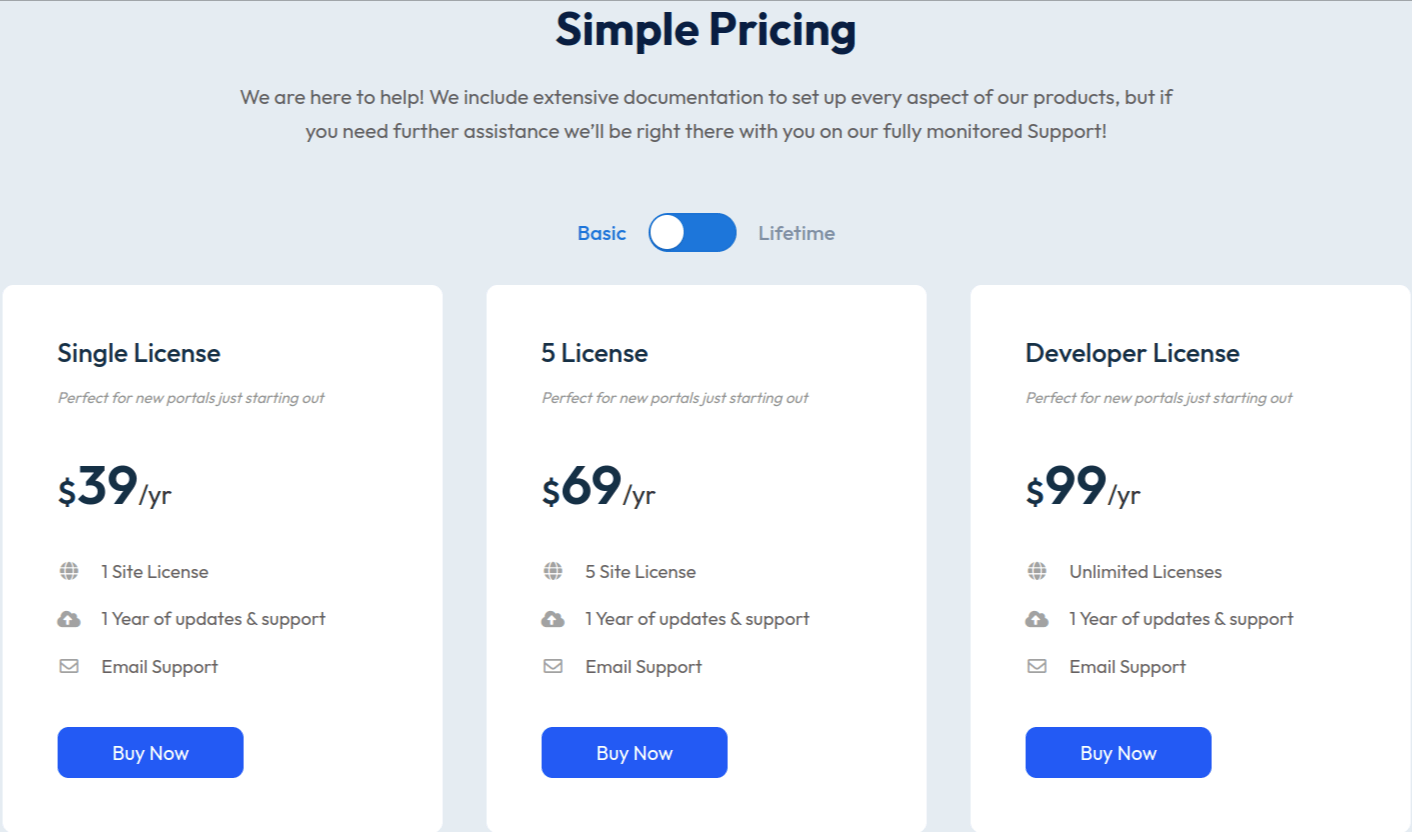
Features of LMS notes
1. Adding and Saving Notes: Students can add and save notes for any course, lesson, topic, quiz, or question.
2. Display notes on LD Profile: Admins can display users’ notes on their Learndash profiles.
3. LearnDash Dashboard Integration: Supports LearnDash Dashboard Plugin, allowing the display of notes on a student’s dashboard.
4. All Notes Page: Site administrators can see all the notes that are created on his website and the instructor or course author can see all the notes from the enrolled students in the instructor’s courses.
5. Individual Notes page: A dedicated notes page is available for students, allowing them to view, edit, and delete their previously created notes within this section.
6. Search and Filters: The search and filtering functionalities enable users to search and filter notes on both pages based on students and courses.
7. Notes Download feature: Feature to download the notes in bulk for both the instructor and student.
8. Visibility of Students’ Notes: Students’ notes are visible to their respective instructors and admin.
9. Instructor Feedback: Instructors can add their feedback through the comments to the notes prepared by the students.
10. Notes Positioning: Custom settings for the position of notes, allowing placement on the left or right.
11. Custom Positioning: Feature to set a custom position for notes.
12. View Options: Feature to set the notes view as a popup, sticky, or in-between.
Conclusion
The combination of LearnDash Dashboard, LMS Notes, and the BuddyX theme provides a seamless and efficient learning management experience.
The LearnDash Dashboard offers a centralized platform where students can easily manage and track their learning progress. It provides a clear overview of courses, lessons, and quizzes, making it easier for you to navigate through their educational journey. LMS Notes enhances this experience by allowing students to jot down their thoughts, ideas, and important points directly within the learning management system. This feature promotes active learning and helps in better retention of knowledge.
Lastly, the BuddyX theme complements these features by providing a visually appealing and user-friendly interface. It is designed with a focus on usability and engagement, making the learning process more enjoyable and less daunting. Together, these tools create a comprehensive, interactive, and engaging learning environment that caters to the diverse needs of learners, thereby enhancing their overall learning experience.
Interesting reads: