Paperless Office: How to Move Your Business to Digital

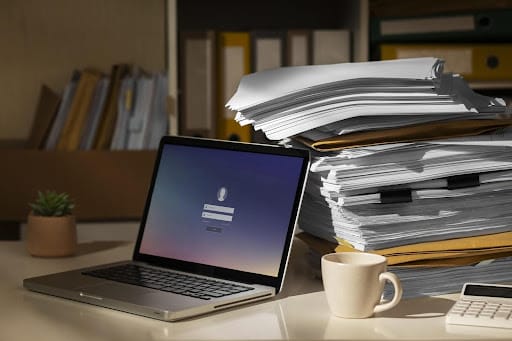
Have you ever thought how many trees are cut every year to be turned into stacks of paper covered with dust in offices? 15 million! As more businesses today care for the environment, the question arises: Is it possible to stop this transformation of nature into endless contracts, agreements, and CVs?
Yes, it is, and the solution is switching to digital. In this post, you’ll learn what a paperless office means, why it’s worth it, and how to begin this transformation with tools that work. If you’re ready to drop the paper files and work smarter, keep reading.
An Office Without Paper: Is It Possible?
A paperless office is a workplace where most or all documents are created, shared, and stored digitally. Instead of printing forms or keeping paper folders, employees use software and special apps to handle information. No more huge piles of paper occupying tables and boxes; no more noisy shredders; all documents in one place — a computer.
It doesn’t mean you never use paper again. There are situations when paper files are needed. However, the paperless policy presupposes that, inside the company, employees use electronic databases for document management and Esign online tools to sign them whenever possible.
Over time, you’ll use less paper, enjoy more free space, and see how the team’s effectiveness has improved. Just imagine how much time employees will have for more important tasks when they do not need to waste hours searching for a particular contract every other day.
Benefits of Going Paperless
Switching to digital helps you in many ways. Here’s how your business can benefit:
- Fast access to information: You can find and share documents in seconds with just a search or a few clicks.
- Lower costs: You spend less on paper, ink, folders, printers, and storage cabinets. It lets you invest in other areas.
- More space: You free up desks, shelves, and rooms once used for storing files.
- Security: Digitally stored data is protected with passwords, permissions, and backups so that no leaks happen.
- Increased effectiveness: Employees can work on files together, even if they are in different locations.
- Quick approval: No need to wait for someone to print a form.
Also Read: Best Knowledge Management Software
Top 5 Tools to Move Your Business to Digital
The transition to a paperless office may seem long and complicated, but the good news is that the right tools can help. Here are five useful technologies that can make your journey smooth:
Document management software (e.g., Google Drive, Dropbox)
These platforms let you store, share, and organize files online instead of using a physical storage room. You can sort documents into folders, grant access to your team, and even track changes. A marketing or service team can quickly update reports, contracts, or client notes and access them anywhere.
E-signature platforms (e.g., Lawrina Sign, HelloSign)
Esign online tools allow you to get legal signatures without printing anything. You can just send the required documents to your colleagues, partners, or customers via email and ask them to add their electronic signatures, which takes only a few seconds. As a result, deals are closed faster, you save time, and trees keep growing. Win-win.
Cloud accounting tools (e.g., QuickBooks, FreshBooks)
Accounting software in the cloud replaces paper invoices and receipts. This is a perfect solution for small and growing businesses because they can send bills by email, track expenses, and get reports in one place. You don’t need to store dozens of paper receipts anymore. Everything stays organized and up to date in your account.
Digital note-taking and collaboration (e.g., Notion, Evernote)
These tools are very useful if your team takes notes during meetings, jots down ideas, or shares task lists. Instead of notebooks or sticky notes, they can save everything in one system.
All team members can share ideas in real time, even if they are not at the same desk. For instance, a tech startup can use these apps to write project plans and updates that all members can view simultaneously.
Also Read: Best Warehouse Management Software
Online scanning apps and OCR tools (e.g., Adobe Scan, CamScanner)
Sometimes, you still get documents in paper form. These apps let you scan them using your phone. They also include the technology of OCR (Optical Character Recognition), so you can turn the image into editable text. It means you don’t have to type a document all over again.
Need to scan a form or invoice and locate it in the right folder? Do it on the go, wherever you are.
Conclusion
Moving to a paperless office is not a utopia, as some may think. With the right tools, you can reduce paper waste, keep things tidy, and speed up everyday tasks. Your business will work better, and your team will have more time for what really matters. Start small, choose the tools that suit your needs, and enjoy the benefits one step at a time. Start your paperless journey today!
Interesting Reads:
What Modern Service Teams Need to Deliver Consistency at Scale
Mastering UX in 2025: Key Principles Every UI/UX Designer Should Know
How Geo-Fencing Works & Why It’s a Game-Changer for Businesses

Shashank is a seasoned digital marketing and WordPress expert who specializes in SEO, software tools reviews, and cutting-edge strategies for boosting online presence. With a passion for simplifying complex topics, Goutham crafts engaging blog posts that help readers optimize their websites, improve search engine rankings, and stay ahead in the ever-evolving digital landscape.