

Online communities needs efficient and secure payment systems to thrive. It may be for collecting membership fees, handling donations, or facilitating event registrations, a robust payment solution is crucial. Introducing Paymattic, a powerful WordPress plugin designed to streamline the payment process, making it easier for community managers and members alike. Let’s explores how Paymattic can be effectively utilized in online communities, transforming them into vibrant, financially sustainable ecosystems.

Quick Links
Understanding Paymattic

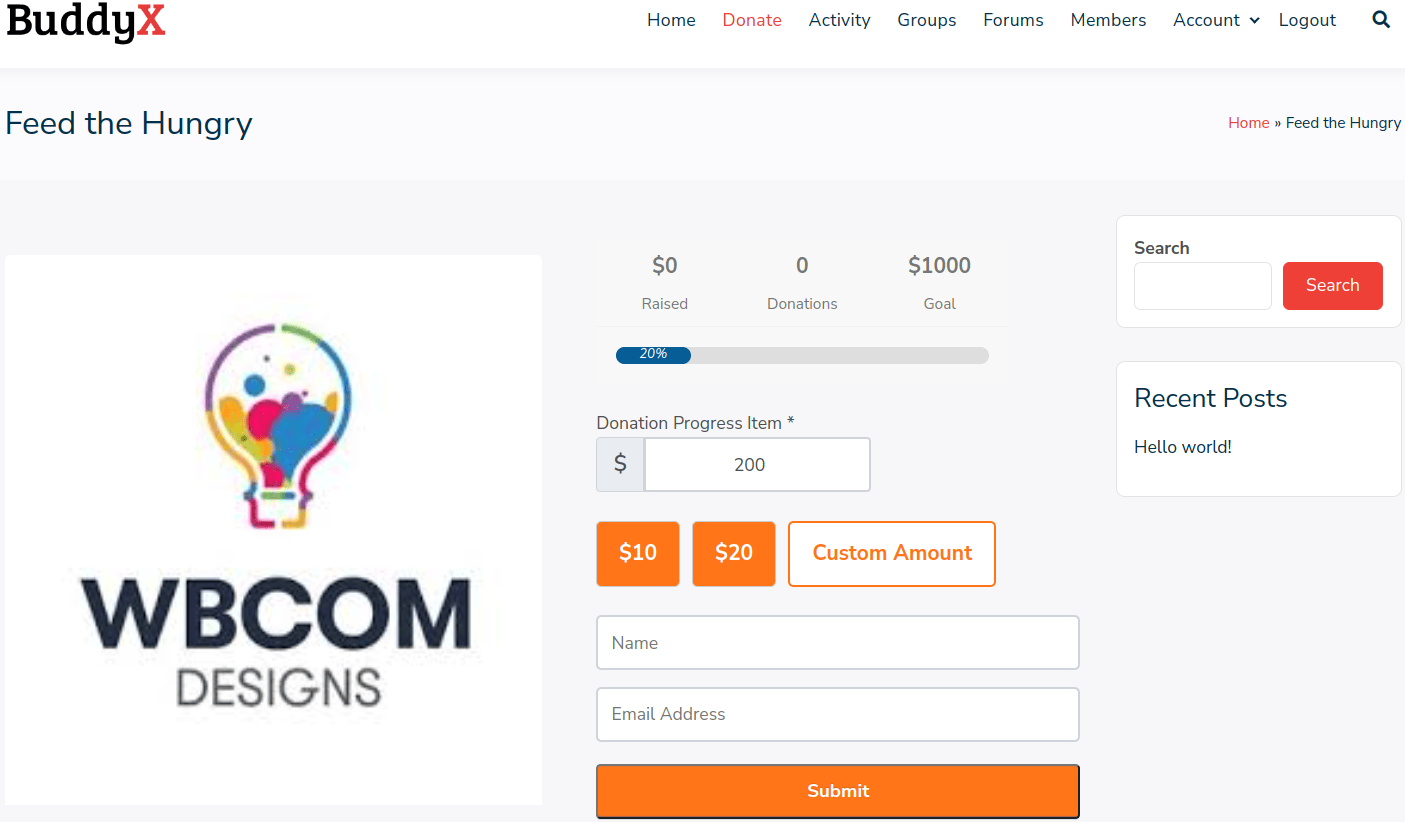
Paymattic is a free and premium WordPress payment and donation plugin that can build forms as well as collect payments and donations using it. This plugin is used to provide a secure payment process. It can be used to collect donations as well as accept payments for a product or service. It comes with the Donation Progress Item feature that shows a dynamic progress bar in the form itself.
It is a good plugin for those who want to build custom forms without any hassle. It is very simple to set up and easy to use. It provides integrations with multiple plugins such as LMS, Mailchicmp, Slack.etc
Key Features of Paymattic
1. Multiple Payment Gateways: Paymattic supports popular payment gateways such as PayPal, Stripe, and more, allowing users to choose their preferred method of payment. This capability empowers users within online communities to select their preferred method of payment when engaging in transactions such as membership fees, donations, event registrations, and product purchases. By supporting multiple gateways, it not only enhances user convenience but also facilitates smoother transactions, regardless of geographic location or payment preferences, fostering a seamless and inclusive community experience.
2. Recurring Payments: This feature is essential for membership sites as they automate the renewal process of subscriptions, ensuring a steady and predictable stream of revenue. allows community managers to set up recurring billing cycles, such as monthly or annually, based on membership plans. Members benefit from uninterrupted access to exclusive content, services, or community features without the hassle of manually renewing their subscriptions.
For community administrators, recurring payments provide financial stability by reducing the need for constant member renewal reminders and administrative overhead. It strengthens member retention efforts by simplifying the payment experience

3. Customizable Payment Forms: The intuitive form builder lets you create tailored payment forms for various needs, from donations to event registrations. It allows community administrators to create customized payment forms tailored to different needs within the community. Community managers can design forms with specific fields and options relevant to each payment type, enhancing user experience and streamlining the payment process. The customizable nature of these forms enables communities to collect necessary information efficiently while maintaining a seamless and professional appearance on their website.
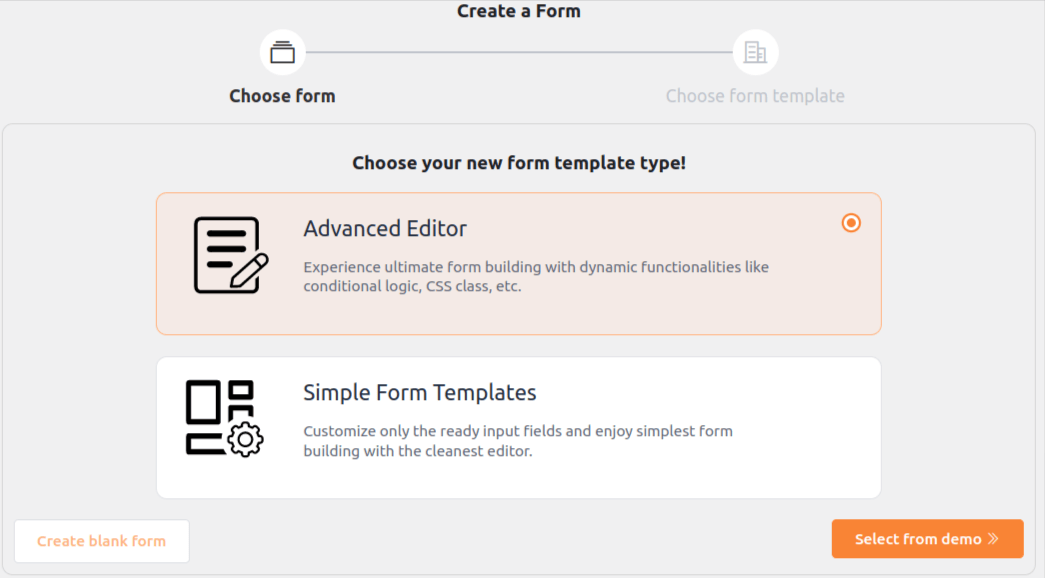
4. Learning Management System (LMS) Integration: Integrating Paymattic with LMS enhances the educational capabilities of online communities by simplifying course payment and subscription management. This integration allows community administrators to seamlessly collect payments for courses, memberships, and related educational content directly through their website. By supporting popular LMS plugins, such as LearnDash, LifterLMS, or Tutor LMS, it enables community members to enroll in courses and access learning materials without navigating to external payment platforms.
Administrators can automate subscription renewals, offer flexible pricing options, and utilize detailed transaction reporting to optimize course offerings and drive engagement. Integrating Paymattic with LMS empowers communities to deliver comprehensive educational experiences while efficiently managing payments and subscriptions.
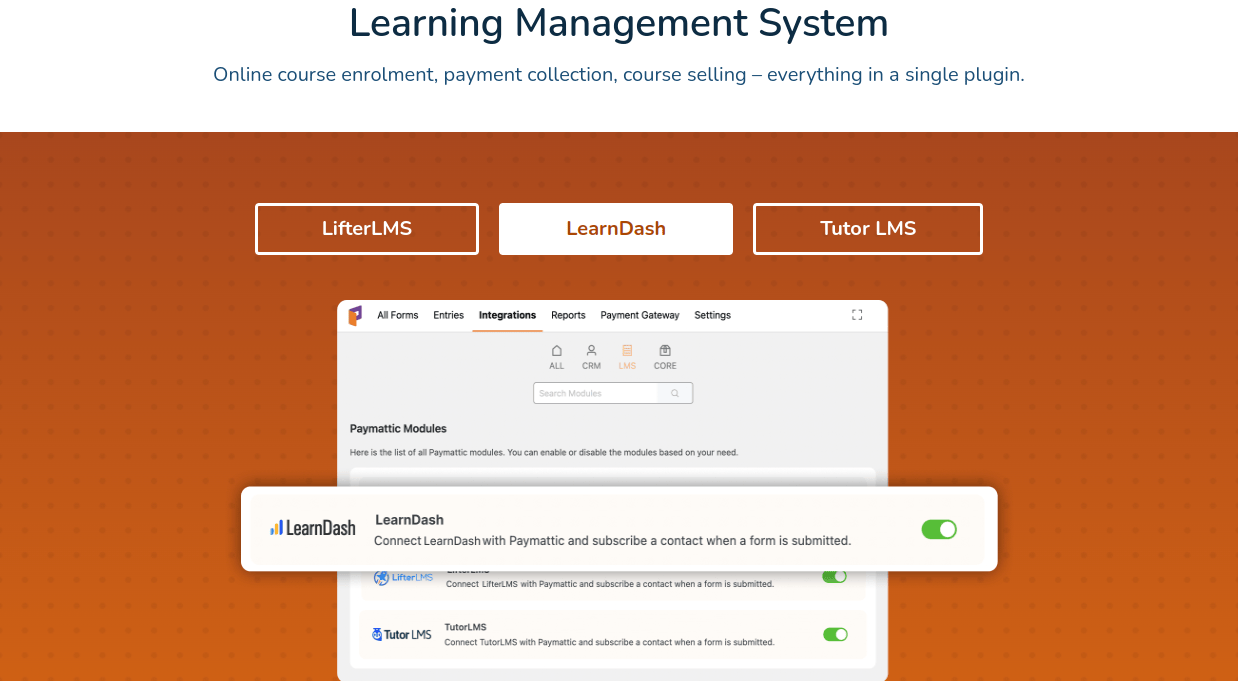
5. Detailed Reporting: Paymattic offers vigorous reporting capabilities that empower community administrators to gain deep insights into their financial performance. These comprehensive transaction reports provide detailed analytics and metrics, allowing administrators to track revenue trends, monitor payment activities, and assess the effectiveness of pricing strategies. By accessing data such as transaction volumes, revenue sources, and membership renewals, administrators can make informed decisions to optimize financial operations and enhance community sustainability.
It’s reporting features enable administrators to identify opportunities for growth, pinpoint areas for improvement in payment processes, and understand member spending behaviors. This data-driven approach not only fosters transparency and accountability but also supports strategic planning and resource allocation within the community.

6. User Management: Paymattic facilitates efficient user management within online communities by enabling administrators to easily organize and segment users based on their payment history. Administrators can categorize users into different groups such as active subscribers, expired members, or frequent donors, allowing for tailored messaging and engagement strategies. By understanding members’ payment behaviors and preferences through Paymattic’s user management features, administrators can craft targeted marketing campaigns, offer exclusive incentives, and optimize membership retention efforts.
7. Enhanced Security: Paymattic prioritizes enhanced security measures to safeguard transactions and protect the integrity of online communities. By leveraging encryption protocols and adhering to stringent payment security standards, it ensures that all financial transactions conducted through its platform are secure and protected from potential threats such as data breaches or fraud. This commitment to security not only safeguards sensitive member information, including payment details, but also instills confidence among community members regarding the safety of their transactions. It’s adherence to industry regulations and best practices helps mitigate risks associated with online payments, ensuring compliance with regulatory requirements and maintaining trust within the community.

8. Donation Management: Donation management with Paymattic empowers online communities to effortlessly facilitate and oversee fundraising initiatives and community support efforts. Security is paramount in donation management, and the plugin prioritizes secure transactions through encryption and compliance with industry-standard payment security protocols. With Paymattic’s intuitive platform, community administrators can streamline the process of collecting and managing donations, ensuring a seamless experience for both donors and recipients. For communities that want an even simpler setup, integrating a dedicated donation form can help them start accepting contributions immediately, without any additional configuration hurdles.
Administrators can create tailored forms that align with specific fundraising campaigns or causes, including fields for donor details, donation amounts, and dedication messages. This flexibility allows communities to effectively communicate their fundraising goals and encourage participation from members and supporters.

Pricing

Crafting the Donation Form
1. Installing the Paymattic plugin: Download and install the plugin. Now install the plugin
2. Create a form: Visit create form and choose between advance editor or simple form template.
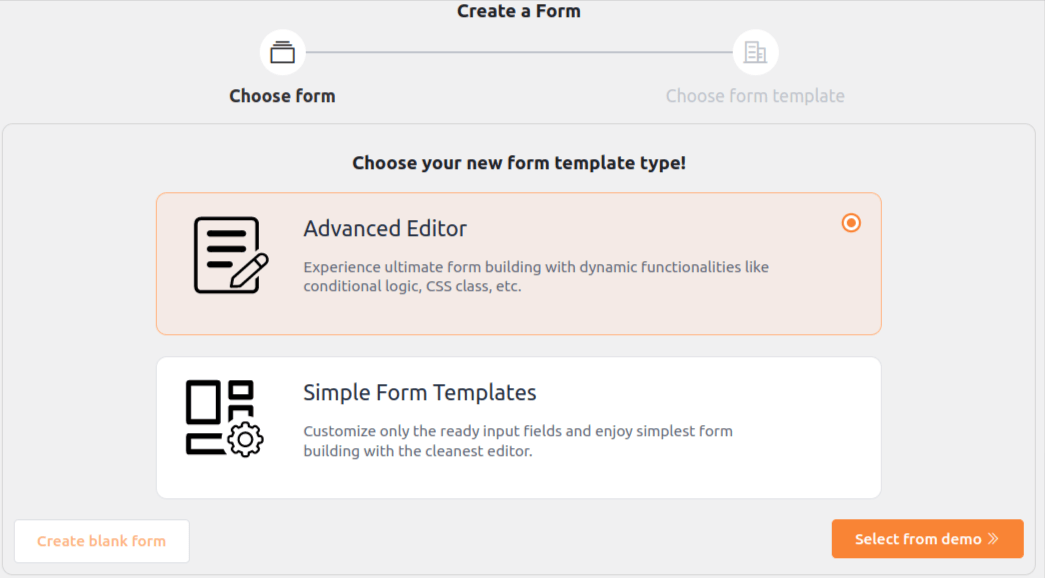
3. Choose a template: Select between the two template and a form is create.

4. Edit the template: Edit the template according to your requirement. You can add more fields to get a detailed information. Now choose among the payment method and save it.
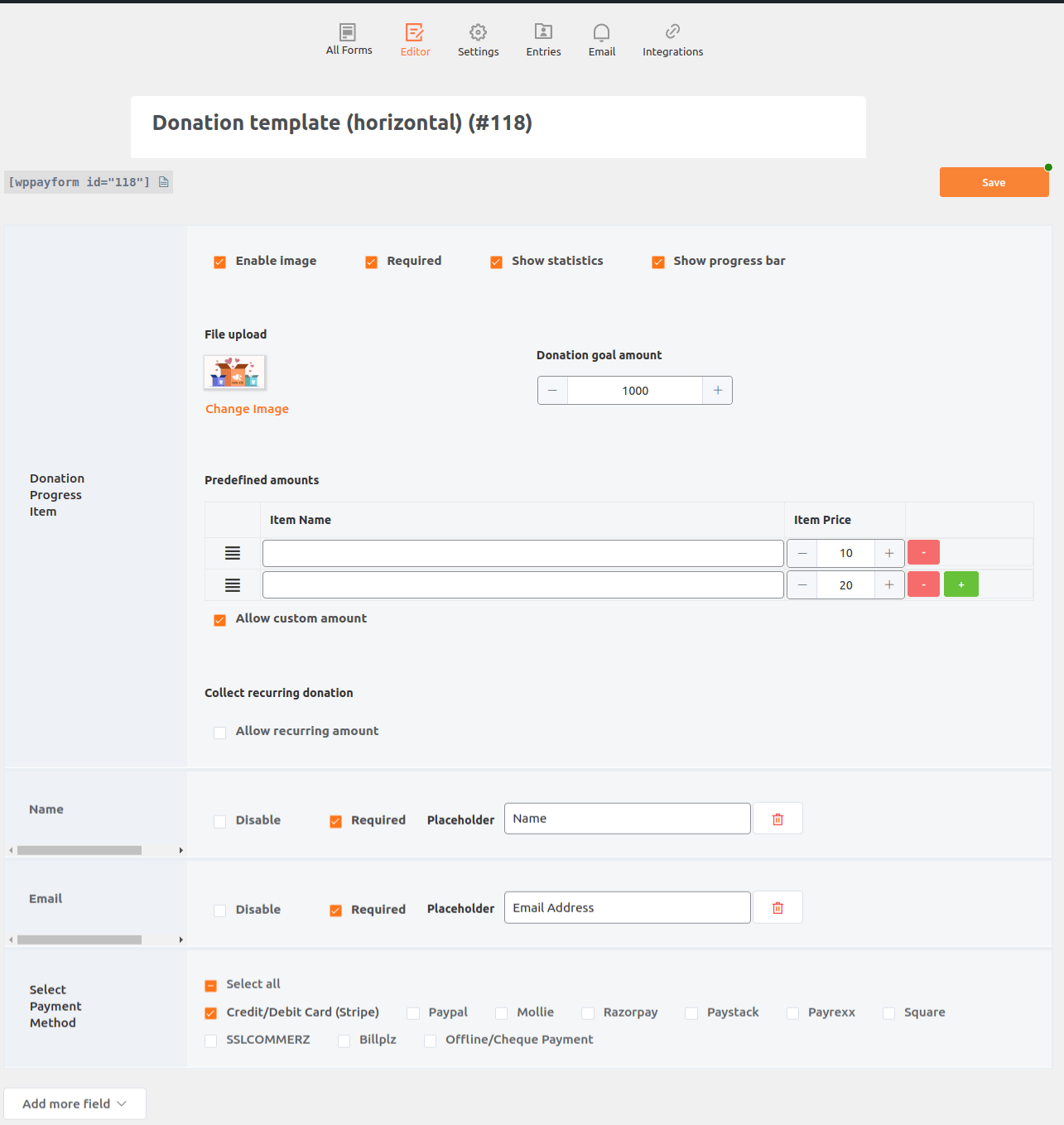
5. Publish on a page: When you save the template it automatically creates a shortcode, use it on a page and publish it.

6. Add the link: Now you can use the created link to post it on the feed or group. This will help to procure large donations.
Benefits of Using Paymattic in Online Communities
For Community Members
1. Convenient Payments: Members can easily pay for memberships, events, courses, or products directly through the community site, improving the overall user experience.
2. Transparency and Trust: Reliable payment gateways and clear transaction records build trust, encouraging more financial participation from members.
3. Enhanced Engagement: Financial contributions can be linked to exclusive content or benefits, motivating members to engage more actively.
For Community Managers
1. Revenue Generation: Monetize various aspects of your community, from premium memberships to paid events, course fees, and merchandise sales.
2. Streamlined Operations: Automate payment processes, reducing administrative workload and minimizing errors.
3. Data-Driven Decisions: Utilize detailed financial reports to understand trends, optimize pricing strategies, and plan future activities.
4. Member Retention: Offer recurring payment options to ensure continuous membership renewals, enhancing member retention and loyalty.
5. Secure Transactions: Ensure the security of all financial transactions, protecting your community from potential fraud and enhancing user trust.
6. Efficient Donation Management: Streamline the process of collecting and managing donations, supporting your community’s fundraising initiatives.
Empowering Your Community with Paymattic
Paymattic offers a comprehensive solution for managing payments, donations, and subscriptions. Features such as support for multiple payment gateways, customizable forms, recurring payments, and LMS integration, simplifies financial transactions and enhances the user experience while ensuring security and compliance.
Community members receives convenient and transparent payment options, building trust and encouraging active participation. For community managers, it offers tools to generate revenue, streamline operations, and retain members effectively. Integrating Paymattic with online communities can create a vibrant, financially sustainable environment that supports growth and engagement.
Interesting Reads:

