

In today’s visual-centric world, photographers and creators often look for the best tools to showcase their work. Photography slideshow makers allow users to create beautiful slideshows from images and videos with ease. Whether you’re a professional photographer or an enthusiast, having the right tool can make a big difference in how your photos are presented. Below are ten of the best slideshow makers, with a detailed overview of their features, pros, cons, and a comparison table for easy reference.

Quick Links
What to Look for When Choosing a Photography Slideshow Maker
When choosing a photography slideshow maker, it’s important to consider several key factors to ensure the tool meets your specific needs, whether you are a professional photographer or a hobbyist. Here’s a breakdown of what to look for when selecting a slideshow maker:
1. Ease of Use
- Why it matters: A tool with a user-friendly interface can save you time and frustration. It’s important, especially for beginners, that the software doesn’t have a steep learning curve.
- What to check: Look for drag-and-drop functionality, pre-made templates, and clear navigation. Tutorials and customer support availability can also help you get started quickly.
2. Customizability
- Why it matters: Creative control is essential when designing a unique slideshow that aligns with your vision. Advanced customization options allow you to adjust transitions, effects, fonts, colors, and timing to match your aesthetic.
- What to check: Ensure the slideshow maker offers enough flexibility to modify templates, add personal touches, and experiment with different transitions and animations.
3. Templates and Effects
- Why it matters: Pre-designed templates and effects can significantly speed up the slideshow creation process, especially if you’re looking to create polished, professional presentations quickly.
- What to check: Explore the library of templates and effects the tool offers. Check if they are relevant to your style (e.g., modern, minimal, vintage) and suitable for the type of presentation you want to create.
4. Music and Audio Features
- Why it matters: Adding background music or voiceovers can enhance the storytelling aspect of your slideshow. The right soundtrack can evoke emotions and complement your photography.
- What to check: Make sure the tool allows you to easily add music, adjust its volume, sync it with the slideshow, and even offer royalty-free tracks if needed. If audio synchronization is crucial, look for features that let you control timing precisely.
5. Transitions and Animations
- Why it matters: The smoothness and style of transitions between photos can make a big difference in how engaging the slideshow is. Animations can add dynamic movement that grabs viewers’ attention.
- What to check: Look for a wide variety of transition options like fades, zooms, pans, and other animations. Check if these transitions are customizable and if they feel modern or outdated.
6. Export Options and File Compatibility
- Why it matters: Depending on where you want to showcase your slideshow (social media, websites, presentations, etc.), you’ll need specific export formats like MP4, AVI, or GIF. High-quality export options are critical for professional use.
- What to check: Confirm the slideshow maker supports the file formats you need and offers high-resolution exports, especially if you’re displaying the slideshow on large screens or online platforms. Check if the software allows direct sharing to platforms like YouTube, Facebook, or Instagram.
Best Photography Slideshow Makers
1. Adobe Express
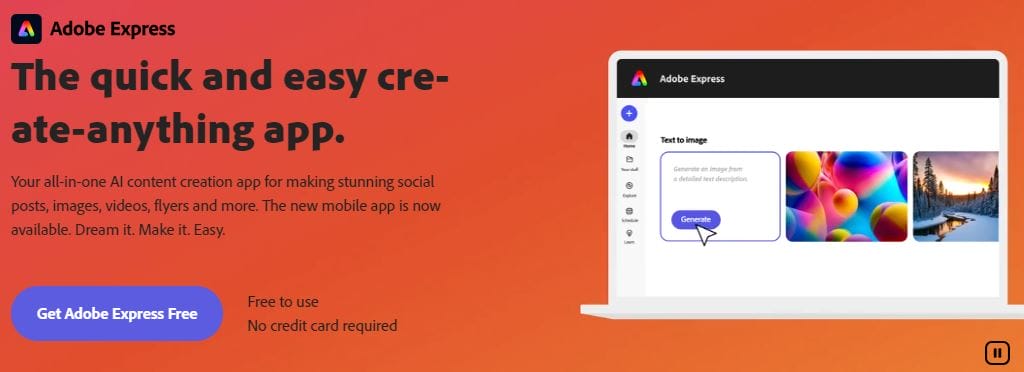
Adobe Express is a powerful online tool for creating photo slideshows. It combines professional-grade features with ease of use, making it ideal for both beginners and professionals.
Key Features:
- Drag-and-drop interface
- Extensive templates and design options
- Integration with Adobe Stock and Creative Cloud
- Custom animations and transitions
Pros:
- Easy to use with a professional outcome
- Access to high-quality stock images
- Offers both free and premium versions
Cons:
- Free version has limited features
- Learning curve for advanced features
2. Wondershare Filmora
Wondershare Filmora is a versatile video editing tool, perfect for creating photo slideshows with rich transitions, effects, and soundtracks.
Key Features:
- Wide range of transitions and effects
- Built-in music and sound effects
- 4K editing support
- Advanced video editing options like green screen
Pros:
- User-friendly for beginners
- Offers a lot of creative freedom
- Multi-platform support
Cons:
- Free version adds a watermark
- Heavy on system resources
3. Movavi Slideshow Maker
Movavi is known for its simple yet effective approach to slideshow creation, offering users easy-to-use tools for creating dynamic slideshows.
Key Features:
- Ready-made templates
- Wide selection of filters, transitions, and effects
- Music and voiceover options
- Supports HD video export
Pros:
- Extremely user-friendly
- Fast rendering and processing
- Affordable pricing
Cons:
- Fewer advanced features compared to professional tools
- Limited customization for templates
4. Magix Photostory Deluxe
Magix Photostory Deluxe is a feature-rich slideshow maker that’s perfect for photographers who want high-quality slideshows with advanced effects.
Key Features:
- 3D animations and effects
- Extensive image and video editing tools
- HDR effects
- Over 1,500 effects, music, and sounds
Pros:
- Highly customizable
- Suitable for professional use
- Large selection of effects and templates
Cons:
- Steep learning curve
- Higher price point
5. Animoto
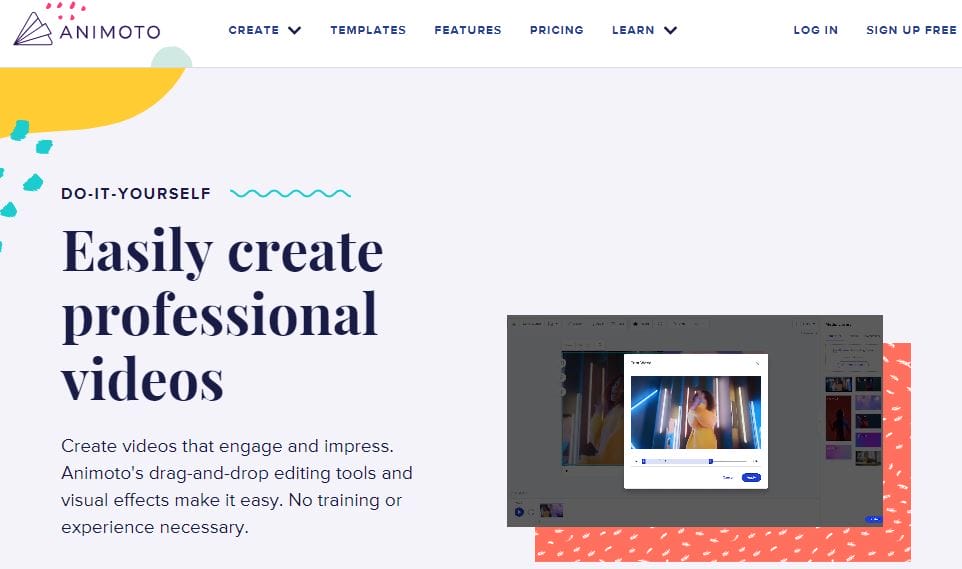
Animoto is an online slideshow maker that offers simple drag-and-drop functionality. It’s widely used for quick presentations and marketing videos.
Key Features:
- Pre-built templates
- Cloud-based platform
- Supports social media sharing
- Built-in library of licensed music
Pros:
- No software download needed
- Fast and easy to use
- Great for marketing and quick projects
Cons:
- Limited customization options
- Free version has a watermark
6. Proshow Gold
Proshow Gold is a well-known tool for creating professional-grade slideshows with features like advanced layering, keyframing, and more.
Key Features:
- Advanced keyframe animations
- Layered effects
- Over 1,200 transition effects
- Music and sound synchronization
Pros:
- Powerful for professional users
- Great selection of transition effects
- Detailed customization options
Cons:
- Not ideal for beginners
- Discontinued by Photodex, limited support
7. Icecream Slideshow Maker
Icecream Slideshow Maker is a free and straightforward tool that allows users to create photo slideshows quickly and easily.
Key Features:
- Simple drag-and-drop functionality
- Customizable transitions
- Supports multiple output formats
- Ability to add music tracks
Pros:
- Free version available
- Very easy to use
- Light on system resources
Cons:
- Fewer advanced features
- Limited template designs
8. Smilebox
Smilebox is a beginner-friendly slideshow maker aimed at casual users. It allows easy creation of slideshows with animated templates and music.
Key Features:
- Ready-made animated templates
- Simple drag-and-drop interface
- Music and sound integration
- Email and social media sharing
Pros:
- No technical skills needed
- Fun and easy to use
- Free version available
Cons:
- Limited creative control
- Watermark in the free version
9. Kapwing
Kapwing is an online video editor and slideshow maker that’s simple and ideal for creating quick, professional-looking slideshows.
Key Features:
- Cloud-based, no downloads needed
- Video editing and slideshow tools
- Supports adding music and text
- Multiple export formats
Pros:
- Easy to use with fast processing
- Works across all devices
- Free version with basic features
Cons:
- Limited advanced features
- Free version has watermark
10. PTE AV Studio
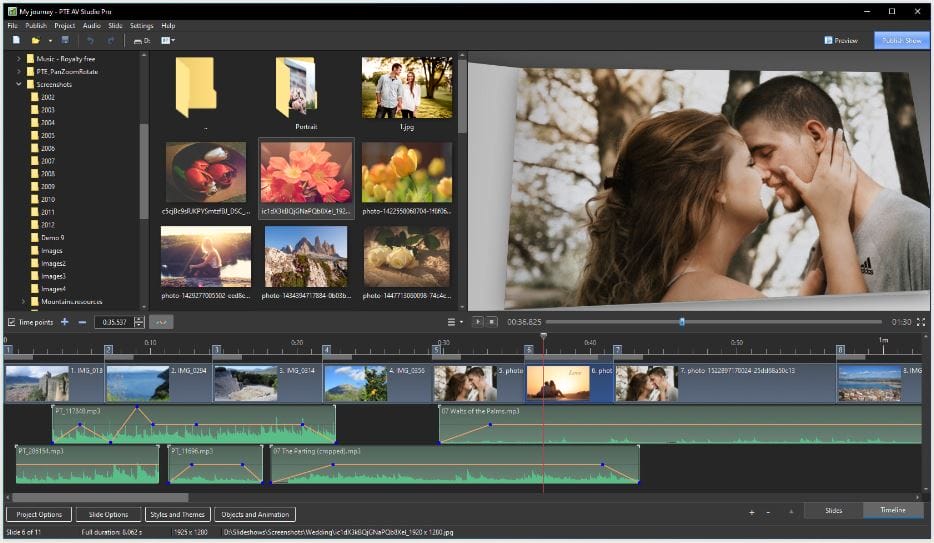
PTE AV Studio offers a more technical approach to slideshow creation, with advanced editing features and audio-visual synchronization.
Key Features:
- Customizable transitions and effects
- Multi-layer editing
- 4K resolution support
- Audio keyframe editing
Pros:
- High-quality output
- Detailed control over animations and transitions
- Supports professional slideshow creation
Cons:
- Not suitable for beginners
- More expensive than some alternatives
Best Photography Slideshow Maker at a glance
| Slideshow Maker | Key Features | Pros | Cons | Pricing |
|---|---|---|---|---|
| Adobe Express | Templates, animations, Adobe Stock | Professional outcome, easy to use | Free version limited | Free/Paid |
| Wondershare Filmora | Transitions, effects, 4K support | Creative freedom, 4K support | Watermark on free version | Free/Paid |
| Movavi Slideshow Maker | Templates, filters, voiceover | User-friendly, fast rendering | Limited advanced features | Paid |
| Magix Photostory Deluxe | 3D effects, HDR, music tools | Customizable, professional-level | Steep learning curve, expensive | Paid |
| Animoto | Templates, music library | Cloud-based, fast and easy | Limited customization | Free/Paid |
| Proshow Gold | Keyframe animations, transitions | Professional effects, customization | Not for beginners, discontinued | Paid |
| Icecream Slideshow Maker | Simple transitions, music | Free, easy to use | Few advanced features | Free/Paid |
| Smilebox | Animated templates, music | Fun and simple, no skills needed | Watermark in free version | Free/Paid |
| Kapwing | Online, multi-device support | Fast processing, easy to use | Limited advanced features | Free/Paid |
| PTE AV Studio | Multi-layer editing, 4K support | Professional-grade, high-quality output | Expensive, not beginner-friendly | Paid |

Final Thought
When selecting a photography slideshow maker, it’s important to balance ease of use with powerful customization options. Consider your specific needs—whether you prioritize professional quality, quick results, or creative flexibility—and choose a tool that fits both your workflow and budget. By keeping these key factors in mind, you’ll be able to find a slideshow maker that helps bring your photography to life.
Interesting Reads
10 Best Free Travel Video Makers Online

