
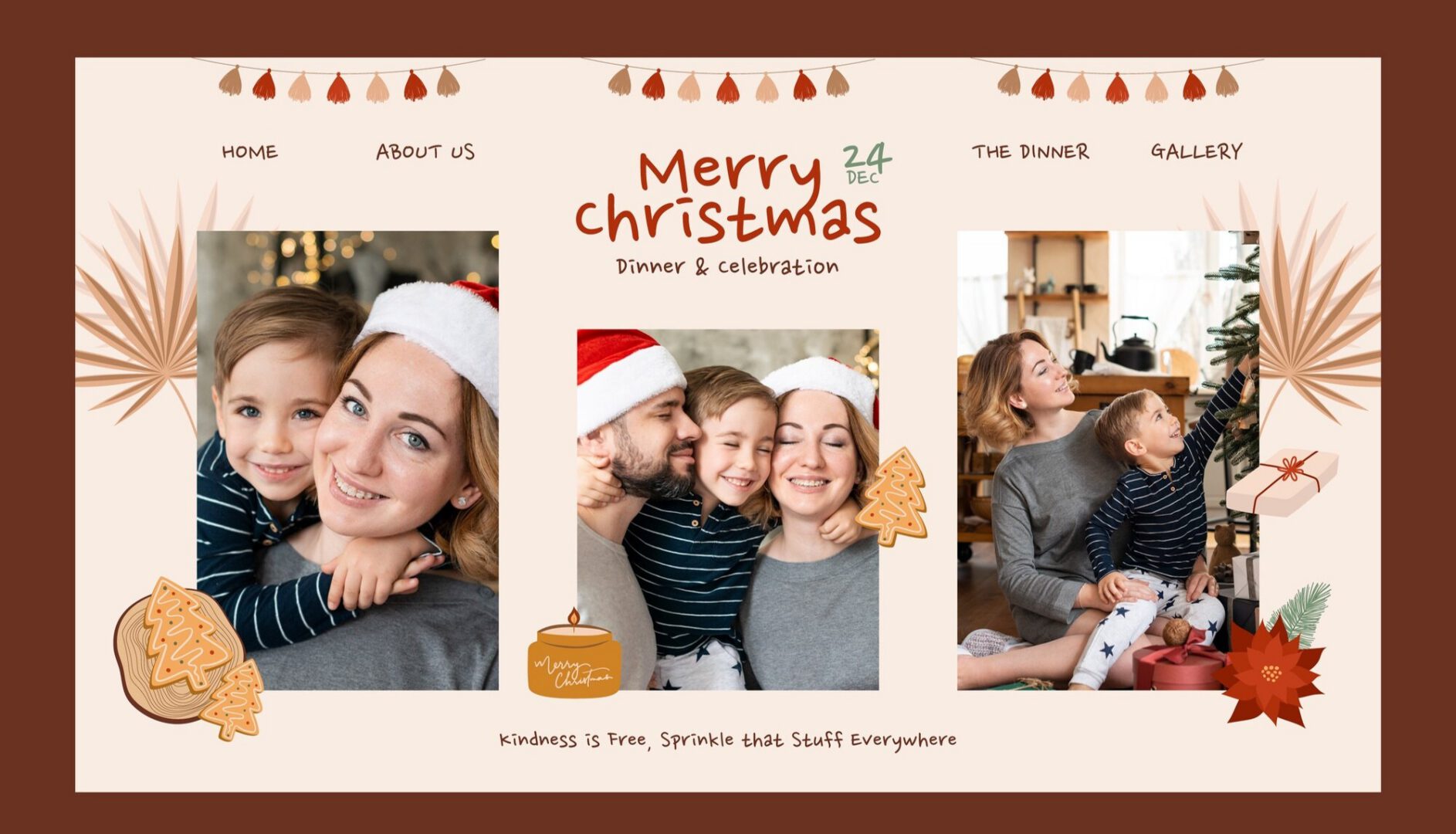
The holiday season is fast approaching, and what better way to capture and share your holiday memories than with a creative Christmas Collage Maker? Whether you’re sending holiday cards, creating social media posts, or simply preserving memories, a Christmas Collage Maker can help you combine your favorite festive photos into one stunning visual display. In this guide, we’ll introduce you to the top 10 Christmas Collage Maker that will make your photos stand out and leave a lasting impression on your family and friends.
Last updated: 6 November 2026
Quick answer: For most people, Canva is the easiest Christmas collage maker because it pairs festive templates with a simple editor. Choose Fotor or BeFunky for quick photo edits, and Collage.com if you want the finished collage printed as a gift. Check each free plan’s limits before you upgrade.

Table of Contents
By the numbers
- Canva is listed with more than 265 million monthly active users (2025) and more than 31 million paid users by the end of 2025, according to its Wikipedia entry, which cites the company.
- The National Retail Federation forecasts that November and December 2026 retail sales will total USD 1.013 trillion, up 4.2% from 2025, per its winter holidays data page.
How to Choose the Best Christmas Collage Maker?
With so many options available, finding the best Christmas Collage Maker can be overwhelming. You need a tool that’s easy to use, customizable, and, most importantly, one that fits the festive spirit of the holiday season. Whether you’re a pro or a beginner, the perfect Christmas Collage Maker should allow you to create beautiful collages with minimal effort. But which one should you choose?
We’ve Done the Research for You!
We’ve done the homework and competitor research to bring you a carefully curated list of the top 10 Christmas Collage Makers. These tools are not only user-friendly but also offer a variety of templates, design elements, and festive themes that will take your holiday photos to the next level. Let’s dive into the details and find the perfect Christmas Collage Maker for you!
1. Canva - The All-in-One Christmas Collage Maker
Why it stands out: Canva is a popular graphic design tool that doubles as a powerful Christmas Collage Maker. With a wide array of Christmas-themed templates and drag-and-drop features, you can easily create professional-looking collages in minutes. Canva also offers plenty of customization options, allowing you to add text, filters, and holiday stickers to give your collage a personal touch.
- Pros: Easy to use, free and premium templates, web-based, and accessible from any device.
- Cons: Some premium elements require payment.
Best for: Beginners and professionals looking for a versatile Christmas Collage Maker.
2. PicMonkey - Creative Christmas Collages Made Easy
Why it stands out: PicMonkey offers a simple yet powerful platform for making stunning Christmas collages. Their holiday-themed designs and intuitive editing tools make creating a festive collage a breeze. PicMonkey’s editing features allow you to adjust colors, add effects, and even retouch photos.
- Pros: Wide selection of Christmas templates, easy-to-use interface, photo-editing features.
- Cons: Limited free version, requires sign-up for full access.
Best for: Those looking for professional-quality collages without the learning curve.
3. Adobe Express - Professional-Quality Christmas Collage Maker
Why it stands out: Formerly known as Adobe Spark, Adobe Express is an excellent option for creating sophisticated Christmas collages. Its library of templates and assets makes it ideal for creating high-quality, festive designs. While it’s a bit more advanced, the learning curve is worth it if you’re looking for pro-level collages.
- Pros: High-quality templates, wide range of design elements, part of Adobe’s ecosystem.
- Cons: Some advanced features require an Adobe subscription.
Best for: Users familiar with Adobe products who want a more advanced Christmas Collage Maker.
4. Fotor - A Fun and Festive Collage Maker
Why it stands out: Fotor is a simple-to-use Christmas Collage Maker that provides fun, holiday-themed templates. With an easy drag-and-drop interface, you can quickly arrange your photos and create a festive collage perfect for sharing with family and friends. It’s great for beginners and those who want a no-fuss option.
- Pros: Beginner-friendly, quick and easy to use, festive templates.
- Cons: Free version has limited features.
Best for: Those looking for an easy and fast way to create collages.
5. BeFunky - Feature-Rich Christmas Collage Maker
Why it stands out: BeFunky is packed with features that allow for extensive customization of your Christmas collages. From adding holiday stickers to creating unique photo arrangements, BeFunky makes it easy to add a festive touch to your designs. Plus, it offers plenty of templates and options to get creative with your holiday photos.
- Pros: Rich in features, lots of templates, easy-to-use.
- Cons: Some advanced features require a premium account.
Best for: Users who want creative control over their collage designs.
6. Collage.com - Simple Christmas Collage Maker with Printing Options
Why it stands out: Collage.com specializes in turning your festive collages into printed keepsakes, such as photo books, mugs, and more. The platform offers holiday-specific templates and a simple interface, making it easy to upload photos and create a collage that can be printed and sent to loved ones.
- Pros: Great for creating personalized gifts, easy to use.
- Cons: Limited free options; primarily a paid service.
Best for: Those who want to create physical holiday gifts from their collages.
7. Ribbet - Free and Festive Christmas Collage Maker
Why it stands out: Ribbet is a free, web-based Christmas Collage Maker that offers festive templates and an easy-to-use interface. With Ribbet, you can create collages, add holiday stickers, and even edit your photos to enhance the holiday spirit.
- Pros: Free, no sign-up required, quick and easy.
- Cons: Fewer customization options compared to premium platforms.
Best for: Quick, free collage creation with a holiday twist.
8. Photo Collage Maker - Desktop Christmas Collage Maker
Why it stands out: This desktop app allows you to create custom Christmas collages offline. With Photo Collage Maker, you get a variety of holiday templates, backgrounds, and effects that help you create festive photo collages without needing an internet connection.
- Pros: Offline use, wide variety of templates, holiday designs.
- Cons: Desktop-only, requires installation.
Best for: Users who prefer desktop apps over web-based platforms.
9. Pizap - Fun and Easy Christmas Collage Maker
Why it stands out: Pizap is known for its playful design and easy-to-use interface. Its Christmas Collage Maker section includes a variety of fun and quirky templates that will give your holiday photos a unique and creative touch. You can add effects, text, and stickers to make your collages pop.
- Pros: Fun templates, easy to use, web-based.
- Cons: Some features require a premium account.
Best for: Users who want a fun and creative collage-making experience.
10. Fotors’ Collage Maker - Sleek and Stylish Christmas Collages

Why it stands out: Fotors’ Collage Maker is sleek, stylish, and designed for modern users who want to create beautiful collages without too much hassle. With its holiday-themed templates, you can create a professional-looking Christmas Collage Maker quickly and easily.
- Pros: Stylish templates, modern design, easy-to-use.
- Cons: Some premium features require payment.
Best for: Users looking for sleek, modern, and professional collages.
Comparison Table
| Name of Tool | Best For | Standout Feature | Pricing |
|---|---|---|---|
| Canva | Beginners and professionals | Versatile with free and premium templates | Free with premium elements |
| PicMonkey | Professional-quality collages without the learning curve | Intuitive editing and retouching tools | Limited free version, subscription required for full access |
| Adobe Express | Users familiar with Adobe products | High-quality templates and advanced features | Requires Adobe subscription |
| Fotor | Beginners looking for a quick, festive collage | Easy drag-and-drop interface | Free with limited features |
| BeFunky | Creative users wanting control over their designs | Extensive customization options | Some advanced features require premium account |
| Collage.com | Creating personalized holiday gifts | Printing options for photo gifts | Paid service with limited free options |
| Ribbet | Quick, free collage creation | No sign-up required and free | Free with fewer customization options |
| Photo Collage Maker | Offline users who prefer desktop apps | Works without internet, desktop-only | Paid desktop app |
| Pizap | Users seeking a fun and creative experience | Quirky and fun templates | Some features require a premium account |
| Fotors’ Collage Maker | Users seeking sleek, professional designs | Stylish and modern templates | Free with premium options |
Wrap Up Your Holiday Memories with the Perfect Christmas Collage Maker
Whether you’re making personalized holiday cards, sharing your Christmas memories on social media, or preserving festive moments for years to come, using the right Christmas Collage Maker can make all the difference. Each of the tools listed above provides a unique set of features designed to make creating collages fun, easy, and festive. Choose the one that best fits your needs and get started on making your Christmas collages today!
FAQs
What is the best Christmas collage maker?
Canva is the easiest all-round option, Fotor and BeFunky suit quick photo-focused edits, and Collage.com is built around printed photo gifts. Choose based on whether you want to share online, print at home or order a physical gift. Test the free plan of your top two picks before paying.
Can I use a Christmas collage maker for free?
Most tools in the comparison table can be used for free at a basic level. Check the current free-plan limits on each vendor’s pricing page before you commit to a deadline, because plans and limits change. The comparison table in this post summarises each tool’s strengths and limits.
Do I need design or editing experience?
No. The tools in this list are built around templates and drag-and-drop editing, so you can swap text, images and brand colours without learning a professional editor. Pick a template close to your finished idea, change the wording, and export. More advanced editors give more control but are not required for this job.
Can I print a Christmas collage?
Yes. Most tools let you download the collage as an image or PDF that you can print yourself, and Collage.com is built around ordering printed photo gifts. For a sharp print, start from the highest-resolution photos you have and check the export quality on the tool’s plan page.
How do I choose between these collage makers?
Compare the template library, export quality, brand kit options and whether the tool runs in a browser or on a phone. Then check what the free plan restricts, such as watermarks, resolution or length, because that decides whether free is enough. The comparison table in this post lists the standout feature and pricing note for each option.
Sources
Interesting Reads
Best Christmas Promo Video Templates