What Image Does WordPress Show On Preview


When you share a WordPress post on social media platforms like Facebook or Twitter, or when you see a preview of your post in a search engine result, WordPress tries to display a representative image along with the post title and description. This image is often referred to as the “preview image” or “featured image.”
Key Sources for the Preview Image:
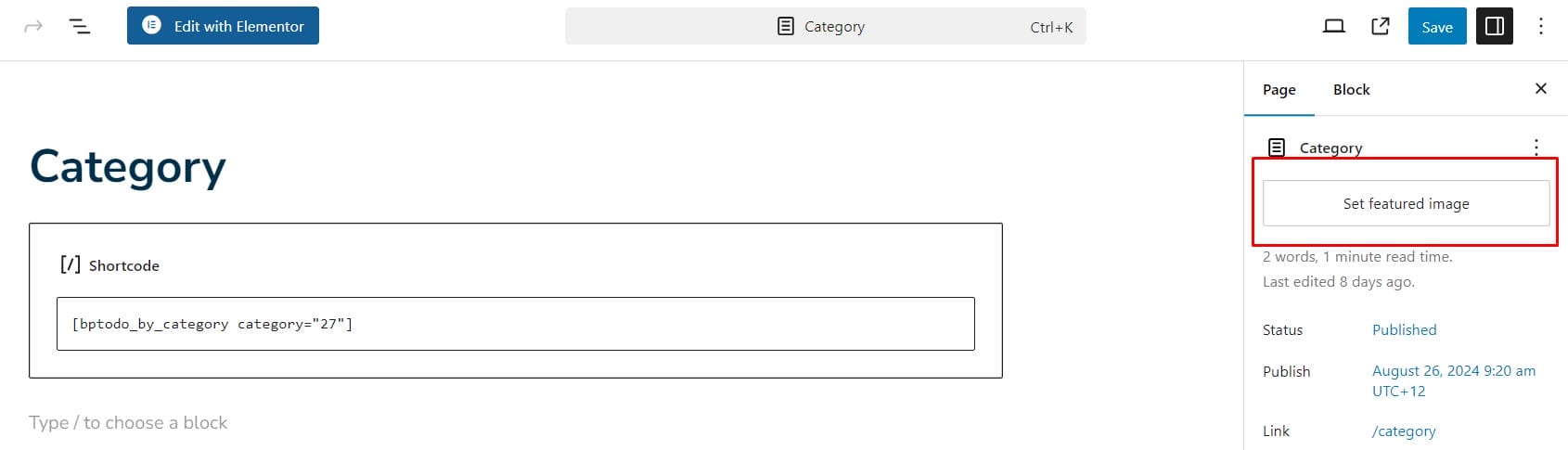
- Featured Image: The primary image WordPress uses for post previews is the featured image set for the post. You can manually assign a featured image in the post editor under the “Featured Image” section. This image will typically be used in previews on your website, in RSS feeds, and on social media.
- Open Graph Meta Tags: WordPress plugins like Yoast SEO or All in One SEO help optimize how your content appears when shared on social media by adding Open Graph meta tags to your posts. These tags specify which image should be used in the preview. The Open Graph
og:imagetag specifically determines the image to show when your post is shared. - First Image in Post: If no featured image is set, some themes or plugins may automatically use the first image in the post content as the preview image.
- Default Image: If neither a featured image nor a post image is available, some WordPress themes or SEO plugins allow you to set a default image. This image is then used as a fallback for post previews.
Customizing Preview Images
- Manual Setting: Ensure you set a featured image for each post to have control over what image is shown in previews.
- Plugins: Use plugins like Yoast SEO to specify custom preview images for social media through Open Graph meta tags, overriding the default featured image if needed.
Why is the Preview Image Important?
The preview image is crucial for attracting attention on social media and in search engine results. A well-chosen image can significantly increase click-through rates, making it an essential aspect of content marketing.
WordPress primarily shows the featured image of a post as the preview image. But, if a featured image isn’t set, it may use the first image within the post or a default image specified by your theme or plugins. For the best results, always set a featured image and consider using an SEO plugin to manage how your content appears when shared.
Interesting Reads:
Should I Upload Entire WordPress Site At Github

Shashank is a seasoned digital marketing and WordPress expert who specializes in SEO, software tools reviews, and cutting-edge strategies for boosting online presence. With a passion for simplifying complex topics, Goutham crafts engaging blog posts that help readers optimize their websites, improve search engine rankings, and stay ahead in the ever-evolving digital landscape.