

When I first started exploring ways to build a strong subscription-based eCommerce store, I quickly realized that just installing WooCommerce Subscriptions wasn’t enough. Sure, WooCommerce gives you a solid foundation — it’s reliable, flexible, and easy to manage. But if you really want to scale your business and offer a smooth, high-performing subscription experience, you need the right set of supporting plugins.
I tested a bunch of add-ons that work seamlessly with WooCommerce Subscriptions, and honestly, the difference they make is huge. These plugins help you do so much more than just collect recurring payments. They can automate communication with your subscribers, simplify renewal management, and even improve how customers interact with your store.
For example, I tried integrating advanced payment gateways to make checkout easier for recurring customers — and that alone reduced churn because people didn’t have to re-enter their details every time. I also experimented with tools that automate follow-up emails, reminders, and updat

Quick Links
What Is WooCommerce Subscription Plugin?

I first started experimenting with the WooCommerce Subscriptions plugin, I realized just how powerful it can be for building steady, recurring revenue streams. It’s not just about selling products anymore — it’s about creating long-term customer relationships. I wanted to understand if it could really simplify managing subscriptions, automate payments, and help me deliver ongoing value to customers. Here’s what I found after testing it myself.
The setup process was surprisingly straightforward. WooCommerce Subscriptions integrates seamlessly with the main WooCommerce plugin, so if you already have a store, it feels like a natural extension rather than a separate system. Once installed, I could create products with recurring payments — think monthly boxes, access to premium content, or ongoing digital services — all without needing to touch a line of code.
Key features of the WooCommerce Subscription plugin include:
1. Subscription Management:
The subscription management dashboard is a real game-changer. From one place, I could see every active subscription, adjust billing dates, change renewal settings, and even manage customer upgrades or downgrades. It took a lot of the manual work off my plate.
2. Recurring Payments:
The recurring payments feature worked beautifully. Customers could choose a plan — weekly, monthly, or even yearly — and the system handled all renewals automatically. I tested it with different payment gateways, and everything ran smoothly without me needing to chase payments or manually send invoices.
3. Flexible Billing:
Another feature I loved was the flexible billing options. I could offer free trials or discounted first-month deals to encourage sign-ups. It’s a smart way to convert new visitors into long-term subscribers. Plus, you can even charge a one-time setup fee if your service requires onboarding or customization.
4. Content Restriction:
Then there’s content restriction, which turned out to be incredibly useful. I tried locking certain pages and downloadable resources for subscribers only, and it instantly added a sense of exclusivity. It’s a simple but effective way to give customers a reason to stay subscribed.
5. Automatic Renewals:
The automatic renewals feature worked like a charm too. Once customers subscribed, they didn’t need to lift a finger — everything renewed automatically unless they chose to cancel. From a business standpoint, that consistency is gold because it means predictable income and higher customer retention.
The WooCommerce Subscription plugin empowers businesses to build recurring revenue streams by offering subscription-based products and services through their WooCommerce-powered online stores.
List of WooCommerce Subscription Plugins
1 YITH WooCommerce Subscription
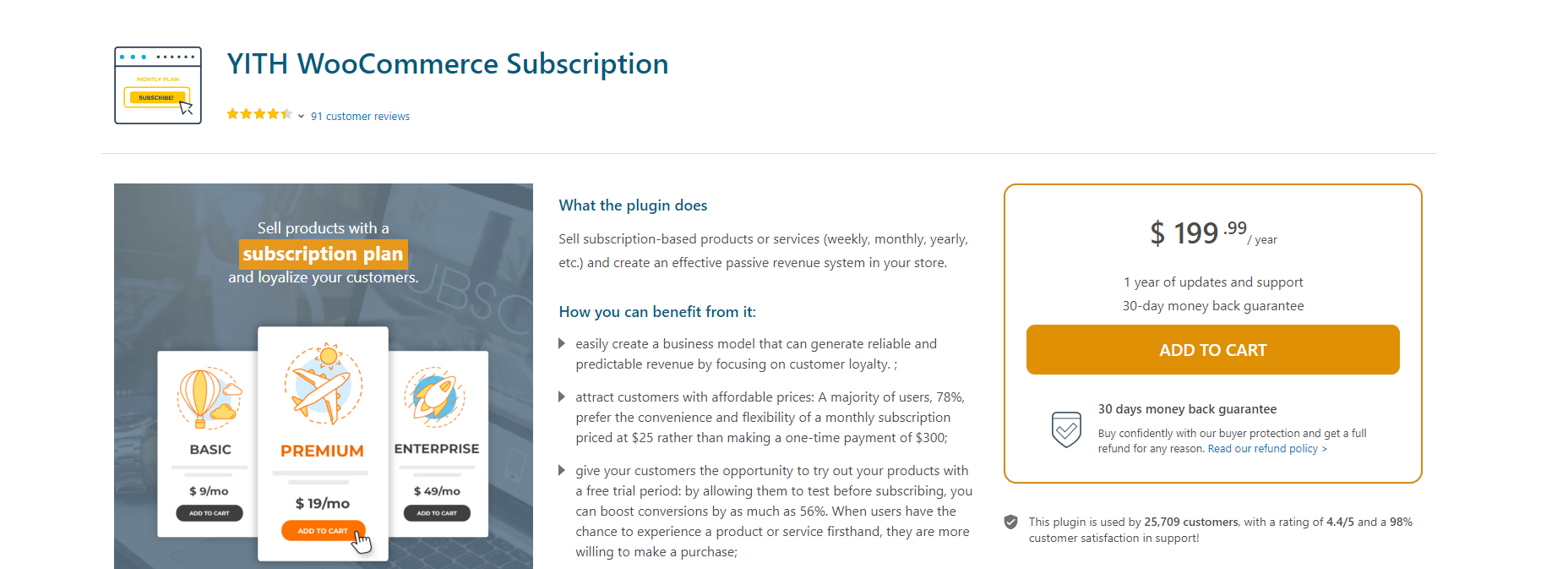
When I tested YITH WooCommerce Subscription, I was curious to see how it compared to the official WooCommerce Subscriptions plugin. I’ve used several YITH tools before, and they’ve always impressed me with their balance of flexibility and ease of use — and this one followed the same pattern. From the start, it felt like a plugin built to make subscription management less of a hassle and more of a smart business strategy.
Setting it up was straightforward. Once installed, I could create all kinds of subscription plans — from simple subscriptions (like a single product billed monthly) to more complex setups like variable and grouped subscriptions. That flexibility made it perfect for testing different pricing models and seeing what my audience responded to best.
What stood out immediately was how customizable the billing options were. I could easily set up trial periods, sign-up fees, or even offer discounted starting prices to attract new subscribers. That kind of control helps build trust and gives customers a low-risk way to try out your products or services before committing long-term.
Key Features of YITH WooCommerce Subscription
- Flexible Subscription Types: Simple, variable, and grouped models for different products.
- Custom Billing Options: Trial periods, sign-up fees, and promo pricing to attract new customers.
- Seamless Payments: Works flawlessly with PayPal, Stripe, and other gateways.
- Automated Notifications: Renewal reminders and confirmation emails handled automatically.
- Customer Dashboard: Easy subscription management and quick support handling.
- Performance Insights: Built-in analytics for tracking revenue and growth.
- Plugin Compatibility: Integrates smoothly with other YITH and WooCommerce extensions.
Pricing
Price: $199.99 per year
Duration: 1 year of updates and support
Guarantee: 30-day money-back guarantee
2. Paid Member Subscription
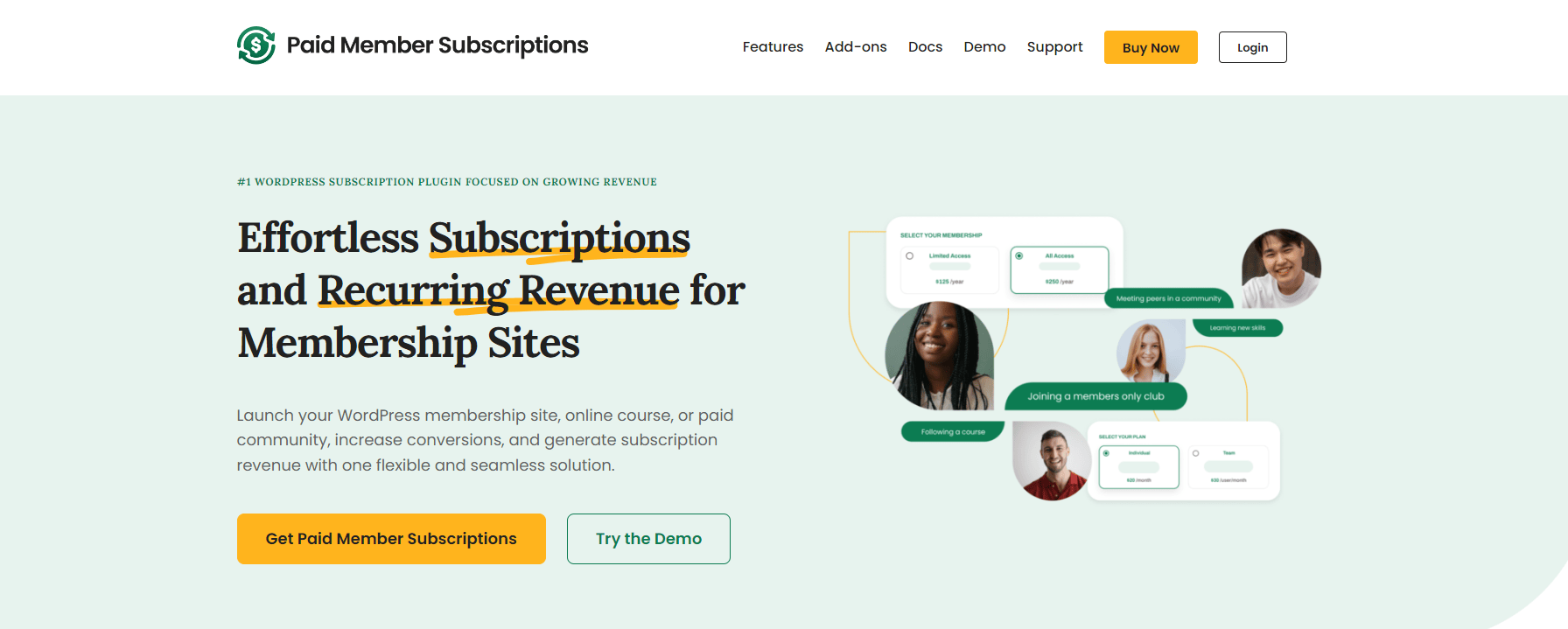
When I tested Paid Member Subscriptions by Cozmoslabs, I immediately noticed how polished and thoughtfully designed it is. Unlike many membership or subscription plugins that feel overly complex, this one strikes the perfect balance between flexibility and simplicity. It’s a great choice for creators, coaches, or online store owners who want to build a membership-style subscription system without spending weeks figuring it out.
Setting it up was quick. I especially liked how easy it was to create membership tiers and connect them to WooCommerce products. The plugin gives you full control over who can access what — whether it’s premium blog posts, member-only courses, or exclusive store discounts. That level of customization makes it ideal for businesses that want to deliver unique content or gated experiences.
Key Features of Paid Member Subscription
- Effortless Login System: Easy-to-use
[pms-login]shortcode for seamless user access. - Flexible Subscription Management: Upgrade, downgrade, and handle recurring payments effortlessly.
- Discount & Promo Support: Run targeted offers and limited-time deals to attract new members.
- Content Protection: Prevents account sharing, ensuring only paying members access your content.
- Powerful Add-ons: Includes tools for tax compliance, group memberships, and advanced billing.
- Detailed Reports: Access clear insights into subscription performance and revenue.
- WooCommerce Integration: Works smoothly with your store to manage paid and free memberships.
Pricing
Plan Name: Basic
Target Audience: Beginners and solo creators
Price: €99 per year
Usage: Allowed on 1 site
Features: Supports both Paid and Free Subscriptions
3. WP Simple Pay
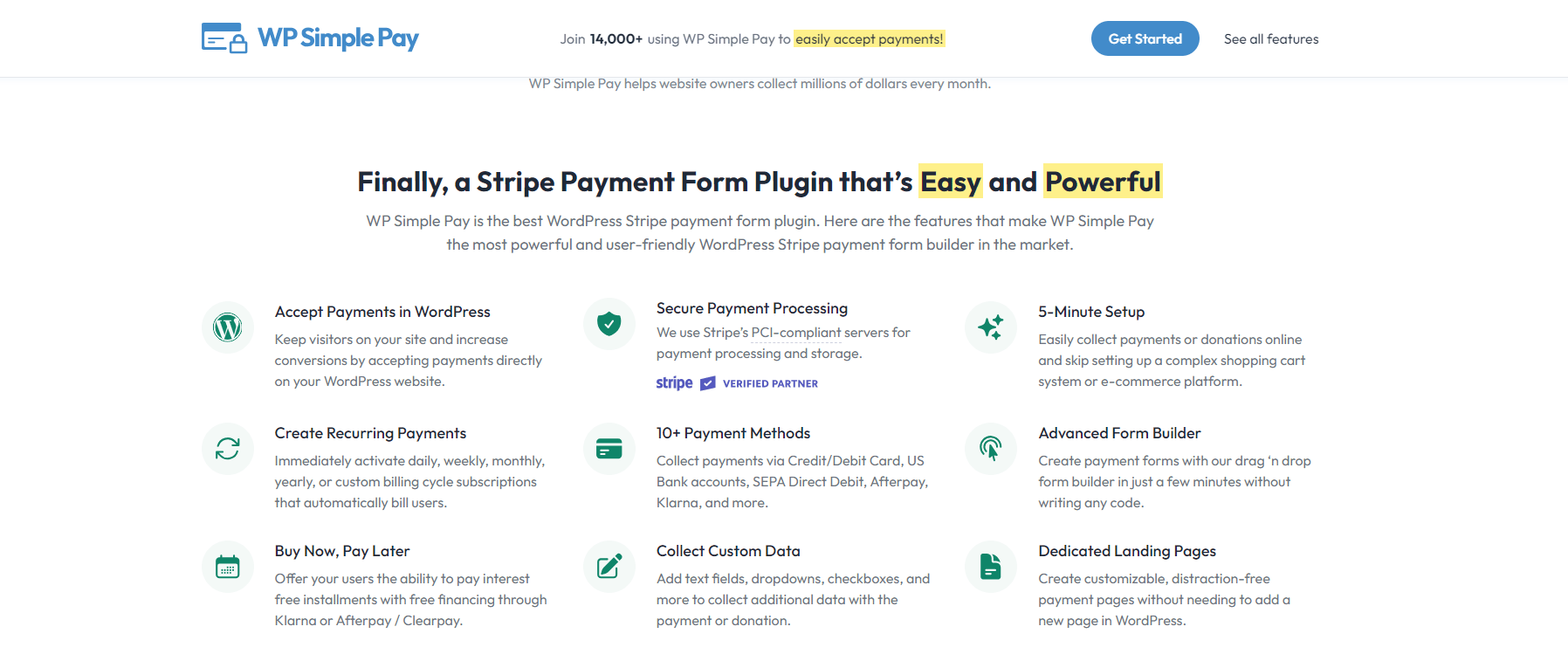
I first tried WP Simple Pay, I wasn’t expecting much — after all, it’s marketed as a “simple” Stripe payment form plugin. But after setting it up, I quickly realized there’s a reason it’s considered one of the best Stripe integrations for WordPress. It’s clean, intuitive, and incredibly powerful once you start exploring everything it can do.
The first thing that stood out to me was how easy it was to connect my WordPress site to Stripe. In just a few minutes, I had secure payment forms running without needing WooCommerce or any complicated setup. For anyone who wants to accept payments fast — whether for services, event registrations, donations, or digital products — this plugin delivers exactly what it promises.
What I really liked was the drag-and-drop form builder. It’s designed for non-developers, which means you can create beautiful, fully functional payment forms without touching a single line of code. I customized fields, added product options, and styled the form to match my site — all within a few clicks.
Key Features of WP Simple Pay
- Quick Stripe Integration: Connects to your Stripe account in minutes for instant payment acceptance.
- Secure Transactions: Uses Stripe’s PCI-compliant servers to keep payment data safe.
- Multiple Payment Methods: Supports Credit/Debit Cards, Afterpay, Klarna, SEPA, and more.
- Drag-and-Drop Builder: Create and customize payment forms without coding.
- Recurring Billing: Enable daily, weekly, monthly, or yearly subscriptions with ease.
- Multi-Currency Support: Accept global payments without technical complications.
- Mobile-Optimized Forms: Smooth payment experience across all devices.
Also Read: How to Post an Activity at the Optimal Time in BuddyPress
Pricing
Price: $99.00
Usage: Allowed on 1 Site
Features: Unlimited Payment Forms
4. Woo Subscriptions
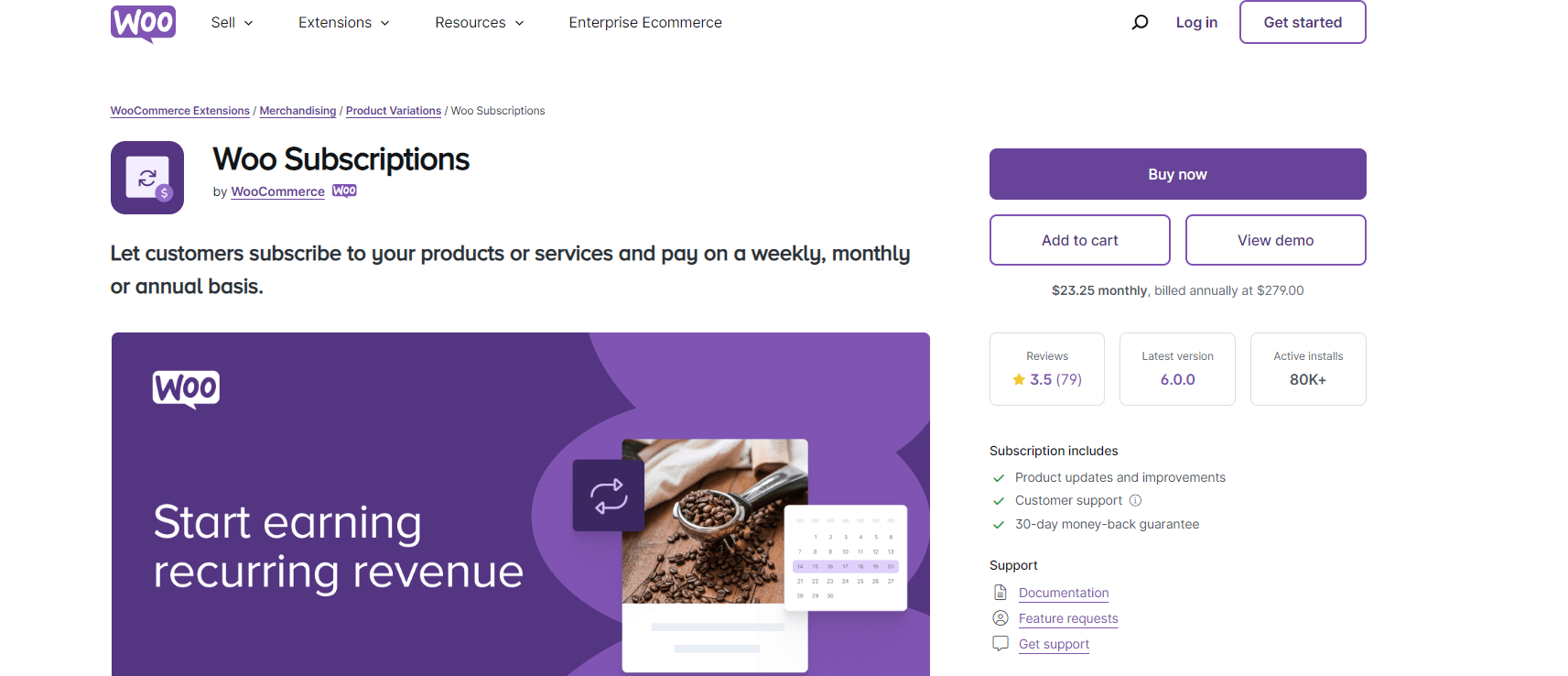
When I tested WooCommerce Subscriptions — the official subscription plugin built by the same team behind WooCommerce — I immediately understood why it’s considered the gold standard for WordPress-based recurring payments. Yes, it’s a premium extension, but after spending time exploring its features, I can confidently say it’s one of those rare tools that truly justifies its price tag.
From the moment I installed it, everything felt tightly integrated. There was no learning curve or setup confusion — it blended seamlessly with my existing WooCommerce setup. Within minutes, I was creating subscription-based products and services with flexible billing options. Whether I wanted to charge customers weekly, monthly, or even annually, the plugin handled it effortlessly.
What I loved most was how automated everything felt. Once I set up a subscription product, the system took care of renewals, invoices, and payment reminders on its own. I didn’t have to manually follow up with customers — the plugin did all the heavy lifting. That automation alone can save store owners hours of manual work every month.
Key Features of Woo Subscriptions
- Flexible Billing Cycles: Choose from weekly, monthly, or custom schedules.
- Seamless Gateway Integration: Works with 25+ gateways for automatic recurring payments.
- Revenue Protection: Auto-rebill failed payments to prevent income loss.
- Manual Renewal Support: Send automated email invoices for manual renewals.
- Customer Control: Subscribers can self-manage, upgrade, or cancel plans anytime.
- Automated Notifications: Built-in renewal alerts and payment updates.
- Comprehensive Analytics: Track recurring revenue, churn, and subscriber trends.
- Trial & Discount Options: Offer free trials, special pricing, or time-limited promotions.
Pricing
Monthly Cost: $19.92
Annual Billing: $239.00 (billed annually)
Subscription Includes:
Product updates and improvements
Customer support
30-day money-back guarantee
Support documentation
Feature requests support
5. Subscriptions for WooCommerce
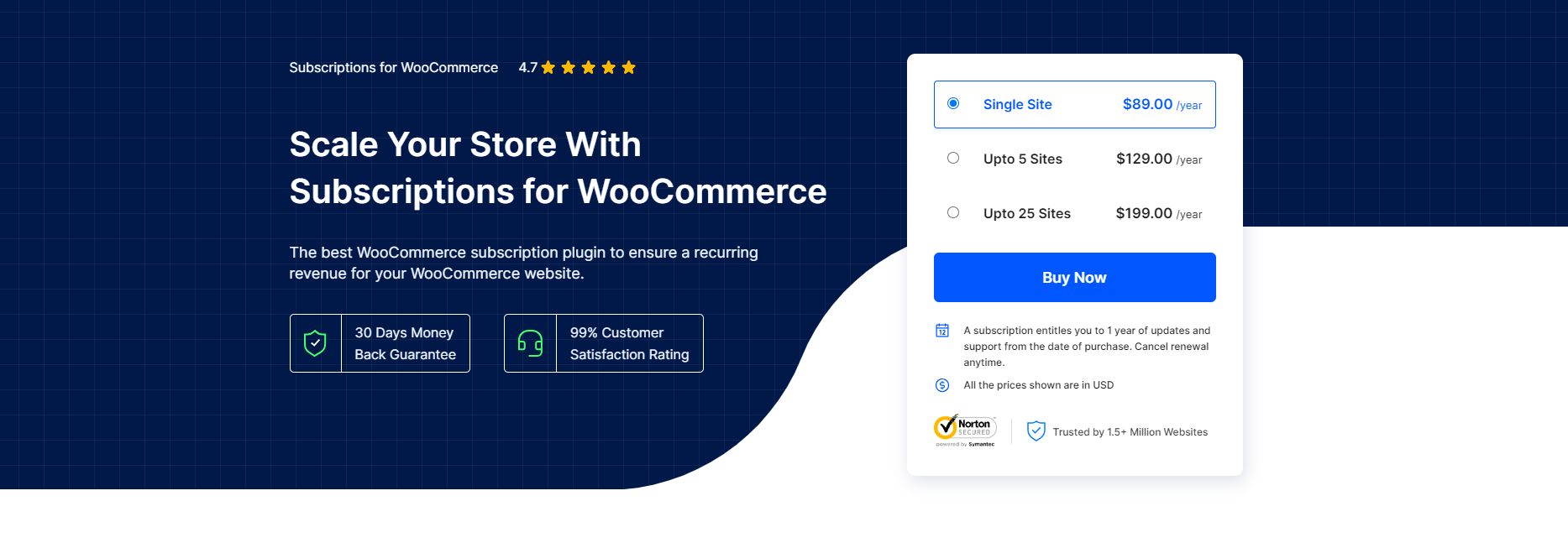
When I tested WebToffee for WooCommerce Subscriptions, I was genuinely impressed by how smooth and reliable it made managing recurring payments. At first glance, it may seem like just another paid subscription plugin, but once I started setting it up, I realized why so many WooCommerce store owners swear by it. It’s not just feature-rich — it’s built for real-world use.
Right from the setup process, WebToffee made things feel intuitive. I didn’t have to dig through endless menus to create my first subscription plan — the options were laid out clearly. What really stood out to me was the flexibility in subscription types. I could easily set up both simple and variable subscriptions, adjusting the recurring price, interval, and even adding unique product attributes. That level of customization really helps if you’re running a store with diverse offerings.
Key Features of Subscriptions for WooCommerce
- Simple & Variable Subscriptions: Easily customize simple and variable subscriptions with recurring prices, intervals, and attributes.
- Free Trial and Sign-Up Fee: Set free trial periods and exclusive signup fees separate from the subscription price.
- Renewal Interval & Expiry Management: Customize renewals daily, weekly, monthly, or yearly, with interval options and subscription expiration.
- Recurring Discounts: Offer fixed or percentage discounts in every renewal using simple discount coupons.
- Stripe, PayPal Support: Integrate seamlessly with major payment gateways, Stripe and PayPal, for regular recurring revenue.
- Synchronization, Pro-Rate Capability: Sync renewals and use pro-rata to charge until the first renewal.
- Email Notifications: Automate notifications for various statuses, keeping customers and site owners informed.
- Customer Subscription Management: Empower customers to manage subscriptions, including cancellation and suspension.
- Multilingual Support: Ensure compatibility with translations for 10 languages and compatibility with most multilingual plugins.
Pricing
Plan Name: Single Site
Price: $89.00 per year
Subscription Duration: 1 year
Included Benefits:
Updates and support for one year from the date of purchase
Option to cancel renewal anytime
6. SUMO Subscriptions
When I tested SUMO Subscriptions, I was genuinely impressed by how flexible and well-rounded it is — especially for store owners selling both physical and digital products. Right from the setup, it felt intuitive and beginner-friendly. The interface is clean and easy to navigate, so I didn’t have to spend much time figuring things out.
One of the first things I noticed was how seamlessly SUMO handled different product types. Whether I wanted to create a simple, variable, or grouped subscription, it only took a few clicks. This versatility is perfect if your store sells a mix of digital downloads, physical products, or even memberships.
Another feature I appreciated was the option to manage both manual and automatic renewals. Some plugins only offer automated billing, but SUMO lets you decide how you want to handle renewals — a huge plus for businesses that prefer more control over payments.
Key Highlights:
- Works for simple, variable, and grouped products
- Manual & automatic renewals
- Compatible with WooCommerce Memberships
- Supports synchronization of billing cycles
Price: $49 (one-time on CodeCanyon)
7. Subscriptio
I tried Subscriptio, what immediately stood out to me was how simple and streamlined it makes the entire subscription process. I’ve tested quite a few WooCommerce subscription plugins, and many tend to overcomplicate setup — but Subscriptio keeps things refreshingly straightforward. Within minutes, I was able to configure recurring payments and start offering subscription options without any technical hassle.
What I really liked was the flexibility in billing cycles. Whether I wanted to charge weekly, monthly, or annually, Subscriptio handled it effortlessly. It’s great for businesses that want to experiment with different pricing structures or offer multiple subscription tiers.
The plugin also supports manual renewals, which is something I appreciate because not every customer wants automatic billing. This small feature actually makes a big difference in improving trust and giving users control over their payments.
Key Highlights:
- Flexible billing cycles for different pricing models
- Manual and automatic renewal options
- Email notifications for renewals and expirations
- Compatible with all major payment gateways
Price: $69 (one-time on CodeCanyon)
Also Read: Best WordPress LMS Plugins
8. MemberPress WooCommerce Integration
When I tested the MemberPress WooCommerce integration, I immediately saw how powerful it could be for anyone running an online course, membership site, or private community. What I liked most was how seamlessly it connects MemberPress with WooCommerce, letting you manage memberships and payments all in one unified system — no juggling between multiple dashboards.
If you’re already using MemberPress, this integration is a game-changer. It allows you to sell memberships just like regular products through your WooCommerce store, which makes the checkout process more natural for customers. I found this especially helpful when managing course enrollments or community memberships — everything stayed organized, from sign-ups to renewals.
I also loved how well it works with learning management systems (LMS). If you’re running an educational platform, you can easily link courses with membership levels, giving students access to specific lessons or resources as soon as they purchase. It takes a lot of the manual work out of managing who can access what.
Key Highlights:
- Manage memberships via WooCommerce
- Integrates with learning platforms
- Supports recurring payments
- Includes coupon & trial options
Price: From $179/year
9. MemberPress WooCommerce Integration
If you already use MemberPress, this integration lets you sell memberships directly through WooCommerce. I found it especially useful for course creators and community builders who want to handle all payments in one place.
Key Highlights:
- Manage memberships via WooCommerce
- Integrates with learning platforms
- Supports recurring payments
- Includes coupon & trial options
Price: From $179/year
Also Read: Agriculture Web Design with WordPress
10. WP PayForm Pro
When I first tried WP PayForm Pro, I wasn’t expecting much since it’s a relatively newer name compared to some of the bigger WooCommerce subscription plugins. But honestly, I was pleasantly surprised by how smooth and intuitive it felt right from the start. The setup process was quick, and I didn’t need any coding knowledge to get professional-looking payment forms up and running in minutes.
What really stood out to me was the drag-and-drop form builder. It’s clean, responsive, and super easy to use — I could customize my payment forms exactly the way I wanted without dealing with shortcodes or complex configurations. Whether I was setting up one-time payments or recurring subscriptions, the interface made everything effortless.
I also liked the email notification system built into WP PayForm Pro. It automatically sends updates for renewals, payments, and even cancellations — which helps maintain clear communication with subscribers without me having to do any manual follow-up.
Key Highlights:
- Accepts payments through both PayPal and Stripe
- Drag-and-drop builder for fully customizable forms
- Supports one-time and recurring payments
- Sends automated email notifications for renewals and payment updates
Price: $59/year

Final Thoughts of WooCommerce Subscription Plugins
WooCommerce Subscription Plugins have completely transformed how businesses manage and grow their online stores. In today’s digital-first world, consumers love convenience and consistency — and that’s exactly what subscription-based models offer. Whether it’s a monthly product box, a premium membership, or a recurring digital service, these plugins make it incredibly easy for businesses to set up and automate the entire process.
What makes WooCommerce Subscription Plugins so powerful is their flexibility. You can create simple or variable subscriptions, tailor billing intervals to fit your needs, and even offer free trials or sign-up fees to encourage more conversions. I’ve noticed that this flexibility helps both small businesses testing the waters and established brands scaling their recurring revenue streams. It’s a win-win for merchants and customers alike.
Another key advantage is automation. Once configured, these plugins handle renewals, reminders, and expirations automatically. That means no more manual tracking or missed payments. Plus, features like automated email notifications ensure your customers are always in the loop — whether it’s about renewals, upgrades, or cancellations. This not only improves transparency but also builds trust.
Also read:-
Unveiling The Power of Community Analytics
Creating a Buzz: Launching Contests and Giveaways to Market Your Community
Crafting the Perfect Pitch: How to Describe Your Online Community to Outsiders

