

The BuddyPress Poll Plugin is an essential tool for any BuddyPress-powered community looking to increase engagement and interaction. As a powerful WordPress poll plugin, it allows community members to create and participate in dynamic, interactive polls directly within activity feeds, profiles, and groups. This easy-to-use plugin not only fosters meaningful discussions but also helps gather valuable insights from your users, making it a must-have for building a vibrant and responsive community. Whether you’re running a social network, forum, or any community-based website, the BuddyPress Polls Plugin enhances user experience and drives more interaction.

Why BuddyPress Polls Plugin is a Game-Changer
The BuddyPress Polls Plugin isn’t just another polling tool. It’s a feature-rich solution crafted to meet the unique needs of community platforms. By enabling multiple poll formats and customization options, it ensures every interaction feels fresh, meaningful, and visually appealing. Let’s explore the core features that make this plugin stand out.
Key Features of BuddyPress Poll Plugin
1. Diverse Poll Types
This plugin allows you to create polls in multiple formats, making it suitable for a wide range of use cases:
Text Polls
- Simple and straightforward questions to gather opinions.
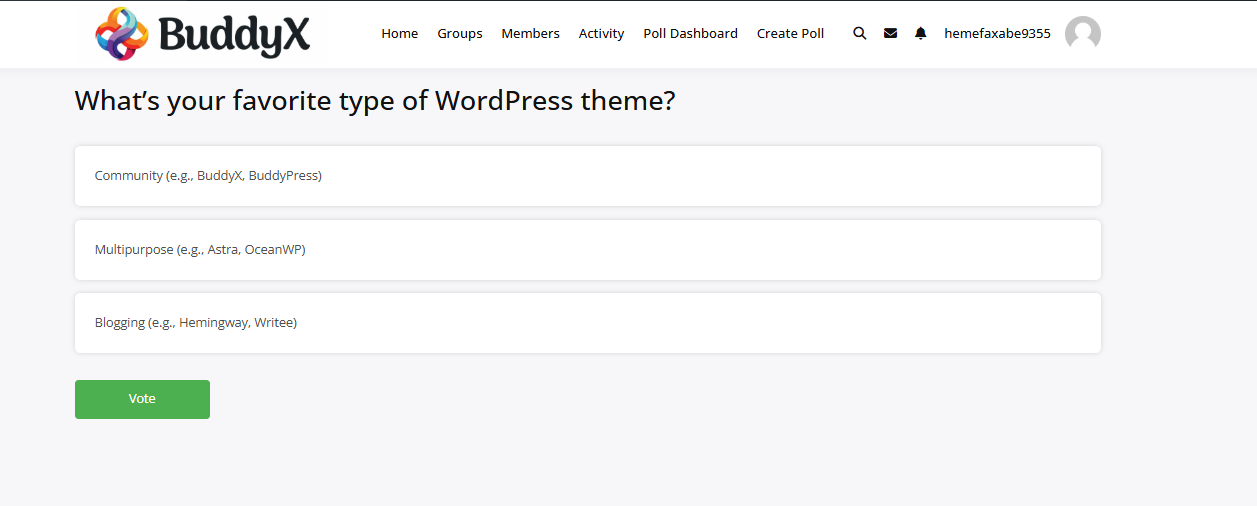
Image Polls
- Perfect for visually engaging votes, such as design preferences or product choices.

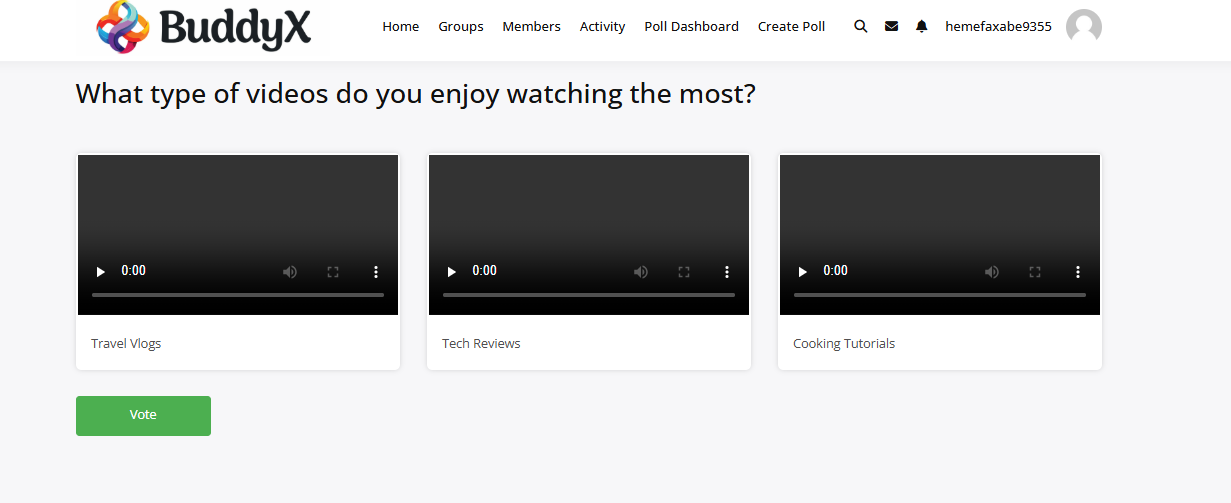
Video Polls
- Incorporate videos to make your polls more interactive and fun.
Audio Polls
- Ideal for music or podcast communities where audio feedback is essential.

HTML Polls
- Create advanced and customized polls using HTML.

2. Seamless BuddyPress Integration
The plugin works flawlessly with BuddyPress, ensuring a natural extension of your community’s functionality:
- Polls are integrated directly into activity feeds, profiles, and groups.
- Members can create and share polls effortlessly, encouraging participation.
- Group admins can manage polls specific to their group, fostering collaboration.
3. Flexible Answer Options
Whether your poll requires a single answer or multiple choices, the plugin adapts to your needs:
- Single-choice polls for focused feedback.
- Multiple-choice polls for more comprehensive input.
4. User-Friendly Interface
Simplicity is at the core of the BuddyPress Polls Plugin:
- Members can create polls in minutes without any technical expertise.
- Admins have complete control over poll visibility, duration, and settings.
5. Customizable Poll Duration
- Set start and end dates for polls to align with your campaigns.
- Schedule polls in advance to keep your community engaged at the right times.
6. Interactive Results Display
- Display results in real time with stunning charts or graphs.
- Option to keep results hidden until the poll ends for added excitement.
7. Robust Privacy Controls
- Decide who can view and participate in polls.
- Make polls public, restrict them to specific groups, or keep them private.
8. Responsive Design
The plugin is fully optimized for all devices:
- Whether it’s mobile, tablet, or desktop, users can participate effortlessly.
9. Customizable Appearance
- Match polls with your website’s branding using color options and styles.
- Advanced users can apply custom CSS for further personalization.
10. Lightweight and Efficient
The plugin is built to perform seamlessly without affecting your site’s speed—even in large communities with heavy activity.
Why Choose BuddyPress Poll Plugin?
This plugin’s ability to support text, image, video, audio, and HTML polls makes it a standout solution for any BuddyPress-based platform. Whether you’re managing a creative, educational, or professional community, the BuddyPress Polls Plugin offers the flexibility to:
- Creative Communities: Use image and video polls to spark artistic discussions.
- Educational Groups: Conduct surveys, quizzes, or polls for academic purposes.
- Music & Podcast Communities: Create audio polls to let members vote on tracks or episodes.
- Tech Forums: Use HTML polls for coding challenges or other interactive purposes.
How to Use BuddyPress Poll Plugin
Installation
- Download the plugin from Wbcom Designs.
- Install and activate it on your WordPress site.
- Configure the settings to suit your community’s needs.
Creating Polls
- Go to the activity feed, profile, or group page.
- Click the Create Poll button.
- Choose a poll type (text, image, video, audio, or HTML).
- Add options, set a duration, and publish the poll.
Managing Polls
Admins can
- Edit or delete existing polls.
- Monitor participation and engagement metrics.
- Adjust settings for visibility and access.
Use Cases for BuddyPress Poll Plugin
Community Feedback
- Gather opinions on new features or community updates.
- Conduct satisfaction surveys.
Event Planning
- Let members vote on event dates, themes, or other details.
Marketing Campaigns
- Run engaging polls to involve your community in brand decisions.
- Conduct quick market research to understand user preferences.
Educational Activities
- Create quizzes or academic surveys for learning groups.

Final Thoughts
The BuddyPress Poll Plugin by Wbcom Designs is an essential tool for any BuddyPress community looking to enhance member engagement and foster meaningful interactions. With its user-friendly interface, diverse poll types, and seamless integration, this plugin empowers you to create polls that truly resonate with your audience. Whether you’re running a niche community, a professional network, or an educational platform, this plugin has everything you need to keep your community active and connected.
Get the BuddyPress Polls Plugin today and transform the way your community interacts. Visit the official page to learn more and get started!
Interesting Reads:
Best WordPress Cookie Consent Plugins in 2024
Top 10 Free WordPress.org Membership Plugins: A Detailed Guide Based on Active Installations

