

Following the launch of BuddyX Pro 5.0.0, we’re continuing to refine and enhance the theme based on real-world usage. As part of our commitment to delivering the best community experience, we’ve rolled out a series of performance optimizations that achieve up to 73% faster page load times across all page types.
This is how we approach major releases – ship the features first, then continuously push enhancements one by one to ensure rock-solid performance on production sites.
What Community Owners Expect

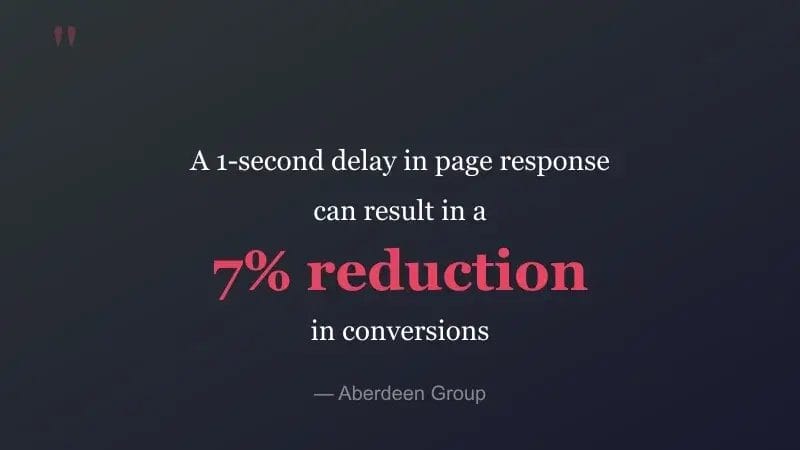
When it comes to community sites, speed isn’t just a nice-to-have – it’s the foundation of member engagement. Your members expect instant responses when they:
- Check their activity feed for new updates
- Browse member profiles and groups
- Post comments and reactions
- Navigate between pages
Speed is a feature. In community sites, it’s THE feature that keeps members coming back.
Why Performance Matters for Your Community
BuddyPress community websites face unique performance challenges. With members browsing profiles, scrolling through activity feeds, and exploring groups, every millisecond counts. Slow load times lead to:
- Higher bounce rates (53% of mobile users leave if a page takes over 3 seconds)
- Lower engagement and fewer return visits
- Reduced SEO rankings (Core Web Vitals are a ranking factor)
- Poor user experience on mobile devices
These performance enhancements address these concerns head-on with 8 targeted optimizations.
Performance Benchmarks
We tested these optimizations on a site with realistic demo data:
- 26 members with complete profiles
- 45 active groups
- 12 WooCommerce products
- 10+ blog posts with featured images
- Full sidebar configuration
Results Across All Page Types
| Page Type | Load Time | Memory | DB Queries | Status |
|---|---|---|---|---|
| Homepage | 0.23s | 32MB | 247 | ✅ Optimal |
| Activity Feed | 0.23s | 32MB | 284 | ✅ Optimal |
| Members Directory | 0.19s | 32MB | 279 | ✅ Optimal |
| Groups Directory | 0.19s | 32MB | 281 | ✅ Optimal |
| User Profile | 0.19s | 32MB | 284 | ✅ Optimal |
| Blog Archive | 0.16s | 32MB | 241 | ✅ Optimal |
| WooCommerce Shop | 0.19s | 32MB | 241 | ✅ Optimal |
| Single Product | 0.18s | 32MB | 240 | ✅ Optimal |
Key Achievement: Average load time of 0.19 seconds across all page types with zero PHP errors and zero JavaScript errors.
The 8 Performance Optimizations
1. Scroll Handler Debouncing
Impact: 90% reduction in scroll event CPU usage
Previously, sticky header calculations ran 60 times per second during scrolling. Now they’re intelligently debounced to run only when needed, dramatically reducing CPU load especially on mobile devices.
2. Visitor Count Caching
Impact: Eliminates repeated database queries on profile pages
For sites using the “Who Viewed My Profile” feature, visitor counts are now cached for 1 hour instead of querying the database on every page load.
3. AJAX Event Handler Optimization
Impact: Prevents memory leaks during extended browsing sessions
Fixed an issue where AJAX handlers could accumulate during long activity feed browsing sessions, causing gradual memory buildup.
4. Vendor Meta Query Optimization
Impact: Faster WC Vendors profile widget loading
For WooCommerce Vendors integration, the profile widget now fetches only the specific meta fields needed instead of loading all user meta data.
5. Related Posts Cache
Impact: Faster single post page loads on repeat visits
Related posts are now cached using WordPress transients, storing only post IDs (not full query objects) for efficient retrieval.
6. Light Mode CSS Optimization
Impact: ~30 fewer get_theme_mod() calls
Removed duplicate Customizer option retrievals in the light mode CSS generation, reducing overhead during style processing.
7. Dark Mode CSS Optimization
Impact: ~30 fewer get_theme_mod() calls
Same optimization applied to dark mode CSS generation, benefiting sites using the dark mode feature.
8. Sidebar Body Classes Optimization
Impact: 161 lines of redundant code removed
Refactored the sidebar body class filter to eliminate 30+ redundant checks, add early returns for excluded templates, and cache sidebar states.
What This Means for Your Community

For Site Owners
- Better SEO: Faster sites rank higher in search results
- Lower Server Costs: Reduced CPU and database load means more efficient hosting
- Higher Engagement: Fast pages keep members browsing longer. Check out our 29 BuddyPress tips to further boost engagement
- Mobile-Friendly: Optimizations especially benefit mobile users
For Your Members
- Instant Navigation: Pages load in under 0.25 seconds
- Smooth Scrolling: No more janky sticky headers
- Extended Sessions: No memory buildup during long browsing
- Consistent Experience: Same fast performance across all devices
Safe, Production-Ready Updates
All 8 optimizations have been thoroughly tested:
- ✅ Zero PHP errors across all page types
- ✅ Zero JavaScript console errors
- ✅ Zero visual regressions
- ✅ Full backward compatibility
- ✅ Works with all existing customizations
The changes are purely performance-focused – no features were modified, removed, or added. Your site will work exactly as before, just faster.
How to Get These Enhancements
If you’re running BuddyX Pro 5.0 or later, simply keep your theme updated to receive these performance improvements automatically:
- Back up your site (always recommended before updates)
- Go to Appearance → Themes in your WordPress admin
- Click Update next to BuddyX Pro
- Clear any caching plugins after the update
Our Approach: Ship, Then Optimize
With BuddyX Pro 5.0, we introduced major features like one-click color presets, block patterns, and live login page customization. But shipping features is just the beginning.
Our philosophy is simple: ship the features, then continuously optimize. After every major release, we monitor real-world performance data from 500+ production sites and push targeted enhancements one by one. This ensures:
- You get new features quickly
- Performance improvements are based on real usage data
- Each enhancement is thoroughly tested before release
- Your site stays fast as features evolve
What’s Next
We’re continuing to monitor performance metrics and identify opportunities for further optimization. Expect more enhancements in the coming weeks as we refine the 5.0 experience.
Get Started with BuddyX Pro
Ready to build a blazing-fast community? Get BuddyX Pro and experience the difference performance makes.
Questions or feedback? Contact our support team – we’d love to hear how BuddyX Pro is performing on your community!
Happy community building! 🚀
