

User engagement is paramount for any online community. Platforms that facilitate seamless sharing of content tend to thrive, promoting vibrant interactions among members. BuddyPress Activity Link Preview is a powerful tool designed to enhance user interaction by automatically generating preview for links shared within the activity stream of a BuddyPress-powered site. Let’s learn the benefits and features of BuddyPress Activity Link Preview, and how it can significantly enrich your community engagement.

Quick Links
What is BuddyPress Activity Link Preview?
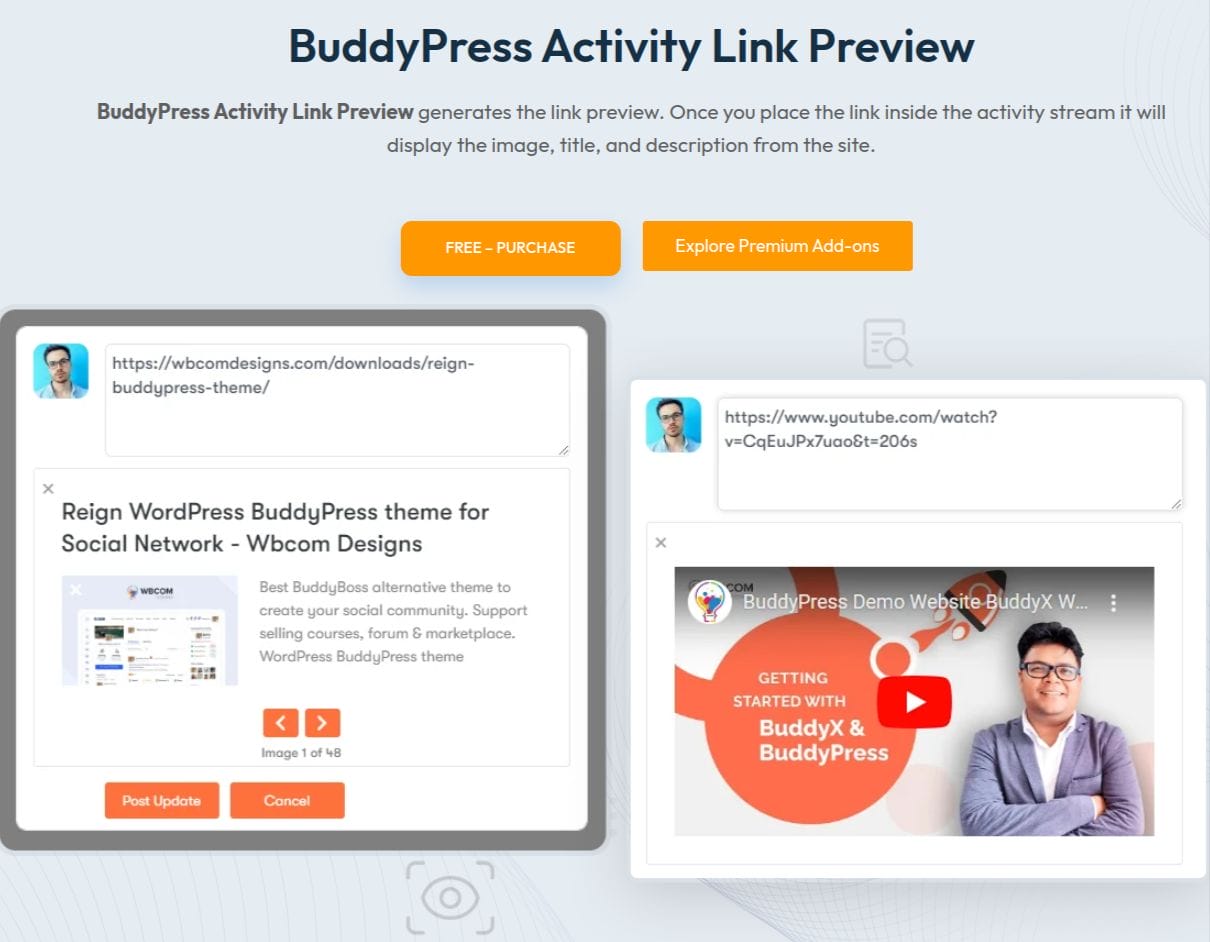
BuddyPress Activity Link Preview is a plugin that transforms ordinary link sharing within your BuddyPress activity stream into a visually appealing and interactive experience. When users post links, the plugin automatically fetches and displays a preview, including the title, description, and thumbnail image from the linked content. This functionality not only makes the shared links more attractive but also provides users with a snapshot of the content before they click on it.
Key Features
1. Automatic Link Preview: The plugin seamlessly integrates with the BuddyPress, site wide activity stream, detecting when users share links and generating previews automatically. This feature eliminates the need for manual input, making the process smooth and user-friendly.
2. Rich Media Display: Each link preview includes a title, description, and a thumbnail image, creating a rich media display that captures users’ attention. This enhanced visual appeal encourages more clicks and interactions with shared content.
3. Improved User Engagement: By providing users with a preview of the content, BuddyPress Activity Link Preview increases the likelihood of interaction. Users are more likely to comment, like, and share posts that have visually appealing and informative previews.
Benefits of Using BuddyPress Activity Link Preview
1. Boosts User Interaction: Visually appealing link previews attract more attention, encouraging users to engage with the shared content. This can lead to increased comments, likes, and shares, fostering a more active and dynamic community.
2. Enhances Content Discovery: Using previews, users can quickly gauge the relevance and interest of shared links, leading to more informed and engaged interactions. This feature enhances content discovery, as users are more likely to explore links that catch their interest.
3. Increases Time Spent on Site: Engaging link preview can keep users on your site longer, as they explore shared content and participate in discussions. Increased time on site is beneficial for community building and can positively impact your site’s metrics.
4. Simplifies Content Sharing: The automatic generation of link preview simplifies the content-sharing process for users, making it more likely for them to share interesting links without worrying about formatting or presentation.
5. Supports Community Growth: By enhancing user interaction and content discovery, BuddyPress Activity Link Preview supports the growth of your community. A more engaging activity stream attracts new members and retains existing ones, contributing to the overall vitality of your platform.
Installation
1. Log in to the WordPress Dashboard.
2. On the Dashboard of your website, scroll down the left-hand sidebar and click on Plugins.
3. From the Installed Plugins page, click on Add New at the top of the page. Alternatively, click on Add New from the drop-down menu under Plugins on the sidebar.

4. On the Add Plugins page, type BuddyPress Activity Link Preview plugin in the search box on the right-hand side, at the top of the page.
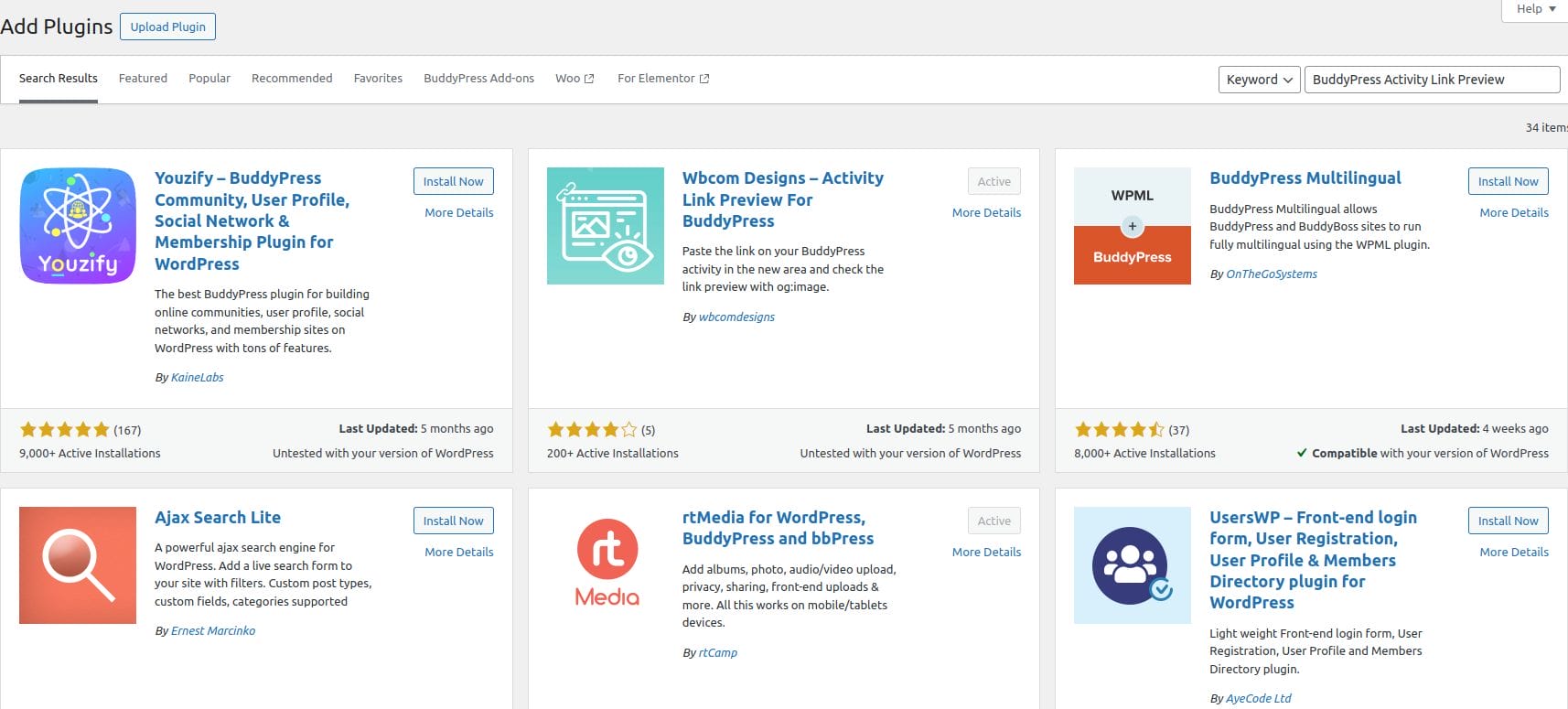
5. From the Search Results page, scroll down to your chosen plugin and click the button marked Install Now. If you would like to learn more about your plugin, click the blue link marked More Details.
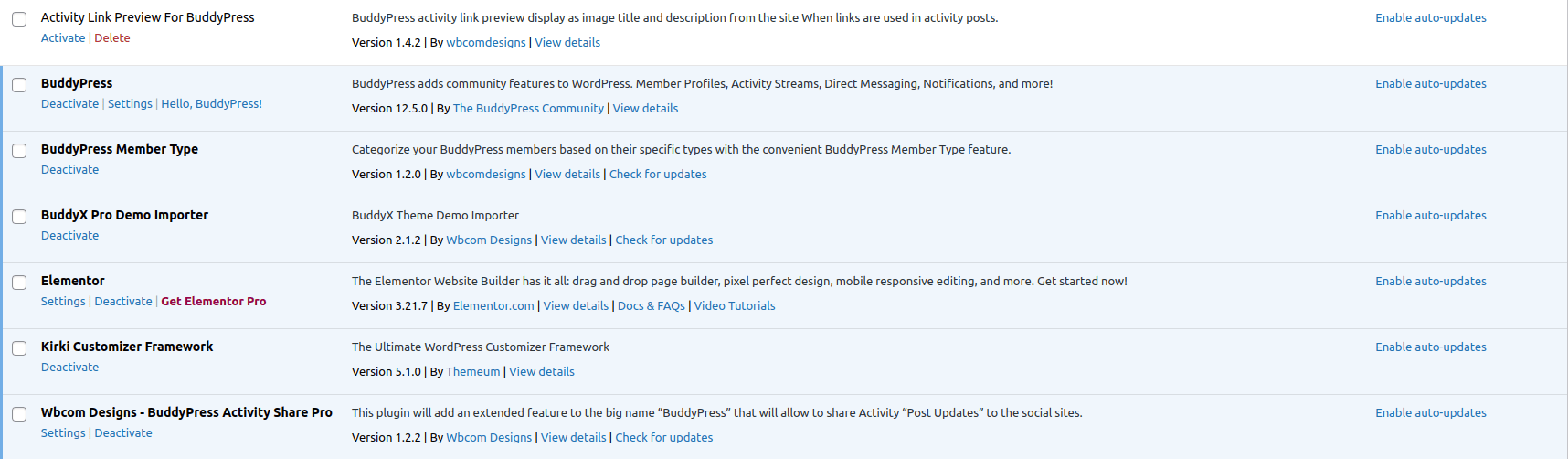
6. The plugin is now installed and unpacked into your website. The last thing to do now is click Activate Plugin.
How Buddypress Activity Link Preview Works?
BuddyPress Activity Link Preview plugin generates the link preview. So for this, Navigate to the activity stream page and place the link inside the activity stream. Now it will display the image, title, and description from the site. User can insert any link from the site.
Elevating Community Engagement with BuddyPress Activity Link Preview
Implementing the BuddyPress Activity Link Preview plugin on your site is a strategic move to foster a more vibrant and interactive online community. The automatic link preview not only make shared content more attractive but also provide users with a snapshot of what they can expect, leading to more informed and engaging interactions. This can significantly boost user engagement, enhance content discovery, and increase the time users spend on your site, all of which contribute to the overall success of your community platform.
Simplifying the content-sharing process and enhancing the visual appeal of shared links, ensures that your community remains dynamic and active. This not only retains existing members but also attracts new ones, driving continuous growth and vitality.
Interesting Reads:
Create and Manage User Blogs in BuddyPress

