
A community site with no activity stream is a filing cabinet. Every space, post, and profile technically exists, but nothing tells a member what just happened, who is around right now, or why today is worth logging in for. The activity stream is the one surface that answers all three at a glance, and it is doing more strategic work than most site owners give it credit for.
Here is what an activity stream actually needs to solve, question by question, and how a real one, the one built into BuddyNext, answers each. Everything below is shown on a real, populated install, not a mockup.
Key takeaways
- One blended activity deck, not three separate widgets, answers “what’s trending,” “who’s online,” and “what’s new” at a glance.
- Automatic, per-user notification preferences bring members back daily without anyone manually sending a campaign.
- Low-friction reactions give lurkers a real, visible way to participate without writing a post.
- A personal streak card, not just a feed, is what actually creates a daily-return habit.
- An embeddable activity feed lets prospective members see genuine engagement before they ever sign up.
In this article
- One scrolling surface for what’s trending, who’s online, and what’s new
- Bringing members back daily without manually sending anything
- Turning lurkers into participants with a smaller first step
- The habit hook: a visible streak, not just a feed
- Immediate proof of value in the first five seconds after login
- Showing prospective members the community is actually alive
- Frequently asked questions
Get BuddyNext FreeTry the Live Sandbox Demo →
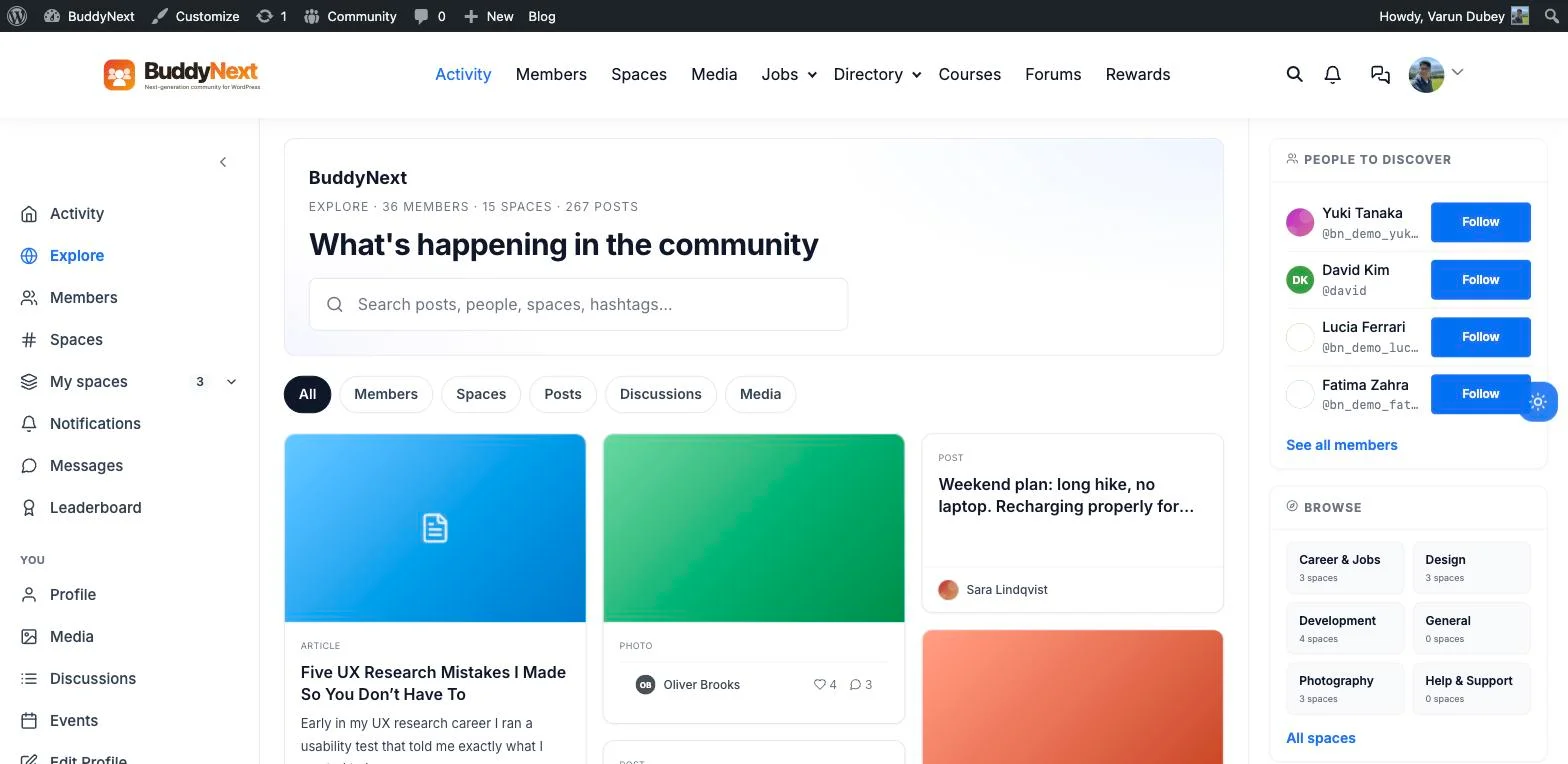
The real Explore deck on this install: 36 members, 15 spaces, 267 posts, blended into one scrolling grid.
One scrolling surface for what’s trending, who’s online, and what’s new
The instinct is to build three separate widgets for this: a trending list, an online-members box, and a “recent activity” feed, each pulling from a different query and updating on its own schedule. BuddyNext’s real Explore page, titled “What’s happening in the community” right in the UI, takes the opposite approach: articles, photos, posts, and space activity all land in one filterable grid with tabs for All, Members, Spaces, Posts, Discussions, and Media.
On this install that grid is not empty placeholder content, it is a real article from a member titled “Five UX Research Mistakes I Made So You Don’t Have To” sitting next to a landscape photo with four reactions and three comments, next to a “Weekend plan: long hike, no laptop” post. A “People to Discover” panel and a “Browse” list of real categories, Career & Jobs, Design, Development, General, Photography, sit right alongside it. Members get one place to check instead of three, and it stays a single source of truth instead of three surfaces that can drift out of sync with each other.
Bringing members back daily without manually sending anything
Manually curated emails do not scale, and they always lag behind what actually happened. The real settings screen for this shows the actual mechanism: four channel toggles, In-app, Email, Play a sound, and Newsletters and announcements, each described in plain language right in the UI. “Email” is labeled “Send transactional and digest emails,” not a marketing blast. “Newsletters and announcements” is explicitly separated out and described as “Broadcast emails sent to the whole community,” so a member can mute campaign-style email without losing the individual reply and mention notifications that actually matter to them.
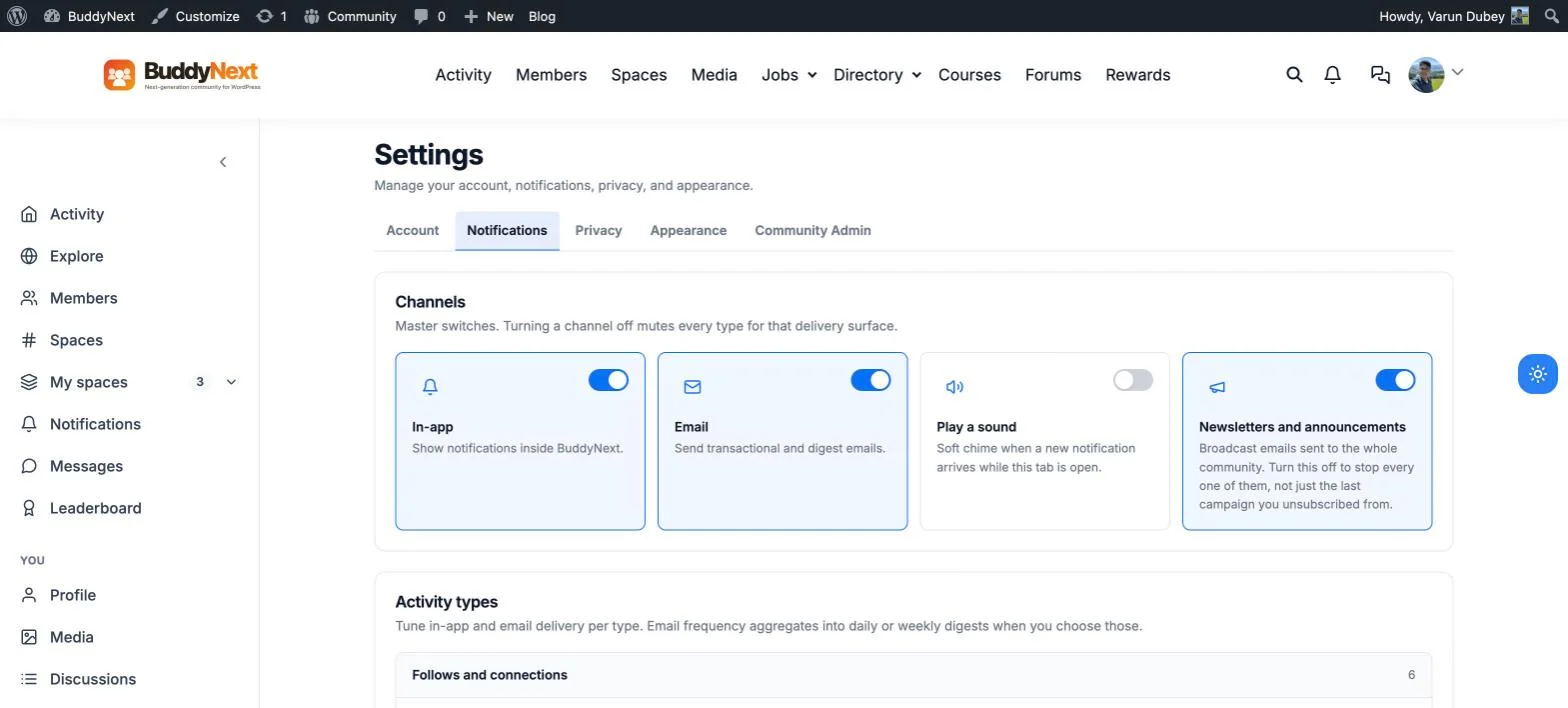
Four real channel toggles, plus per-activity-type controls underneath, on this install’s own Notification preferences screen.
Underneath those channel toggles, an “Activity types” section lets a member tune in-app and email delivery per category, “Follows and connections” is its own row with its own count. The inbox side mirrors that same structure: the real Notifications page filters by All, Unread, Mentions, Comments, Reactions, Spaces, Follows, and Messages, with a “This week” panel tallying notifications, reads, new followers, and reactions plus comments. That is the actual mechanism behind “bringing members back daily”: not a newsletter someone remembers to write, but a system that tells a specific member, automatically, the moment something happens that is relevant to them specifically.
Turning lurkers into participants with a smaller first step
Most people who read a post never write one. The gap between reading and posting is usually the entire problem, and the fix is not nagging lurkers to post more, it is shrinking the smallest possible action down to something that takes one tap: a reaction. Every post in the real feed on this install carries React, Comment, Share, and Save actions side by side, a member can react to Alice Chen’s UX article or Carol Thompson’s community growth post without writing a word, and it still counts as a real, visible signal of engagement in the stream.
That matters because engagement rates built entirely on original posts always undercount a community’s real activity. A stream that surfaces reactions alongside posts and replies gives lurkers a visible, low-friction way in, and gives the site owner a truer picture of who is actually engaged.
The habit hook: a visible streak, not just a feed
A feed alone does not create a habit. What creates a habit is a small, personal signal that keeps count and would be a shame to lose. The real sidebar on this install’s own activity feed reads “Good morning, Varun” followed by “On a roll, 1 day in a row. Keep it going,” with a seven-day strip, S M T W T F, that highlights each day already logged. That card sits in a member’s own sidebar every time they log in, personal, visible, and it resets the clock on its own if a day gets skipped.
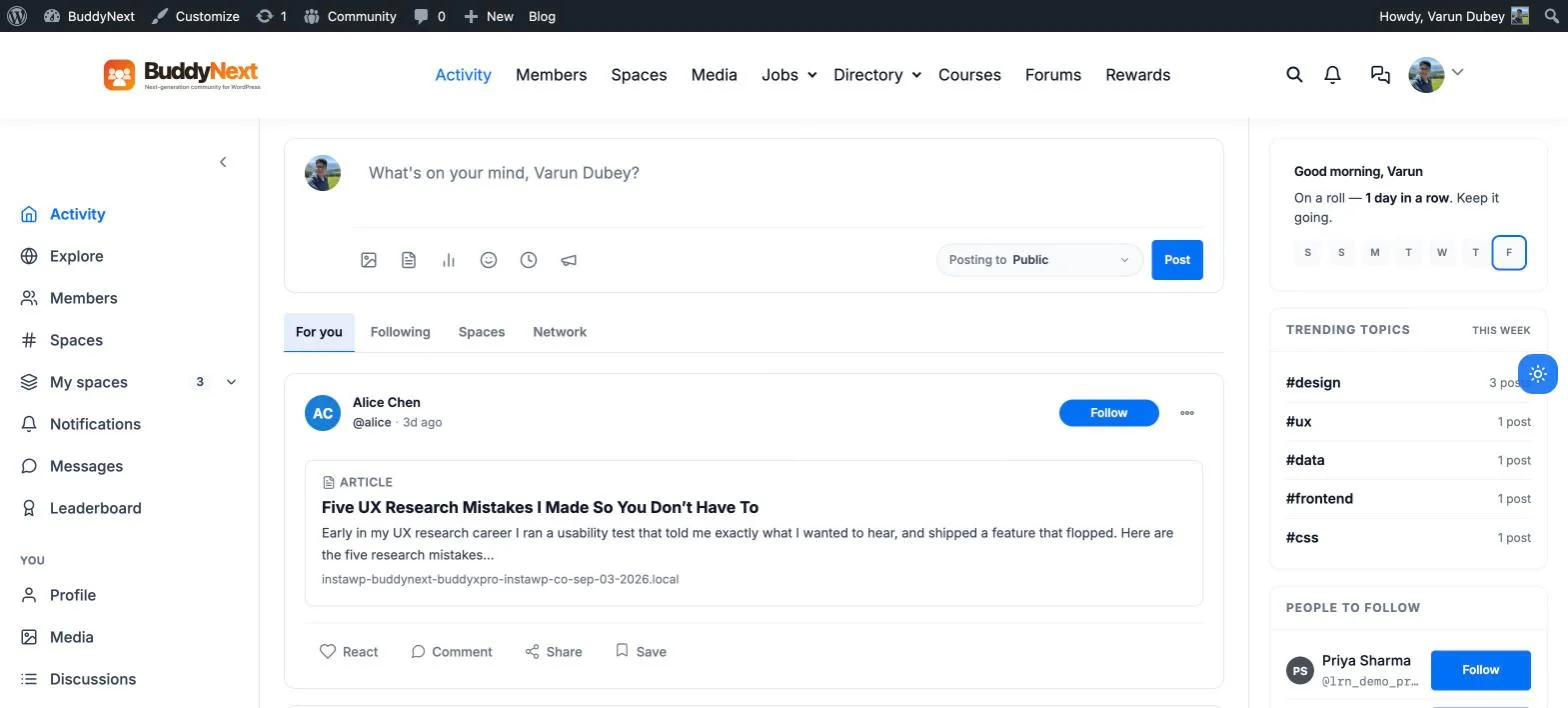
A real streak card and a real Trending Topics widget, both live on the same sidebar, on the same install.
The same screen carries a genuine “Trending Topics This Week” widget too, five real hashtags on this install right now, #design with 3 posts, #ux, #data, #frontend, and #css each with one. This is the same mechanic behind the familiar daily-streak habit loop people already carry from other apps into whatever platform they use next, tied directly to real posts, comments, and reactions instead of an arbitrary “login” event that has nothing to do with actual participation.
Immediate proof of value in the first five seconds after login
A member who logs in to a static dashboard, an empty “welcome back” screen with a couple of stale links, has no reason to believe anything is happening here today. A member who logs in to this install lands straight on a composer prompt, “What’s on your mind, Varun Dubey?”, a real streak card, a real trending-topics list, and a “For you / Following / Spaces / Network” feed already populated with today’s posts. That first five seconds either confirms the decision to log in was worth it or quietly plants the seed that this community has gone quiet, and an activity stream is the single surface that decides which impression wins.
Showing prospective members the community is actually alive
Screenshots and testimonials are easy to stage, and visitors know it. A live activity feed embedded directly on a public page is much harder to fake, because it is pulling real posts and reactions from real members in real time, not a curated highlight reel. A prospective member landing on a community’s homepage and seeing genuine, current activity, real member names, real post titles, real reaction counts, gets a kind of proof no marketing copy can substitute for.
That only works if the activity feed is an embeddable surface in its own right, not something trapped behind a login wall. A community platform that treats its activity feed as a first-class, placeable block, not just a logged-in-only page, is the one that can actually put this proof where prospective members will see it.
Why this belongs at the center, not the edge
None of these six problems are solved by bolting a “recent posts” widget onto a sidebar. They are solved by treating the activity stream as the community’s central nervous system: one blended Explore deck for discovery, automatic per-type notifications instead of manual campaigns, low-friction reactions for lurkers, a personal streak for habit formation, an immediate live signal at login, and an embeddable version for the people who have not joined yet. BuddyNext builds all six around the same activity data, rather than as six disconnected add-ons, which is what lets the stream actually do the job it is there for.
Get BuddyNext FreeTry the Live Sandbox Demo →
Frequently asked questions
Is an activity stream just a list of recent posts?
No. A real activity stream blends multiple signal types, new members, new spaces, active discussions, popular posts, shared media, and presence, into one surface, exactly like the real Explore deck shown above, rather than showing only a chronological list of posts.
Do reactions actually move the needle on engagement, or are they just vanity metrics?
They move the needle because they lower the cost of participating to almost zero. A member who never writes a post but reacts regularly is still an active, retained member, and a stream that only counts posts as engagement will systematically undercount its real audience.
Does a streak feature require a separate gamification plugin?
Not necessarily. A basic streak, current run, best-this-month, a seven-day strip, can run natively off real posts, comments, and reactions, exactly as shown in the streak card above. A deeper points-and-badges layer is a separate, optional concern that can sit on top of that same activity data later.
Can members control exactly which notifications reach their inbox?
Yes. The real settings screen separates in-app, email, sound, and newsletter channels, then adds per-activity-type controls underneath, so a member can mute broadcast newsletters while keeping instant email on direct mentions, without losing anything in between.
Can an activity feed be shown to visitors who have not created an account yet?
Yes, if the platform treats the activity feed as an embeddable block rather than a logged-in-only page. That is what makes it usable as public social proof on a homepage or landing page, not just a private feature for existing members.
Can I try this myself before installing anything?
Yes. The live sandbox demo linked above spins up a real, throwaway BuddyNext install with full admin access, the same Explore deck, streak card, and notification settings shown in every screenshot on this page.