
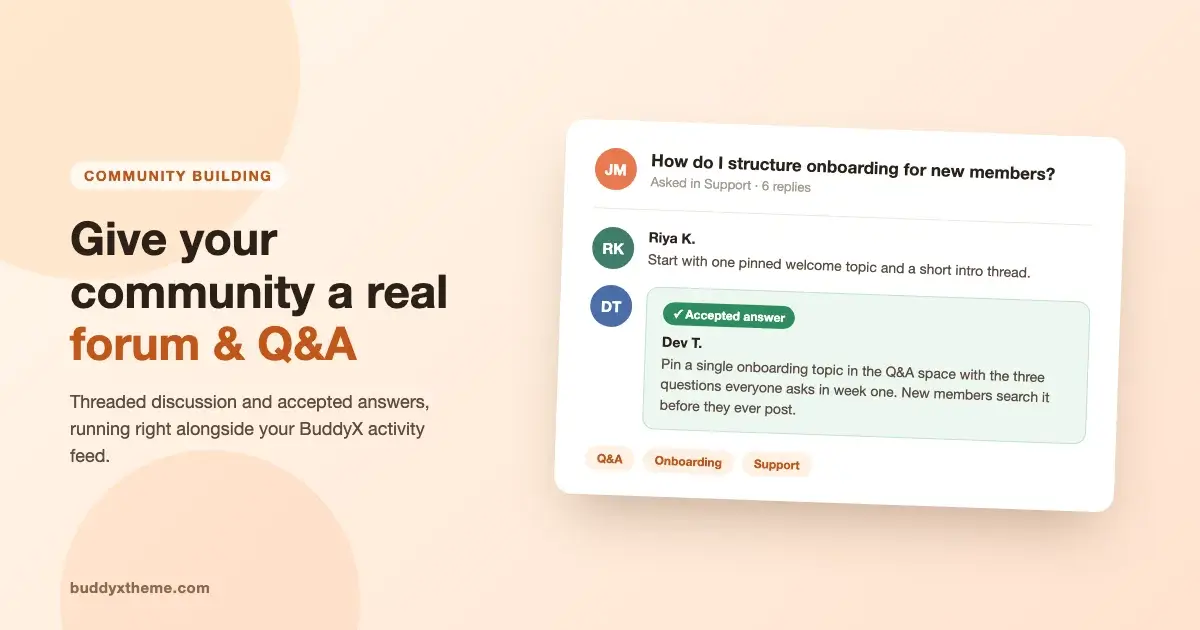
If you run a BuddyX community, you already have an activity feed and groups. What you do not have, out of the box, is a real forum: a place where someone asks a question, gets a real answer, and that answer is still sitting there working for the next member who searches for the same thing. This is a practical answer to that gap. Why a wordpress community forum needs to work differently from a feed, what a proper Q&A setup adds on top of BuddyX, and how to add a forum to BuddyPress or BuddyX without turning your site into five separate apps stitched together.
Why an activity feed is not a forum
An activity feed is built to be temporary. A member posts something, it gets a few reactions and comments, and within a day or two it has scrolled off the bottom of everyone’s screen. The activity feed itself works exactly as designed for that kind of update. It is a bad home for a support question, a setup walkthrough, or anything someone might search for six months from now.
A forum works on the opposite assumption. A topic is meant to stay findable. Someone new joins your community, searches “how do I reset my password” or “best way to structure a cohort,” and lands on a thread from three months ago with a marked answer instead of asking the same question into a feed that has already buried it. That is the actual difference between ephemeral and evergreen content, and it is why groups and an activity feed alone cannot cover this need no matter how active your community gets.
Picture the pattern that shows up in almost every growing community. A new member joins, hits a snag, posts about it in the feed. A regular answers within the hour. The thread gets a few replies, a couple of reactions, then the next ten posts push it down and out of sight. Three weeks later, a different new member hits the exact same snag. They have no way to find that earlier answer, so they ask again. The regular answers again. Multiply that by every recurring question your community has, and you are paying the same support cost over and over for something a forum would have solved once.
There is a second problem groups do not solve either. BuddyPress groups are built around membership, not around structured discussion. A group is a room. A forum is a filing system inside that room, one where a question and its accepted answer stay attached to each other permanently, independent of how much other chatter happens around it.
What a real forum and Q&A layer adds on top of BuddyX
This is where Jetonomy fits in as the discussion layer for a BuddyX community. It is a free plugin that adds structured spaces the activity feed was never designed to hold, and it is built by the same team behind BuddyX, so the two are meant to sit together rather than compete for the same page.
The pieces that actually matter for a community that wants real discussion, not just a comment thread bolted onto a blog post:
- Threaded discussion. Replies nest under the comment they are answering, so a long conversation stays readable instead of turning into one flat wall of text.
- Question and answer format with accepted answers. A member asks a question, other members respond, and the asker (or a moderator) marks the answer that actually solved it. That answer floats to the top so the next visitor sees it first instead of scrolling through every reply that did not work.
- Categories and spaces. Support questions, feature requests, and general chat live in their own spaces instead of one undifferentiated pile, so members can go straight to the kind of discussion they came for.
- Moderation that does not depend on you personally. Spam topics can be closed and helpful ones pinned by trusted members, not just whoever holds the admin login.
None of this replaces the activity feed. It sits next to it. Casual updates and reactions keep happening in the feed the way they always have. The forum becomes the place for anything worth finding again later.
A feed answers “what is happening right now.” A forum answers “what has already been figured out.” A healthy community needs both, and it needs them to be two different things.
The five spaces you can turn on
Jetonomy does not force every community into one rigid format. It ships five kinds of space, and you turn on only the ones your members actually need:
- Discussion forum. Standard threaded topics for open-ended conversation.
- Q&A. Questions with accepted answers, built for support and how-to content.
- Ideas board. Members submit and upvote suggestions, useful for product communities and membership sites collecting feature requests.
- Show and tell. A space for finished work, portfolios, or member projects, separate from day-to-day chatter.
- Lighter social feed. For the kind of casual updates that do not need a full thread structure.
Most BuddyX communities only need two of these to start: a discussion forum for general conversation and a Q&A space for support. The ideas board earns its place once members start asking for a feature more than once and you want that request tracked somewhere instead of scattered across a dozen feed comments. Show and tell tends to come later still, once there is enough finished member work to actually fill it. Enable spaces in the order your community asks for them, not all at once on day one.
Where the forum lives inside a BuddyX community
Jetonomy runs standalone or alongside BuddyPress on the same WordPress install, and it matches your theme’s colors and fonts automatically, BuddyX included. That matters more than it sounds like it should. The moment a forum plugin looks like a separate product bolted onto your site, members treat it like one and use it less. When the discussion spaces look and feel like the rest of the community, moving from a group into a Q&A thread feels like walking into the next room, not switching to a different website.
In practice, that means the forum sits in your main navigation next to Groups and Members, and a member coming from a BuddyX group can land in a related discussion space without the visual jolt of a mismatched theme. It is the same site, the same header, the same member they already are.
Keeping it fast as topics pile up
A forum that slows down is worse than no forum at all, because a slow page trains members to stop opening it. Jetonomy keeps its own data in its own database tables, separate from the tables BuddyPress or WordPress core use for posts and activity. That separation is the actual reason a community can accumulate a large number of topics and replies over time without every other page on the site dragging along with it.
This is also why a dedicated Q&A plugin behaves differently from stuffing discussion into post comments or a generic forum shortcode. Comments were built for a handful of replies under a blog post, not for a searchable knowledge base with categories, accepted answers, and moderation roles. As a support space grows into hundreds of threads, the underlying structure either holds up or it does not, and that decision gets made on day one, not after the forum is already busy. Retrofitting a proper database schema onto a plugin that was never built for one is a much harder rebuild than starting with the right structure from the first topic.
| Layer | What handles daily updates | What handles lasting answers |
|---|---|---|
| Activity feed | Yes, this is its job | No, content scrolls away fast |
| Groups | Some, inside each room | Not structured for it |
| Forum and Q&A (Jetonomy) | Optional social feed included | Yes, threaded and accepted answers stay searchable |
Moderation that scales past you personally
Every community owner hits the same wall eventually: there are more topics than one person can read. Jetonomy’s built-in trust-level system promotes members automatically as they post and get upvoted by others. Your most active, most helpful members pick up light moderation ability on their own, closing spam or duplicate topics and pinning genuinely useful threads, before you ever have to hand-pick a moderator team.
That is a real answer to a real problem. It is not a stat, it is not a promise about numbers. It is how a discussion space stays clean once it has more activity than the admin can watch alone, without you having to review every single new topic yourself before it goes live.
Setting it up
If you already know the full stack that goes into a complete BuddyX community, forums and Q&A sit alongside the media and gamification layers as the piece people add once the same question starts getting asked more than once in the feed. That is the actual signal to watch for. If members keep asking a version of the same thing every week, they need a place to find the answer instead of asking again, and a searchable Q&A space is exactly that place.
The practical order looks like this.
- Install Jetonomy on top of your existing BuddyX and BuddyPress setup. It works whether you are running classic BuddyPress or a newer community engine, since it does not depend on either.
- Turn on the spaces your community actually needs first. A discussion forum and a Q&A board cover most cases. Leave the ideas board and show-and-tell off until there is a real reason to enable them.
- Point your main navigation at the new forum so it sits next to Groups and Members instead of hiding on its own separate URL.
- Move your most-repeated question into the Q&A space first, with a proper accepted answer, so the very first thing new members find is already solved.
- Let your first few real questions come in and get answered before adding anything else on top.
Common questions before you switch
Does this replace BuddyPress groups? No. Groups stay exactly what they are: membership-based rooms for people who share an interest. The forum is a different kind of space inside the same community, meant for content that should outlive a single conversation.
Will a forum slow down my site? Not if the plugin is built to keep its own tables separate from the rest of your WordPress database, which is the whole point of the architecture described above. That is the detail to check before adding any discussion plugin, not just this one.
What if I already run classic bbPress forums? Nothing here forces a switch. If you want the accepted-answer Q&A format and the trust-level moderation described above, Jetonomy adds those on top of what you have. If you would rather stay on the plain bbPress and BuddyPress route, our bbPress and BuddyPress forum setup guide covers that path step by step.
What if my community is still small? Start with one space, the Q&A board, and move your single most-repeated question into it. A forum with one well-organized answer is more useful on day one than five empty spaces waiting for content.
Who moderates it once it grows? Not just you. The trust-level system covered above hands light moderation ability to members who have already earned it through posting and upvotes, so the workload spreads out on its own instead of landing entirely on the admin account. You still hold the final say, but you are not the only person reading every new topic before it is safe to leave up.
Members get answers they can actually find again. The knowledge your community builds up stops disappearing into a scrolled-past feed and starts compounding, one accepted answer at a time. And because Jetonomy runs on your own WordPress install with its own database tables, you own that knowledge base outright, no platform in the middle deciding what happens to it later.
Try it before you install it
The fastest way to see whether this fits your community is to actually click around in a live install rather than read another description of one. There is a one-click Jetonomy sandbox that spins up a working WordPress site with the plugin already active, so you can create a topic, mark an answer as accepted, and see the trust levels in action before you touch your own site at all.
When you are ready to add it for real, download Jetonomy and connect it to the BuddyX community you already have. Your activity feed keeps doing what it does well. The forum picks up everything that deserves to still be findable next month.