
A flat list of applications works fine for the first five candidates. It stops working somewhere around candidate fifteen, when “who have I actually reviewed” turns into a scroll-and-guess exercise, a hiring manager asks for an update over Slack, and the honest answer is a few minutes of re-reading emails to reconstruct where things stand. Most small teams hit this wall quietly: no single bad hire, no dramatic failure, just a slow accumulation of dropped follow-ups and candidates who never heard back.
A real applicant tracking pipeline fixes this by giving every candidate a status that’s visible to everyone involved in hiring, not just the person who happened to open the email first. This guide walks through building one on WordPress with WP Career Board, from free-tier basics through the Pro Kanban pipeline, with the specific stages, screenshots, and configuration steps to get a working system running today.
Table of Contents
- Why a Flat Application List Stops Working
- What You Need Before Starting
- Setting Up WP Career Board Pro
- Configuring Pipeline Stages
- Moving Candidates Through the Pipeline
- What Each Stage Should Actually Mean
- Notifications and Hiring Manager Visibility
- Exporting and Reporting
- A Real-World Scenario: Going From Ad Hoc to a Real Process
- Scaling the Pipeline as Hiring Volume Grows
- Common Mistakes to Avoid
- FAQs
More than 86% of recruiters say an applicant tracking system reduced their time-to-hire, with an effective ATS cutting the average hiring cycle by as much as 60%. Teams using workflow automation report a 75% reduction in administrative overhead, and 93% of recruiters now use some form of ATS, up from a much smaller share even a few years ago. The gap between “tracking candidates in a spreadsheet” and “tracking candidates in a real pipeline” isn’t cosmetic, it’s measurable time saved on every single hire.
Why a Flat Application List Stops Working
A basic job board plugin gives you a list: candidate name, job applied to, date, maybe a resume attachment. That’s enough when you’re hiring for one role and get a handful of applications. It breaks down the moment two things happen at once: more than one person is involved in reviewing candidates, and more than one role is open simultaneously.
Without a shared status, every reviewer ends up keeping their own mental model of where each candidate stands, which inevitably drifts out of sync with everyone else’s. A candidate who was actually rejected two weeks ago gets a “just checking in” follow-up because the hiring manager’s spreadsheet row never got updated. A strong candidate sits untouched for a week because nobody realized the previous reviewer hadn’t moved them along yet. None of this is anyone’s fault specifically, it’s what happens when status lives in people’s heads instead of in a system.
What You Need Before Starting
A working WordPress install with WP Career Board’s free tier already gives you job listings, employer and candidate dashboards, and basic application collection. The Kanban-style applicant tracking pipeline specifically is a Pro feature, available at $69/year for a single site, $99/year for up to five sites, or $199/year unlimited. You don’t need WooCommerce, a separate ATS plugin, or any third-party service, the pipeline runs entirely on your own WordPress database.
Before activating Pro, it’s worth having at least one real job posting live with a handful of test applications submitted, since configuring stages and watching candidates move through them makes far more sense against real data than an empty board.
It also helps to decide upfront who on your team needs an account and at what level of access:
- Admin access, whoever approves job postings before they go live, on the WordPress side
- Employer account, each hiring manager, scoped to their own company’s postings and candidates only
- Dashboard-only observer, a founder or executive checking summary numbers without actively reviewing candidates
Sorting this out before the pipeline fills with real candidates avoids a scramble later to figure out who can see what.
Setting Up WP Career Board Pro
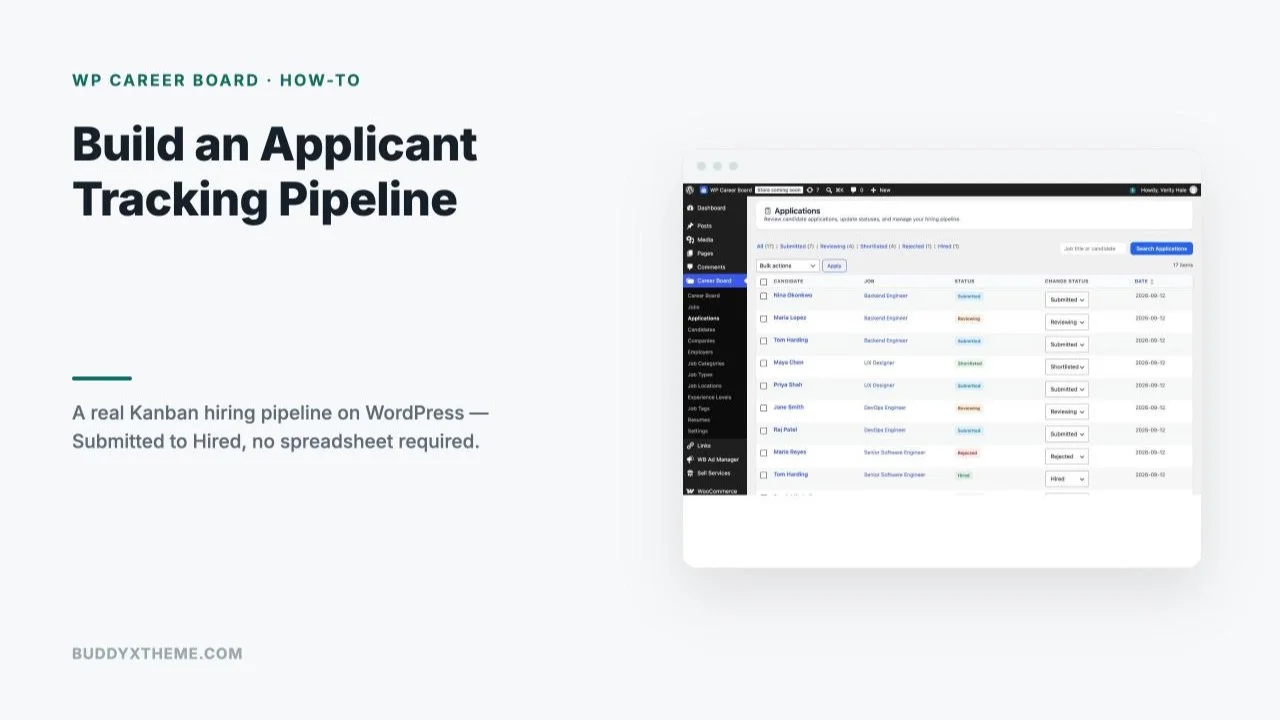
After activating your Pro license, the Applications screen under the Career Board admin menu becomes the operational home for the pipeline. It defaults to a status-filtered list view, All, Submitted, Reviewing, Shortlisted, Rejected, Hired, each with a live count, plus a per-candidate dropdown to change status directly from the list.

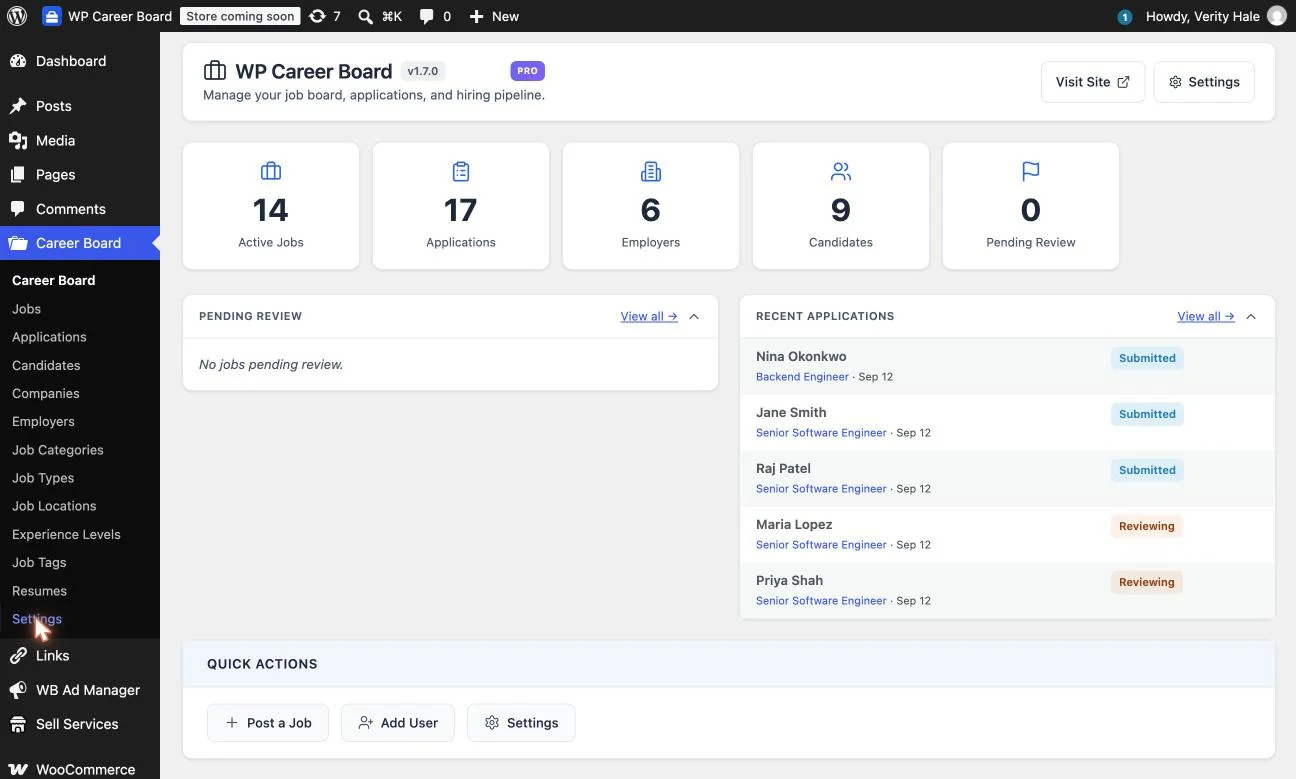
The main Career Board dashboard gives the bird’s-eye view: active job count, total applications, employer and candidate counts, and a Pending Review queue for job postings awaiting approval before they go live. This is the screen a hiring manager or recruiting lead should check first thing, it answers “what needs my attention today” in one glance rather than requiring a dig through individual job listings.
Configuring Pipeline Stages
The default stage set is Screening, Interview, Offer, Hired, and Rejected, though the specific labels shown in the Applications list (Submitted, Reviewing, Shortlisted, Rejected, Hired) reflect how most boards actually get configured in practice, mapping closely to that same underlying flow. Stages aren’t fixed: under Settings, Boards, Manage, you can rename, recolor, reorder, or add entirely new stages to match your own hiring process rather than forcing your process to match the plugin’s defaults.
Critically, stages are assigned per job board, not globally, so an engineering team running a multi-round technical interview process can use a different stage set than a sales team running a faster two-call process, both on the same WordPress install without interfering with each other.
Moving Candidates Through the Pipeline
On the Pro Kanban board itself, each application becomes a card, and moving a candidate forward is a drag from one column to the next, visually confirming the move rather than hunting through a dropdown menu buried in a table row. The board handles volume by loading 25 cards per column at a time, so a popular posting with hundreds of applicants stays navigable rather than becoming one impossibly long scroll.
Moving a card into Hired or Rejected isn’t just a label change, the system updates the application’s status, logs the change with a timestamp, and sends the candidate a status notification automatically, closing the loop without a reviewer needing to remember to send a separate rejection email. That automatic candidate-facing notification is, in practice, the single biggest quality-of-life improvement over a spreadsheet, since “we forgot to tell the candidate” is one of the most common and most avoidable failures in any informal hiring process.
What Each Stage Should Actually Mean
A pipeline only works if everyone reviewing candidates agrees on what each stage means operationally, not just what it’s labeled. Submitted should mean exactly that and nothing more, an application has arrived and nobody has looked at it yet. Reviewing means a specific person has it and is actively evaluating it, not that it’s sitting in a general queue. Shortlisted should be reserved for candidates genuinely being considered for an interview, not a holding pen for “maybe, haven’t decided.”
Rejected and Hired are the two stages that trigger the automatic candidate notification, so moving a card into either should be a deliberate, final decision, not a placeholder while someone thinks it over. Teams that treat these as soft or reversible statuses end up sending confusing or premature notifications to candidates, which does more damage to candidate experience than simply taking a bit longer to decide before moving the card.
| Stage | What it means | Triggers notification? |
|---|---|---|
| Submitted | Arrived, nobody has reviewed it yet | No |
| Reviewing | A specific person has it and is actively evaluating | No |
| Shortlisted | Genuinely being considered for an interview | No |
| Rejected | Final decision, not under consideration | Yes |
| Hired | Final decision, offer accepted | Yes |
Notifications and Hiring Manager Visibility
Because WP Career Board’s employer dashboards are scoped to each employer account, a hiring manager logging into their own account sees only their own company’s postings and candidates, not the entire site’s hiring activity. For a single-company setup, this matters less, but for a multi-employer job board, a staffing agency managing several client accounts, or an association where multiple member companies post independently, that scoping is what makes a shared pipeline usable at all rather than a privacy problem waiting to happen.
For internal visibility beyond the dashboard itself, the Pending Review queue on the main admin screen surfaces anything awaiting approval before it’s publicly visible, and the Recent Applications feed gives a rolling view of what’s come in most recently across every active posting, useful for a daily check-in without opening each job individually.
Exporting and Reporting
The free tier’s CSV export covers the basics, pulling application data out for a board meeting, a compliance record, or analysis in a spreadsheet tool outside WordPress entirely. For most small teams, that export, combined with the stage counts already visible on the Applications screen (All, Submitted, Reviewing, Shortlisted, Rejected, Hired, each with a live number), covers the reporting need without a dedicated analytics dashboard.
If AI-assisted candidate ranking is configured, each applicant also carries a 0-to-100 fit score with a one-line reason, generated through Claude, OpenAI, or a self-hosted Ollama model for teams that want to keep candidate data from leaving their own infrastructure entirely. That score is a sorting aid, not a decision-maker, worth treating as one input among several rather than an automatic cutoff, since no automated score replaces an actual human reading a resume and cover letter.
Beyond the built-in export and scoring, a small team’s actual reporting needs are usually simple enough that the stage counts on the Applications screen already answer them: how many candidates are waiting on a first review, how many are actively in motion, how many have reached a decision. For a board meeting or an investor update, those same numbers, pulled at a point in time, are typically more useful than a deeper analytics dashboard would be, since the goal at that stage is showing hiring is moving, not optimizing a funnel with statistical precision.
A Real-World Scenario: Going From Ad Hoc to a Real Process
Picture a 12-person company that’s hired exactly four people in its history, each time through a founder personally emailing back and forth with a handful of candidates. The company is now opening three roles at once, engineering, sales, and an operations hire, and the founder is no longer the only person reviewing applications.
Week one: WP Career Board’s free tier goes live, three job postings, candidates start applying through the public board instead of emailing a personal address that only one person checks. Week two: application volume across three roles makes the flat list genuinely hard to track, and Pro activates specifically for the Kanban pipeline. Each role gets its own board; engineering uses a five-stage process with a technical screen, sales uses a shorter three-stage process since the hiring manager there wants speed over depth.
By week four, the pipeline has done its real job invisibly: no candidate has gone more than three days without a status update, nobody has had to ask “wait, did we already talk to this person,” and the hiring manager for each role can check their own dashboard without needing a status meeting. None of this required a dedicated recruiter or an expensive enterprise ATS, just a free WordPress plugin with Pro activated for the one feature that mattered once volume crossed the point where memory alone stopped being reliable.
Scaling the Pipeline as Hiring Volume Grows
A pipeline configured for one role and a handful of applicants looks almost identical in setup to one running across a dozen simultaneous openings, which is part of the point, the system doesn’t require a redesign as volume grows, just more boards. Each new job posting gets its own board automatically, inheriting whatever stage template you’ve set as the default, so a company going from three open roles to fifteen isn’t reconfiguring anything, just adding postings to a system that already knows how to handle them.
Where growing volume does require a deliberate decision is around who gets access to which boards. WP Career Board’s employer-scoped dashboards handle this cleanly for genuinely separate employers or client accounts, but a single growing company with multiple internal hiring managers reviewing their own department’s roles benefits from a quick access-and-permissions pass as headcount involved in hiring grows, confirming each hiring manager’s account is actually scoped to see only what’s relevant to them rather than defaulting to broad admin access out of convenience during initial setup.
The other scaling consideration is stage hygiene across a larger set of simultaneously open boards. With one or two roles open, a stalled candidate is obvious the moment anyone glances at the board. With a dozen roles open across several hiring managers, stalled candidates hide more easily inside the aggregate numbers, which is exactly why the discipline described in the mistakes section below, treating stage buildup as a signal rather than background noise, matters more as the system scales rather than less.
Common Mistakes to Avoid
- Letting stages silently fill up. A Reviewing column with forty candidates sitting in it for three weeks isn’t a pipeline, it’s the same flat list with extra steps. Set a rough expectation, say, no candidate sits in Submitted for more than 48 hours, and treat stage buildup as a signal someone needs to clear their queue, not as background noise.
- Skipping stage customization. Running every role through the same generic default stages regardless of how different the actual hiring process is defeats the point. A five-minute customization under Settings, Boards, Manage to match your real process pays for itself the first time a hiring manager doesn’t have to mentally translate a generic label into what it actually means for their role.
- Working around the automatic notification instead of trusting it. Some teams instinctively want to draft a more personal rejection message outside the system “just this once,” which quietly breaks the one habit, every candidate gets a timely answer, that the automation exists to protect.
- Granting broad admin access by default. It’s faster during setup to give every hiring manager full admin rather than a scoped employer account, but that convenience undermines the exact privacy boundary a multi-employer or multi-department board depends on.
FAQs
1. Do I need the Pro version to track applicant status at all?
The free tier includes basic application collection through employer and candidate dashboards. The Kanban-style pipeline with drag-and-drop stages, automatic candidate notifications on status change, and per-job boards is a Pro feature starting at $69/year.
2. Can different job postings use completely different pipeline stages?
Yes, stages are configured per job board rather than globally, so an engineering role and a sales role can run entirely different hiring workflows on the same WordPress install.
3. Does moving a candidate to Rejected actually notify them automatically?
Yes, moving a card into Hired or Rejected updates the status, logs the change, and sends the candidate a status notification without requiring a separate manual email.
4. What happens if I have more than 25 applicants for one job?
The Kanban board loads 25 cards per column and paginates beyond that, so large applicant pools stay navigable rather than producing one extremely long scrolling column.
5. Is candidate data sent to a third-party service anywhere in this process?
No, by default all applications, notes, and history remain in your own WordPress database. The optional AI ranking feature does send data to whichever provider you configure (Claude, OpenAI, or a self-hosted Ollama model), so choose a self-hosted option if keeping candidate data fully in-house is a requirement.
6. Can a hiring manager see candidates for jobs posted by other employers on the same board?
No, employer dashboards are scoped to each employer’s own account, so a hiring manager sees only their own company’s postings and applicants, relevant for any multi-employer board, agency, or association setup.
7. How long does it realistically take to set up the pipeline for the first time?
Activating Pro and reviewing the default stage names takes minutes. Customizing stages to match a specific hiring process, and actually populating the board with real postings, is more realistically an afternoon’s work the first time through.
8. Can I export applicant data to use outside WordPress?
Yes, CSV export is available in the free tier, covering the common need to pull application data into a spreadsheet or another reporting tool.
9. What is the AI fit score, and should I trust it to screen candidates automatically?
It’s an optional 0-to-100 score with a one-line reason, generated by an AI model you configure. It’s best used as one sorting signal among several, not as an automatic pass or fail, since it doesn’t replace an actual human review of a resume and application.
10. Does the pipeline work on a community site built with BuddyPress?
Yes, WP Career Board’s free tier includes BuddyPress integration, so the job board and its pipeline can sit directly alongside an existing community site without requiring a separate standalone install.
11. Can I run a completely different pipeline for internal promotions versus external hiring?
Since stages are configured per job board, an internal-mobility posting can use its own distinct stage set separate from external roles, useful for companies that want a lighter-weight process for internal moves.
12. What happens to pipeline data if I later deactivate Pro?
Application and candidate data stays in your WordPress database regardless of license status, since everything is stored locally rather than in an external service. Deactivating Pro removes access to the Kanban interface and automated notifications going forward, but doesn’t delete historical records.
Summary
A spreadsheet or a flat application list works right up until more than one person needs to know where a candidate stands, at which point it quietly starts costing time and candidate goodwill in ways that are hard to notice until they’ve already happened. WP Career Board’s Kanban pipeline, free at the dashboard level and $69/year for the full staged workflow, closes that gap with per-job boards, customizable stages, and automatic candidate notifications, running entirely on infrastructure you already own. Worth setting up before the next hiring round outgrows whatever informal system is currently holding it together.