

Biographies are powerful. They capture lives, legacies, and lessons, turning moments into narratives that outlast the people who lived them. But writing a biography is no small feat. It takes time, patience, and meticulous organization, whether you’re documenting a grandparent’s life for the family archive or building a professional author bio for a book jacket. AI tools have changed parts of that process, handling the structural and editing grunt work so the actual storytelling gets more attention.
This post covers ten tools worth knowing about for biography and life-story writing in 2026, what each one actually does well, and where each one falls short. A few well-known names from a couple of years ago have either changed direction entirely or quietly shut down, so this list reflects what’s actually available and working today rather than what used to be popular.
Every tool below was checked directly before inclusion, not carried over from an older list on the assumption that nothing had changed. That distinction matters more than it might seem: AI products in this space move fast, and a roundup that just copies last year’s names tends to recommend at least a couple of products that have since pivoted or disappeared entirely, wasting a reader’s time on a tool that no longer does what the article claims.
The State of Biography Writing Today
The days of a writer staring at a blank page, struggling to piece together fragmented interview notes and old photographs, aren’t entirely gone, but they’re less common than they used to be. AI now handles a meaningful chunk of the structural work: transcribing interviews, organizing timelines, suggesting how to open a chapter, and polishing a rough draft into something readable.
None of that replaces the actual substance of a good biography, which still comes from real interviews, real research, and a writer who knows how to shape a life into a story worth reading. What’s changed is how much of the mechanical overhead a writer has to carry alone.
It’s also worth separating two very different kinds of “biography” project before picking a tool, because the right toolkit looks completely different depending on which one you’re actually working on. A professional or author bio, the kind that goes on a book jacket, a speaker page, or a company’s About page, is short, tightly scoped, and usually needs to be produced fast. A full life-story memoir, the kind built around dozens of hours of interviews and years of family history, is a much longer project where organization and fact-checking matter more than speed. The tools below are grouped loosely by which of these two jobs they’re actually built for, since a tool that’s great for one is often a poor fit for the other.
1. Jasper AI: The Long-Form Generalist
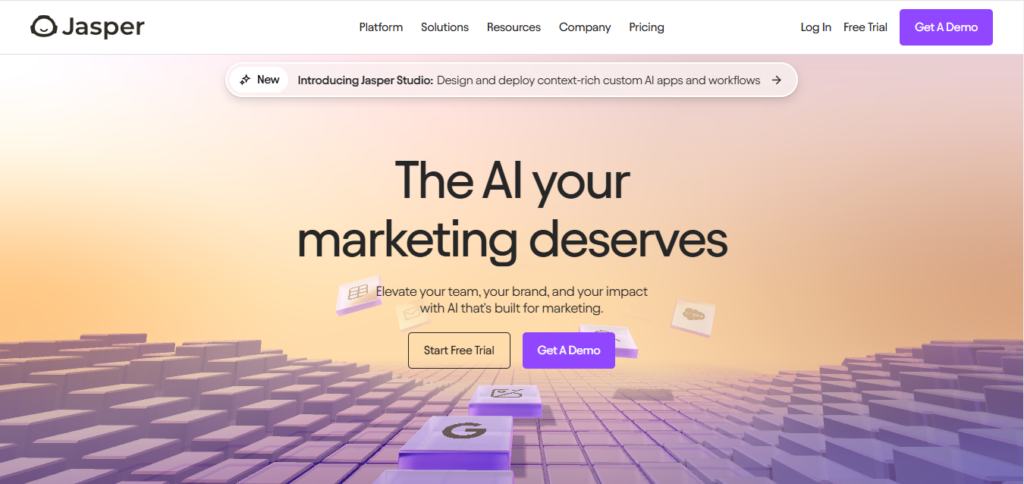
Jasper has shifted its core positioning toward marketing automation and AI agents built for brand campaigns, but the underlying long-form writing engine that made it popular for narrative content is still there. It’s a reasonable option for structuring a biography outline or generating a first pass at chapter drafts, though it’s no longer marketed primarily as a creative writing tool the way it was a couple of years ago.
Key features:
- Adjustable tone settings that can be trained on a specific voice or style.
- Brand and context memory (called Jasper IQ) that keeps generated text consistent across a long project.
Pros: capable of both short bios and longer narrative drafts; useful if you’re already using it for other writing work.
Cons: pricing and onboarding are now built around marketing teams, which makes it a slightly awkward fit for a solo biography project.
2. Sudowrite: Built for Emotional Storytelling
If emotional depth is what a project needs, Sudowrite remains a strong, purpose-built choice. The tool runs on Muse, a model trained specifically for fiction and narrative prose rather than general business copy, and it’s earned real endorsements from working novelists.
Key features:
- Scene-building suggestions that help flesh out a moment rather than just summarizing it.
- Tools specifically aimed at improving the emotional tone and rhythm of a passage.
Pros: genuinely strong for biographies with a heavy narrative, character-driven core; built by writers, for writers.
Cons: less suited to strictly factual, chronological biographies where creative embellishment isn’t appropriate.
3. StoryWorth: Built Specifically for Life Stories
StoryWorth isn’t an AI writing tool in the generative sense, and that’s exactly why it belongs on this list. It’s built specifically for capturing someone else’s life story, which is what most people actually mean when they say they want to write a biography of a parent or grandparent. The service sends weekly questions designed to spark memories, and the subject answers by email, by recording their voice over the phone, or by writing directly on the site. After a year of collected answers, the whole thing gets compiled into a printed, hardcover keepsake book.
Key features:
- Over 500 pre-written prompt questions, plus the option to write custom ones.
- Multiple ways to contribute: email, phone recording, or web form, which matters for older subjects who may not want to type long answers.
- A finished, printed hardcover book as the end product, not just a digital file.
Pros: purpose-built for exactly this use case; removes the intimidation of a blank page for the person being interviewed, since they only ever answer one question at a time.
Cons: not a tool for drafting a polished narrative biography on its own; it’s closer to structured raw material collection than finished prose.
4. Descript: Turning Interviews Into Text
A biography built on real interviews lives or dies on how well those interviews get captured and organized. Descript transcribes audio and video recordings automatically and then lets you edit the recording the same way you’d edit a document: delete a sentence in the transcript and it removes that moment from the audio too.
Key features:
- Fast, accurate transcription of recorded interviews.
- Text-based editing of audio and video, useful if any part of the biography will exist as a podcast or video companion.
- Built-in noise removal and voice clarity tools for recordings made outside a studio.
Pros: dramatically cuts down the time spent manually transcribing hours of interview tape.
Cons: primarily a transcription and editing tool, not a narrative-writing assistant; you’ll still need something else to turn the transcript into prose.
5. Otter.ai: Real-Time Transcription for Interviews
Otter.ai covers similar ground to Descript but leans harder into live, real-time transcription, which makes it a solid choice for capturing an interview as it happens rather than editing a recording afterward. It’s built more around meeting notes than storytelling, but for a biographer running a series of sit-down conversations, that’s exactly the use case.
Key features:
- Live transcription during a call or in-person recorded conversation.
- Automatic summaries and speaker identification, useful when multiple family members are being interviewed together.
Pros: fast, reliable, and integrates with common video call tools if interviews happen remotely.
Cons: summaries are built for business meetings, not narrative structure, so they need real editing before they read like a story.
6. Canva Docs: A Visual Storytelling Edge
Canva Docs bridges the gap between writing and design, which makes it a good fit for biographies that benefit from visual elements: timelines, embedded photos, pull quotes, or a family tree alongside the text.
Key features:
- AI-assisted text generation combined with Canva’s design templates.
- Drag-and-drop layout tools for anyone without design experience.
Pros: great for producing a visually finished document, especially for a shorter biography meant to be printed or shared as a PDF.
Cons: not built for long-form narrative generation; it’s a layout and light-writing tool more than a drafting engine.
7. Rytr: Affordable and Straightforward
Rytr remains one of the more budget-friendly AI writing tools available, with a genuinely usable free tier and paid plans starting well under most competitors. It’s a reasonable option for short biographical content: author bios, “about” pages, or brief professional profiles rather than a full-length memoir.
Key features:
- Templates built specifically for personal and professional bios.
- A large number of supported languages and tone presets.
Pros: very beginner-friendly and inexpensive, with a large existing user base.
Cons: limited depth for anything longer than a page or two; not built for sustained, chapter-length narrative work.
8. Grammarly’s Go: Editing, Not Drafting
Grammarly’s original “GrammarlyGO” feature has since been folded into a broader AI assistant simply called Go, part of Grammarly’s shift toward specialized writing agents (alongside separate tools for proofreading, paraphrasing, and humanizing text). For a biography writer, it’s best used the way Grammarly has always been used: as a final editing pass rather than a first-draft generator.
Key features:
- Tone and clarity suggestions tuned to the surrounding context of a document.
- Standard grammar and structural editing, now wrapped into a broader AI assistant that works across apps.
Pros: easy to slot into an existing writing process; genuinely useful for catching awkward phrasing in a near-final draft.
Cons: not a creative writing tool and was never designed to be one.
9. Scrivener: Organization Without the AI Hype
It’s worth being upfront here: Scrivener does not include built-in AI writing features, despite sometimes getting lumped into “AI tool” roundups. What it does extremely well is organize a large, research-heavy writing project, notes, interview transcripts, chapter drafts, and reference material, all inside one file with a flexible corkboard-style outline view.
Key features:
- A project-wide research and notes panel alongside the actual manuscript.
- Corkboard and outline views for restructuring chapters without losing track of material.
Pros: still one of the best tools available for keeping a long, research-heavy biography organized, AI or not.
Cons: no AI assistance at all; pair it with one of the drafting tools above if generative help is what you’re after.
10. A General-Purpose AI Assistant (ChatGPT, Claude, or Similar)
For a lot of biography projects, a general-purpose AI chat assistant does most of what a specialized “biographer tool” promises, at no extra cost beyond what you’re likely already paying for one. These tools can turn a rough interview transcript into a readable narrative passage, suggest chapter structures, or help find the right opening line for a chapter, all through plain conversation rather than a rigid template.
Pros: flexible, widely available, and improving quickly; no need to learn a specialized interface.
Cons: requires more hands-on prompting and editing than a purpose-built tool, and won’t organize a large project the way Scrivener does.
Comparison Table: 10 Tools for Biography Writing in 2026
| Tool | Best For | Pros | Cons |
| Jasper AI | Long-form drafting | Consistent tone across a project | Now built around marketing teams |
| Sudowrite | Emotional, narrative depth | Built specifically for fiction/narrative | Less suited to strictly factual bios |
| StoryWorth | Capturing a family member’s life story | Purpose-built, ends in a printed book | Not a narrative drafting tool |
| Descript | Interview transcription and editing | Text-based audio/video editing | Not a writing assistant |
| Otter.ai | Real-time interview transcription | Fast, reliable live transcription | Built for meetings, not narrative |
| Canva Docs | Visual layout and design | Great for photos and timelines | Limited long-form generation |
| Rytr | Short bios and profiles | Affordable, easy to use | Not built for long-form work |
| Grammarly Go | Final editing pass | Strong grammar and clarity checks | Not a drafting tool |
| Scrivener | Project organization | Best-in-class research and outline tools | No AI features at all |
| General AI assistant | Flexible drafting help | Widely available, improving fast | Needs more manual prompting |
Putting the Right Tools Together
None of these tools work as a single, all-in-one solution, and treating any one of them that way is where most first attempts at an AI-assisted biography go wrong. A workflow that actually holds together for most people looks something like this: record interviews and get them transcribed with Descript or Otter.ai, organize the transcripts and research inside Scrivener, draft chapters with help from Sudowrite or a general AI assistant, and run a final editing pass through Grammarly’s Go before formatting the finished piece in Canva Docs. For a family biography specifically, StoryWorth replaces most of that pipeline with a much simpler, guided process built around weekly questions.
The right combination depends entirely on what’s being written. A professional author bio for a book jacket needs almost none of this, just a short, punchy tool like Rytr and a quick edit. A full family memoir spanning eighty years of someone’s life justifies the more involved pipeline, transcription tool, organization software, and drafting assistant working together rather than any single product trying to do it all.
Getting the Facts Right When AI Is Involved
A biography lives or dies on accuracy, and this is the part of the process where AI tools can actually cause real damage if used carelessly. Generative writing models are good at producing fluent, confident-sounding prose, and that confidence doesn’t come with any built-in guarantee that dates, names, or events are correct. If a tool is asked to “fill in” a gap in the timeline where the subject’s memory is fuzzy, it will often generate something plausible-sounding rather than flag the gap honestly.
The practical fix is simple but easy to skip under deadline pressure: treat every AI-generated passage in a biography as a first draft that needs verification against the actual source material, whether that’s an interview transcript, a birth certificate, an old newspaper clipping, or a family member’s independent recollection. Tools like Descript and Otter.ai are useful here precisely because they preserve the original recording alongside the transcript, making it easy to go back and check what someone actually said rather than trusting a paraphrased or AI-cleaned version of it.
Handling Someone Else’s Story Responsibly
Most biography projects, especially the family kind that tools like StoryWorth are built for, involve writing about someone who isn’t the one typing. That raises a separate set of questions that no AI tool answers for you: what to include, what to leave out, and how to handle memories that don’t match between family members interviewed separately.
A reasonable practice is to let the subject (or their closest surviving family, if the subject has passed) review any AI-assisted draft before it’s considered final, the same way a ghostwriter would circulate a manuscript for approval. AI tools can speed up the mechanical parts of turning raw material into readable prose, but the judgment calls about what a life story should actually say still belong to the people who lived it or knew the person best. Consent matters here too: recording someone’s voice or story for a biography project, even a loving one meant purely for the family archive, goes more smoothly when the subject knows upfront how the material will be used and who will eventually read or hear it.
What Changed Since the Last Roundup of These Tools
A few names that used to show up in “best AI biographer tools” lists are worth flagging as outdated. OpenAI’s older Davinci-era completion models have been deprecated in favor of its current generation of chat-based models, so recommending “DaVinci” specifically as a standalone tool no longer reflects what’s actually available. Writesonic has shifted its core product away from general content generation and toward tracking brand visibility across AI search platforms, which makes it a poor recommendation for biography drafting today even though it remains an active company. And a couple of smaller, single-purpose “auto bio generator” tools that were popular a year or two ago have since folded into broader platforms or gone offline entirely, which is worth knowing before building a workflow around a tool that might not be there next year.
The safest bet for anyone starting a biography project now is to lean on tools with a clear, durable purpose, transcription, organization, drafting, editing, rather than a single trendy app promising to do everything. That approach holds up better as individual products pivot, rebrand, or shut down over time.
It’s a pattern worth remembering the next time a “best AI tools” list circulates: the tools built around a narrow, durable job (transcribing audio, organizing a manuscript, checking grammar) tend to survive years of change intact, while the ones built around a trendy but vague promise (“write your whole biography for you”) are the first to pivot into something unrecognizable or disappear entirely. Build a workflow around the former and swap out individual pieces as needed, rather than betting an entire project on one all-in-one product staying exactly as it is today.
Interesting Reads:
AI Tools For YouTube Influencers