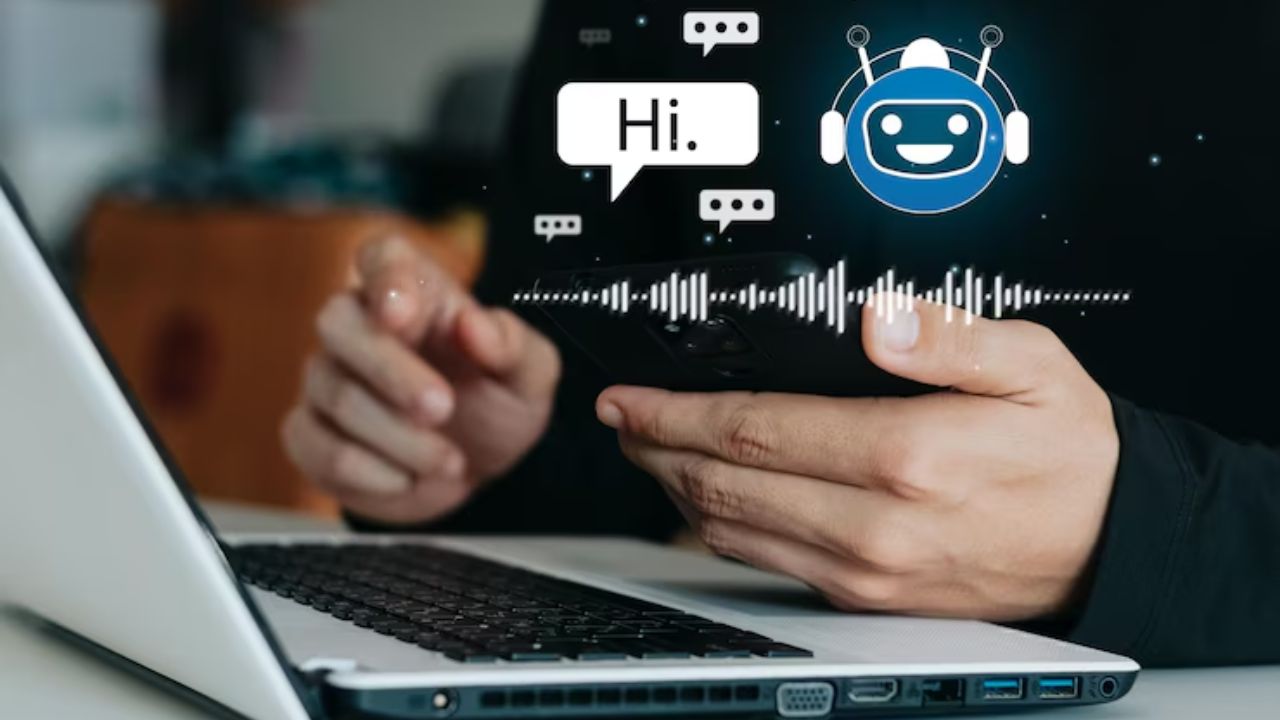
Speech recognition technology has transformed the way we interact with devices, making communication faster and more efficient. From virtual assistants like Siri and Alexa to advanced transcription services in various industries, the ability to convert spoken language into text is crucial for enhancing productivity and accessibility. With the rise of artificial intelligence, numerous tools have emerged, significantly improving the accuracy and usability of speech recognition systems. This blog will explore the Best AI Tools for Speech Recognition, examining their features, advantages, and potential drawbacks. Whether you’re a developer looking for an integration solution or a business seeking transcription services, understanding these tools can help you make an informed decision.
Last updated: 6 November 2026
Quick answer: Google Cloud Speech-to-Text, Azure Speech and Amazon Transcribe are the usual picks for developers building voice features, Speechmatics and Rev.ai suit teams that want a dedicated speech API, Otter.ai and Descript suit meeting notes and editing, and Dragon suits professional dictation. Choose by whether you are building an app or just transcribing.
Table of Contents
By the numbers
- Stanford HAI’s 2026 AI Index Report says organizational adoption of AI reached 88%, and that generative AI reached 53% population adoption within three years.
Understanding Speech Recognition
Definition of Speech Recognition
Speech recognition is a technology that enables a computer or device to identify and process human speech. By converting spoken words into text, it facilitates various applications across multiple sectors.
How Speech Recognition Works
The process typically involves the following steps: capturing sound waves through a microphone, converting these waves into digital signals, analyzing the signals using algorithms, and finally interpreting them as text. Advanced AI models utilize deep learning techniques to improve recognition accuracy by learning from vast datasets.
Types of Speech Recognition
- Automatic Speech Recognition (ASR): This involves converting spoken language into text without requiring a specific speaker’s voice.
- Speaker Recognition: This identifies and verifies who is speaking based on their unique voice characteristics.
Applications of Speech Recognition
- In Various Industries: Healthcare professionals use speech recognition for dictating patient notes, while customer service representatives utilize it for enhancing user interactions.
- Everyday Applications: From voice-activated assistants to transcription services, speech recognition is integrated into many daily technologies, streamlining tasks and improving accessibility.
Key Features to Look for in Speech Recognition Tools
When selecting a speech recognition tool, consider the following features:
- Accuracy and Reliability: The tool should have a high level of speech recognition accuracy to minimize errors.
- Language Support: Ensure the tool supports multiple languages and dialects, especially if you work in a multilingual environment.
- Real-time Processing: Low latency in processing speech is crucial for applications requiring immediate feedback.
- Integration Capabilities: The ability to connect with other applications and platforms enhances the tool’s usability.
- User Interface: A straightforward and user-friendly interface makes the tool easier to navigate.
- Customization: Look for tools that allow for voice training and customization to improve accuracy.
Best AI Tools for Speech Recognition
Tool 1: Google Cloud Speech-to-Text
Overview: Google Cloud Speech-to-Text utilizes machine learning models to provide robust and accurate speech recognition capabilities. It can recognize over 120 languages and variants, making it suitable for global applications.
Pros:
- High Accuracy: Utilizes advanced algorithms for precise recognition.
- Extensive Language Support: Supports a wide range of languages and dialects.
- Real-time Transcription: Offers low-latency speech recognition for immediate results.
Cons:
- Pricing Model: Costs can accumulate based on usage, making it expensive for high-volume applications.
- Internet Dependency: Requires a stable internet connection for optimal performance.
- Complex Integration: May require technical expertise to integrate into existing systems.
Tool 2: Microsoft Azure Speech Service
Overview: Microsoft Azure Speech Service offers a comprehensive suite of features, including speech-to-text, text-to-speech, and translation. It is designed to provide seamless integration with various applications.
Pros:
- Multiple Features: Combines speech-to-text with additional functionalities like translation.
- Customizable Models: Allows for the creation of custom models tailored to specific industry needs.
- Good Performance: Offers high reliability and performance across different platforms.
Cons:
- Learning Curve: Can be complex for beginners to understand and use effectively.
- Variable Pricing: Costs can vary significantly depending on usage and feature set.
- Limited Language Support: While it supports many languages, some lesser-known dialects may not be available.
Tool 3: IBM Watson Speech to Text
Overview: IBM Watson Speech to Text employs powerful AI capabilities to convert audio voice into written text. It is widely used in business applications for customer service and data analysis.
Pros:
- High Precision: Utilizes AI and deep learning for accurate transcriptions.
- Custom Language Models: Users can train the system for specific jargon or industry-related terms.
- Multiple Output Formats: Provides flexible output options, accommodating various user needs.
Cons:
- Higher Costs: Pricing may be higher compared to some competitors, particularly for extensive usage.
- Complex Setup: Initial configuration may require significant time and technical expertise.
- Limited Free Tier: The free tier has limitations that may not suffice for businesses needing extensive use.
Tool 4: Amazon Transcribe
Overview: Amazon Transcribe is an automatic speech recognition service that makes it easy to add speech-to-text capabilities to applications. It is designed to transcribe audio files into text.
Pros:
- Integration with AWS: Easily integrates with other Amazon Web Services for seamless workflows.
- Affordable Pricing: Competitive pricing models, especially for startups and small businesses.
- Custom Vocabulary: Users can add industry-specific vocabulary to enhance recognition accuracy.
Cons:
- Occasional Inaccuracy: While generally reliable, it may struggle with accents or background noise.
- Limited Language Support: Primarily focused on English and may not perform as well with other languages.
- No Real-time Processing: Primarily designed for processing pre-recorded audio rather than live speech.
Tool 5: Rev.ai
Overview: Rev.ai is known for its human-assisted speech recognition services, offering a blend of AI accuracy with human proofreading. It caters to businesses requiring high-quality transcriptions.
Pros:
- Human Quality Control: Combines AI with human review for superior accuracy.
- Flexible Pricing: Offers pay-as-you-go pricing, which can be cost-effective for occasional use.
- Quick Turnaround: Fast processing times, especially for short audio clips.
Cons:
- Higher Costs for Human Service: Human-assisted transcriptions can be pricier than pure AI options.
- Limited Language Support: Primarily supports English and may not be suitable for multilingual applications.
- Dependence on Internet: Requires internet access for uploading files and retrieving results.
Tool 6: Speechmatics
Overview: Speechmatics provides an advanced speech recognition API with an emphasis on versatility and language support. It is suitable for various industries, including media and finance.
Pros:
- Wide Language Support: Offers support for many languages and dialects.
- Real-time Processing: Delivers immediate results for live speech recognition.
- Customizable: Users can tailor the software to specific use cases or industries.
Cons:
- Complex API: Integration may require developer expertise, potentially leading to a steep learning curve.
- Pricing Structure: The pricing model can be complicated, especially for new users.
- Limited Resources: Compared to larger competitors, resources and support may be less extensive.
Tool 7: Otter.ai
Overview: Otter.ai is a popular tool for generating real-time transcriptions of meetings, interviews, and lectures. It is widely used by professionals for note-taking and collaboration.
Pros:
- User-Friendly Interface: Designed for easy use, even for those with limited technical skills.
- Real-time Collaboration: Allows multiple users to collaborate on transcriptions simultaneously.
- Integration with Other Apps: Works seamlessly with Zoom and other conferencing tools.
Cons:
- Limited Free Version: The free version has significant limitations, which may not suit heavy users.
- Variable Accuracy: Performance may drop with poor audio quality or heavy accents.
- Internet Dependency: Requires internet access for optimal functionality and storage.
Tool 8: Descript
Overview: Descript combines audio editing and transcription services, allowing users to edit audio by editing text. It is particularly favored by podcasters and content creators.
Pros:
- Integrated Editing Tools: Provides tools for audio editing alongside transcription, simplifying workflows.
- Easy to Use: User-friendly interface that is accessible for beginners.
- Multiple Export Options: Offers various formats for exporting transcriptions and audio files.
Cons:
- Subscription Model: Can become expensive for users needing advanced features.
- Limited Language Support: Primarily focused on English, with limited capabilities for other languages.
- Performance Issues: Can lag or crash when handling large audio files.
Tool 9: Nuance Dragon NaturallySpeaking
Update, November 2026: per Wikipedia, Microsoft completed its acquisition of Nuance, the maker of Dragon, in March 2022.
Overview: Dragon NaturallySpeaking is a robust speech recognition software that adapts to individual voices and accents. It is widely used in professional settings, including healthcare and legal industries.
Pros:
- High Accuracy: Adapts to the user’s voice for enhanced precision.
- Customizable Commands: Users can create voice commands for specific tasks, improving workflow efficiency.
- Extensive Vocabulary: Offers a vast vocabulary that can be tailored for specific industries.
Cons:
- Higher Cost: The software can be expensive, especially for the premium versions.
- Learning Curve: Users may need time to learn the nuances of the software and customize it effectively.
- Resource Intensive: Requires significant computing power, which may be an issue on lower-end devices.
Tool 10: Verbit
Overview: Verbit combines AI and human transcription services to deliver high-quality results, particularly for educational institutions and businesses. It focuses on creating accessible content.
Pros:
- Human-AI Hybrid: Blends the efficiency of AI with the accuracy of human editors for reliable results.
- Accessibility Features: Provides tools that ensure transcriptions meet accessibility standards.
- Industry-Specific Solutions: Offers tailored solutions for various sectors, including legal and education.
Cons:
- Pricing: Costs may be higher than some competitors, especially for human-assisted transcription.
- Complexity: The platform may have a steep learning curve for new users.
- Variable Turnaround Times: Depending on the service level, turnaround times can vary significantly.
Comparison Table of Speech Recognition Tools
| Tool | Accuracy | Language Support | Real-time Processing | Integration Capabilities | Pricing Model |
|---|---|---|---|---|---|
| Google Cloud Speech-to-Text | High | Extensive | Yes | Excellent | Pay-as-you-go |
| Microsoft Azure Speech Service | High | Moderate | Yes | Excellent | Variable |
| IBM Watson Speech to Text | High | Moderate | Yes | Good | Higher |
| Amazon Transcribe | Moderate | Limited | No | Good | Affordable |
| Rev.ai | High | Limited | No | Good | Pay-as-you-go |
| Speechmatics | High | Extensive | Yes | Moderate | Complicated |
| Otter.ai | Moderate | Limited | Yes | Excellent | Limited Free |
| Descript | Moderate | Limited | Yes | Good | Subscription |
| Nuance Dragon NaturallySpeaking | High | Moderate | No | Limited | Higher |
| Verbit | High | Moderate | No | Good | Higher |
Final Thought
Selecting the right speech recognition tool is essential for optimizing communication and enhancing productivity in various applications. Each tool reviewed offers unique advantages and potential drawbacks, making it crucial to assess your specific needs, whether in terms of industry requirements, language support, or budget constraints. With technology continuously advancing, the future of speech recognition promises even more innovations, providing opportunities for businesses and individuals alike to improve their workflows and accessibility.
FAQs
What is speech recognition technology?
Speech recognition technology refers to the ability of a machine or program to identify and process human speech. It converts spoken language into text, allowing for various applications, from voice-activated assistants to automated transcription services. By leveraging AI and machine learning, these systems can improve their accuracy and efficiency over time.
How does speech recognition work?
Speech recognition works by capturing sound waves through a microphone, converting these waves into digital signals. The signals are analyzed using algorithms that interpret the speech patterns, transforming them into text. Advanced models use deep learning techniques to enhance recognition accuracy, adapting to different voices and accents.
What are the most common use cases for speech recognition?
Common use cases for speech recognition include virtual assistants (like Siri and Alexa), transcription services for meetings and lectures, voice-controlled applications in smart devices, and automated customer service systems. It is also widely used in healthcare for dictating patient notes and in the legal industry for document preparation.
Can speech recognition tools work offline?
Some speech recognition tools offer offline capabilities, allowing users to process audio without an internet connection. However, many advanced systems require cloud access to utilize their full range of features and machine learning capabilities, which may limit offline functionality.
How accurate are AI speech recognition tools?
The accuracy of AI speech recognition tools varies by provider and depends on factors such as audio quality, background noise, and the user’s accent. Many top-tier tools achieve high accuracy rates, often exceeding 90% under optimal conditions. However, variations may occur, particularly in noisy environments or with heavy accents.
Sources
Interesting Read
Top AI Tools for Voice Assistants
Best AI Tools for Chatbot Development
Best AI Tools for AR/VR Development
- Reading
- 12 min · 2,357 words
- Published
- Sep 25, 2024
Keep reading
More from the BuddyX blog
Browse all posts on community, WordPress, BuddyPress and the studio of plugins behind BuddyX.
What customers say on Trustpilot
I recently purchased the Buddyx Theme…
I recently purchased the Buddyx Theme and the support that I have been receiving from WBCom is nothing short of amazing! They truly stand behind their product in every sense!
Greg Morehead · US ·
Helped With Setting Up Theme
Camila Scot of Wbcom was helpful. I got a super prompt help with my BuddyX Theme. Although I am a free version user, I got irst attention. I am satisfied. I will eventually buy the lifetime version once we fully deploy it and we are sure it meets our need.
Anthony Esezobor · NG ·
Using the Free version of BuddyX
Using the Free version of BuddyX. New to WordPress but every question I have submitted was answered by the next day. Fantastic support.
Kent Autrand · US ·
I only have positive experience!
I only have positive experience with wbcom. My journey started a lot of years back with the free buddyx theme. during my learning of wordpress and futher websites ideas I found a match with their Reign job mate theme. Always there to help, always open to explore ideas, always kind replyes even if I…
Oskar Hanborg · SE ·
I am really glad to have known BuddyX…
I am really glad to have known BuddyX Pro Team led by Mr.Varun Dubey. I had a challenge of mobile responsiveness and after I brought the issue to their attention, they were able to address it promptly. They also made a follow-up on my experience after resolving the issue. I highly recommend WBcom…
Moses Gitonga Ntiritu · KE ·
Fantastic 6 star support
Fantastic 6 star support. I wanted to setup a membersite and tried many solutions. I contacted Wbcom for BuddyX and tried the theme with Buddypress. I am not a webdesigner or a coder, but had a requirement that was not standaard. I contacted WBcom and Pallavi helped me from start to finish with…
Hubert · IT ·
Great support
Great support; the issue was resolved perfectly well.
Fast Incorporated · NG ·
Great way of support
Great way of support! Thanks a lot! Direct responding, open for questions and very fast to the right solution!
Ron Henkes, training en begeleiding · NL ·
Fast Respond & Troubleshooting With…
Fast Respond & Troubleshooting With technical insight
Kevin Tan · MY ·
Quick response
Quick response. Solve my problem
Steve Wen · CA ·