

Why Email Content Testing Matters in 2025
Email remains one of the highest-performing marketing channels, but it’s also where mistakes are the most costly. In 2025, there are an estimated 4.6 billion global email users, with more than 376–378 billion emails sent every single day. That means every message you send is competing in an overcrowded inbox—and a single broken link, poor rendering, or spam trigger can cause you to lose attention (and revenue).
Adding to the challenge, Gmail, Yahoo, and other major providers rolled out stricter bulk-sender rules in 2024–2025. Now, proper authentication protocols like SPF, DKIM, and DMARC aren’t just best practices—they’re requirements. Any slip in compliance or poorly optimized content increases your risk of being flagged as spam (Google Help).
At the same time, industry benchmarks highlight that businesses consistently see higher engagement and ROI when they send mobile-optimized, accessible emails and invest in A/B testing subject lines. In short, brands that fine-tune content before hitting “send” consistently outperform those that don’t.
📊 Quick Stats at a Glance (2025)
4.6 Billion global email users<br/>
376+ Billion emails sent per day<br/>
20%+ higher open rates with tested subject lines (DMA)<br/>
80% of emails opened on mobile—making rendering & accessibility critical<br/>
3x more likely to land in inbox when SPF/DKIM/DMARC are properly configured (Google)<br/>
The takeaway: Content testing is no longer optional. From rendering checks and accessibility audits to link validation, spam scoring, and subject line testing, these steps are the new standard for delivering error-free, high-performing campaigns.
Who Uses Email Content Testing Tools (and How They Benefit)
Email content testing isn’t just for one department—it’s a cross-functional necessity. From marketers to developers, different teams rely on these tools in unique ways to ensure every campaign is error-free, compliant, and optimized for engagement.
1. Marketers & CRM Teams
For marketers, engagement is everything. Tools like Litmus help identify issues before send, such as broken links, bad preheaders, and missing alt text. They also enable subject line testing, ensuring campaigns grab attention in crowded inboxes.
2. Growth & Lifecycle Teams
Growth teams are focused on personalization and customer journeys. With platforms like MailerCheck, they can test whether personalized logic displays correctly and ensure promotional placements render properly across inboxes.
3. Developers & QA Teams
For technical teams, email is another piece of software that must be tested in staging. With developer-friendly platforms like Mailtrap, engineers can safely sandbox campaigns, analyze HTML/CSS, headers, and spam scores, and even integrate testing into CI/CD pipelines.
4. Deliverability Specialists
Specialists responsible for inbox placement and compliance depend on advanced tools like GlockApps and Validity’s Everest. These platforms monitor blocklists, domain reputation, and inbox placement trends while flagging content elements that could trigger spam filters.
✅ Takeaway: No matter the team—marketing, growth, development, or deliverability—content testing tools provide a safety net that ensures every email is polished, compliant, and optimized before it ever reaches a subscriber’s inbox.
10 Best Email Content Testers in 2025
1) Litmus
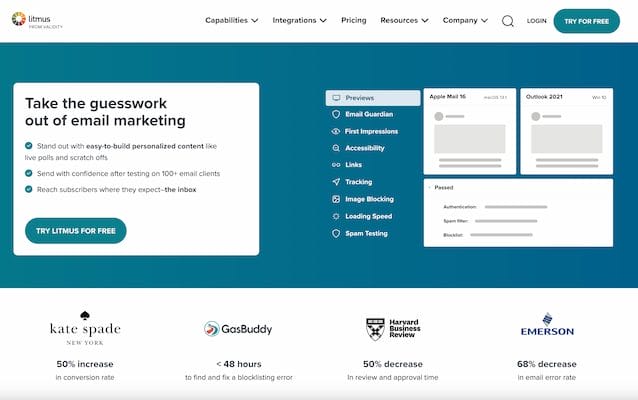
Litmus is one of the most recognized and widely adopted platforms in the email marketing industry, trusted by both enterprises and agencies for email previews, quality assurance (QA), and deliverability checks. It allows teams to preview campaigns across dozens of devices and clients, identify accessibility barriers, and run comprehensive spam filter tests before hitting send. By combining testing, collaboration, and analytics in a single platform, Litmus helps ensure every campaign is error-free, compliant, and optimized for maximum engagement.
Standout Features:
Spam Testing across more than 25 filters, complete with actionable guidance on how to fix issues (Litmus).
Accessibility Checks for contrast ratios, screen-reader compatibility, and dark-mode rendering—helping brands stay inclusive (Litmus).
Real-time Previews across 100+ clients and devices, ensuring campaigns look consistent everywhere.
Collaboration Tools that let marketers, designers, and developers review and approve campaigns in one place.
Pros:
Comprehensive previews and QA in a single workflow
Strong education resources and templates to speed up campaign design
Great for collaboration between design, marketing, and dev teams
Cons:
Premium pricing, which may be challenging for small teams or startups
Best For: Teams looking for a complete, end-to-end pre-send checklist—from rendering and accessibility to spam testing—all in one platform.
Also Read: EmailOnDeck Alternative
2) Sinch Email on Acid (Campaign Precheck)
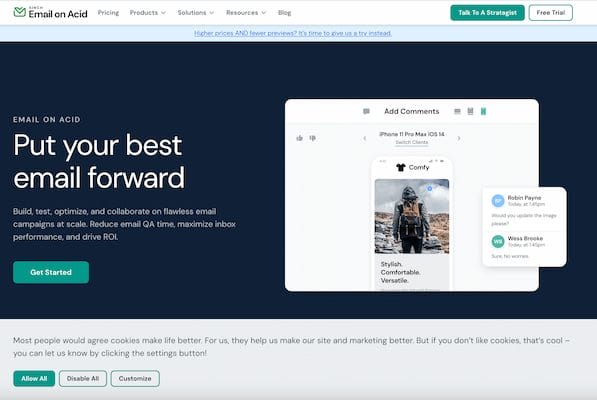
Sinch Email on Acid is a powerful pre-send safety net designed to help marketers standardize their email QA process. Known for its Campaign Precheck feature, the platform guides teams step by step through essential quality checks, ensuring that every campaign is polished, accessible, and optimized before it reaches the inbox. From verifying inbox rendering to catching typos and broken links, Email on Acid takes the guesswork out of QA and provides a repeatable process that scales with your team’s workflow.
Standout Features:
Campaign Precheck: A guided workflow that covers inbox display, accessibility, image rendering, links, spelling, and even blocklist + spam testing for advanced plans (Email on Acid).
Accessibility Check Workflow: Ensures that emails meet accessibility standards with contrast verification, screen reader support, and alt-text validation (Email on Acid).
Inbox Previews: See exactly how emails will render across dozens of devices and clients, including popular mobile and webmail apps.
Team Collaboration Tools: Share previews and QA results across your team to streamline approvals.
Pros:
Fast, opinionated QA process that makes it easy to catch common errors
Guided pre-flight steps create consistency across campaigns
Reduces the risk of missed issues, even under tight deadlines
Cons:
Full feature set (including spam and blocklist testing) only available on higher-tier plans
May be more process-heavy for very small teams needing only basic checks
Best For: Marketing teams that want a consistent, repeatable pre-flight QA process—perfect for brands running high-volume email campaigns that demand reliability and polish every time.
3) Validity Everest
Validity Everest is an enterprise-grade platform that combines email content testing with advanced deliverability and analytics tools. Positioned as more than just a QA tool, Everest offers a full deliverability monitoring ecosystem—from inbox placement and blocklist checks to design and content previews. By integrating testing directly into the deliverability workflow, it empowers teams to not only check if emails look good but also to predict and improve where they’ll land: inbox, promotions, or spam. With data-driven insights, Everest helps brands protect their sender reputation and boost campaign performance at scale.
Standout Features:
Design & Content Previews across multiple devices and clients to ensure consistent rendering and formatting (Validity).
Inbox Placement Monitoring to show whether emails are likely to land in primary, promotions, or spam folders.
Blocklist & Reputation Tracking to keep an eye on sender IPs and domains.
Performance Analytics with real-time dashboards that show how content, subject lines, and send practices affect deliverability.
Pros:
Combines content testing with deliverability intelligence in one platform
Deep insights into sender reputation and inbox placement
Great fit for large teams managing high-volume campaigns
Cons:
Overkill for small businesses that only need basic previews or spam scores
Higher cost compared to single-purpose testing tools
Best For: Mature email programs that need advanced deliverability monitoring paired with content QA—ideal for enterprise teams where sender reputation and inbox performance directly impact revenue.
Also Read: Best Software For Email Organization
4) Mailtrap
Mailtrap is a developer-focused email testing and staging environment that makes it safe and easy to test email content before it reaches real users. Instead of sending test emails to actual inboxes, Mailtrap captures them in a secure sandbox, where developers, QA teams, and marketers can analyze HTML, CSS, headers, and content without risk. It’s especially powerful for teams who want to integrate email QA into their CI/CD pipelines, ensuring automated checks for spam scores, rendering, and deliverability are part of every release cycle.
Standout Features:
Sandbox Environment: Safely capture and inspect emails without ever hitting a live inbox (Mailtrap).
HTML & CSS Analysis: Identify broken layouts, unsupported tags, or rendering issues across different clients.
Spam Score Testing: Built-in scoring system to predict how filters like SpamAssassin will rate your content.
Inbox Previews: Visualize how emails appear in popular email clients before going live.
Team Collaboration: Share test emails, QA results, and logs with other developers or marketers for cross-functional review.
Pros:
Perfect for development teams needing safe, automated email QA
Easy integration into CI/CD workflows for continuous testing
Cost-effective compared to heavier enterprise platforms
Cons:
Focused more on technical QA—less robust for marketing-specific features like subject line scoring or inbox placement previews
Some advanced capabilities may require developer setup or integration work
Best For: Engineering-heavy teams and QA specialists who want to test, debug, and automate email checks in staging environments—before campaigns ever reach subscribers’ inboxes.
5) MailerCheck
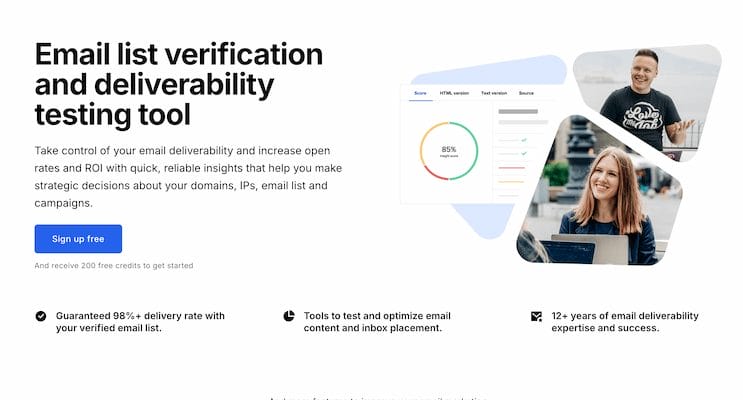
MailerCheck is a comprehensive email deliverability and verification platform that goes beyond list cleaning to provide in-depth content analysis. Its Email Insights feature helps marketers and growth teams identify common pitfalls like spam-triggering phrases, broken links, and poor HTML structure. By simulating inbox placement and predicting whether an email will land in Inbox, Promotions, or Spam, MailerCheck gives teams actionable data to optimize campaigns before they go live. For businesses already invested in MailerLite, MailerCheck offers an especially smooth integration, making it a practical choice for SMBs and scaling brands.
Standout Features:
Email Insights: Flags spammy words, bad HTML, broken links, and missing alt text.
Inbox Placement Tests: Predicts deliverability across Gmail, Yahoo, Outlook, and more—showing if messages are headed to the Inbox, Promotions, or Spam (MailerCheck).
Blocklist Monitoring: Alerts you if your sending domain or IP is flagged.
Email Verification: Cleans subscriber lists to reduce bounce rates and improve sender reputation.
Actionable Recommendations: Provides “fix this now” guidance for quick improvements.
Pros:
Combines list verification and content testing in one platform
Easy-to-use interface with straightforward recommendations
Affordable compared to enterprise deliverability suites
Cons:
Lacks deep visual rendering previews found in tools like Litmus or Email on Acid
More suited for small to mid-sized businesses than very large enterprise teams
Best For: Small-to-mid-sized teams looking for a practical, all-in-one deliverability and content checker that’s budget-friendly and user-friendly.
Also Read: Best Email Outreach and Automation Tools
6) GlockApps
GlockApps is a specialized deliverability and content analysis platform that helps marketers, developers, and deliverability teams understand why emails end up in Promotions or Spam—and what to do about it. Unlike tools that focus only on previews, GlockApps digs deeper into the technical and content-related factors that influence inbox placement. By running spam filter checks, monitoring blocklists, and analyzing domain/IP health, it provides teams with actionable data to protect their sender reputation and improve performance.
Standout Features:
Inbox Placement Tests: Shows whether emails are delivered to Inbox, Promotions, or Spam across major mailbox providers.
Spam Score Analysis: Evaluates content against leading spam filters (like SpamAssassin, Barracuda, and Google filters).
Blocklist Monitoring: Tracks whether your domain or IP has been flagged on major blocklists.
Content Quality Analysis: Identifies issues like broken links, missing alt text, heavy images, or repetitive words that may hurt deliverability.
Domain & IP Reputation Monitoring: Keeps a pulse on your technical health to reduce the risk of long-term deliverability issues.
Pros:
Strong deliverability diagnostics paired with content analysis
Clear reporting that helps pinpoint problem areas quickly
Trusted by many deliverability specialists for ongoing monitoring
Cons:
Interface can feel more technical compared to user-friendly tools like MailerCheck
Pricing may not be ideal for small teams sending low volumes of email
Best For: Marketing and deliverability teams that want deep insights into inbox placement and spam triggers—especially useful for diagnosing why campaigns are being filtered and how content contributes to the problem.
7) Mail-Tester.com
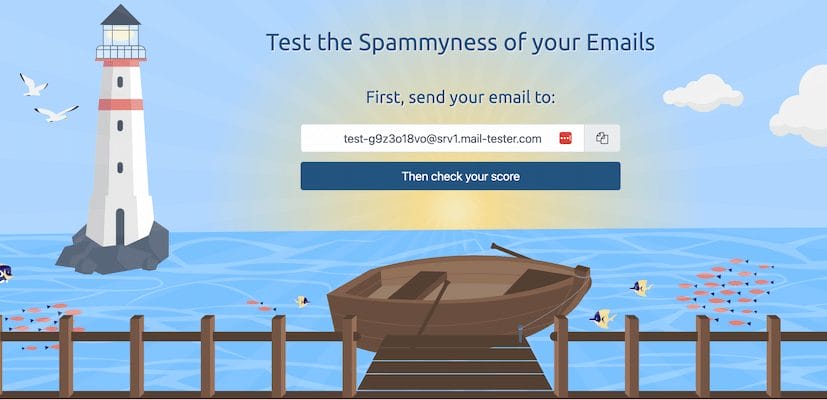
Mail-Tester.com is one of the simplest yet most popular free tools for checking email content and deliverability issues. Instead of a complex dashboard, it provides a unique test email address—you simply send your campaign there and instantly receive a 10-point spam score along with a detailed breakdown of what’s helping or hurting your deliverability. Powered by SpamAssassin rules and other diagnostics, Mail-Tester is a go-to tool for quick sanity checks, making it a favorite among small businesses, freelancers, and developers who need a fast, no-frills spam test.
Standout Features:
10-Point Spam Score: Rates your email content based on standard spam filter rules.
SpamAssassin Breakdown: Explains which specific rules flagged your message.
Authentication Checks: Verifies SPF, DKIM, and DMARC records to ensure compliance.
Blacklists & Reputation: Flags whether your sending domain or IP is on major blocklists.
Instant Results: No account or subscription needed—just send and test.
Pros:
Completely free and easy to use
Fast way to identify obvious content and authentication issues
Great starting point before using more advanced tools
Cons:
Limited scope—doesn’t provide rendering previews or advanced accessibility checks
Scoring system is basic compared to enterprise-grade spam tests
Best For: Freelancers, small businesses, and developers looking for a quick, free way to test emails for spam triggers and authentication issues before sending.
8) SubjectLine.com
SubjectLine.com is a specialized subject line testing tool designed to help marketers maximize open rates before sending a campaign. Developed by Worldata, it runs subject lines through a database of 800+ rules covering everything from spam filter triggers to marketing best practices. The tool then generates a performance score and provides actionable feedback, making it a quick and reliable way to improve subject lines. Since subject lines are often the deciding factor in whether an email gets opened or ignored, SubjectLine.com has become a trusted companion for copywriters, CRM teams, and campaign managers.
Standout Features:
800+ Rule-Based Tests: Evaluates subject lines against deliverability, spam triggers, and engagement factors.
Performance Score: Gives each subject line a numeric rating for quick benchmarking.
Actionable Suggestions: Offers recommendations to improve word choice, structure, and tone.
Free & Instant Use: No subscription or account required—just paste and test.
Mobile-Friendliness Analysis: Highlights if subject lines are too long for mobile inboxes.
Pros:
Fast, free, and easy to use
Covers both spam compliance and marketing effectiveness
Ideal for brainstorming and polishing multiple subject line variations
Cons:
Results should be seen as guidance, not a guarantee—real performance still requires A/B testing
Focused only on subject lines, without testing other email elements
Best For: Marketers and CRM teams who want a quick, free subject line tester to optimize copy before sending—especially when working with multiple variations in high-volume campaigns.
9) SendCheckIt
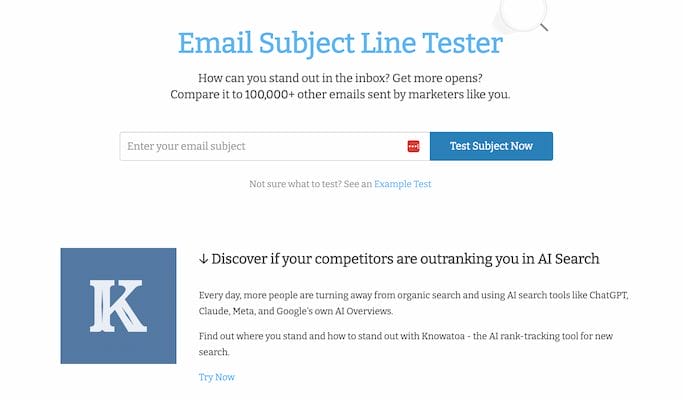
SendCheckIt is a modern subject line and preheader testing tool that helps marketers quickly evaluate their email copy before sending. Unlike traditional spam-focused testers, SendCheckIt emphasizes readability, clarity, and engagement factors, making it a favorite among content marketers and CRM teams. By analyzing subject lines for length, emotional impact, spam triggers, and mobile display, it provides actionable feedback that allows teams to refine their messaging in seconds. It’s especially useful when testing multiple variations, helping teams decide which subject lines are most likely to resonate with subscribers.
Standout Features:
Readability Analysis: Checks sentence structure, word choice, and clarity to ensure subject lines are easy to scan.
Spam Trigger Detection: Flags risky words and patterns that might set off spam filters.
Mobile Optimization: Predicts how subject lines and preheaders will appear on smaller screens.
Emotional Impact Scoring: Assesses tone to help create urgency, curiosity, or friendliness.
Instant Results: Paste in your subject line and get immediate feedback.
Pros:
Clean, intuitive interface with quick suggestions
Focuses on marketing psychology as well as spam compliance
Great for rapid iteration when brainstorming multiple subject line options
Cons:
Limited scope—doesn’t test full email content or design
Best For: Content and CRM teams looking for a fast, lightweight tool to optimize subject lines and preheaders, ensuring they grab attention in crowded inboxes.
10) MailHog
MailHog is a lightweight, open-source email testing tool that acts as a fake SMTP server for capturing and inspecting emails during development. It’s especially popular among developers who want a quick, local solution for testing email content without actually sending messages to real inboxes. Unlike SpamAssassin, which is heavily technical, MailHog focuses on safe capture, visualization, and debugging of test emails. It runs locally, offers a simple web UI to preview messages, and integrates easily with dev environments.
Standout Features:
Fake SMTP Server: Captures emails locally without sending them to real inboxes.
Web UI Preview: View test emails in a browser, complete with HTML rendering and headers.
API Access: Automate email capture and testing through its REST API.
Cross-Platform Support: Works on macOS, Linux, and Windows with simple setup.
Lightweight & Free: Easy to spin up for any development workflow.
Pros:
Free and open-source
Extremely easy for developers to set up locally
Great for debugging HTML, CSS, and template logic
No risk of accidentally sending test emails to customers
Cons:
Geared towards developers, not marketing teams
Doesn’t include advanced deliverability or spam scoring features
Requires some setup compared to plug-and-play SaaS tools
Best For: Developers and QA teams who need a simple, local testing environment to safely capture and review email content during development.
Also Read: Best WooCommerce Email Customizer Plugins
How Teams Actually Use These Tools (Step by Step)
Having the right tools is only half the battle—knowing how to apply them in sequence is what separates high-performing email programs from the rest. Here’s a proven step-by-step workflow that marketers, developers, and deliverability specialists use to get campaigns inbox-ready.
1. Render & Device Previews
Render & Device Previews
Before anything goes live, teams preview emails across major devices and clients to ensure consistent design and layout. Fonts, buttons, CTAs, images, and even dark mode rendering are validated in tools like Litmus and Email on Acid. This helps catch layout regressions that could break the experience in Outlook, Gmail, or Apple Mail.
2. Accessibility Checks
Accessibility Checks
Next, accessibility is tested to guarantee emails are inclusive and user-friendly. With Litmus and Email on Acid, teams verify color contrast, alt text for images, heading hierarchy, focus states, and screen-reader labels. These checks improve engagement while aligning campaigns with accessibility best practices.
3. Link & Image Validation
Link & Image Validation
Broken links or oversized images can destroy trust and drag down deliverability. Platforms like GlockApps help identify 404 errors, unnecessary redirects, mismatched anchors, and heavy images that could slow down load times or trigger spam filters.
4. Spam & Blocklist Checks
Spam & Blocklist Checks
Even a beautifully designed email won’t perform if it lands in Spam. Using GlockApps or Mail-Tester, teams check spam scores against common filters, confirm SPF/DKIM/DMARC authentication passes, and scan for any blocklisted IPs or domains. This step is critical for compliance and sender reputation.
5. Subject Line Testing
Subject Line Testing
Since subject lines drive open rates, teams test multiple variations through SubjectLine.com and SendCheckIt. These tools analyze readability, spam triggers, and mobile display, helping teams select finalists to run as A/B tests in their ESP.
6. Inbox Placement Simulation
Inbox Placement Simulation
Deliverability is then validated with Everest (Validity), MailerCheck, or GlockApps, which simulate inbox placement. These tools reveal whether emails are likely to appear in the Primary inbox, Promotions tab, or Spam, giving marketers a chance to adjust content before launch.
7. Compliance Pass
Compliance Pass
Finally, before scheduling the send, teams confirm compliance with mailbox provider rules. Google Help resources guide marketers through the latest Gmail/Yahoo bulk sender requirements (2024–2025), ensuring authentication is aligned and unsubscribe options are present and functional.
✅ Takeaway: By following this seven-step workflow, teams ensure every campaign is optimized, accessible, compliant, and deliverable—dramatically reducing the risk of wasted sends or lost engagement.
Frequently Asked Questions on Email Content Testing
1. What is email content testing?
Email content testing is the practice of evaluating an email’s design, functionality, deliverability, and engagement before sending it live. It helps ensure content looks consistent across devices, links and images work, authentication is set up, and that it’s accessible and optimized for performance.
2. Why should I test my emails before sending?
Testing your email prevents layout issues, broken links, or spam triggers—problems that can erode trust or tank engagement. It also protects sender reputation by confirming authentication (SPF, DKIM, DMARC) and whether the email is landing in inbox, promotions, or spam folders.
3. How do email testing tools work?
These tools render your email across various clients and devices, scan it for spam triggers, validate links and images, and offer accessibility and design feedback. Some also simulate inbox placement or allow A/B testing for subject lines and content.
4. Which features should I look for in email testing tools?
Look for:
Cross-client/device rendering previews
Spam and blocklist testing
Accessibility auditing (contrast, alt text, screen readers)
Link/image validation
Subject line optimization and A/B testing capabilities
Inbox placement simulation and deliverability insights
5. Can I test emails without a tool?
Technically yes—but it’s time-consuming (manual link checks, sending to multiple devices, verifying inbox placement), and prone to human error. Automated tools make this faster, more reliable, and scalable.
6. Are free email testing tools effective?
Free tools (like Mail-Tester or basic previews in free trials) can help catch obvious errors or spam flags. But they often lack full rendering checks, accessibility audits, subject line tools, or deliverability insights. Paid tools offer much deeper coverage and accuracy
7. How often should I test my email campaigns?
Every single campaign should pass through a testing sequence—from design and copy QA to spam checks to final compliance verification—before sending. If your email schedule is tight, automate testing into your pre-send checklist or CI/CD workflow.
Quick Comparison: Which One Should You Pick?
Best All-Rounder for Teams: Litmus or Email on Acid — complete pre-send QA including accessibility checks and inbox previews.
Best for Deliverability + Content in One: Validity Everest, GlockApps, MailerCheck — strong analytics on both content and inbox placement.
Best for Dev/QA Pipelines: Mailtrap, Postmark’s Free Spam Check API — developer-friendly testing that integrates with CI/CD workflows.
Best Subject Line Polishers: SubjectLine.com, SendCheckIt — quick optimizers for copy that improves open rates.
Fast Free Spam Score Check: Mail-Tester.com — a simple sanity check for spam filters and authentication.
Editor’s Checklist (Copy-Paste for Your Team)
Before hitting “send,” run every campaign through this 7-step QA checklist:
✅ Preview in top clients (Gmail, Apple Mail, Outlook, Yahoo) including dark mode. (Use: Litmus, Email on Acid, Mailtrap)
✅ Accessibility Pass: Check contrast, alt text, and semantic headings. (Use: Litmus, Email on Acid)
✅ Link & Image Validation: Ensure no broken links (404s), mismatched anchors, or oversized images. (Use: GlockApps)
✅ Spam & Authentication: Keep spam score below thresholds; confirm SPF, DKIM, DMARC pass. (Use: Mail-Tester.com, Google Help)
✅ Subject Line & Preheader Testing: Run through polishers, then set up A/B tests. (Use: SubjectLine.com, SendCheckIt)
✅ Inbox Placement Check: Simulate inbox vs. promotions vs. spam before launch. (Use: Validity, MailerCheck, GlockApps)
✅ Compliance Review: Confirm unsubscribe links and Gmail/Yahoo bulk sender rules are met. (Use: Google Help)
Make Every Send Count with Email Content Testing
In 2025, email marketing is more competitive than ever—4.6 billion users and 376+ billion emails daily means inbox space is crowded and unforgiving. A single mistake—a broken link, a rendering error, or a missed compliance check—can cost you credibility, conversions, and even deliverability.
That’s why email content testing isn’t just a “nice-to-have” anymore. It’s the foundation of modern email marketing success. Whether you’re a marketer fine-tuning subject lines, a developer ensuring clean HTML, or a deliverability specialist monitoring inbox placement, there’s a tool in this list designed for your needs.
👉 Here’s the takeaway:
Use Litmus or Email on Acid for all-around pre-send QA.
Choose MailerCheck, GlockApps, or Validity Everest if inbox placement and deliverability are your biggest priorities.
Pick Mailtrap or MailHog if you’re a developer or QA team focused on testing in staging.
Leverage SubjectLine.com or SendCheckIt to polish copy that drives opens.
And keep Mail-Tester.com handy for a fast, free spam score sanity check.
By following the 7-step testing workflow and using the right mix of tools, your team can ship campaigns that are accessible, compliant, and optimized to perform—every time.
✅ The result? More opens, higher engagement, stronger ROI, and fewer headaches.
Read More
How Email Marketing Data Can Boost Your Efforts
How to Warm Up Cold Email Domains for Better Deliverability
Comparing the 10 Best Bulk Email Verification and Validation Services

