

Email outreach still moves more deals and builds more real relationships than most of the flashier channels competing for a marketer’s attention, but doing it manually does not scale. Tracking who opened what, who needs a follow-up, and who already replied turns into a spreadsheet nightmare the moment a campaign grows past a couple dozen contacts.
Email outreach and automation tools solve that specific problem. They handle the follow-up sequencing, track opens and clicks automatically, and give a sales or marketing team the data to see what is actually working instead of guessing. Used well, these tools turn outreach from a manual chore into a repeatable, measurable process.
The ten tools below cover the full range of what teams actually need: dedicated email finders for building a verified list, full sequencing platforms for managing multi-touch campaigns, and specialized options built around a single strength like deliverability or Gmail integration. None of them are interchangeable, and picking the wrong one for your actual workflow tends to cost more in wasted setup time than the subscription itself.
Understanding Email Outreach and Automation Tools
Before picking a tool, it helps to understand what this category actually solves. These platforms handle cold outreach at scale, automate follow-up sequences so nobody has to remember to check in three days later, and let a team personalize messages without writing each one from scratch. Whether you work in sales, marketing, or lead generation, the right tool here changes engagement rates and team efficiency in a way that is easy to measure.
Why These Tools Matter for a Growing Team
A small team reaching out to a handful of prospects a week can manage that by hand. A team scaling past that quickly runs into the limits of memory and spreadsheets. Automation tools save time and, just as importantly, make sure a promising lead never falls through the cracks because someone forgot to follow up.
Built-in analytics and tracking turn outreach into something a team can actually optimize. Instead of guessing which subject line or follow-up cadence works better, these tools give you the open rates, click rates, and reply rates to make that decision with real data behind it.
10 Best Email Outreach and Automation Tools
1. Mailshake

Mailshake is a top-tier email outreach tool built for sales teams, marketers, and entrepreneurs. It automates cold email campaigns, tracks responses, and integrates with the CRM systems most sales teams already use.
Key Features:
- Automated follow-ups to improve response rates.
- Personalization features for targeted messaging.
- Integration with CRM tools like HubSpot and Pipedrive.
- A/B testing for optimizing outreach strategies.
Pros:
- Easy-to-use interface.
- Powerful automation and scheduling options.
- Responsive customer support.
Cons:
- Limited reporting features.
- Pricing may not suit small businesses.
2. Hunter

Hunter is a dedicated tool for finding and verifying email addresses, which makes it a strong fit for lead generation before a cold outreach campaign even begins.
Key Features:
- Email finder to discover professional email addresses.
- Email verification to improve deliverability.
- Integrations with CRM tools and Google Sheets.
Pros:
- Free plan available with limited searches.
- High email accuracy rate.
- Simple and user-friendly interface.
Cons:
- Limited automation features.
- Requires additional tools for full-scale outreach campaigns.
3. Reply.io

Reply.io is an AI-driven email automation tool built to improve outreach efficiency by automating follow-ups and tightening engagement tracking.
Key Features:
- AI-powered email personalization.
- Multi-channel outreach (email, LinkedIn, calls, SMS).
- Advanced analytics and reporting.
Pros:
- Excellent automation capabilities.
- Integrates well with CRMs and other marketing tools.
- AI assistance for improved email engagement.
Cons:
- Higher learning curve for beginners.
- Premium pricing plans.
4. Lemlist
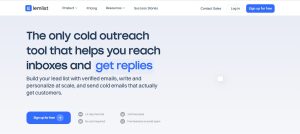
Lemlist stands out for its ability to add personalized images and videos directly into cold emails, which makes outreach campaigns feel more like a real message and less like a mail merge.
Key Features:
- Image and video personalization.
- Automated follow-ups.
- Integration with major CRMs.
Pros:
- High level of email personalization.
- Easy-to-use automation features.
- Great for agencies and startups.
Cons:
- Pricey for small businesses.
- Steeper learning curve.
5. Woodpecker

Woodpecker is a B2B email outreach tool focused on automation, follow-ups, and personalization built specifically around better lead conversion.
Key Features:
- Automated email sequences.
- Built-in A/B testing.
- Smart sending to prevent spam filters.
Pros:
- High email deliverability rates.
- Great for small to medium businesses.
- Responsive customer support.
Cons:
- Limited integrations with third-party tools.
- No free plan available.
6. GMass

GMass runs directly inside Gmail, letting you send bulk email campaigns without ever leaving your inbox for a separate platform.
Key Features:
- Seamless Gmail integration.
- Mail merge and personalization.
- Automated follow-ups.
Pros:
- Easy to set up and use.
- Affordable pricing for individuals and businesses.
- Strong email tracking features.
Cons:
- Limited to Gmail users.
- Basic reporting features.
7. Snov.io
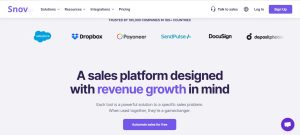
Snov.io is an all-in-one tool for finding emails, verifying leads, and automating the outreach campaigns that follow.
Key Features:
- Email finder and verifier.
- Drip email campaigns.
- API integration with multiple platforms.
Pros:
- Comprehensive lead generation features.
- Affordable for startups and small businesses.
- Great email verification accuracy.
Cons:
- Interface can be overwhelming for new users.
- Some advanced features require additional costs.
8. Yesware
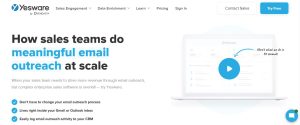
Yesware is a sales-focused email outreach tool built around tracking, automation, and analytics that help a sales rep manage a full pipeline of conversations.
Key Features:
- Email tracking and reporting.
- Automated email sequences.
- CRM integration (Salesforce, HubSpot, etc.).
Pros:
- Great for sales-driven teams.
- Simple Gmail and Outlook integration.
- Strong email analytics.
Cons:
- Lacks advanced personalization features.
- Expensive for small teams.
9. SmartReach.io
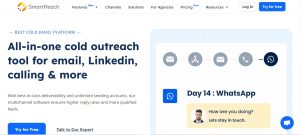
SmartReach.io is built specifically to protect email deliverability while still keeping engagement high across a large sending volume.
Key Features:
- Smart email scheduling to avoid spam filters.
- Automated follow-ups and personalization.
- Multi-channel outreach options.
Pros:
- Excellent for improving email deliverability.
- Easy-to-use automation features.
- Integrates well with multiple CRMs.
Cons:
- Expensive for startups.
- Requires time to optimize settings.
10. Klenty

Klenty is an outreach automation tool built for sales teams that need to engage prospects efficiently across more than one channel.
Key Features:
- Multi-channel automation (email, calls, LinkedIn).
- Sales engagement tracking.
- Integration with CRM tools.
Pros:
- Great for sales outreach.
- Smart automation features.
- Detailed reporting and analytics.
Cons:
- Complex setup process.
- Premium pricing.
Matching a Tool to How Your Team Actually Works
A solo founder doing their own outreach has different needs than a ten-person SDR team working a shared pipeline. If you are Gmail-native and want the least friction possible, GMass keeps everything inside the inbox you already use all day. If your team needs multi-channel sequencing across email, calls, and LinkedIn, Reply.io and Klenty are both built around that broader workflow rather than email alone.
If lead generation is the bottleneck rather than outreach itself, start with Hunter or Snov.io to build a verified contact list before layering a sequencing tool on top. Trying to run a sophisticated automation tool against a list full of bad or unverified addresses wastes the tool’s real strength and tanks your deliverability at the same time.
Deliverability Matters More Than Feature Count
A tool with every automation feature imaginable is worthless if your emails land in spam. Deliverability depends on more than the tool itself, it comes down to sender reputation, proper domain authentication, and sending patterns that do not look like a bot blasting a list. Woodpecker and SmartReach.io both build smart sending and spam-avoidance directly into their core feature set, which is worth weighing heavily if your list is large enough that deliverability risk is a real concern rather than a theoretical one.
Before committing to any tool here, confirm your sending domain has SPF, DKIM, and DMARC properly configured. No automation platform can fix a domain reputation problem from the outside, and skipping this step undermines even the best-built campaign.
What to Track Once a Campaign Is Live
Open rate is the easiest metric to check but the least useful one on its own, especially since privacy features in modern email clients have made open tracking noticeably less reliable than it was a few years ago. Reply rate and, more specifically, positive reply rate tell you far more about whether a campaign is actually working. A high open rate paired with almost no replies usually points to a subject line that works but a message body that does not land.
Bounce rate deserves close attention too, since a rising bounce rate over the course of a campaign is often the first sign that list quality has degraded or that a sending domain’s reputation is starting to slip. Most of the platforms on this list surface these metrics in a dashboard automatically, but it is worth checking them weekly rather than only at the end of a campaign, since catching a deliverability problem early is far easier to fix than recovering a damaged sender reputation after the fact.
Free vs. Paid: Where to Start
Hunter’s free tier is genuinely useful for testing lead generation before committing to a paid plan, and it is a reasonable starting point if you are not yet sure how much volume you actually need. Most of the sequencing and automation tools on this list, including Mailshake, Reply.io, and Klenty, do not offer a meaningful free tier, since the core value they provide, ongoing automated sending, carries real infrastructure cost for the provider.
A practical approach is starting with Hunter or Snov.io’s free tier to validate your lead list, then adding a paid sequencing tool once you have confirmed the list quality is solid enough to justify the subscription cost.
Staying Compliant With Email Outreach Laws
Cold email is legal in most jurisdictions when done correctly, but the rules differ depending on where your recipients are located, and getting this wrong carries real financial and reputational risk. In the United States, the CAN-SPAM Act requires a clear unsubscribe mechanism, accurate sender information, and honest subject lines that do not misrepresent the email’s content. In the EU and UK, GDPR imposes stricter consent requirements, particularly for B2C outreach, though B2B cold email generally has more room to operate under legitimate interest provisions.
Most of the tools on this list build in unsubscribe handling and suppression list management automatically, but it is worth confirming your specific configuration actually honors opt-outs immediately rather than on the next scheduled sync. A prospect who unsubscribes and then receives another email from the same sequence days later is not just a compliance risk, it actively damages trust in your brand at the exact moment you were trying to build a relationship.
Building an Effective Outreach Sequence
The tool matters less than the sequence you build with it. A first email that leads with a genuine, specific reason for reaching out, not a generic template with a name swapped in, gets meaningfully better open and reply rates than a mass-market pitch. Most of the tools on this list support merge fields and personalization tokens specifically so you can reference something real about the recipient without writing every email by hand.
Follow-up timing matters just as much as the content. Spacing follow-ups two to four days apart, rather than daily, gives a busy recipient room to respond without feeling hounded. Three to five touches in a sequence is a reasonable range for most B2B outreach; fewer than that and you are leaving replies on the table from people who were simply busy the first time, and more than that risks reading as spam regardless of how well-crafted each individual email is.
Common Mistakes That Tank Outreach Results
Sending the exact same subject line and opening line to an entire list is the fastest way to trigger spam filters and burn a sender’s reputation, even with a legitimate tool behind it. Providers increasingly detect this kind of pattern-matched bulk sending regardless of which platform sent it, so genuine variation in phrasing across a campaign matters for deliverability, not just for how the email reads to a human.
Skipping list verification before a campaign is another common and costly mistake. A list with a high bounce rate damages sender reputation fast, and a damaged reputation follows your domain into future campaigns even after you fix the list itself. Running a list through Hunter’s or Snov.io’s verification tools before the first send is worth the extra step almost every time.
Ignoring reply sentiment is a subtler mistake. Automation tools are built to keep sending follow-ups on schedule, but a prospect who replies with “not interested” needs to come out of the sequence immediately, not receive another scheduled follow-up because nobody reviewed the inbox that day. Most of these platforms support automatic sequence-stopping based on detected replies, and it is worth confirming that setting is actually turned on rather than assuming it works by default.
Frequently Asked Questions
How many emails should a cold outreach sequence include?
Three to five touches spread across two to three weeks is a reasonable range for most B2B outreach. Fewer risks missing replies from people who were simply busy the first time around, and significantly more risks feeling like spam regardless of how well each individual email is written.
Do I need a separate email finder tool if my sequencing platform already has one built in?
Not necessarily. Reply.io and Klenty both include basic prospecting features, but a dedicated tool like Hunter or Snov.io generally offers stronger accuracy and verification, which matters more the larger your target list gets. For smaller campaigns, the built-in finder in your sequencing tool is often good enough.
What is a reasonable reply rate to expect from cold email outreach?
Reply rates vary enormously by industry and list quality, but a genuinely well-targeted, well-personalized campaign typically lands somewhere between five and fifteen percent. A rate well under that usually points to a targeting or personalization problem rather than a tool problem, since even the best automation platform cannot fix a message that is not relevant to the recipient.
Can these tools help with warm outreach to existing contacts, not just cold prospects?
Yes. Most of the tools on this list, including Mailshake, Woodpecker, and Yesware, work just as well for structured follow-up sequences with warm leads or past customers as they do for cold outreach. The automation and tracking features apply regardless of how warm the relationship is going in.
Choosing the Right Tool for Your Needs
Email outreach and automation tools can meaningfully boost campaign success by saving time, improving engagement, and tightening up follow-up discipline. Whether you need a tool for personalized cold outreach, sales automation, or better email deliverability, there is a solid option on this list built around that specific need. Weigh your budget, the features you actually need day to day, and how much of a learning curve your team can absorb before settling on the right tool for your business.
Whichever tool you land on, treat the first campaign as a test, not a finished process. Run a smaller batch, check the reply sentiment and bounce rate, adjust the sequence, and only then scale up to a full list. The teams getting the best results from these platforms are rarely the ones with the most expensive plan. They are the ones who actually iterate on their messaging based on what the data tells them.
Interesting Reads
Best Free Marketing Video Maker Online