

In the world of instant messaging, images play a huge role. WhatsApp is no exception. Whether you’re sharing memorable moments, marketing materials, or memes, the clarity and size of your images matter. But what happens when WhatsApp automatically compresses your photos? Quality loss can be frustrating. Fortunately, image resizers are here to help. They allow you to resize and optimize images without compromising quality. In this post, we’ll explore the 10 best image resizer for WhatsApp that will ensure your visuals are clear, crisp, and fast to send.

Quick Links
Why Resizing Images for WhatsApp Matters
WhatsApp automatically compresses images, making them smaller in size but also reducing their quality. While this is great for faster sending and reduced storage, it can be frustrating when you want to send high-quality photos. Using an image resizer before uploading ensures you stay in control of the file size while maintaining clarity.
When sharing important images like family photos, artwork, or promotional content, the quality is key. By resizing images yourself, you’ll be able to avoid pixelation and blurry results that often come with WhatsApp’s automatic compression.
1. ResizePixel

ResizePixel is a free, web-based tool that allows you to resize images easily without any software download. This makes it convenient for anyone looking for a quick fix.
Features:
- Allows resizing by pixels or percentage.
- Supports a wide variety of formats, including JPEG, PNG, and GIF.
- Simple drag-and-drop interface.
Pros:
- Free and accessible from any device.
- No quality loss when resizing.
Cons:
- Limited editing features beyond resizing.
2. Kapwing
Kapwing is an online tool for more than just resizing. It’s a full-fledged media editor that offers a variety of tools for tweaking images, videos, and GIFs.
Features:
- Image resizing, cropping, and editing options.
- Compatible with all popular image formats.
- Fast processing.
Pros:
- Versatile tool for other media editing.
- No watermarks with a free account.
Cons:
- Requires sign-up for full features.
Also Read: Best KPI Software for Tracking Performance
3. iLoveIMG
iLoveIMG provides fast and easy solutions for compressing, resizing, and converting images. It’s particularly helpful for batch resizing when you need to send multiple photos via WhatsApp.
Features:
- Resize multiple images at once.
- Convert images into different formats.
- Compress images without losing quality.
Pros:
- Fast and efficient, great for bulk resizing.
- Supports multiple file types.
Cons:
- Limited to image-related tasks only.
4. BeFunky
BeFunky is a user-friendly image editor that offers much more than resizing. You can apply filters, add text, and do basic touch-ups all in one platform.
Features:
- Resize and crop images quickly.
- Apply filters and effects.
- Available on both desktop and mobile.
Pros:
- Multi-functional.
- Easy-to-use interface.
Cons:
- Some features require a premium plan.
5. Image Resizer for Windows
This handy Windows tool is perfect for users who want a lightweight, no-frills resizer. With a right-click, you can instantly resize your image for WhatsApp.
Features:
- Resize images directly from the Windows file explorer.
- Simple and efficient design.
- No internet connection required.
Pros:
- Very fast and convenient for Windows users.
- Doesn’t compromise image quality.
Cons:
- Only available for Windows.
Also Read: Best Lead Management Software
6. Photo & Picture Resizer (Mobile)
This Android app is perfect for those who want to resize images directly from their phones before sending them on WhatsApp.
Features:
- Resize by resolution, quality, or percentage.
- Share directly to WhatsApp after resizing.
- Batch processing supported.
Pros:
- Easy mobile interface.
- Direct WhatsApp sharing.
Cons:
- Ads on the free version.
7. Online Image Resizer by Adobe Express
This free tool from Adobe lets you resize images online without needing an account. It’s a part of the Adobe suite, so you can trust it for quality output.
Features:
- Drag-and-drop interface.
- Resize by custom dimensions or popular presets.
- Automatically saves optimized images.
Pros:
- Adobe-backed quality.
- Free and no account required.
Cons:
- Lacks advanced editing options.
8. Simple Image Resizer
If you’re looking for a no-nonsense resizer, Simple Image Resizer does the job without frills. This tool allows you to resize images by percentage or pixels with minimal effort.
Features:
- Resize images by width, height, or percentage.
- Simple, quick, and effective.
Pros:
- No sign-up needed.
- Fast processing.
Cons:
- Only for basic resizing needs.
Also Read: Best CRM Software for Small Business
9. PicResize
PicResize is an online tool that not only resizes images but also offers basic editing like cropping, rotating, and applying filters.
Features:
- Resize, crop, and add filters.
- Free to use with no account needed.
- Fast and supports batch processing.
Pros:
- Versatile online tool.
- Supports all image formats.
Cons:
- Some advanced features are lacking.
10. TinyPNG
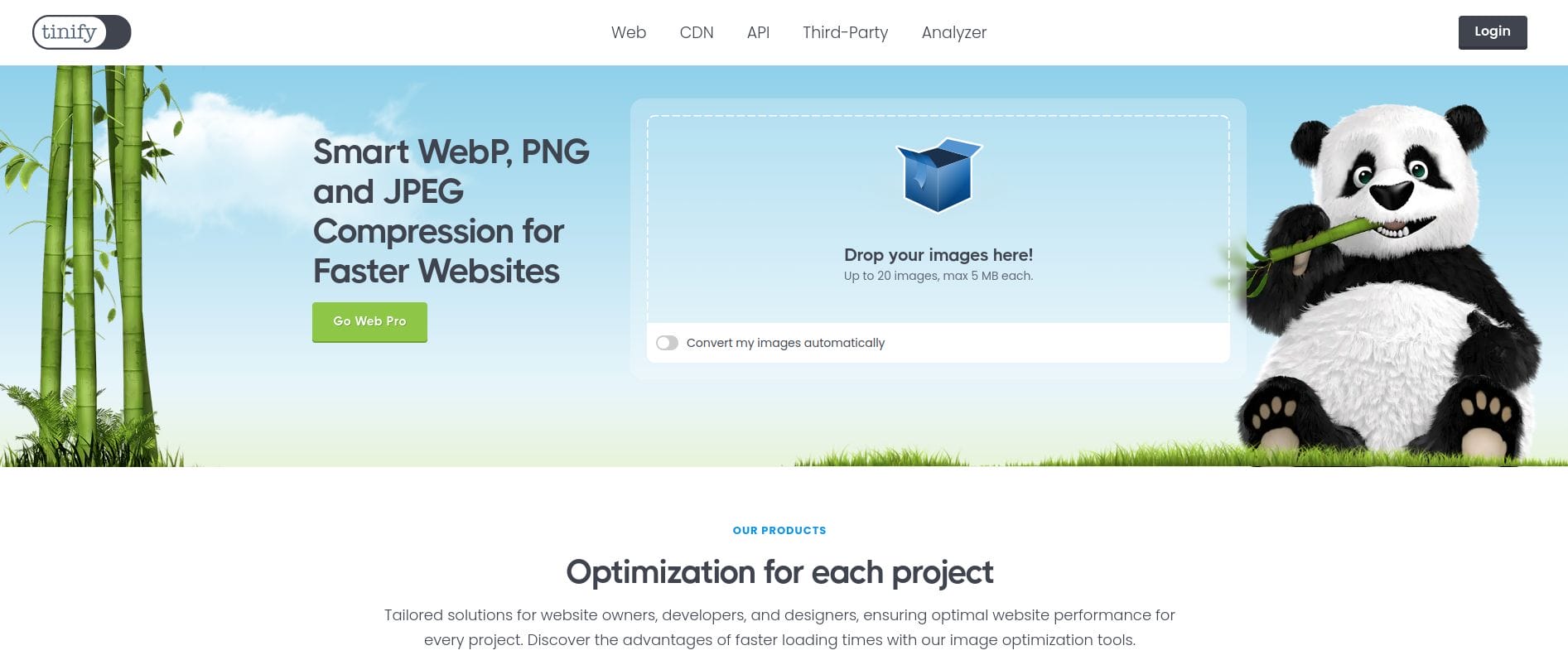
Although known for image compression, TinyPNG also offers resizing options. It’s an excellent choice for WhatsApp, as it reduces file size without any visible quality loss.
Features:
- Image compression and resizing in one.
- Simple drag-and-drop feature.
- Supports PNG and JPEG.
Pros:
- Excellent at maintaining quality during compression.
- Ideal for WhatsApp’s image size limits.
Cons:
- Limited to PNG and JPEG formats.
How to Choose the Best Image Resizer for WhatsApp
Choosing the best tool comes down to your needs. If you’re looking for bulk resizing, iLoveIMG is the way to go. For more creative editing options, BeFunky and Kapwing offer a wide range of features. If you’re on a mobile device, Photo & Picture Resizer can resize images quickly and share them directly to WhatsApp.
Every tool listed offers something unique, whether it’s batch resizing, online access, or advanced image editing. Pick the one that fits your workflow, and you’ll never have to worry about WhatsApp’s image compression again.
Comparison Table of 10 Best Image Resizer for WhatsApp
| Tool | Key Features | Pros | Cons |
|---|---|---|---|
| ResizePixel | Resize by pixels or percentage | Free, accessible, no quality loss | Limited editing features |
| Kapwing | Image resizing, cropping, editing | Versatile, no watermarks | Sign-up required for full features |
| iLoveIMG | Batch resizing, compression | Supports many file types | Limited to image tasks |
| BeFunky | Resize, add filters, mobile-friendly | Multi-functional | Premium features behind a paywall |
| Image Resizer for Windows | Resize from Windows Explorer | Fast, convenient for Windows users | Windows-only |
| Photo & Picture Resizer | Resize by resolution or percentage | Direct WhatsApp sharing | Ads on the free version |
| Adobe Express Online | Custom dimensions, Adobe quality | No account required, free | Lacks advanced options |
| Simple Image Resizer | Resize by width, height, percentage | Quick and free | Basic resizing only |
| PicResize | Resize, crop, batch processing | Versatile and fast | Limited advanced features |
| TinyPNG | Compression and resizing | Great at preserving quality | Limited to PNG and JPEG |

Closing Remarks
Resizing your images for WhatsApp doesn’t have to be a hassle. With the variety of tools available, whether you’re working from a computer or mobile device, you can easily ensure your images maintain their quality while fitting the size requirements for WhatsApp sharing. Each of the 10 tools listed offers distinct advantages, and by selecting the one that best meets your needs, you can streamline your sharing experience.
Interesting Reads:
Best Tools to Create and Edit Instagram Post Videos

