
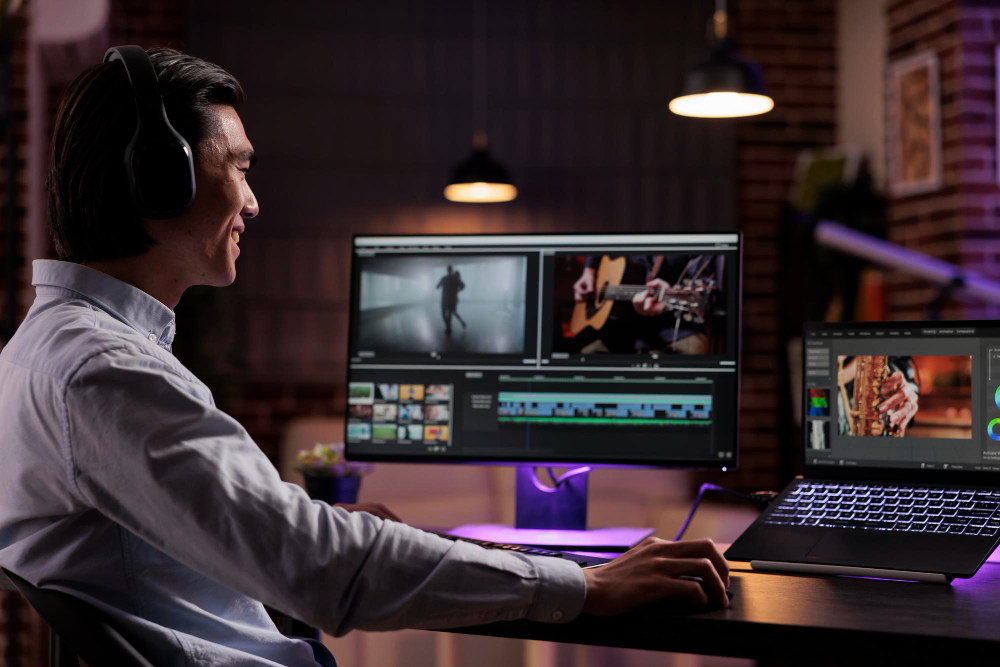
In the highly visual world of Instagram, creating eye-catching video content is essential for grabbing your audience’s attention. But you don’t need to be a professional videographer to make stunning Instagram videos - there are numerous tools available that make video creation and editing easy, even for beginners. Here’s a comprehensive look at the top 10 instagram post video maker tools, their features, pros and cons, and a comparison table to help you choose the best one.
What to Look for When Choosing a Tools to Create and Edit Instagram Post Videos
When selecting a tool to create and edit Instagram post videos, it’s important to consider several key factors to ensure it meets your specific needs. Here’s a breakdown of the primary aspects to look for:
1. Ease of Use
- User-Friendly Interface: A tool with an intuitive layout and straightforward navigation will make video editing faster and less overwhelming, especially for beginners.
- Templates and Guided Editing: Many tools offer ready-made templates or step-by-step guides, which are perfect if you’re new to video editing or want to speed up the process.
2. Editing Features and Effects
- Basic Editing Tools: Essential tools like trimming, cutting, and splitting are must-haves for refining videos.
- Filters, Effects, and Transitions: These help enhance your videos, adding a professional look with minimal effort. Check if the tool offers a variety of styles that match your brand’s aesthetic.
- Text Overlays and Stickers: If you add captions, text animations, or stickers to your videos, ensure the tool supports customizable overlays.
3. Aspect Ratio Customization
- Instagram-Friendly Formats: Look for a tool that lets you select aspect ratios, such as 1:1 (square) for posts, 4:5 for portrait, and 9:16 for stories and reels. This ensures your video will fit Instagram’s format without needing to resize later.
- Preset Export Options: Some tools have preset formats for various platforms, making it easy to adapt one video across multiple social media sites.
4. Music and Sound Options
- Music Library: Having a built-in music library with licensed songs and sound effects is helpful, especially if you don’t want to source audio separately.
- Audio Editing: Check if the tool allows you to control audio levels, trim music, or sync audio with video clips.
5. Mobile Compatibility
- App Availability: If you prefer editing on the go, a tool with a mobile app for iOS or Android can be more convenient. Mobile tools are optimized for fast edits, making it easier to publish directly from your phone.
- Cross-Platform Syncing: For creators who work across devices, look for tools with cross-platform syncing to edit on desktop and mobile seamlessly.
6. Advanced Features (for Professionals)
- Multi-Track Editing and Keyframe Animations: If you’re a professional or need intricate edits, look for tools that support multi-track editing, allowing you to layer audio, video, and effects.
- Color Grading and Visual Effects: Some advanced tools offer in-depth color correction, chroma keying (green screen), and blending modes, perfect for creating unique, polished visuals.
Also Read: Best Christmas Promo Video Templates
Best Tools to Create and Edit Instagram Post Videos
1. Adobe Premiere Rush
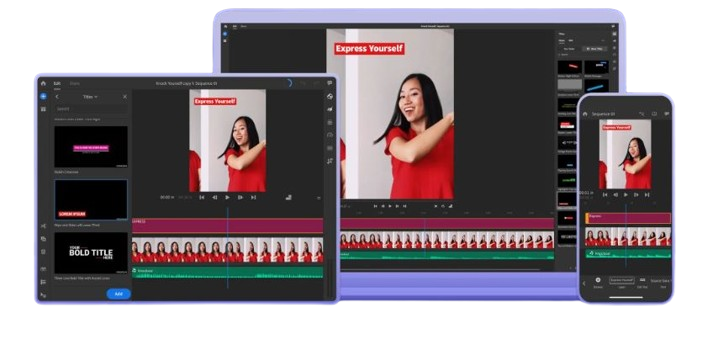
Adobe Premiere Rush is a simplified version of Adobe’s renowned Premiere Pro, designed specifically for quick and easy video editing. This tool is excellent for creating polished videos quickly and offers direct social media sharing options.
Key Features:
- Multi-track timeline editing
- Pre-built templates and effects
- Seamless integration with Adobe Creative Cloud
Pros:
- Professional-grade tools in a user-friendly interface
- Cross-platform support (iOS, Android, Windows, macOS)
- Direct export to Instagram and other social media
Cons:
- Subscription required for advanced features
- Heavy on system resources
2. InShot
InShot is a popular mobile app for video and photo editing. It’s a fantastic choice for beginners, as it provides a wide range of editing tools and features, like trimming, splitting, and adding music.
Key Features:
- User-friendly interface
- Customizable aspect ratios
- Large selection of filters, effects, and stickers
Pros:
- Free basic version with many features
- Optimized for quick, mobile editing
- Easy sharing options
Cons:
- Free version has ads and watermark
- Limited advanced editing tools
3. Canva
Known for graphic design, Canva also offers an impressive video editor that’s ideal for creating Instagram videos. It’s simple to use and offers various templates tailored to social media.
Key Features:
- Intuitive drag-and-drop editor
- Extensive library of templates, animations, and music
- Collaborative editing features
Pros:
- No experience needed to create engaging content
- Cloud-based, accessible from any device
- Regular updates with new templates and features
Cons:
- Limited advanced editing capabilities
- Full functionality requires a subscription
Also Read: Best Accounting Software Cloud Based
4. Kapwing
Kapwing is a browser-based tool that offers a straightforward approach to video editing. It’s great for quick edits and provides useful tools like trimming, resizing, and adding subtitles.
Key Features:
- Text, audio, and image overlays
- Supports all aspect ratios
- Collaboration-friendly
Pros:
- Accessible without installation
- Works on any device with a browser
- Free tier available with ample features
Cons:
- Watermark on free version
- Requires internet connection
5. Lumen5
Lumen5 is a video creation tool powered by AI, making it ideal for transforming blog posts and articles into video content for Instagram. It’s geared toward marketers and content creators who want a simple, fast solution.
Key Features:
- AI-powered text-to-video capabilities
- Large library of stock media and music
- Storyboarding features
Pros:
- Easy-to-use, no prior experience required
- Time-saving AI tools
- Good selection of templates
Cons:
- Limited customization options
- Subscription needed for HD downloads
6. VSCO
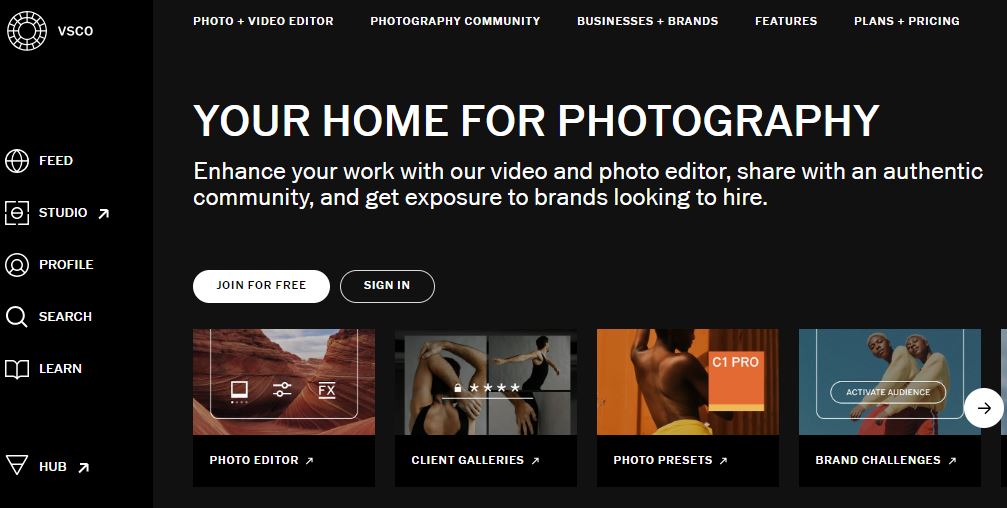
VSCO is known for its advanced photo-editing tools, but its video editing capabilities are also impressive, especially for adding color grading and filters to videos.
Key Features:
- High-quality filters and effects
- Fine-tune editing controls for exposure, contrast, and saturation
- Advanced color grading
Pros:
- Professional-grade filters
- Minimalistic interface
- Great for aesthetic Instagram videos
Cons:
- Limited to basic video editing
- Requires subscription for full access
7. Animoto
Animoto is a drag-and-drop video editor designed for social media videos, making it perfect for Instagram marketers and influencers who want to create professional videos quickly.
Key Features:
- Drag-and-drop video editor
- Pre-built templates optimized for social media
- Music library
Pros:
- Simple to use
- Fast video creation with templates
- Free and premium plans available
Cons:
- Limited customization in free version
- Subscription required for HD and premium features
Also Read: Best Festive Christmas Photo Collage Makers
8. FilmoraGo
FilmoraGo is a mobile-friendly video editor with powerful features. It allows you to create professional videos directly on your mobile device with a selection of effects, music, and transitions.
Key Features:
- Rich selection of effects and filters
- Aspect ratio customization
- Split-screen effects
Pros:
- Mobile-friendly and easy to use
- Free version with essential tools
- Export videos without a watermark (in premium)
Cons:
- Watermark in the free version
- Limited advanced editing on the free plan
9. Quik by GoPro
GoPro’s Quik app is an automated video editor that creates beautiful highlight reels from your footage. It’s ideal for creating short, visually appealing Instagram videos.
Key Features:
- Automatic highlight editing
- Music sync and transitions
- Cloud backup
Pros:
- Fast, hands-off video creation
- Easy-to-use for beginners
- Free to use with some GoPro features
Cons:
- Limited manual editing options
- Subscription required for extra features
Also Read: Best Small Business Inventory Software
10. KineMaster

KineMaster is a mobile-friendly video editor that packs many advanced editing tools like multi-layer editing, keyframe animation, and precise trimming, making it great for Instagram content creators.
Key Features:
- Multi-layer video and audio editing
- Keyframe animations
- Blending and green screen support
Pros:
- Full suite of editing tools on mobile
- Real-time preview
- Wide selection of transitions and effects
Cons:
- Watermark on free version
- Subscription required for full access
Tools to Create and Edit Instagram Post Videos at a Glance
| Tool | Platform | Free Version | Watermark in Free Version | Key Feature | Best For |
|---|---|---|---|---|---|
| Adobe Premiere Rush | iOS, Android, Desktop | Limited | No | Professional-grade editing | Professional creators |
| InShot | iOS, Android | Yes | Yes | User-friendly interface | Beginners |
| Canva | Browser, iOS, Android | Yes | No | Templates and animations | Social media posts |
| Kapwing | Browser | Yes | Yes | Text overlays and resizing | Quick edits |
| Lumen5 | Browser | Limited | Yes | AI-powered video creation | Marketers |
| VSCO | iOS, Android | Limited | No | Filters and color grading | Aesthetic edits |
| Animoto | Browser | Yes | Yes | Drag-and-drop editor | Social media marketing |
| FilmoraGo | iOS, Android | Yes | Yes | Mobile effects and transitions | Casual content creators |
| Quik | iOS, Android | Yes | No | Automatic highlight reels | Quick video creation |
| KineMaster | iOS, Android | Yes | Yes | Multi-layer editing | Professional mobile editing |
Final Words on Instagram Post Video Maker
Choosing the right tool for creating and editing Instagram post videos depends on your goals, skill level, and budget. Whether you’re a professional creator aiming for polished, professional-grade videos or a beginner looking for easy-to-use templates, there’s a tool to meet your needs.
Adobe Premiere Rush, for instance, offers advanced editing capabilities for professionals, while InShot and Canva provide user-friendly, creative options that work well for beginners and social media enthusiasts. Tools like Kapwing and Lumen5 cater to marketers looking to create engaging, branded content quickly, and FilmoraGo or Quik by GoPro are great for casual creators who prefer editing on mobile.Evaluate each tool’s features, ease of use, and cost to find the best fit for your content style and workflow. With the right tool, you’ll be able to create eye-catching Instagram videos that engage your audience and help grow your presence on social media.
Interesting Reads
Best Online Instagram Video Maker for Free