

The digital education landscape has transformed dramatically, empowering educators and entrepreneurs to share their expertise with global audiences. Whether you’re a teacher crafting academic courses or a business owner monetizing niche skills, selecting the right online course creation platform is critical to your success.
These platforms simplify course design, marketing, and delivery, enabling creators to focus on what they do best: teaching. With countless options available, choosing the best online course creation platforms can feel overwhelming.

Quick Links
Why Choosing the Right Course Creation Platform Matters
Creating an online course involves more than recording videos and uploading content. A robust platform streamlines course development, enhances student engagement, and supports business growth. The best online course creation platforms offer intuitive interfaces, customizable designs, and marketing tools to attract and retain learners. They also provide analytics to track performance and integrations to connect with other software.
For educators, features like quizzes and certificates are essential, while entrepreneurs need sales funnels and payment gateways. By selecting a platform that aligns with your goals, you ensure a seamless experience for both you and your students.
Factors to Consider When Selecting a Platform
Before diving into the top platforms, it’s helpful to understand key considerations.
- Ease of Use: Assess whether the platform allows you to build a course without technical expertise, ensuring a smooth creation process.
- Customization Options: Consider the ability to tailor the platform to reflect your brand identity through themes, logos, and design elements.
- Marketing Tools: Evaluate features like email integrations, landing pages, and sales funnels to effectively reach and engage your audience.
- Scalability: Check if the platform can handle growing student numbers and course complexity as your business expands.
- Pricing Structure: Compare pricing models, such as monthly subscriptions versus platforms that charge a percentage of sales, to fit your budget.
- Support Availability: Ensure the platform provides robust support, such as tutorials, live chat, or dedicated assistance, to resolve issues quickly.
1. LearnDash: The WordPress Powerhouse
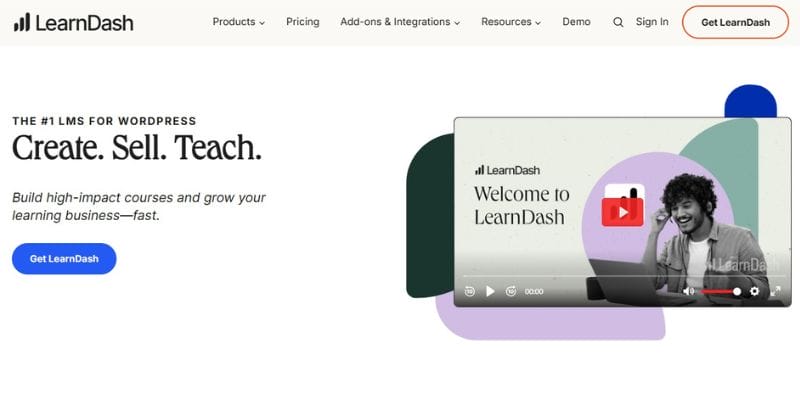
LearnDash stands out as a premier choice for educators and entrepreneurs seeking flexibility and control. As a WordPress-based learning management system (LMS), it integrates seamlessly with WordPress sites, making it ideal for those already using this popular platform. LearnDash powers courses for universities, businesses, and individual creators, offering robust features like drip-feed content, gamification, and advanced quizzing.
When paired with the Reign theme, LearnDash enhances visual appeal and functionality, providing a professional, branded experience. Its open-source nature allows extensive customization, making it a top contender among the best online course creation platforms.
Pros:
- Highly customizable with WordPress plugins
- Supports advanced quizzing and gamification;
- one-time pricing model;
- integrates with the Reign theme for stunning designs.
Cons:
- Requires a WordPress site, which may involve a learning curve
- No Built-in marketing tools like email automation
- Hosting costs are separate.
Pricing: Starts at $199/year for one site, $399/year for ten sites, or $799/year for unlimited sites.
2. Kajabi: All-in-One Business Solution
Kajabi is a favorite among entrepreneurs who want a comprehensive platform for courses, memberships, and marketing. Its drag-and-drop builder simplifies course creation, while pre-designed “Product Blueprints” streamline setup. Kajabi’s integrated CRM and marketing tools, like email campaigns and sales funnels, make it easy to promote courses. However, its higher price point may deter budget-conscious creators. Kajabi’s focus on business growth makes it a strong choice for those scaling their online presence.
Pros:
- All-in-one platform with marketing tools
- user-friendly interface
- Supports memberships and coaching
- mobile app for students
Cons:
- Expensive compared to competitors
- product limits on lower plans
- No direct recording within the platform
Pricing: Kickstarter ($89/month), Basic ($149/month), Growth ($199/month), Pro ($399/month). Annual plans offer 20% discounts.
3. Teachable: User-Friendly and Accessible
Teachable is renowned for its simplicity, catering to creators who prioritize ease of use. Its drag-and-drop course builder requires no coding, and customizable templates ensure brand consistency. Teachable supports multimedia content and offers integrated payment processing, making it easy to monetize courses. While it lacks advanced marketing features, its affordability and robust e-commerce tools make it a solid option for beginners.
Pros:
- Intuitive course builder
- Supports multiple currencies
- No transaction fees on higher plans
- AI tools for content creation
Cons:
- Limited marketing features
- outdated sales page designs
- basic LMS functionality
Pricing: Free plan (up to 5 courses, with fees), Basic ($59/month), Pro ($159/month), Business ($499/month).
4. Thinkific: Engaging Learning Experiences
Thinkific empowers creators to build interactive courses with live lessons, communities, and memberships. Its no-code platform offers customizable themes, making it easy to create a professional storefront. Thinkific’s built-in marketing tools and analytics help track student progress and sales. While it excels in engagement, its customization options are less extensive than LearnDash’s.
Pros:
- Interactive features like live lessons
- No transaction fees
- scalable for large audiences
- Strong community tools.
Cons:
- Limited customization compared to WordPress-based platforms
- Occasional performance issues reported.
Pricing: Free plan (limited), Basic ($49/month), Start ($99/month), Grow ($199/month).
5. LearnWorlds: Advanced Engagement Tools
LearnWorlds is tailored for creators focused on student engagement. Its interactive video features, SCORM compliance, and branded mobile app set it apart. LearnWorlds offers unlimited courses across all plans and robust analytics for tracking learner progress. Its focus on academic and corporate training makes it ideal for professional educators, though marketing tools rely on integrations.
Pros:
- Interactive videos and quizzes
- SCORM compliant
- branded mobile app
- 24/7 support
Cons:
- Marketing friendlier: Marketing features depend on integrations
- A steeper learning curve for beginners
Pricing: Starter ($29/month), Pro ($49/month), Learning Center ($99/month), Enterprise (custom).
6. Podia: Simplicity for Solopreneurs
Podia is an all-in-one platform designed for solo entrepreneurs, offering tools for courses, memberships, and digital downloads. Its clean interface and integrated marketing features, like email newsletters, simplify business management. Podia’s focus on simplicity makes it ideal for creators who want to avoid technical complexity, though it lacks advanced LMS features.
Pros:
- Easy to use; supports multiple product types
- No transaction fees
- excellent customer support
Cons:
- Limited LMS functionality
- Fewer customization options
- No native mobile app
Pricing: Free plan (limited), Mover ($39/month), Shaker ($89/month), Earthquaker ($199/month).
7. Mighty Networks: Community-Driven Learning
Mighty Networks emphasizes community building, allowing creators to integrate courses with discussion boards and events. Its flexible platform supports micro-courses and memberships, fostering student interaction. While not a traditional LMS, its community focus makes it unique among course creation platform tools.
Pros:
- Strong community features;
- Supports micro-courses;
- branded mobile app;
- scalable for large groups.
Cons:
- Limited LMS features
- Marketing tools require integrations
- The interface can feel unpolished
Pricing: Community ($49/month), Business ($99/month), Enterprise (custom).
8. Skillshare: Creative Marketplace
Skillshare is a marketplace for creative courses, ideal for educators teaching entrepreneurship, design, or the arts. Its membership model provides instant audience access, but revenue sharing can reduce earnings. Skillshare’s project-based approach enhances student engagement, though it’s less suited for scaling personal brands.
Pros:
- Built-in audience
- project-based learning
- easy to publish
- Supports creative topics.
Cons:
- High revenue share (up to 63%)
- limited branding control
- No advanced LMS features.
Pricing: Free to publish; premium catalog required for earnings (membership-based).
9. Coursera: Academic Excellence
Coursera partners with universities and companies to offer high-quality, credentialed courses. It’s ideal for academic educators but less flexible for independent creators. Its rigorous standards ensure credibility, but the platform’s exclusivity limits accessibility.
Pros:
- Prestigious partnerships
- recognized credentials
- high-quality content
- global reach.
Cons:
- Limited to partner institutions
- Less flexible course creation
- No direct marketing tools.
Pricing: Revenue-sharing model; contact Coursera for details.
10. iSpring Suite: Versatile Content Creation
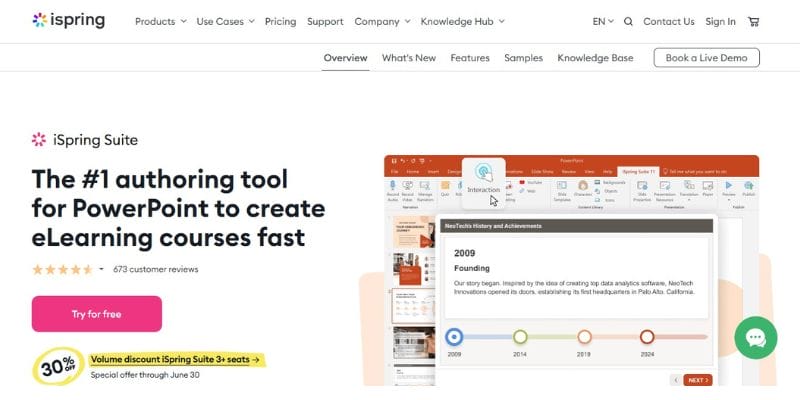
iSpring Suite is designed for educators converting presentations into courses. It supports PowerPoint effects, versatile question types, and cross-platform publishing. While not a full LMS, its templates and media library make it a strong choice for quick course development.
Pros:
- PowerPoint integration
- versatile assessments
- cross-platform publishing
- media library
Cons:
- Limited marketing tools
- Not a standalone LMS
- Requires technical knowledge
Pricing: Starts at $770/year for one user; team and enterprise plans available.
Comparing Course Creation Platform Tools
To help you choose, here’s a comparison table summarizing key features, pricing, and ideal use cases:
| Platform | Key Features | Starting Price | Ideal For |
| LearnDash | WordPress integration, gamification, quizzes | $199/year | WordPress users, customizable courses |
| Kajabi | All-in-one marketing tools, CRM | $89/month | Entrepreneurs scaling businesses |
| Teachable | Drag-and-drop builder, e-commerce | Free (limited) | Beginners, budget-conscious creators |
| Thinkific | Interactive lessons, community tools | Free (limited) | Engagement-focused educators |
| LearnWorlds | Interactive videos, SCORM, mobile app | $29/month | Academic and corporate trainers |
| Podia | Simple interface, memberships, downloads | Free (limited) | Solopreneurs, multi-product creators |
| Mighty Networks | Community features, micro-courses | $49/month | Community-driven learning |
| Skillshare | Creative marketplace, project-based | Free to publish | Creative educators, instant audience |
| Coursera | Prestigious partnerships, credentials | Revenue-sharing | Academic institutions |
| iSpring Suite | PowerPoint integration, assessments | $770/year | Quick course creation, presentation-based |
How to Choose the Best Platform for You
Selecting the right platform depends on your goals, technical expertise, and budget. If you’re a WordPress user seeking customization, LearnDash with the Reign theme is unmatched. Entrepreneurs scaling businesses may prefer Kajabi’s all-in-one tools. Beginners might gravitate toward Teachable or Podia for simplicity.
For engagement, Thinkific and LearnWorlds excel, while Mighty Networks suits community-focused courses. Skillshare and Coursera are ideal for creative and academic creators, respectively, and iSpring Suite is perfect for rapid course development. Consider your audience size, content type, and marketing needs to make the best choice.
Tips for Maximizing Your Course Platform
Once you’ve chosen a platform, optimize its features to enhance your course’s success. First, leverage customization options to align the course with your brand. Use analytics to monitor student progress and refine content. Incorporate interactive elements like quizzes and forums to boost engagement.
Promote your course through integrated marketing tools or external channels like social media. Finally, regularly update content to keep it relevant, ensuring students receive fresh, valuable insights.

Choosing the Best Online Course Creation Platform for Your Goals
The best online course creation platforms empower educators and entrepreneurs to share knowledge effectively. LearnDash leads with its WordPress integration and customization, while Kajabi and Teachable offer robust business and user-friendly solutions.
Thinkific and LearnWorlds prioritize engagement, Podia simplifies multi-product businesses, and Mighty Networks fosters communities. Skillshare and Coursera cater to creative and academic creators, respectively, and iSpring Suite excels in rapid development.
Interesting Reads
Why Every Business Needs an Expert WordPress Developer
12 Best Software for Plagiarism Checking In 2025
Performance Review Goals Examples That Actually Drive Results

