
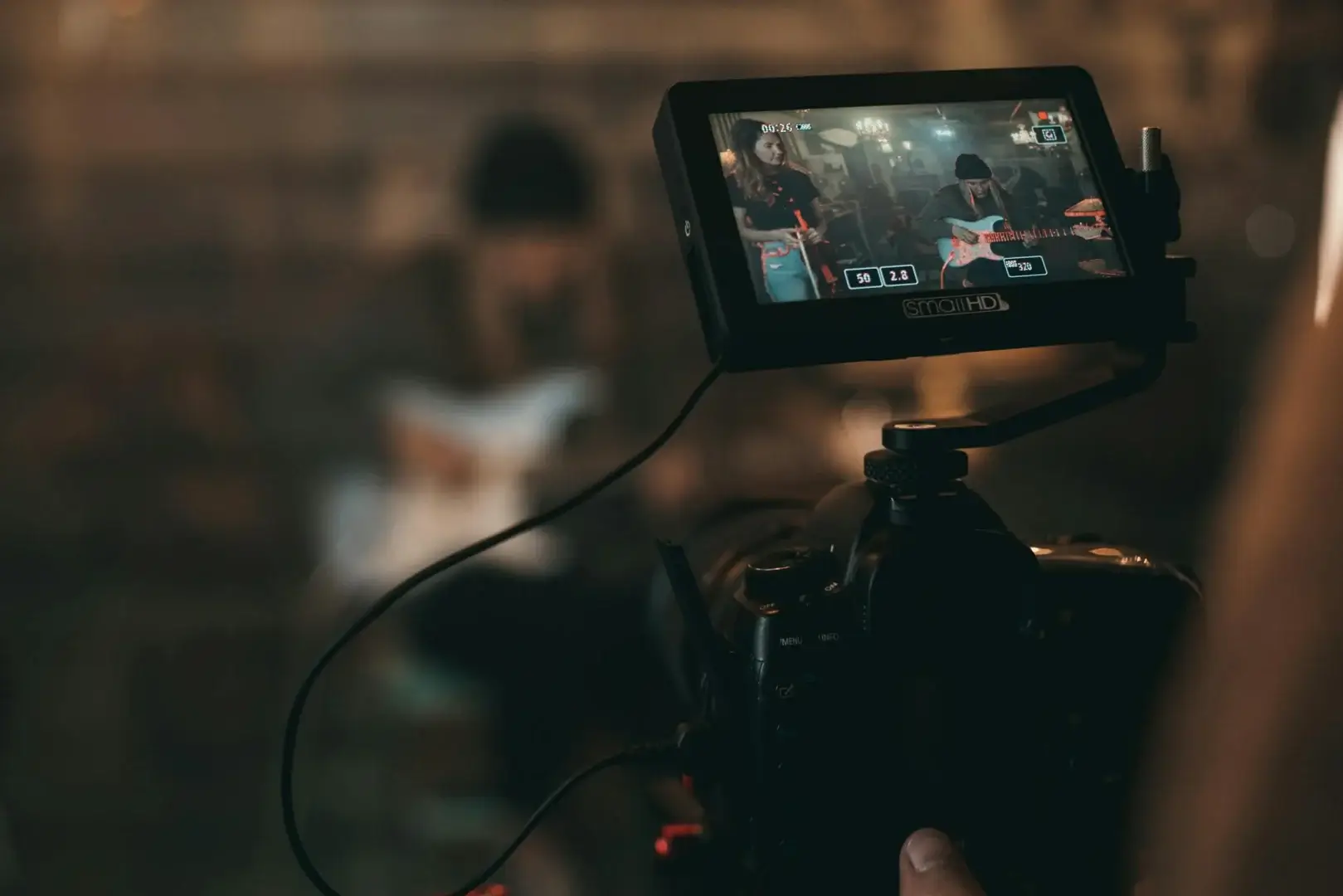
Stock video has become essential infrastructure for content creators, YouTube channels need cutaway B-roll, marketers need polished campaign footage, course creators need illustrative shots, and indie filmmakers need establishing scenes they can’t afford to shoot. The right stock video marketplace makes the difference between hours of fruitless searching and finding the perfect clip in 90 seconds.
This guide compares the best stock video marketplaces for 2026 across what actually matters when you’re shipping video content: library size, 4K/HD quality, search relevance, licensing terms, motion graphics depth, and pricing models (subscription vs. per-clip). Whether you’re a solo YouTuber, a creative agency, or a corporate video team, one of these marketplaces fits your workflow.
📑 Table of Contents
- →Top Stock Video Marketplaces
- 1.Vecteezy
- 2.Storyblocks
- 3.Pond5
- 4.Artgrid
- 5.Shutterstock
- 6.Adobe Stock
- 7.Envato Elements
- 8.Motion Array
- 9.Videvo
- 10.Mixkit
- →Feature Comparison
- →FAQs
Top Stock Video Marketplaces
1. Vecteezy - Best All-in-One Stock Marketplace
Vecteezy is the rare stock marketplace that delivers serious depth across video, photos, vectors, music, and motion graphics in one library. The video catalog covers 4K and HD footage across every category creators need, lifestyle, business, technology, nature, urban, abstract motion graphics, with both free and Pro-licensed clips. For creators who pull from multiple asset types for the same project, Vecteezy eliminates juggling separate subscriptions.
The differentiator versus pure-video marketplaces is the integrated workflow. You search once, find video + matching motion-graphics + supporting vectors + music tracks all from one search, and license them under one subscription. The Pro plan unlocks unlimited downloads across every asset type at a single price point that competes favorably with subscribing to two or three separate libraries.
- Catalog: Millions of stock videos, photos, vectors, motion graphics, music in one library
- Quality: 4K and HD video with curated quality control across categories
- Search: Cross-asset search returns video + vectors + music for the same query
- Licensing: Royalty-free Pro license covers commercial, broadcast, and online use
- Free Tier: Substantial free downloads with attribution; Pro removes attribution and unlocks full catalog
- Pricing: Free with attribution; Pro from $14/month (annual) for unlimited downloads
- Best For: Creators and small studios pulling from multiple asset types per project
🎬 Stock Video + Vectors + Music in One Library
Vecteezy Pro unlocks unlimited 4K video, vectors, motion graphics, and music for a single flat fee. Free tier available.
Browse Vecteezy →2. Storyblocks - Best Subscription Stock Video Value
Storyblocks pioneered the unlimited-download subscription model in stock video, and it remains one of the best values for creators producing high volumes of content. The Maker plan unlocks unlimited 4K video, audio, and motion-graphics downloads for one flat price, essentially trade per-clip thinking for monthly subscription thinking.
The catalog is large and well-curated, with strong corporate/business and lifestyle categories. For YouTubers and marketing teams downloading 10+ clips per month, Storyblocks beats per-clip marketplaces on total cost.
- Key Features: Unlimited 4K video + audio + motion graphics downloads, deep corporate library
- Pricing: From $15/month (Starter); Maker $30/month; Business $65/month
- Best For: Creators downloading 10+ clips/month wanting subscription value
3. Pond5 - Best for Premium Cinematic Footage
Pond5 sources from professional cinematographers and indie filmmakers, which gives the library a cinematic quality that subscription marketplaces struggle to match. For documentary filmmakers, high-end commercial work, and feature films needing stock cutaways, Pond5’s quality bar is among the highest in the category.
Pond5 uses per-clip pricing rather than subscriptions, individual clips often cost $50-200. This works for productions that need a small number of premium clips; doesn’t fit volume-download workflows. Their Public Domain Project also offers historical and royalty-expired footage for free.
- Key Features: Cinematic footage from professional sources, 8K + 4K + RAW formats, public domain library
- Pricing: Per-clip (typical $50-200); subscription plans also available
- Best For: Documentary, commercial, and feature-film productions needing premium quality
4. Artgrid - Best for Modern Editorial Cinematography
Artgrid (from the Artlist team) specializes in modern editorial cinematography, highly-stylized, social-media-friendly footage that fits today’s content aesthetic rather than the corporate-stock-photo look of older libraries. For YouTube creators, social-video producers, and modern commercial work, Artgrid’s curation outperforms most general-purpose libraries.
Subscription model unlocks the full library across plans. The 4K and 8K formats, plus included LOG/RAW versions for color grading, fit professional production pipelines. Pricing is mid-tier among premium subscriptions.
- Key Features: Editorial cinematography, 4K + 8K, LOG/RAW formats, curated modern style
- Pricing: From $24.92/month (Creator, annual billing); Team $39.92/month
- Best For: YouTube creators and modern commercial productions wanting editorial style
5. Shutterstock - Best Largest Catalog
Shutterstock operates the largest single stock-media catalog, hundreds of millions of clips and images covering essentially every imaginable subject. For productions needing very specific niche footage that smaller libraries don’t have, Shutterstock’s sheer volume is the safety net.
The trade-off is that catalog breadth comes with variable quality. Search results include both professional cinematic clips and amateur uploads. Shutterstock’s Image and Video Editorial tier focuses on news-and-events footage where it’s particularly strong.
- Key Features: Largest catalog in the category, editorial footage, AI search, broad subject coverage
- Pricing: 10 videos/month from $79/month; per-clip from $50
- Best For: Productions needing very specific niche footage from the broadest catalog
6. Adobe Stock - Best for Creative Cloud Users
Adobe Stock integrates directly into Premiere Pro, After Effects, Photoshop, and other Creative Cloud apps. For editors and designers already in the Adobe ecosystem, the workflow advantage, search and license clips without leaving your timeline, saves meaningful time across a project’s lifecycle.
The catalog is solid (though smaller than Shutterstock’s), and pricing as a Creative Cloud add-on is reasonable for existing CC subscribers. For non-Adobe users, the integration advantage disappears and other marketplaces deliver more value.
- Key Features: Native Creative Cloud integration, in-app search, smart sync, plus images + templates
- Pricing: From $29.99/month for 10 standard assets; subscription plans available
- Best For: Editors and designers working primarily in Adobe Creative Cloud
7. Envato Elements - Best for Creative Bundles
Envato Elements bundles stock video with stock photos, music, sound effects, motion graphics, fonts, presentation templates, web themes, and graphic-design assets for one subscription. For creators and agencies producing varied output, the bundled-license approach delivers strong value compared to subscribing to multiple specialized libraries.
The video catalog is smaller than dedicated video marketplaces but the asset-type breadth makes Elements valuable for hybrid creative workflows. Quality varies but the curated featured content is solid.
- Key Features: Unlimited downloads across video, photos, music, motion, fonts, templates, web themes
- Pricing: From $16.50/month (annual)
- Best For: Creators and agencies wanting broad creative-asset breadth in one subscription
8. Motion Array - Best for Premiere Pro Templates
Motion Array specializes in editable templates for Premiere Pro, After Effects, DaVinci Resolve, and Final Cut Pro alongside stock footage. For editors who lean on templates (titles, transitions, animations) plus stock B-roll, the bundled subscription covers both needs.
The stock-video catalog is mid-sized but well-curated. The template ecosystem is the real draw, motion graphics templates that drop into Premiere Pro and customize in minutes are a massive time-saver for production work.
- Key Features: Premiere Pro + AE + DaVinci + FCP templates, stock video, music, sound effects, plugins
- Pricing: From $29.99/month; annual discounts
- Best For: Video editors who use motion-graphics templates alongside stock footage
9. Videvo - Best Free + Premium Hybrid
Videvo combines a large free-stock-video library with optional premium content for projects needing higher-end footage. The free tier is genuinely useful (5,000+ free 4K clips with permissive licensing); premium adds professional cinematic content for projects that need it.
For solo creators and bootstrapped projects where budget matters but quality still does, Videvo’s hybrid approach lets you mix free clips for fill content and premium for hero shots without subscription commitment.
- Key Features: Large free library, optional premium tier, motion graphics, 4K + HD
- Pricing: Free; Premium from $11.99/month
- Best For: Bootstrapped creators wanting free baseline with premium for hero shots
10. Mixkit - Best Free Stock Video
Mixkit offers high-quality stock video, music, sound effects, and motion-graphics templates entirely free under permissive licensing. The library is smaller than paid alternatives but the quality is consistently solid, better curated than most other free-only options.
For YouTubers and content creators on zero budget, Mixkit covers basic stock-footage needs without any cost. For volume work or specific niches, you’ll eventually need paid alternatives, but Mixkit is an excellent first stop.
- Key Features: Completely free stock video, music, SFX, motion graphics templates; permissive license
- Pricing: Free
- Best For: Creators on zero budget needing free stock-video for YouTube and small projects
Feature Comparison
| Marketplace | Best For | Key Strength | Starting Price |
|---|---|---|---|
| Vecteezy | All-in-one library | Video + vector + music | Free / $14 |
| Storyblocks | Subscription value | Unlimited 4K | $15/mo |
| Pond5 | Premium cinematic | 8K + RAW formats | Per clip |
| Artgrid | Editorial style | Modern cinematography | $24.92/mo |
| Shutterstock | Niche subjects | Largest catalog | $79/mo |
| Adobe Stock | CC users | In-app integration | $29.99/mo |
| Envato Elements | Creative bundles | 8+ asset types | $16.50/mo |
| Motion Array | Editor templates | Premiere + AE templates | $29.99/mo |
| Videvo | Free + premium | Hybrid model | Free / $11.99 |
| Mixkit | Free stock | 100% free | Free |
Frequently Asked Questions
What is a stock video marketplace?
A stock video marketplace licenses pre-shot video footage for use in your own productions, YouTube videos, marketing campaigns, courses, films, social content. Royalty-free licenses let you use the clips repeatedly across projects after a one-time license fee or subscription. The marketplace handles licensing legality so you don’t deal with original filmmakers directly.
How does Vecteezy compare to Storyblocks?
Vecteezy bundles video, photos, vectors, and music in one subscription, valuable when you mix asset types per project. Storyblocks focuses primarily on video, audio, and motion graphics with deeper subscription value if video is your only need. Pick Vecteezy for mixed creative work; Storyblocks for video-only volume.
Can I use stock video on YouTube?
Yes, royalty-free licenses from Vecteezy, Storyblocks, Pond5, and others explicitly cover YouTube monetization. Always read the specific license terms: some require attribution on free clips; commercial licenses typically don’t. Avoid copyrighted video (not stock) that triggers YouTube Content ID matches.
What’s the difference between royalty-free and rights-managed?
Royalty-free licenses let you use a clip across unlimited projects after a single payment. Rights-managed licenses charge based on specific usage (territory, duration, distribution). Stock marketplaces in this list are royalty-free; rights-managed clips are typically sourced directly from agencies for premium commercial productions.
Do I need 4K stock video?
If you publish in 1080p, 4K stock gives you future-proofing plus reframe headroom (zoom in 50% and still hit 1080p). For YouTube specifically, 4K source is increasingly the standard. Vecteezy, Storyblocks, Artgrid, and Pond5 all offer 4K libraries. Free options like Mixkit cover HD with some 4K.
Are subscription or per-clip pricing better?
Subscriptions win when you download 5+ clips per month consistently, Vecteezy Pro at $14/month or Storyblocks at $15/month pay back quickly versus per-clip pricing. Per-clip from Pond5 or Shutterstock makes sense for one-off projects needing 1-2 premium clips. Calculate your usual download volume before committing.
Can I use stock video in client work?
Yes, commercial royalty-free licenses cover client work. Some marketplaces (Vecteezy Pro, Envato Elements) let you embed clips in client deliverables without additional licensing. Always verify the specific license terms before delivering client projects, especially for high-distribution use (broadcast TV, paid ad campaigns).
What about model and property releases?
Clips featuring identifiable people or recognizable properties (logos, buildings, art) typically include model and property releases for commercial use. Vecteezy, Storyblocks, and other major marketplaces handle release documentation. Editorial-only clips (news, events) come without releases and have restricted commercial use, always check before licensing for ads.
How do I search stock video efficiently?
Use specific keywords plus modifiers: “diverse team meeting laptop close-up” beats “team meeting”. Most marketplaces support filters for duration, resolution, format, and orientation. Vecteezy’s AI search interprets natural-language queries, returning visually similar clips even for ambiguous searches.
Can stock video include music?
Most stock video clips are silent or include ambient natural sound. Stock music is licensed separately (often from the same marketplace). Vecteezy includes both video and music in the Pro subscription; Storyblocks does too. For YouTube creators, having both under one license avoids legal complexity later.
What about AI-generated stock video?
AI-generated video is starting to appear in some marketplaces. As of 2026, the quality is improving but still trails human-shot footage for most uses. For specific stylized concepts or impossible-to-film scenarios, AI tools are useful complements; for standard stock-video needs, human-shot libraries like Vecteezy still deliver better results.
Is Vecteezy worth subscribing to?
For creators pulling from multiple asset types per project (video + vectors + music + photos), yes, Pro at $14/month delivers more value than subscribing to separate libraries. For video-only producers downloading high volumes, Storyblocks or Artgrid may fit better. Test Vecteezy’s free tier first to see how the catalog matches your project needs.
Final Thoughts
Stock video has become essential infrastructure for content creators across YouTube, marketing, courses, and indie productions. For creators pulling from multiple asset types, Vecteezy delivers the most complete library in the category, video, vectors, music, motion graphics all under one subscription at a price point that meaningfully beats stacking specialized services.
Volume video producers should evaluate Storyblocks or Artgrid for editorial style. Premium commercial productions benefit from Pond5’s cinematic library. Adobe Creative Cloud users get workflow benefits from Adobe Stock. Whichever marketplace you pick, lean on free tiers (Vecteezy free, Mixkit, Videvo) to validate the catalog matches your content needs before committing monthly.
Related: Best Premium Stock Image Subscriptions | Best Stock Photo and Illustration Platforms | Best Free Stock Vector Websites