

Finding the best theme for BuddyBoss platform comes down to one question: does the theme handle BuddyBoss’s component-heavy layout without breaking member profiles, activity feeds, group pages, or the course interface? A theme that looks fine on a blog homepage can fall apart the moment you add a directory grid, a group cover photo, and a messaging panel to the same page. Several free WordPress themes handle that combination well.
The list below starts with BuddyX, the most complete BuddyBoss-compatible theme available, then covers alternatives for different priorities. Some readers want raw speed. Others want minimalism, or the freedom to rebuild every template in a page builder. Each entry explains what the theme actually does for a BuddyBoss install, not just what it does in general.
Worth saying upfront: “compatible with BuddyBoss” shows up in the marketing copy of dozens of WordPress themes, and it means very little on its own. Compatible can mean the theme was built alongside the platform’s component library, tested against every major release. It can also mean someone installed BuddyBoss once, took a screenshot that didn’t look broken, and added a checkbox to a features list. The six themes below sit at different points on that spectrum, and this list is honest about which is which rather than pretending they’re interchangeable.
What Breaks When a Theme Isn’t Built For This
BuddyBoss ships its own templates for profiles, groups, activity streams, and course pages. A theme that wasn’t built with those templates in mind still loads the page, but the seams show up fast. Group cover photos crop at the wrong ratio. The member directory grid collapses into a single narrow column on a screen where it should show three or four cards across. Course progress bars inherit a font size meant for blog post metadata, so they look like an afterthought bolted onto a page nobody tested.
None of that is a BuddyBoss bug. It’s a mismatch between what the theme’s CSS expects and what BuddyBoss actually renders. Themes that advertise generic “BuddyPress compatibility” often mean nothing more than the layout doesn’t crash, not that it was designed around the specific markup BuddyBoss outputs for its activity feed, its messaging thread view, or its group settings tabs. That distinction is the entire reason a dedicated list like this one matters instead of just grabbing whatever theme ranks highest for “fast WordPress theme.”
Two questions separate the themes worth testing from the ones to skip. Does the theme’s typography and spacing system extend cleanly into BuddyBoss’s own templates, or does every community page look like it was pasted in from a different site? And does the theme stay fast once you’ve added the plugins a real community needs: BuddyBoss itself, a course plugin, maybe WooCommerce for memberships? A theme that benchmarks fast on a bare install and slows to a crawl once BuddyBoss and a few add-ons are running isn’t actually fast, it just tested well before anyone loaded it up.
Top Themes for the BuddyBoss Platform
1. BuddyX Theme
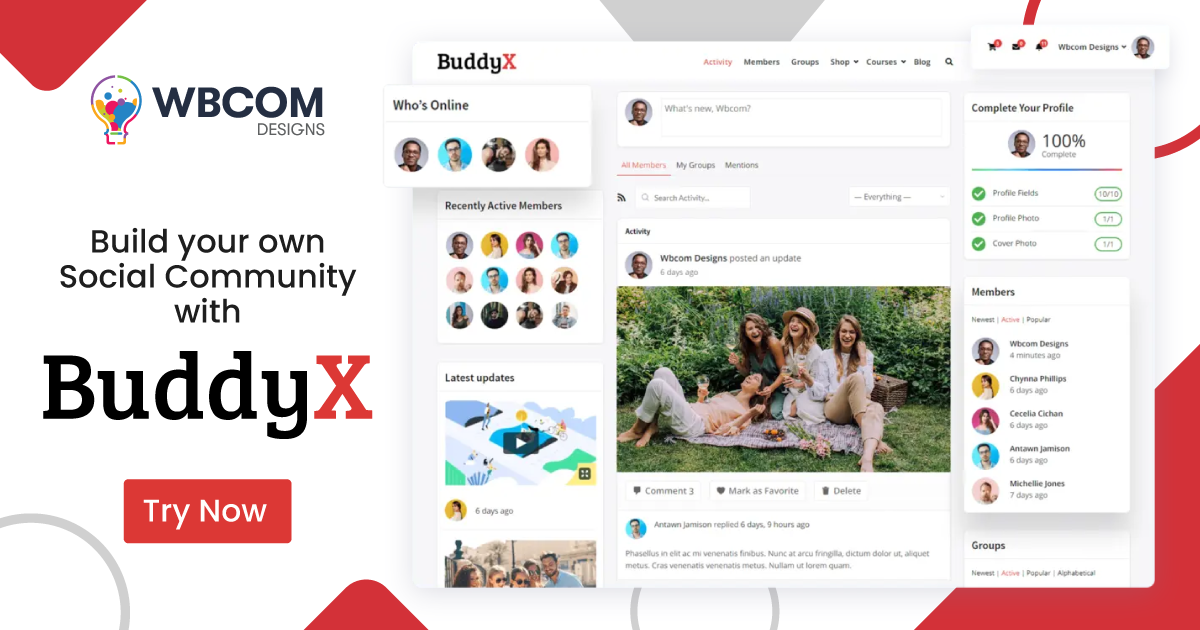
BuddyX (v5.1.3) is designed from the ground up for BuddyPress and BuddyBoss communities, not adapted from a general-purpose theme after the fact. It runs on the BuddyNext engine, which delivers member profiles, activity feeds, groups, private messaging, and notifications in a lighter package than earlier BuddyBoss-dependent setups. That matters more than it sounds. Themes bolted onto BuddyBoss after launch tend to fight the platform’s own templates, and the result is usually a broken group header or a profile tab that renders in the wrong font.
The BuddyBoss platform drops in on top without conflicts, giving you course pages, member directories, and social spaces that share a consistent design across the whole site. A member browsing a course page, then jumping to the activity feed, then opening a group, sees one visual language instead of three theme authors’ worth of decisions stitched together.
BuddyX is free to get started. The Pro version adds advanced profile layouts, Elementor community templates, course-page styling for LearnDash and LifterLMS, and WooCommerce membership support. See the full tier comparison at BuddyX Free vs Pro, or walk through live community demos at BuddyX Demos.
For anyone building a BuddyBoss-powered community, BuddyX covers the design layer that the platform itself leaves open. BuddyBoss handles the social mechanics: activity streams, groups, messaging, courses. It was never meant to be a design system on its own, and it says so in its own documentation. BuddyX is the piece that turns those mechanics into a site people actually want to look at.
The practical benefit shows up in maintenance, not just first impressions. When BuddyBoss ships a platform update, a generic theme’s community styling can quietly drift out of sync until someone notices a broken group tab weeks later. A theme built specifically for the platform gets tested against those updates before they reach your site, so the gap between “BuddyBoss updated” and “the theme still looks right” stays small. For a site owner without a dedicated developer watching every release note, that difference is worth more than any single design feature.
Also Read: Best WordPress LearnDash Themes
2. Astra

Astra is one of the most widely installed WordPress themes for a reason. Its stripped-down core loads fast, and a large library of pre-designed starter templates lets you stand up a professional-looking site without starting from a blank canvas. Deep integration with Elementor and Beaver Builder means you can rework almost any section without touching code, which is the main appeal for site owners who want control without a developer on call.
Its compatibility with the BuddyBoss platform means it handles the social networking features an online community or membership site depends on. Where Astra earns its keep on a BuddyBoss build is flexibility. If you’re already comfortable in Elementor and don’t want to learn a purpose-built community theme, Astra gives you a reliable, customizable foundation and lets you build the community layer yourself.
The catch is time. Astra’s starter templates cover blogs, agencies, and shops well, but there’s no starter template built around a member directory or a group activity wall. You’re either styling BuddyBoss’s default markup by hand or paying for a page builder add-on that handles it, which turns a “pick a theme and go” decision into a longer project than the theme’s own marketing suggests.
3. GeneratePress
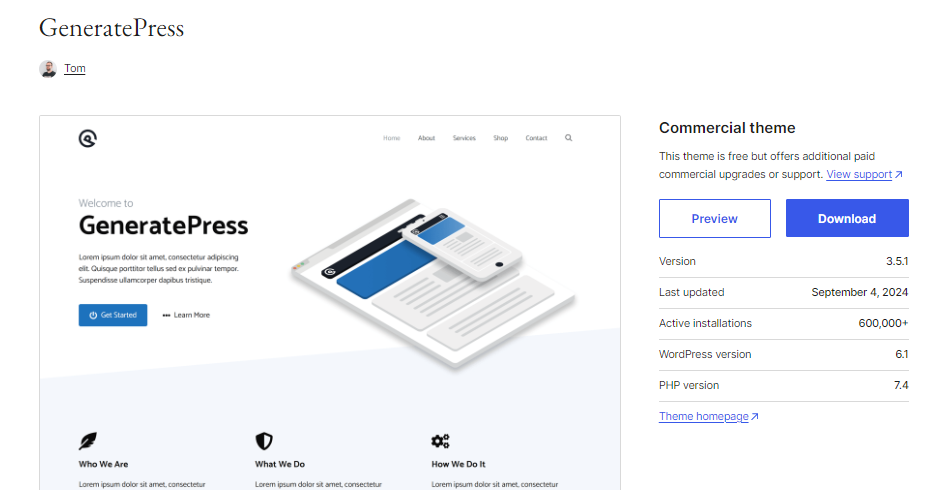
GeneratePress is built around a different philosophy than most competitors: ship almost nothing by default, then let the site owner turn on exactly what the build needs. That modular approach keeps the codebase lean even after months of customization, because you’re never carrying dead weight from features you switched off. It integrates cleanly with Elementor and Gutenberg, and its accessibility and markup choices have made it a long-running favorite among developers who care about clean HTML.
When paired with BuddyBoss, GeneratePress provides a clean, fast environment for community building rather than a pre-styled one. That’s the trade-off worth understanding before you pick it. You won’t get community-specific templates out of the box the way BuddyX ships them. You get a fast, well-coded shell and the freedom to style BuddyBoss’s components however you want, which suits developers more than site owners looking for a finished look.
GeneratePress’s premium add-ons cover blocks, hooks, and site layout in more depth than most lightweight themes bother with, so a developer who wants fine control over exactly where a template hook fires will find more room to work than Astra offers. That control comes with a learning curve. A first-time site owner without WordPress experience will spend real hours in the customizer before a BuddyBoss community page looks finished, time that a purpose-built theme skips entirely.
Also Read: Best Job Board WordPress Themes (Comparison)
4. OceanWP

OceanWP is a versatile, highly customizable WordPress theme with a wide range of pre-designed templates and an extension marketplace that fills in gaps the free version leaves open. Its integration with popular page builders like Elementor, Brizy, and Beaver Builder allows near-complete design freedom, and the theme itself stays optimized for speed and SEO across devices without much manual tuning.
For BuddyBoss users, OceanWP provides solid integration with BuddyPress features, letting you build customizable community layouts on top of a theme that was never designed for social features specifically but tolerates them well. WooCommerce support makes it a sensible pick for sites that combine social networking with e-commerce, membership sales, or a paid course catalog sitting alongside a free community.
OceanWP’s extension marketplace is worth budgeting for separately if the free version’s page builder options feel thin once you start customizing group pages and member profiles. The core theme is free, but the extensions that unlock deeper WooCommerce and page-builder integration carry their own cost, so the real price of an OceanWP-based BuddyBoss build often runs higher than the “free theme” framing suggests.
5. Neve
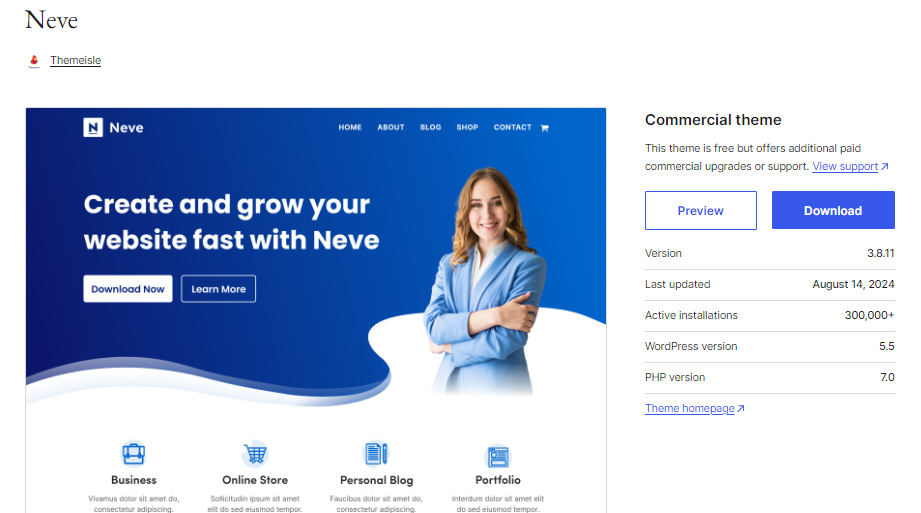
Neve is built mobile-first, which shows in how little it asks of the browser on a phone. It’s fast, lightweight, and works cleanly with Elementor, Brizy, and Gutenberg. A set of starter templates gets a new site through its first few hours of setup quickly, which is where a lot of theme choices get made in practice, before anyone has tested how it handles a hundred-member group.
When integrated with BuddyBoss, Neve provides a clean, performance-optimized platform for membership sites and social networks. Mobile load speed matters more on a community site than almost anywhere else, since members check activity feeds and notifications from their phones far more often than from a desktop, and Neve is built around exactly that habit.
Neve’s free tier covers the basics well. The community-relevant polish, deeper header and footer builder options plus more granular typography control, sits behind its premium add-on. Treat the free version as a proof of concept for how the theme feels on mobile before deciding whether the paid tier earns its keep for your specific build.
Also Read: Best Facebook-Style WordPress Themes
6. Zeko
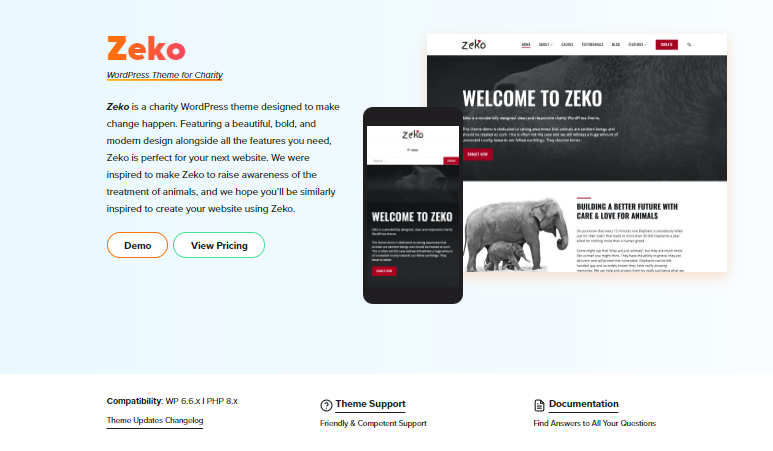
Zeko is a clean, professional free theme worth considering if you need something simple and functional for BuddyBoss. It suits non-profits, charity sites, and community-driven platforms with its eco-conscious aesthetic, the kind of restrained green-and-white palette that reads as trustworthy without trying hard.
It provides basic customization options and BuddyBoss feature compatibility for straightforward community builds. Nobody picks Zeko because it does more than the alternatives. People pick it because it does less, cleanly, and gets out of the way of the content.
That trade-off suits a specific kind of project: a small nonprofit or advocacy group whose community feature set stays simple, maybe just a member directory and a discussion board, without the need for course sales or a heavily branded visual identity. Pushing Zeko past that scope means running into its limits fast, since it wasn’t built with the deeper customization options the larger themes on this list offer.
How to Actually Decide
Start by being honest about who maintains the site after launch. If that’s you, alone, without a developer to call when a template breaks after a WordPress core update, a purpose-built community theme like BuddyX removes a whole category of maintenance work, because the people who built it are already testing it against every BuddyBoss release. If you’ve got a designer who lives in Elementor and wants to touch every pixel, Astra or OceanWP hand over more raw material to work with, at the cost of building the community-specific styling yourself from a blank page.
Budget for testing time either way. Install the theme on a staging copy of the site, not the live one. Create a test group, upload a cover photo, post an activity update with an image attached, open the member directory on a phone. Most theme comparison articles stop at screenshots of a homepage, and a homepage tells you almost nothing about how a theme handles the actual guts of a BuddyBoss community.
Speed matters, but not in isolation. A theme that scores well on a synthetic speed test with zero content loaded doesn’t tell you how it performs once fifty members have profile photos, ten groups have cover images, and the activity feed is pulling real posts instead of placeholder text. Test with content that resembles what the finished community will actually carry.
What Switching Themes Later Actually Costs
A lot of BuddyBoss builders treat the theme decision as reversible, the same way it would be on a blog. Swap the theme, keep the posts, done. Community sites don’t work that way. Once members have profile photos, group memberships, saved activity, and notification preferences built up over months, ripping out the theme means ripping out every custom template, every widget placement, and every piece of CSS someone wrote to fix a spacing issue at 2am. None of that data is lost, BuddyBoss stores it independently of the theme, but the visual layer has to be rebuilt from nothing.
That’s the real argument for starting with a theme built specifically for the platform instead of a general-purpose one you plan to “make work” for now. A community that grows past five hundred members on a theme that was never quite right ends up facing a migration project nobody budgeted for: weeks of rebuilding templates while the community keeps posting, keeps joining groups, keeps expecting the site to look the way it always has. Getting the theme choice right at fifty members costs an afternoon of testing. Getting it wrong and fixing it at five thousand members costs a project.
This is also where the free-versus-paid question actually resolves itself. A free theme that handles BuddyBoss’s core templates well, without needing three separate paid extensions bolted on to reach feature parity, tends to age better than a free theme that looks complete in a screenshot but needs a growing stack of add-ons to actually function as a community site. Check what a theme needs beyond its base install before judging it on price alone.
Common Mistakes in This Decision
The most frequent mistake is picking a theme based on a demo site’s homepage instead of its inner community pages. Demo homepages are curated. They’re built by someone whose job is to make the theme look good, using content and images chosen specifically for that purpose. The pages that matter for a BuddyBoss build, a group page or a member profile deep in the site, rarely get the same attention in a demo, so the only reliable test is installing the theme yourself and looking at those exact pages.
A second mistake is underestimating how much a page-builder-first theme like Astra or OceanWP will cost in hours once BuddyBoss enters the picture. These themes are excellent at what they’re built for, general-purpose flexibility, but every BuddyBoss-specific template still needs someone to design it from a blank page. That’s fine if you have the time and the design sense to do it well. It’s a hidden cost if you assumed “compatible” meant “pre-styled.”
Which One Actually Fits Your Community
When building an online community or membership site with BuddyBoss, the right theme makes everything from profile pages to course layouts feel cohesive. BuddyX (v5.1.3) is the strongest choice for most builds. It was designed for this use case, and now runs on the BuddyNext engine, which gives you a faster, lighter community layer that pairs cleanly with the BuddyBoss platform without the patchwork feel of a general-purpose theme retrofitted for social features.
The other themes each bring something different to the table. Astra and OceanWP hand you page-builder depth if you’d rather design the community layer yourself. GeneratePress and Neve trade pre-built community templates for raw speed and a smaller footprint. Zeko sits at the simple end, useful when the site itself needs to stay quiet and let the community do the talking.
Test drives beat spec sheets here. See the full BuddyX feature breakdown at Free vs Pro or test the experience at BuddyX Demos. For related reading on community tools, see Best Online Community Building Tools and Best WordPress Forum Themes.