

When you have a lot of content, products, or blog posts on your WordPress site, it can be hard for visitors to find what they need. That’s where filter plugins come in. These tools help people quickly sort through your content by categories, tags, price, size, color, or other custom options. In this post, we’ll look at 10 of the best WordPress filter plugins that can make your site easier and more fun to use.

Quick Links
1. FacetWP- WordPress Filter Plugins

FacetWP is a top choice for filtering large sets of content. It works well with custom post types, WooCommerce products, and even blog archives. The plugin uses AJAX, which means users don’t have to reload the page every time they use a filter.
It’s perfect for online stores, job boards, and directories. You can set filters based on categories, checkboxes, dropdowns, sliders, and more. This helps users narrow down exactly what they’re looking for.
Setting up FacetWP can take a little time, especially if your site is complex. But once it’s in place, it runs smoothly and gives your visitors a better browsing experience.
2. Search & Filter Pro-WordPress Filter Plugins
Search & Filter Pro is great if you want to let users search and filter content at the same time. You can create advanced filter forms using fields like category, tag, date, post type, and custom taxonomies.
This plugin is ideal for blog-heavy sites or stores with a lot of product options. Users can combine filters and search terms to quickly find the right content. It helps reduce frustration, especially when your site has many pages.
You don’t need to know how to code to use it, and it works with most themes. If you’re running a WordPress site with lots of content, this plugin can help make things simpler for your visitors.
3. WooCommerce Product Filter by XforWooCommerce
This plugin is perfect for WooCommerce stores. It lets customers filter products by price, size, color, rating, and more. The filters appear on your shop or category pages and update results instantly.
The design options are clean and modern, so the filters don’t look out of place on your website. You can also customize them to match your theme’s style.
If you run an online shop, giving users an easy way to find what they want can help increase sales. This plugin does just that.
4. Filter Everything
Filter Everything is a powerful tool that works not just for WooCommerce, but also for blogs, portfolios, or any site with custom post types. You can build filters based on any kind of content—tags, categories, authors, or even custom fields.
One big plus is its support for SEO-friendly URLs. That means filtered pages can be indexed by search engines, helping with your site’s visibility.
Even if your site has thousands of items, this plugin handles it well and makes browsing fast for users.
5. Ajax Search Pro- WordPress Filter Plugins
Ajax Search Pro is a live search plugin, but it also comes with strong filtering options. As users start typing, it shows suggestions in real time. They can also apply filters while searching, making the process much quicker.
This plugin works well for large blogs, knowledge bases, and online stores. The search box can be placed anywhere on your site using a simple shortcode or widget.
It includes a bunch of styling choices, so you can make it look just right. And since it runs smoothly, your visitors can find what they want without delays.
6. Product Filter for WooCommerce by WooBeWoo
This plugin helps WooCommerce store owners create helpful filters for products. Shoppers can filter by attributes like brand, price range, and availability. It works with all product types and is easy to install.
You can drag and drop filters into place using a simple builder. No need to be a tech expert. You can also see a live preview before publishing the filters.
Having good filters can reduce bounce rates and improve customer satisfaction. This plugin focuses on doing that in a simple way.
7. JetSmartFilters (by Crocoblock)
JetSmartFilters is part of the JetPlugins set and works best with Elementor. It lets users filter content in various ways, including checkboxes, date pickers, and search boxes.
If you use Elementor to build your pages, this plugin fits right in. You can design your filter blocks exactly how you want and add them anywhere on your pages.
It also works well with JetEngine for dynamic content, so it’s good for advanced WordPress setups. Even though it has a lot of options, it’s still simple enough to use after a bit of practice.
8. WOOF- WordPress Filter Plugins
WOOF is a free plugin that adds filtering power to your WooCommerce store. You can create filters for product categories, tags, price, and more.
What makes WOOF stand out is that it supports both shortcode and widget filters. So you can place them in sidebars, footers, or even inside posts.
Even though it’s free, it gives a lot of control. There’s also a premium version with more features like image filters and statistics. But the basic version is often enough for many small to medium stores.
9. Ultimate Filters for WordPress- WordPress Filter Plugins
Ultimate Filters lets you add filters to almost anything—posts, products, custom post types, and more. It supports multiple filter styles and works with most themes and page builders.
The plugin is fast and lightweight, so your site won’t slow down. It also uses AJAX, so the page doesn’t reload each time a filter is used.
It’s good for people who want a clean-looking filter system that just works. You don’t need to dig into complex settings or write code.
10. Themify- WordPress Filter Plugins
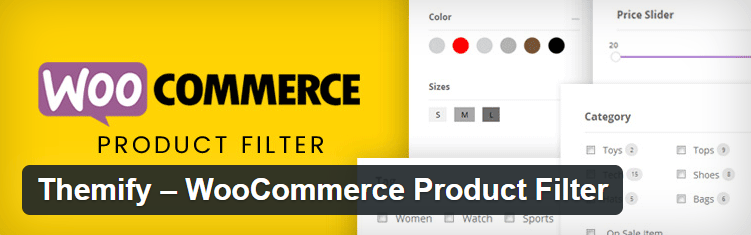
Themify’s filter plugin is simple, lightweight, and works well with any WooCommerce theme. You can filter by price, size, brand, and more. It’s easy to use and doesn’t require coding.
You can show filters horizontally or vertically, which is useful depending on your store’s layout. Filters can also be shown as dropdowns, checkboxes, or even images.
It doesn’t slow down your site and is beginner-friendly. If you want something that works without too much setup, this is a good pick.
Final Thoughts on WordPress Filter Plugins
A filter plugin can make your WordPress site easier to use, especially if you have a lot of content or products. It helps visitors quickly find what they need, which can improve engagement and boost sales.
Whether you run a blog, online store, directory, or portfolio site, there’s a filter plugin that can work for you. The 10 plugins listed here are all solid options. Try a few out and see which one fits your site best.
The better you make the experience for your visitors, the more likely they are to stick around and come back again.
Interesting Reads:
Best WordPress File Upload Plugins

