

BuddyBoss Platform started life as a fork of BuddyPress, the well-established WordPress plugin behind a large share of community sites built on WordPress. Rather than building a competing community framework from scratch, BuddyBoss took BuddyPress’s core, profiles, activity streams, groups, and built a more polished, batteries-included product on top of it. The result is a platform that feels familiar to anyone who’s used BuddyPress, while packing in features that BuddyPress users typically had to assemble from several separate plugins.
Understanding BuddyBoss
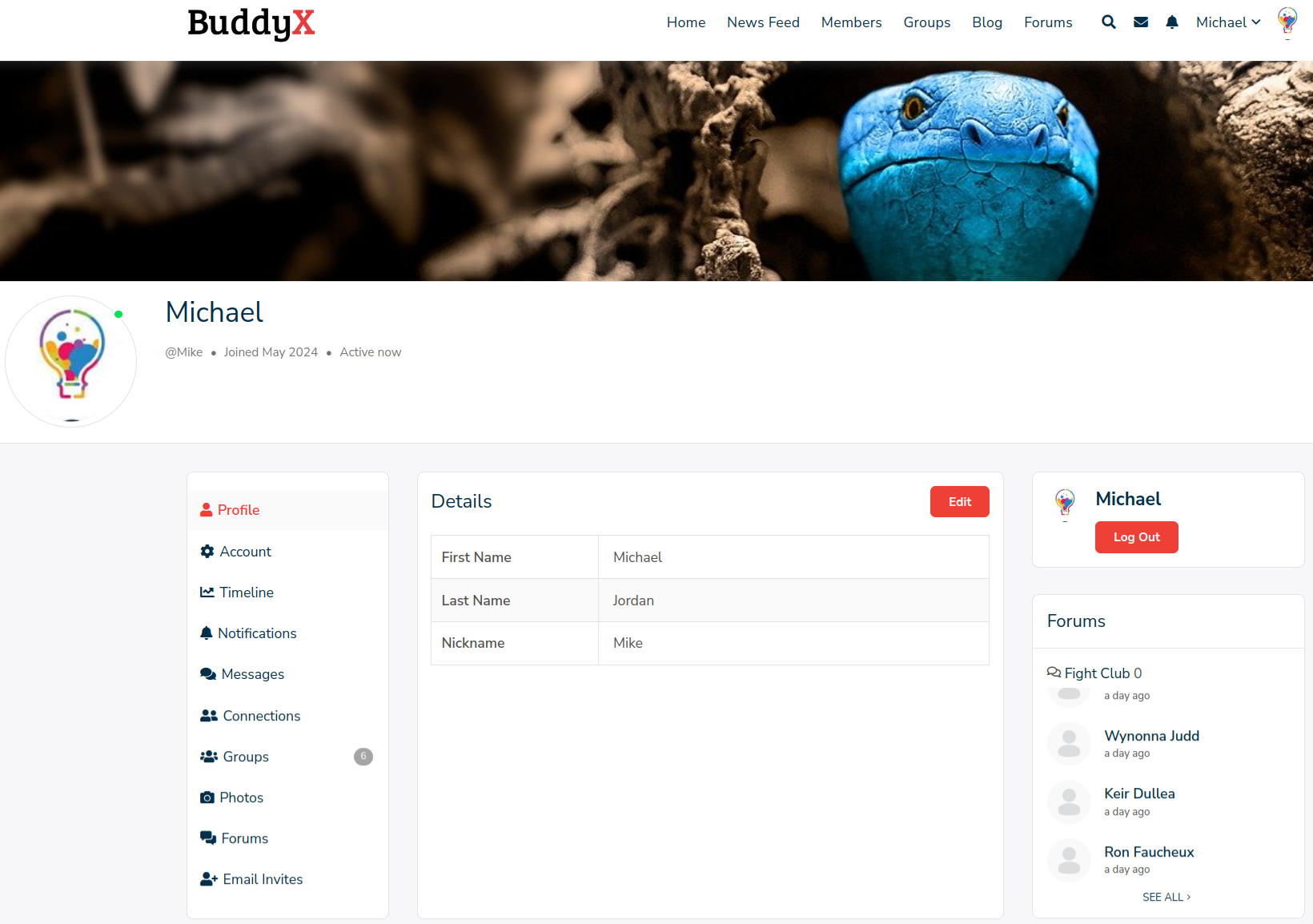
BuddyBoss Platform stays rooted in the same principles that made BuddyPress a WordPress staple in the first place: user profiles, activity streams, and group functionality form the foundation either way. Where BuddyBoss actually earns its reputation is in what it adds on top of that foundation, refinements aimed squarely at the gaps community builders have complained about in vanilla BuddyPress for years.
What Actually Separates BuddyBoss Platform From BuddyPress
Five areas account for most of the practical difference between the two, and they’re worth understanding individually rather than as a vague “BuddyBoss does more” summary.
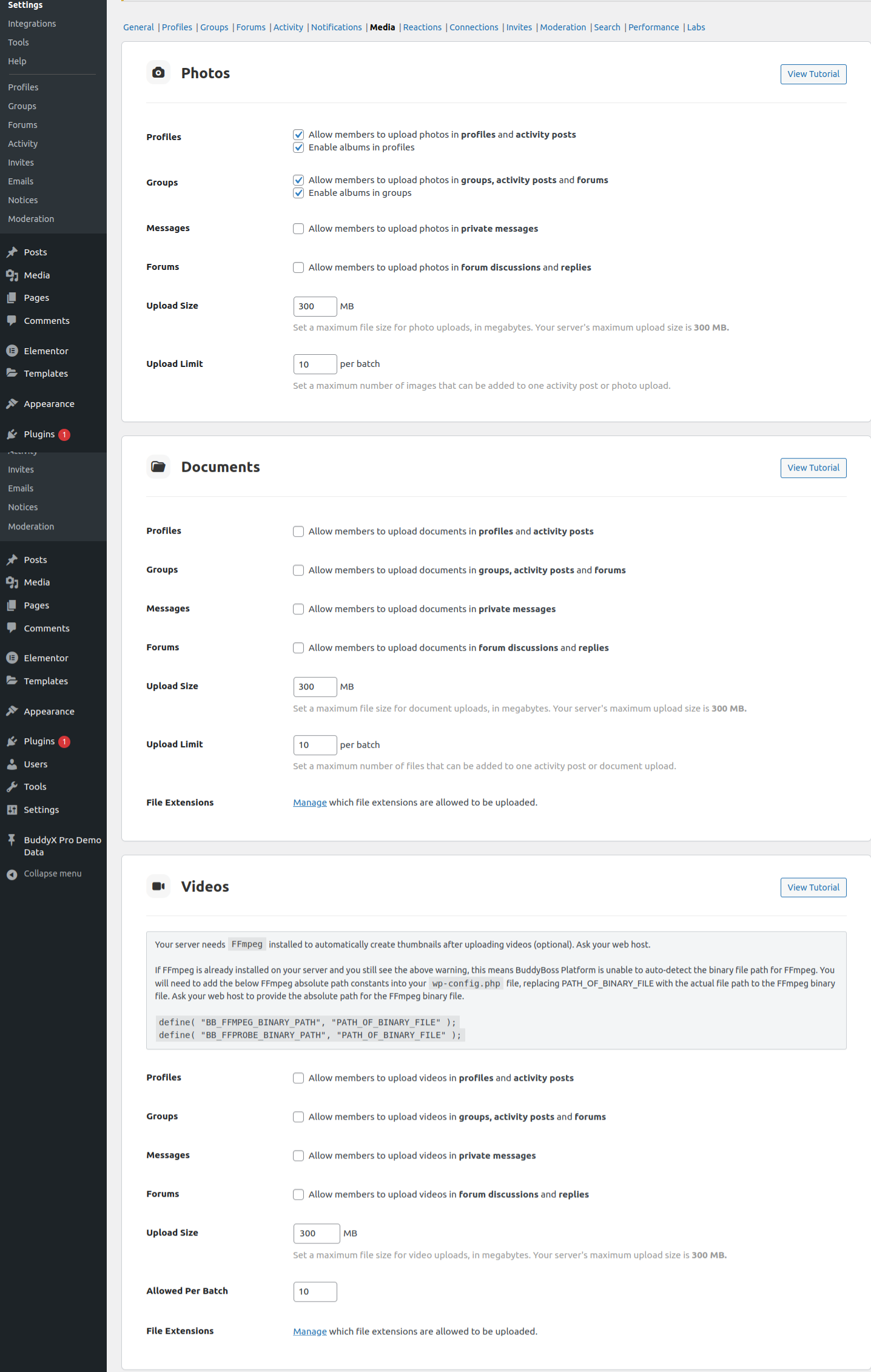
1. Media handling. BuddyBoss ships with a media upload system that goes further than BuddyPress’s default setup, letting members share images, videos, and documents directly inside the community without a separate uploader plugin. For communities built around visual content, photo groups, video tutorials, portfolio-sharing, this native support removes a real setup step that BuddyPress users typically solve by stitching in a media plugin themselves.
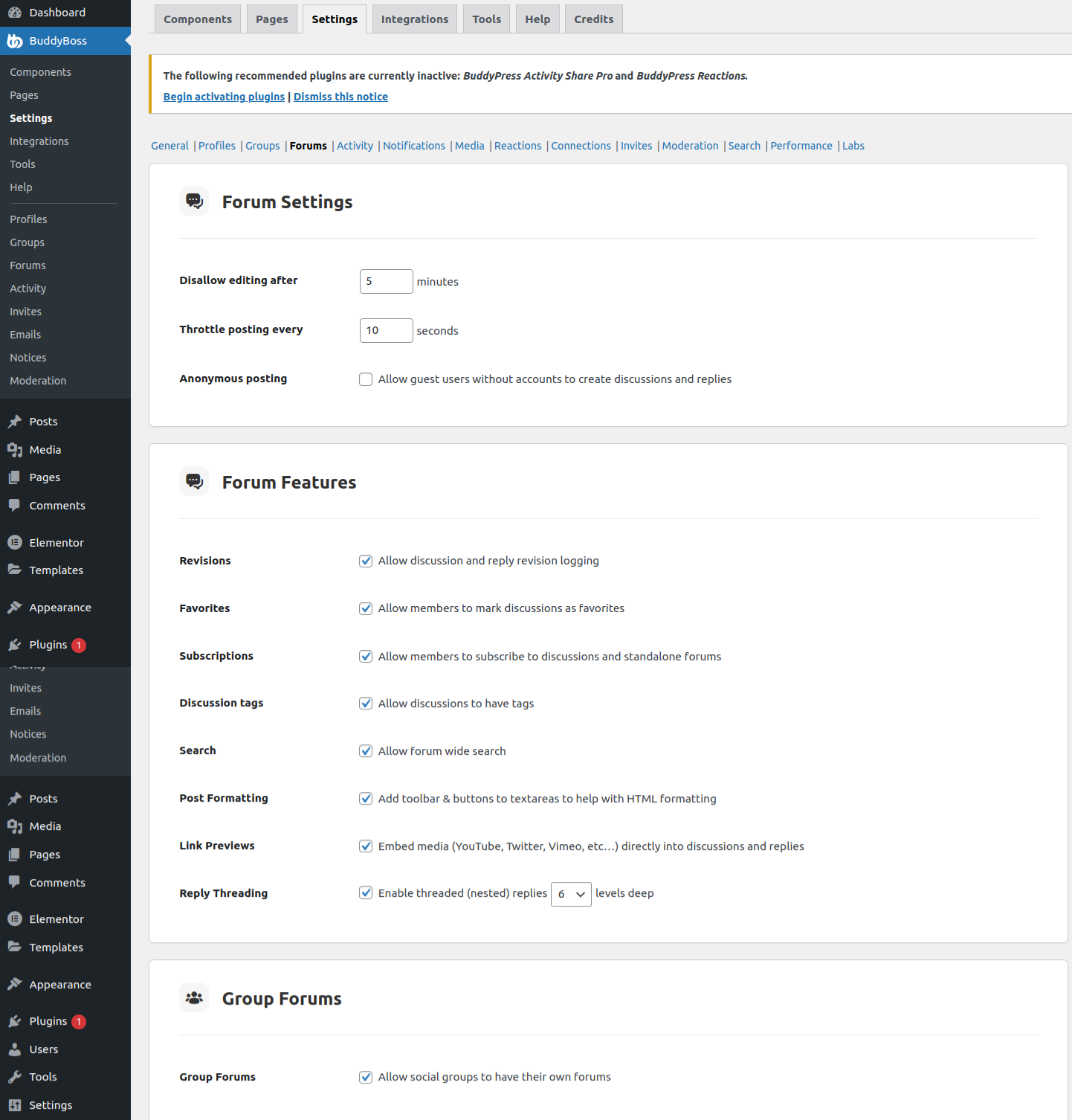
2. Forums. BuddyBoss bundles forum functionality directly into the platform, so members can start discussions and post replies without leaving the core experience. BuddyPress, by contrast, relies on bbPress for forums, a capable and mature plugin in its own right, but a separate one that needs its own installation and integration work to feel native inside a BuddyPress community. That integration gap is exactly what BuddyBoss closes.
3. Moderation. BuddyBoss includes moderation tools out of the box: members can block and report other users, and administrators can suspend accounts directly from the platform. BuddyPress leaves moderation to third-party plugins, which do offer capable features like flagging and review workflows, but again require separate setup rather than working as one integrated system.

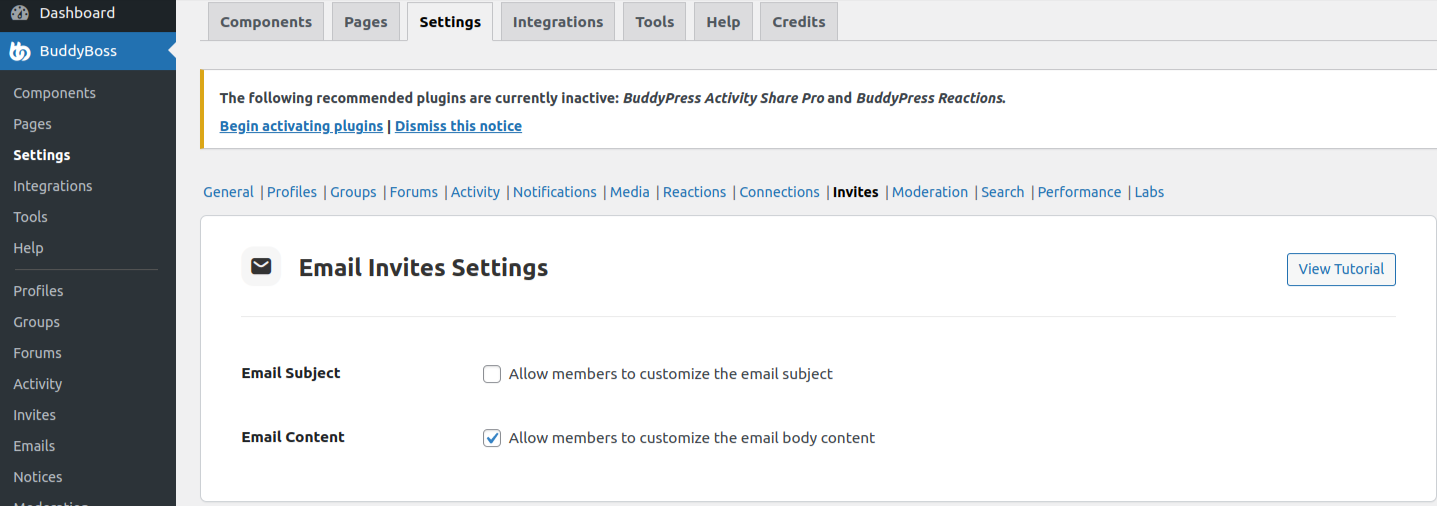
4. Email invites. BuddyBoss lets existing members send email invitations to non-members directly from inside the platform, a straightforward but genuinely useful growth mechanism. BuddyPress doesn’t include this natively; getting the same behavior means installing an additional invitation plugin and connecting it to the rest of the community stack.
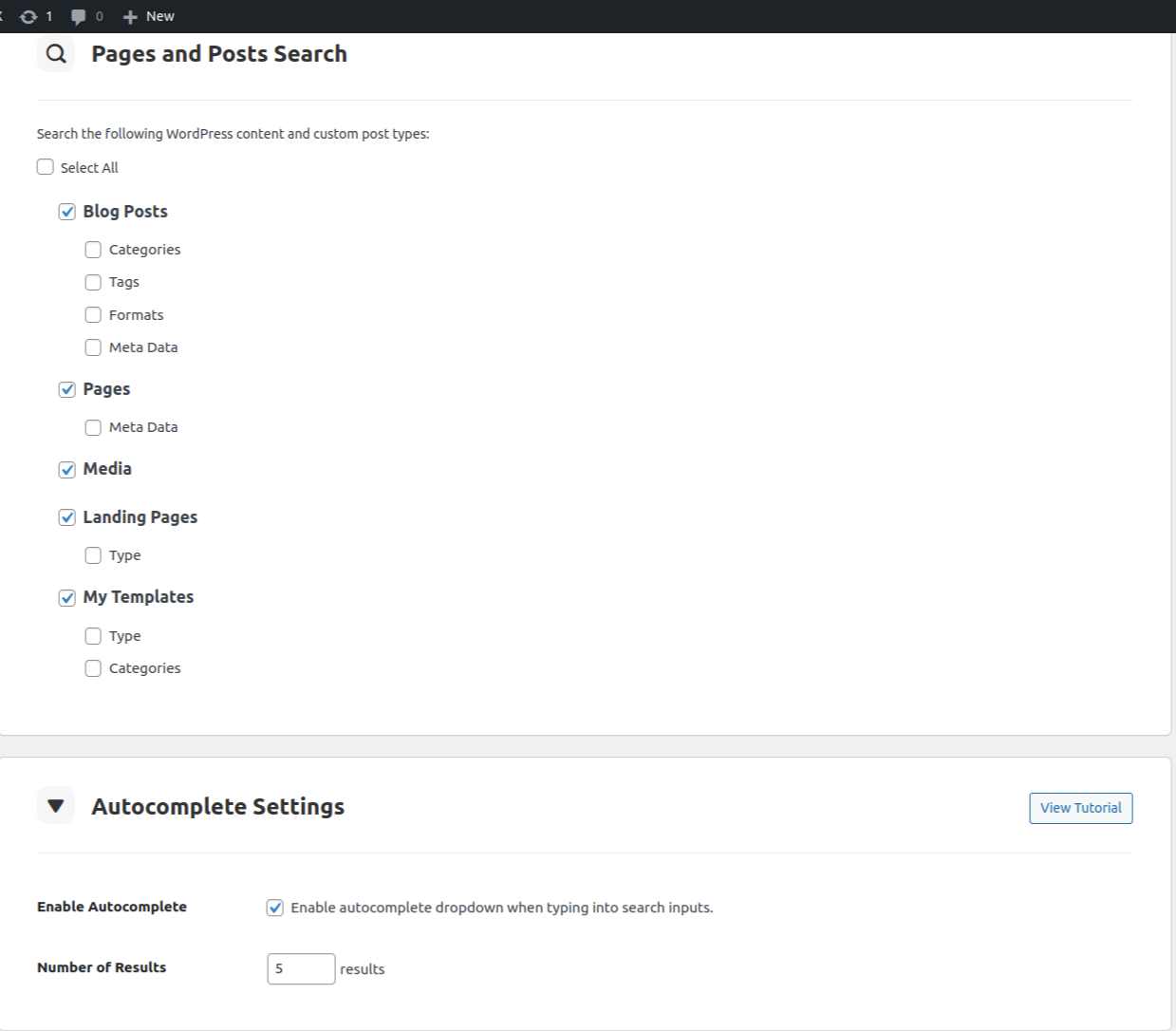
5. Search. BuddyBoss includes a comprehensive search that spans posts, members, groups, and forums from one interface. BuddyPress doesn’t ship with equivalent native search, so finding this level of cross-content search on a BuddyPress site usually means adding a dedicated search plugin or some custom development work.
Installation and Setup of BuddyBoss
Installation
1. Visit BuddyBoss Platform and download the plugin.
2. Log in to your WordPress website and access the Admin Dashboard.
3. Go to Plugins > Add New.
4. Click Upload, and attach the buddyboss-platform.zip file.
5. Once it finishes uploading, click Activate.
Setup
1. After installation, open the newly created BuddyBoss menu.
2. Visit Components and activate the ones your community actually needs, rather than turning everything on by default.
What This Trade Actually Costs
None of BuddyBoss’s convenience is free, and it’s worth being honest about the trade rather than treating it as a strictly better deal. BuddyBoss Platform is a paid product with ongoing licensing costs, while BuddyPress itself remains free and open source, with the individual plugins needed to match its feature set (bbPress, a moderation plugin, an invitation plugin, a search plugin) also generally free or low-cost individually.
The real comparison isn’t “free versus paid” in isolation, it’s “assemble and maintain several plugins yourself versus pay for one integrated product that handles the assembly for you.” For a solo site owner without much technical bandwidth, that integration is often worth paying for. For an agency or developer comfortable managing a plugin stack, and who wants full control over exactly which tools power which feature, BuddyPress plus a curated set of add-ons can deliver the same functional outcome at a lower recurring cost.
Theming Considerations for Each Platform
Choice of platform also shapes theme options. BuddyPress works with a wide range of WordPress themes built specifically for community sites, including BuddyX and Reign, both of which are designed to integrate cleanly with BuddyPress’s components without fighting the platform’s markup or styling. BuddyBoss, by contrast, is generally paired with its own companion theme, BuddyBoss Theme, built specifically to match the platform’s design language and app-like navigation.
This matters for anyone planning a specific visual direction. A BuddyPress site has more theme flexibility since it isn’t tied to one companion product, while a BuddyBoss site benefits from tighter default integration at the cost of that same flexibility.
Migration Considerations
Moving an existing BuddyPress community to BuddyBoss Platform, or the reverse, is a real project, not a plugin swap. Member profiles, activity history, and group structures generally carry over reasonably well since both platforms share BuddyPress’s underlying data structures, but custom fields, third-party plugin integrations, and any heavily customized templates typically need manual rework. Anyone considering a switch on an active community with real member data should test the migration on a staging site first and budget real time for fixing whatever doesn’t transfer cleanly, rather than assuming a same-day cutover.
Which One Actually Fits Your Situation
A few patterns make the decision more concrete than a generic feature comparison. Choose BuddyBoss Platform when the priority is getting a full-featured community live quickly, without assembling and maintaining a stack of separate plugins, and when the ongoing license cost fits comfortably into the project budget. Choose BuddyPress with a curated plugin stack when budget flexibility, granular control over which specific tools power each feature, or an existing investment in a BuddyPress-native theme like BuddyX or Reign matters more than out-of-box convenience.
Neither choice is a mistake. Plenty of large, healthy communities run on each, and the right one depends more on the team running the site than on any objective quality gap between the two platforms.
Performance and Hosting Considerations
Both platforms put real load on a WordPress database once a community gets active, activity streams, notifications, and group data all generate write-heavy traffic that a lightweight blog hosting plan wasn’t built to handle. BuddyBoss’s bundled feature set means more of that load lives inside one plugin, which can simplify performance troubleshooting since there are fewer separate plugins to isolate when something slows down. A BuddyPress stack built from several plugins gives more granular control over caching and optimization per feature, but debugging a slowdown means checking each plugin individually rather than one consolidated codebase.
Either path benefits from hosting built for community traffic rather than a generic shared plan, and from an object cache (Redis or Memcached) once member counts climb into the thousands. Neither platform is inherently lighter than the other at genuinely large scale; both need the same fundamental hosting discipline once traffic grows past a hobby-project size.
What Kind of Community Fits Each Platform Best
A few concrete patterns help clarify the decision beyond the feature checklist. Course creators and coaching businesses building a members-only learning community often gravitate toward BuddyBoss, since its native mobile app pairing and bundled forums map cleanly onto that use case without much extra setup. Agencies building custom, highly branded community sites for clients tend to prefer BuddyPress, since the flexibility to swap individual components, and pair with a theme like BuddyX or Reign, gives them more room to match a specific client’s design and functional requirements. Niche hobbyist or interest-based communities running on a tight budget often start with BuddyPress precisely because the core plugin is free, adding paid extensions only once the community proves it has real staying power.
None of these are hard rules. Plenty of course creators run successful BuddyPress sites, and plenty of agencies build client sites on BuddyBoss when a client specifically wants its app-first experience. They’re starting points for narrowing the decision, not a rigid formula.
Common Mistakes When Choosing Between the Two
A handful of avoidable mistakes show up repeatedly in this decision. Picking based purely on a feature comparison chart without testing either platform’s actual admin experience firsthand often leads to buyer’s remorse, since day-to-day usability matters as much as the feature list on paper. Underestimating the migration cost of switching later, after a community already has real member data and history, locks some site owners into a platform that no longer fits well simply because moving off it feels too risky. And assuming BuddyBoss’s paid license guarantees better support than BuddyPress’s free-plugin ecosystem overlooks that BuddyPress benefits from a large, active open-source community and a long list of mature third-party plugins with their own dedicated support channels.
A Practical Way to Decide
Rather than debating the two abstractly, install both on separate staging sites and spend an afternoon actually building a small test community on each: create a group, post an activity update, start a forum thread, upload some media. The platform that feels more natural to administer, and whose admin screens make sense without constant lookups in documentation, is usually the better long-term fit for whoever will be running the community day to day. Feature lists matter, but administrative comfort over the following two or three years matters more.
Extending Each Platform With Add-ons
Both ecosystems support extension, but the shape of that extension differs. BuddyPress’s plugin ecosystem is broad and largely independent, dozens of developers and companies build add-ons for gamification, private messaging enhancements, custom profile fields, and specialized group types, each maintained separately and installable individually. That independence is a strength for picking exactly the features a community needs, and a weakness in that compatibility between unrelated third-party plugins isn’t always guaranteed.
BuddyBoss maintains a tighter, more curated add-on ecosystem built specifically around its platform, including its own app builder for turning a community into a branded mobile app and various integrations designed to work smoothly with the core platform out of the box. The tradeoff mirrors the core platform choice itself: more guaranteed compatibility in exchange for less raw selection.
Total Cost of Ownership Over Time
A fair cost comparison has to look past the first year. BuddyBoss Platform’s license renews annually, and that ongoing cost is predictable and bundled, one line item covering the core feature set. A BuddyPress stack’s cost depends entirely on which add-ons a specific community needs, a barebones setup using only free plugins can run at effectively zero recurring cost beyond hosting, while a heavily extended BuddyPress site stacking several premium add-ons can approach or exceed BuddyBoss’s pricing once everything is tallied.
The deciding factor isn’t which platform is cheaper in the abstract, since that genuinely depends on how a specific community is configured. It’s whether a site owner would rather pay one predictable bill for a bundled feature set, or build a more tailored (and potentially cheaper, or potentially more expensive) stack piece by piece.
Community Support and Documentation
Support quality shapes the day-to-day experience of running either platform more than most comparisons acknowledge. BuddyBoss, as a commercial product with a paid license, backs its platform with dedicated support channels and structured documentation aimed at non-technical site owners. BuddyPress, as an open-source project, relies more on community forums, third-party tutorials, and the WordPress.org support ecosystem, which tends to be slower for individual troubleshooting but benefits from a much larger volume of accumulated knowledge built up over the plugin’s long history.
Site owners without in-house technical staff, or without a developer on retainer, generally get more value from BuddyBoss’s structured support model. Teams with WordPress development expertise already in-house tend to find BuddyPress’s larger, more distributed knowledge base perfectly workable, since they can typically debug issues themselves rather than waiting on a support ticket.
Frequently Asked Questions
Can BuddyBoss Platform and BuddyPress run on the same site?
No. BuddyBoss Platform is designed as a full replacement for BuddyPress on the same site, not an add-on layered on top of it. Running both simultaneously isn’t a supported configuration.
Does switching to BuddyBoss mean giving up existing BuddyPress plugins?
Some BuddyPress-specific plugins will need BuddyBoss-compatible equivalents, since BuddyBoss changes some of the underlying markup and hooks. It’s worth auditing an existing plugin list against BuddyBoss compatibility before committing to a migration.
Is BuddyBoss Platform actively maintained?
Yes, it remains an actively developed, widely used product in the WordPress community space, with regular updates alongside its companion app and theme products.
Which is better for a mobile app companion?
BuddyBoss has a stronger out-of-box story here, since it offers a companion mobile app product built to work directly with the platform. BuddyPress doesn’t include an equivalent native app offering, so a mobile app on top of BuddyPress typically means a separate, custom-built solution.
Does either platform work well with WooCommerce for a paid membership community?
Both integrate with WooCommerce reasonably well through additional membership plugins, though neither bundles a full membership-and-payments system natively. A community layering paid tiers on top of either platform should plan for a dedicated membership plugin regardless of which core platform it chooses.
Is there a real risk in choosing BuddyPress and needing BuddyBoss’s features later?
The risk is manageable but real. Adding BuddyPress add-ons later to match a feature BuddyBoss has natively is usually straightforward. Migrating an established BuddyPress community fully over to BuddyBoss later is a bigger project, so it’s worth thinking through the platforms’ respective feature sets honestly before launch rather than assuming a costless switch is always available down the line.
Accessibility and Multilingual Considerations
Communities serving a global or non-English-speaking audience should weigh translation and localization support as part of this decision, not as an afterthought. BuddyPress, as a WordPress.org plugin, benefits from WordPress’s mature translation infrastructure and a large volume of community-contributed language files, making it straightforward to run a fully localized community with standard WordPress translation tools. BuddyBoss provides its own translation-ready framework and officially supported language packs, which cover major languages well but may require more manual work for less common ones compared to relying on WordPress’s broader open-source translation ecosystem.
Accessibility compliance is a similar story: both platforms have made real investment in accessible markup and keyboard navigation over the years, but neither should be assumed fully WCAG-compliant out of the box without an actual audit. Any community with formal accessibility requirements, an educational institution or a public-sector organization, for instance, should run its own accessibility test on either platform rather than taking either vendor’s marketing claims at face value.
The Bottom Line on BuddyBoss vs. BuddyPress
BuddyBoss Platform and BuddyPress both aim to power community building inside WordPress, and the real differentiators, media handling, forums, moderation, email invites, and search, mostly come down to how much of that BuddyBoss bundles natively versus how much a BuddyPress site owner assembles themselves. The features cater to genuinely contemporary community needs either way.
The right choice ultimately comes down to each community builder’s specific requirements, budget, and appetite for managing a plugin stack. Whether that means leveraging BuddyBoss’s integrated functionality or opting for BuddyPress’s flexibility with a curated set of add-ons, both paths lead to a genuinely capable online community.
Interesting reads:
Innovative Donation Ideas for Online Communities