

Building an online community shouldn’t require a design degree. Yet for years, WordPress community builders have spent countless hours tweaking colors, adjusting layouts, and wrestling with settings just to achieve a professional look. Today, that changes forever.
This release isn’t just about new features. It’s about fundamentally reimagining how you build and customize your community. Whether you’re launching a brand new membership site or upgrading an existing community, version 5.0.0 delivers the tools you’ve been asking for—wrapped in an experience that respects your time.
One-Click Color Scheme Presets
Designer-Quality Results, Zero Effort
“Most community builders aren’t designers—and they shouldn’t have to be.”
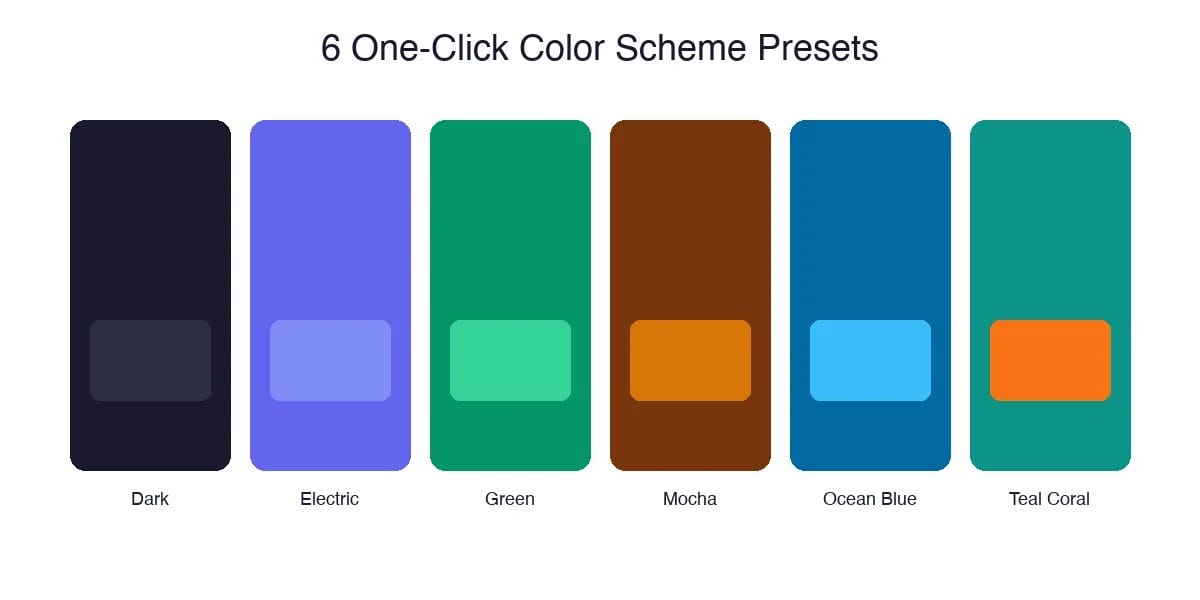
Choosing the right colors for your community is harder than it sounds. You need colors that work together, look professional, maintain accessibility, and reflect your brand’s personality. That’s why we’ve introduced One-Click Color Scheme Presets—six professionally crafted color palettes that instantly transform your entire community with a single click.
Dark
Sophisticated and modern, perfect for tech communities
Electric
Bold and energetic, ideal for creative groups
Green
Fresh and natural, great for wellness communities
Mocha
Warm and inviting, perfect for professional networks
Ocean Blue
Clean and trustworthy, excellent for educational platforms
Teal Coral
Vibrant and unique, stands out from the crowd
And here’s the best part: these presets are just starting points. Once applied, you can still customize any individual color to match your exact brand requirements. It’s the perfect balance between instant results and complete control.
Block Patterns
Build Pages in Minutes, Not Hours
WordPress block patterns have revolutionized page building, and BuddyX Pro 5.0.0 fully embraces this power. We’ve created a collection of ready-to-use design patterns specifically optimized for community websites.
Match your theme’s styling automatically — They inherit your color scheme and typography
Work perfectly with BuddyPress and BuddyBoss — Designed for community use cases
Stay fully responsive — Beautiful on desktop, tablet, and mobile
Remain completely customizable — Edit any element after insertion
Live Login Page Customization
First Impressions Matter
“Your login page is often the first touchpoint new members have with your community. A generic WordPress login screen doesn’t exactly scream ‘professional community.'”
Now you can design your login page in real-time, watching every change take effect instantly. This isn’t just a settings panel—it’s a visual design experience that shows you exactly what your members will see.
- Split layout options — Create stunning two-column designs with images
- Custom background images — Upload your own visuals or use solid colors
- Logo placement controls — Position your brand exactly where you want it
- Form styling options — Customize the login form to match your brand
- Welcome messages — Add custom text to greet your members
Performance That Powers Growth
Speed isn’t just a technical metric—it directly impacts your community’s success

Optimized CSS Delivery
We’ve completely restructured how stylesheets load. Critical CSS now loads first, with non-essential styles deferred.
Database Query Optimization
Every database query has been analyzed and optimized. We’ve eliminated redundant queries and added strategic caching.
Smarter Asset Loading
Scripts and styles now load conditionally based on what’s actually needed on each page.
These optimizations directly improve your Core Web Vitals scores—the metrics Google uses to evaluate user experience. Better scores mean better rankings, which means more organic traffic to your community.
Enhanced Dark Mode
Because Your Members Have Preferences
Dark mode isn’t a trend—it’s a fundamental user preference that’s here to stay. Studies show that over 80% of users prefer dark mode for at least some of their browsing, especially during evening hours.
- Better toggle placement — Easy to find, easy to use
- Improved color consistency — Dark mode now looks intentional
- Extended compatibility — Works with BuddyPress, BuddyBoss, bbPress, WooCommerce
- Per-user preference saving — Choices persist across sessions
- System preference detection — Automatically match OS preference
- All presets dark-mode ready — Colors designed for both modes
Mobile-First Community Building

Refined cart panel — WooCommerce cart now works smoothly on all devices
Better mobile navigation — Menus that actually work on touch screens
Improved off-canvas filters — Filter panels that slide in cleanly
Responsive member profiles — Headers and buttons align correctly
Under the Hood
Stability, Compatibility & Security
- Customizer reliability — Settings now save properly every time
- BuddyBoss Platform compatibility — Full support for the latest versions
- bbPress integration — Forums work seamlessly with all theme features
- LearnDash compatibility — E-learning features integrate smoothly
- WooCommerce enhancements — Shop pages look and work better than ever
- Enhanced security — Multiple security hardening improvements
What’s Coming Next
A Glimpse at the Roadmap
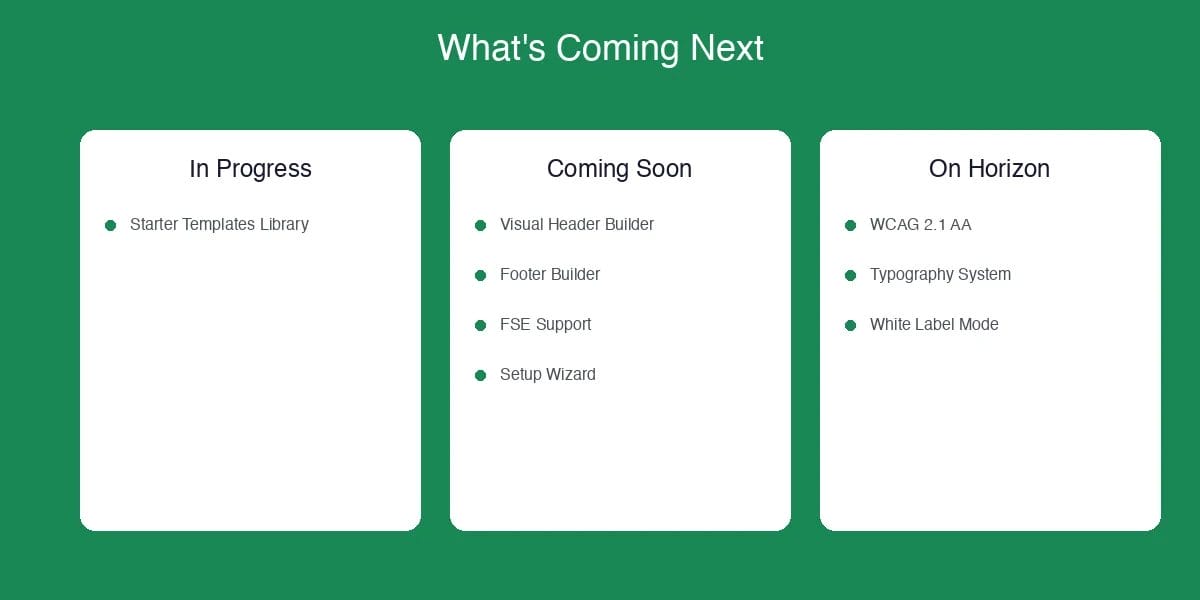
Currently In Progress
- Starter Templates Library — Complete, ready-to-import community designs
Coming Soon
- Visual Header & Footer Builder
- Full Site Editing (FSE) Support
- Theme Setup Wizard
- Mega Menu Builder
- Social Login Integration
On the Horizon
- WCAG 2.1 AA Compliance
- Advanced Typography System
- White Label Mode
- Import/Export Theme Settings
Upgrade Today and Transform Your Community
Whether you’re building a membership site, an online course community, a professional network, or a hobbyist forum—BuddyX Pro 5.0.0 gives you the tools to do it right.
Have questions? Visit our support center — we’re here to help.

