

Creating a professional community website like LinkedIn requires thoughtful planning, the right tools, and a clear vision. Your platform needs to combine seamless functionality with a polished design to foster networking, content sharing, and professional collaboration. BuddyX Theme and BuddyBoss are the perfect partners for achieving this, offering the flexibility and features needed to replicate LinkedIn’s core functionalities.
Most guides to building a community site jump straight into plugin lists without addressing what actually makes a professional network feel professional in the first place. It’s not just profiles and activity feeds, plenty of hobby communities have those. It’s the details: consistent branding, credible-looking company pages, search that actually surfaces the right people, and a moderation system that keeps spam and low-effort posts from undermining the platform’s credibility. This guide covers both the setup steps and the reasoning behind them.
It also covers the parts most tutorials skip entirely: what happens after the plugins are installed and the platform technically works but still needs real content, real moderation habits, and a realistic performance plan before it’s ready for a public audience that will judge it in the first thirty seconds.
Section 1: Why BuddyX Theme and BuddyBoss are Ideal Partners
BuddyX Theme and BuddyBoss provide everything you need to build a professional, scalable community platform:
- Modern Design: BuddyX Theme offers sleek, customizable layouts to create a polished, LinkedIn-inspired design.
- Social Features: The BuddyBoss Platform enables profiles, activity streams, messaging, and more to replicate LinkedIn’s networking capabilities.
- Extensibility: Easily add plugins for advanced features like blogs, company pages, and social login.
- Responsiveness: Your platform will work seamlessly on desktops, tablets, and smartphones, providing a consistent experience for users.
The pairing works because each half solves a different half of the problem. BuddyBoss handles the underlying social mechanics, who can follow whom, how activity gets displayed, how groups and messaging function. BuddyX handles how all of that actually looks and feels to a visitor, which matters enormously for a professional-facing platform where first impressions carry real weight. A community that functions correctly but looks like an unfinished forum template will struggle to attract the kind of serious, professional membership it’s aiming for, no matter how solid the backend is.
Section 2: Step-by-Step Guide to Build Your Community Platform
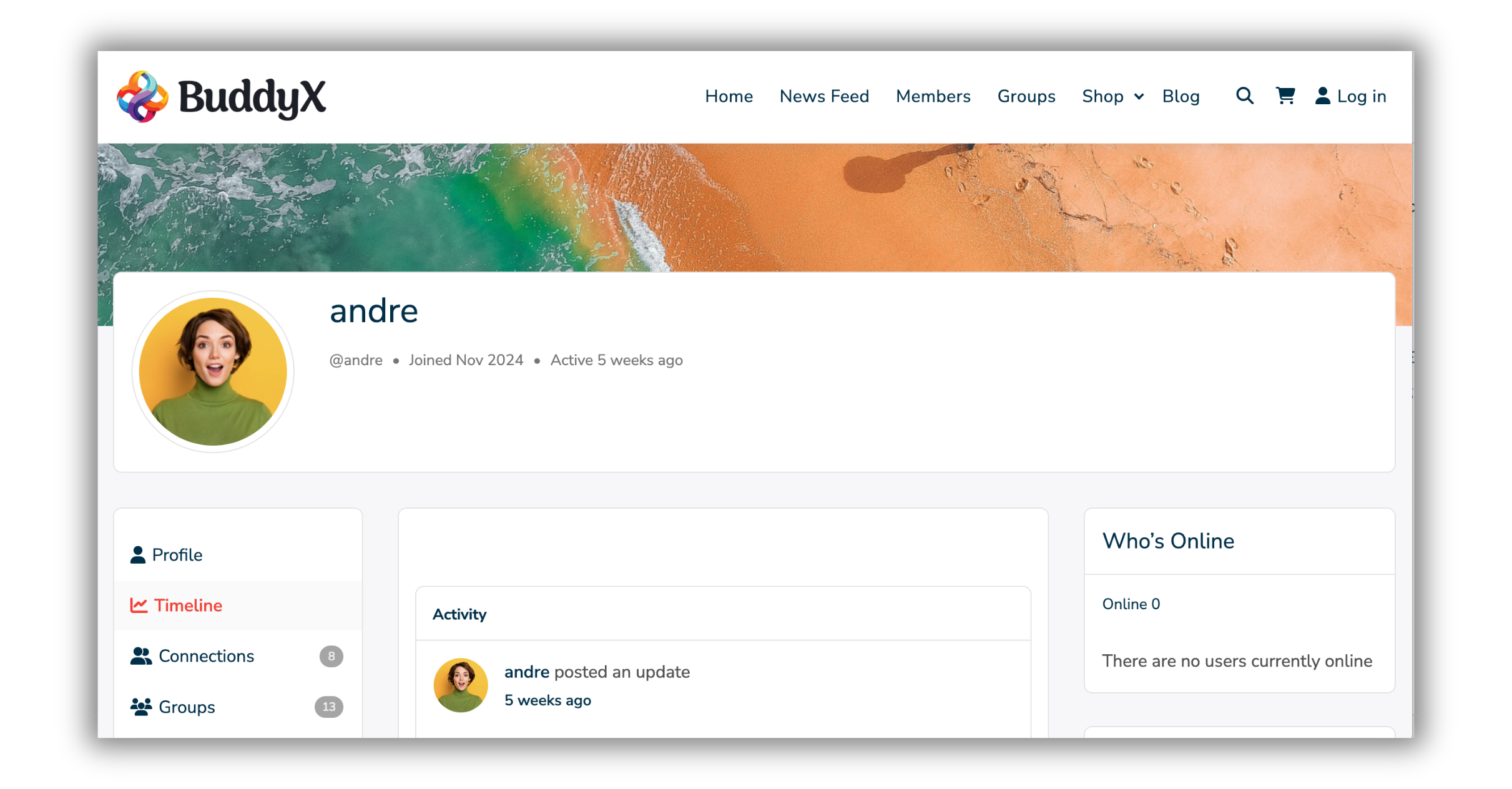
Step 1: Set Up WordPress and Install Plugins
- Install WordPress: Choose a reliable hosting provider and set up WordPress on your domain.
- Install BuddyBoss Platform: Download and activate the BuddyBoss Platform. Download BuddyBoss Platform.
- Install BuddyX Theme: Install and activate BuddyX Theme to give your platform a professional look. Download BuddyX Theme.
- Add Essential Plugins:
- BuddyPress Business Pages: Create company pages where members can list their businesses.
- Member Blog Plugin: Allow members to create and share blog posts.
- Social Login: Enable users to register and log in with their social accounts (e.g., Facebook, Google, LinkedIn).
- BuddyPress Giphy: Make interactions engaging with GIF sharing.
Step 2: Configure the Platform
- Set Up Member Profiles:
- Customize profile fields for users to add their professional details (e.g., skills, job title, location).
- Enable profile search and filters for easy networking.
- Enable Company Pages:
- Install and configure the BuddyPress Business Pages plugin.
- Allow members to create and manage company profiles.
- Add Activity Streams:
- Enable activity feeds where members can share updates, links, and media.
- Include reactions, likes, and comments to encourage interaction.
- Create Groups:
- Set up public, private, and hidden groups for professional collaboration.
- Organize groups by industries, interests, or company affiliations.
- Enable Blogging:
- Use the Member Blog Plugin to let users publish articles directly on your platform.
- Include categories and tags for better content organization.
- Integrate Social Login:
- Configure a plugin like Nextend Social Login to allow registration and login via LinkedIn, Facebook, or Google.
Step 3: Customize the Design
- Use BuddyX Theme’s customization options to:
- Adjust colors, typography, and layouts to match your branding.
- Add a professional header and footer with navigation links.
- Ensure mobile responsiveness for all pages.
Step 4: Test the Platform
- Test all features, including user registration, activity streams, group creation, and company pages.
- Ensure seamless navigation and fix any bugs.
Section 3: Features to Include for a Professional Look

To create a LinkedIn-style platform, include the following features:
- Professional Profiles: Allow members to showcase their skills, job titles, and achievements.
- Company Pages: Enable businesses to list their profiles and opportunities using the BuddyPress Business Pages plugin.
- Activity Streams: Facilitate networking with activity feeds that support likes, comments, and link previews.
- Groups: Provide spaces for collaboration and industry-specific discussions.
- Blogging Support: Let users share insights, tips, and stories with the Member Blog Plugin.
- Social Login: Simplify onboarding with LinkedIn, Google, or Facebook login options.
- Search and Filters: Add advanced search capabilities to help users find connections, groups, or content easily.
Choosing Between BuddyBoss and Lighter Alternatives
BuddyBoss is a strong, mature platform, but it’s a paid product with an ongoing license, and it’s worth being clear-eyed about when its specific strengths, the native mobile app, the polished out-of-the-box LMS integration, dedicated single-vendor support, actually matter for your particular project versus when they’re nice-to-haves you’d pay for without using. A community aimed at professionals who mostly access it from a desktop during work hours may get little practical benefit from a native app, for instance, even though it’s one of BuddyBoss’s most heavily marketed features.
Weighing the full BuddyX plus BuddyNext free stack against BuddyX plus BuddyBoss earlier in the planning process, rather than after committing budget to a license, avoids paying for capability the community doesn’t end up needing. Both paths produce a genuinely professional-looking result; the difference is mainly about which specific features justify the license cost for your audience.
Getting Member Profiles Right
A professional network lives or dies on how useful its profiles actually are. A profile that only shows a name and a photo tells a visitor nothing about whether this person is worth connecting with. Custom profile fields for job title, industry, years of experience, and a short bio give members enough context to make that call quickly, which is exactly what a professional visitor expects from a platform positioning itself as a serious networking tool.
Search and filtering deserve as much attention as the profile fields themselves. A directory of five hundred members is only useful if someone can filter it down to “marketing professionals in healthcare” in a couple of clicks. BuddyBoss’s member directory supports filtering by custom profile fields, so the setup work during Step 2 directly determines how useful search will feel once the community has real members in it.
Profile verification is worth considering even at a lightweight level. A simple badge for members who’ve confirmed a work email address, or connected a LinkedIn account through social login, gives other members a quick trust signal in a directory full of strangers. It doesn’t need to be an elaborate identity verification system to be useful; even a small visual cue that separates a verified profile from an anonymous one changes how much weight other members give to that person’s posts and connection requests.
Onboarding That Doesn’t Lose People at the Door
A signup flow that asks for ten fields before a new member can see anything the community offers loses people who would have stuck around if they’d gotten a taste of the platform first. Front-load registration with only the essentials, name, email, one or two core professional details, and let members fill out the rest of their profile after they’ve already logged in and started exploring. A partially complete profile from an active member is more valuable than a fully complete one from someone who abandoned registration halfway through.
A short, guided first-session experience helps too: pointing a brand-new member toward a relevant group, a recent active discussion, or a prompt to introduce themselves gives them something concrete to do immediately rather than landing on an empty personal dashboard with no clear next step.
Moderation Standards for a Professional Space
Professional communities tolerate spam and off-topic noise far less than hobby communities do. A single obviously fake company page or a thread full of promotional spam undermines the credibility of the whole platform in a way that’s disproportionate to the actual volume of bad content. Set moderation expectations before launch rather than reacting after a problem shows up: require manual approval for new company pages in the early months, set clear guidelines for what counts as acceptable self-promotion within groups, and designate at least one active moderator whose job includes reviewing new member activity for the first stretch after signup.
A moderation queue that takes days to clear discourages exactly the kind of professional user this platform is trying to attract, since that audience tends to have low patience for a platform that feels unmaintained. Even a lightweight, mostly-automated review process beats no review at all.
Written community guidelines, published somewhere easy to find rather than buried in a terms-of-service document nobody reads, also do more preventative work than most platforms give them credit for. Members who know upfront what counts as acceptable self-promotion versus spam are less likely to test that boundary than members left to guess, and a clear, publicly visible standard gives moderators something concrete to point to when they do need to enforce it.
Company Pages That Actually Get Used
Company pages sound simple in a feature list but tend to sit empty unless there’s a reason for businesses to bother filling them out. This is one of the more common gaps between a demo site and a live one: a demo populates every field with placeholder content, so the empty-page problem never shows up until real businesses are expected to do that filling-out work themselves, usually with less enthusiasm than the platform owner assumed they’d have. Give company page owners something concrete to do with the space: post updates that show up in the main activity stream, list open roles if your platform touches hiring at all, or highlight the page in a “featured companies” section on the homepage during the platform’s early growth phase. An empty company directory signals a quiet platform to any new visitor evaluating whether to join, so seeding a handful of real, complete company pages before public launch is worth the manual effort.
A Professional Build on a Fully Free Stack
A polished, professional community does not require a paid platform license. Pair BuddyX (the free theme) with BuddyNext, Wbcom’s free standalone community engine, and you get an activity feed, spaces, member profiles, and messaging right out of the box, with no license fee attached. You can add Pro features later as your community grows, but the foundation is fully capable on its own from day one.
BuddyBoss remains a strong choice for teams that need its native mobile app and single-vendor support. But if your goal is a capable, good-looking community without an upfront platform cost, the BuddyX plus BuddyNext combination gets you there.
Setting Membership Tiers and Access Rules Early
Not every professional community needs paid tiers, but nearly every one benefits from thinking through access levels before launch rather than bolting them on afterward. Decide upfront whether membership is open registration, invite-only, or approval-based, and whether certain groups or content areas should be restricted to verified professionals versus general members. Retrofitting an access control system onto a community that’s already grown past a few hundred open-registration members is considerably more disruptive than setting the right defaults from day one.
If monetization is part of the long-term plan, paid memberships, premium groups, sponsored company listings, decide which model fits your specific audience before building out the free tier. A platform that later needs to retroactively wall off features members already had free access to tends to generate far more friction than one that was clear about the tiers from the start.
Launching Without an Empty Room
A common failure mode for new professional communities is technically launching, everything works, the design is polished, and then opening to the public with zero content or activity to show. A visitor landing on an empty activity feed and a directory with three profiles has no reason to stick around or invite anyone else. Seed the platform before the public launch: recruit a founding group of ten to twenty real members, encourage them to complete full profiles and post a few genuine updates, and consider launching a couple of active groups with real discussions already underway rather than empty shells waiting for the first post.
That seeding period also functions as an informal test of everything built in the steps above, profile fields, company pages, moderation workflow, before the platform is judged by a wider, less forgiving audience. Treat feedback from that founding group seriously; they’re experiencing exactly the friction points a much larger wave of new members will hit later, just at a scale small enough to fix before it becomes a pattern of complaints.
Keeping Performance Solid as Membership Grows
A community platform that feels snappy with fifty members can start to lag once activity streams, group discussions, and media uploads pile up into the thousands. Address this early rather than waiting for complaints. A good caching plugin, image optimization for uploaded profile photos and company logos, and a hosting plan that can actually handle concurrent logged-in users, not just static page views, all matter more for a social platform than for a typical content site, since so much of the traffic involves dynamic, personalized content that’s harder to cache.
Load testing before a public launch, even an informal version where a handful of team members simulate concurrent activity, catches problems a small internal team using the platform casually would never notice. It’s a cheap insurance policy against the platform buckling right when a marketing push or press mention sends a wave of new visitors at once.
Database health matters too. Activity streams and notification systems generate a steady stream of database writes, and a poorly optimized setup that felt fine during testing can slow down noticeably once real usage patterns kick in. A periodic database cleanup routine, and monitoring query performance as the member count grows, saves a much more disruptive fix later.
Mobile Experience Isn’t Optional
Professional networking increasingly happens on phones, checking notifications between meetings, replying to a message on a commute, browsing a company page while waiting in line. BuddyX Theme’s responsive design covers the layout side of this, but it’s worth testing the actual member journey on a real phone rather than just a browser’s device emulator. Registration forms, profile editing, and group joining flows in particular tend to reveal friction on mobile that doesn’t show up on desktop.
If your platform’s growth strategy depends heavily on push notifications or an always-available mobile experience, this is one area where BuddyBoss’s native app support gives it a real edge over lighter alternatives, worth weighing against the cost difference based on how mobile-first your specific audience actually is.
Building a Professional Community Website
Building a professional community website like LinkedIn is easier than ever with BuddyX Theme and BuddyBoss. By following this guide, you can create a platform that combines networking, collaboration, and professional growth. From social login and company pages to activity streams and blogging, every feature contributes to a polished and functional community.
Start building your professional community today with BuddyX Theme and BuddyBoss Platform.
Interesting Reads:
Free Alternatives to BuddyBoss Theme Features
Why BuddyX Theme is the Ultimate Add-On for BuddyBoss Communities