

Somewhere between 150 and 500 active members, every community hits the same wall. The founder who used to personally read every post, welcome every new member, and quietly delete the occasional spam comment finds that job has quietly become a second full-time role. The options at that point usually look like two bad choices: hire a moderator, which means payroll, training, and someone else now representing the community’s voice, or let quality slide, which means the community that made people want to join in the first place starts eroding.
There is a third option that gets skipped because most WordPress community setups were never built for it: moderation tooling deep enough that the community does most of the self-regulating on its own, with a human stepping in for the genuinely hard calls instead of every call. This post walks through what that actually looks like using the free moderation suite built into BuddyNext, and where a human is still, honestly, required.
This is not a pitch for abandoning oversight entirely. A community with no human paying attention at all is not a well-moderated community, it is an unmoderated one wearing automated language as cover. The distinction that matters is between a system that requires a human to personally read every post and one that surfaces the genuinely hard cases to a human while handling the routine ninety percent automatically. That distinction is the entire subject of this piece.
Why manual moderation breaks, with real numbers
Run the math on a community that feels genuinely small. Two hundred active members posting an average of two times a week each produces roughly four hundred posts a week, not counting comments, reactions, or direct messages. Review every one of those personally, even at a generous thirty seconds per post, and that is over three hours a week of pure reading time before anything else, before answering questions, before actually participating, before running the business the community exists to support.
That math gets worse, not better, as the community grows, because engagement compounds. A community that doubles its membership does not double its moderation load, it multiplies it, because more members means more comment threads, more cross-posting, more edge cases between members who know each other’s history and new members who do not. Manual review, the thing that worked fine at fifty members, becomes structurally impossible well before a community reaches a size that would justify a full-time hire.
What a moderator actually costs, priced out
Before comparing tools, it is worth pricing the alternative honestly. A part-time community moderator, even at a modest ten to fifteen hours a week, runs a meaningful ongoing cost once you account for pay, onboarding time, and the management overhead of supervising someone else’s judgment calls on your community’s behalf. A full-time hire for a genuinely large community easily clears $30,000 to $50,000 a year in a typical market, before benefits, before the training period where their calls need double-checking, before the turnover risk of having to rehire and retrain when they eventually move on.
That is not an argument that hiring is always wrong, some communities are large or contentious enough that a dedicated human is genuinely the right call. It is an argument that the decision deserves an honest cost comparison against the alternative, tooling that scales with the community rather than requiring a new hiring decision at every growth stage, rather than defaulting to “hire someone” as the only option because it is the most familiar one.
The trust level pattern underneath all of this
We wrote about the underlying philosophy in detail in Why Trust Levels Are the Future of Community Moderation, and the short version is worth restating here because it explains why the tools below actually work instead of just sounding good on paper. A community’s own members generate the signal needed to moderate it, who posts consistently, who gets reported, who other members trust, if the platform is built to capture and act on that signal automatically. A new member with zero history gets treated differently than a member who has posted daily for a year without a single flag, not because a human decided that case by case, but because the system tracks it.
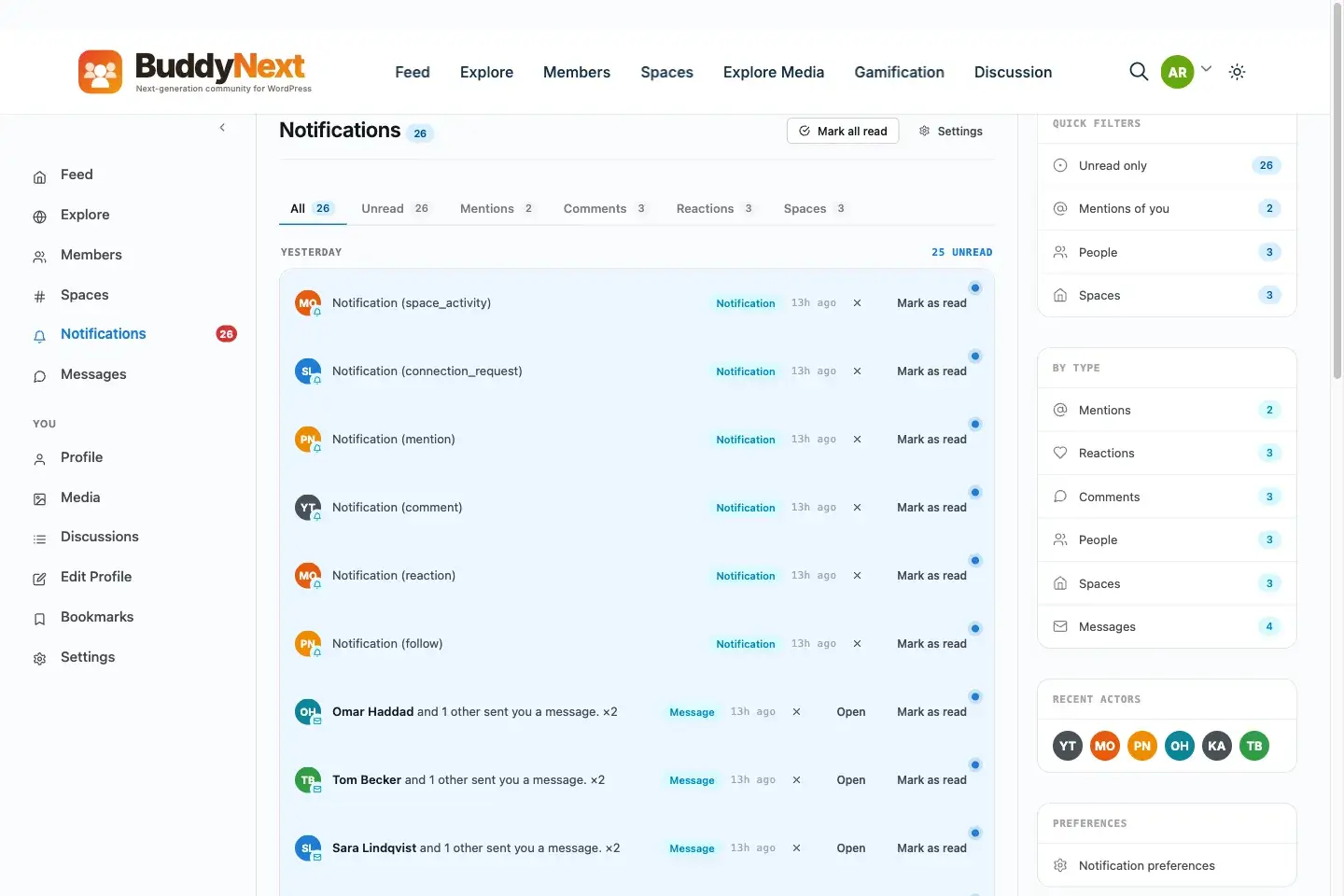
Moderation events, reports, strikes, and appeals surface as structured notifications rather than a buried admin queue.
The moderation that happens before anyone posts anything
The cheapest moderation is the kind that prevents a problem from ever reaching a feed in the first place, and this is the part most stacked WordPress setups skip entirely because it lives in the authentication layer rather than the content-review layer. Invite-only and approval-gated signup modes mean every new member clears a check before they can post at all, which filters out a large share of spam accounts and bad-faith signups before they cost anyone a single moderation decision. Built-in spam protection at registration catches the automated account-creation attempts that a smaller community without dedicated defenses tends to absorb quietly over time, each one a little erosion of feed quality that nobody notices until the pattern is well established.
Two-factor authentication and email verification reduce a specific, less obvious problem: compromised accounts. A member whose account gets taken over and used to post spam or scam links is a moderation incident that starts well before the bad content appears, and account-security features upstream of the moderation queue prevent a meaningful share of those incidents from happening at all.
What breaks when moderation is purely reactive
It helps to look at the failure mode this whole approach is designed to avoid. A community running purely reactive moderation, a single admin manually reviewing reports as they trickle in with no automated support, tends to follow a predictable arc. It works fine while small. As it grows, response time to reports lengthens, because the same one or two people are now handling a growing volume with no more hours in the day than before. Members notice the lag, a report that used to get handled in minutes now sits for a day or two, and the community’s tolerance for bad behavior creeps upward simply because enforcement has become slower and less consistent.
Eventually the admin either burns out trying to keep pace, brings in a hire under time pressure with less onboarding than the role deserves, or the community’s quality visibly degrades and active members start quietly leaving for somewhere better moderated. None of those outcomes are necessary if the pattern-recognition and enforcement work that a reactive system pushes entirely onto a human is instead handled structurally, through strikes, auto-hide thresholds, and delegated Space moderation, before the volume ever gets to the point of causing burnout.
What ships free that replaces a moderator’s daily judgment calls
BuddyNext’s free tier includes a moderation suite deep enough that most of what a part-time human moderator does manually on a smaller platform happens automatically here. Member reports flow into a review queue rather than an inbox, so nothing gets lost in email. A strikes system accumulates against repeat offenders, meaning the fifth borderline post from the same member gets treated with appropriate suspicion even if each individual post looked mild in isolation, something a rotating cast of volunteer moderators frequently misses because they lack the pattern’s full history.
Shadow-banning handles a specific, common problem directly: a member who keeps posting low-quality or disruptive content without realizing nobody else can see it anymore. That single feature removes an enormous amount of the confrontation that traditionally makes moderation an unpleasant job, since the disruptive member simply stops getting a reaction rather than triggering an argument about a visible ban. An appeals process keeps that from becoming unfair in the other direction, so a shadow-ban or suspension is not automatically permanent, and a member who genuinely deserves reinstatement has a path to it without needing to know someone on the inside.
On the content side, banned word lists, banned hashtag lists, banned domain lists, and IP banning catch a meaningful share of spam and abuse before a human ever needs to look at it. Auto-hide thresholds pull a post out of view once it crosses a report count you configure, meaning a genuinely bad post gets suppressed within minutes of the first few reports rather than sitting visible until someone with admin access happens to log in.
Space-scoped moderation: delegation without giving away the keys
This is the piece that most directly replaces what a hired moderator would otherwise do, without the payroll commitment. Moderation in BuddyNext can be scoped per Space, meaning a trusted member who runs a specific sub-community, a local chapter, a topic-focused group, a beginner-friendly onboarding space, gets moderation authority over that Space specifically without needing full site-admin access to everything else.
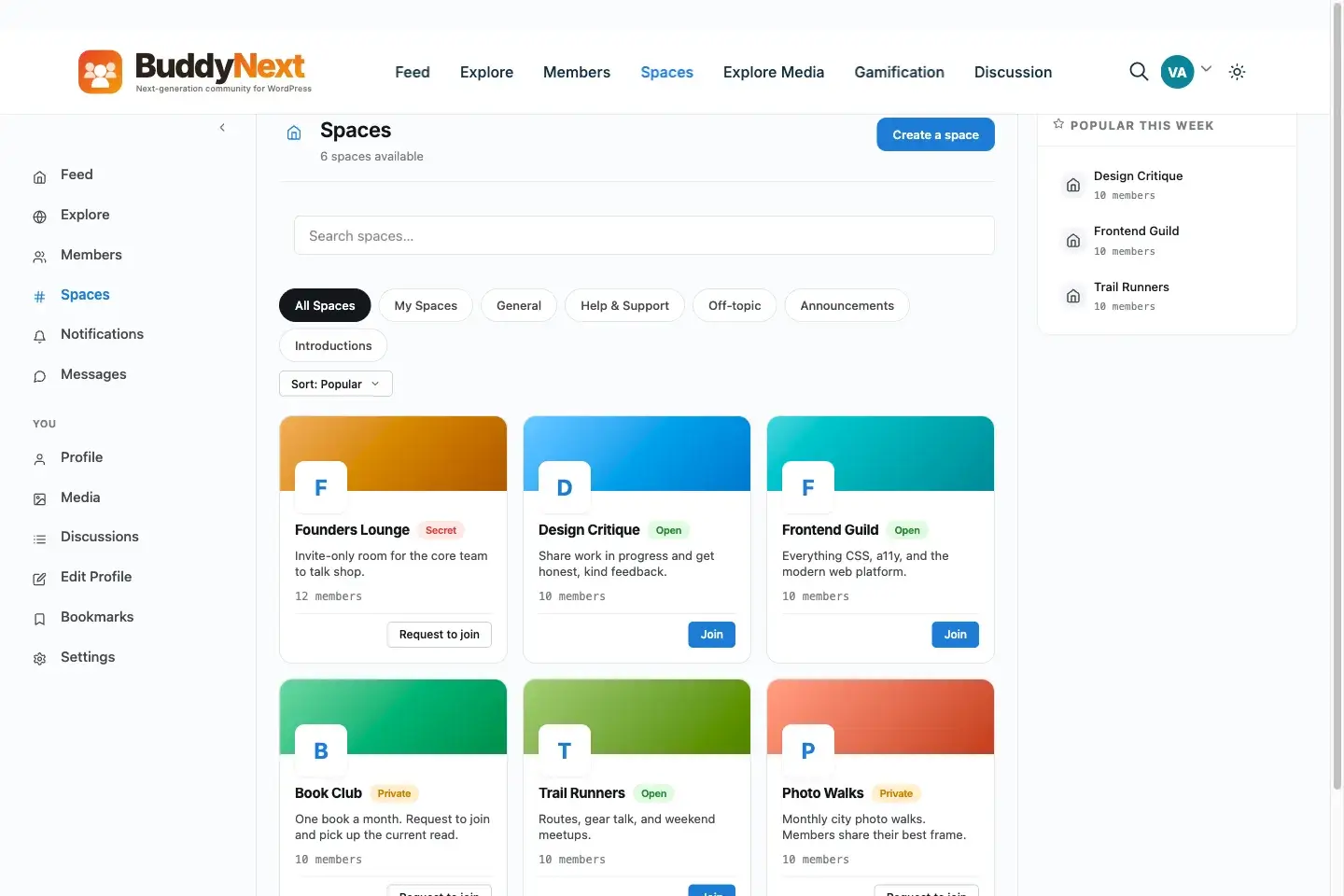
Space owners moderate their own sub-communities without needing site-wide admin access.
Practically, that means the community founder can hand real responsibility to the members who have already earned trust, exactly the members who would otherwise be the natural candidates for a volunteer or paid moderator role, without the security exposure of a broad admin account. It also distributes the actual workload. A community with six active Spaces and six engaged Space owners handling their own moderation queues functions closer to a team than a single overwhelmed admin, without a single payroll line item.
Where AI moderation comes in, and what it actually catches
The free tools above handle the bulk of routine moderation. BuddyNext Pro adds AI-assisted moderation with a test bench for tuning detection rules before they go live, meaning a site owner can validate how the AI would have handled a batch of past reports before trusting it with new ones in production, rather than discovering its blind spots on live content. Bulk moderation actions and spam scoring round out the Pro layer, useful specifically once report volume gets high enough that even a well-delegated Space-owner model starts to strain.
Media specifically gets an extra layer through the free WPMediaVerse companion, which runs OpenAI Vision auto-moderation on every upload using your own API key. That matters because image and video content is exactly the category manual review handles worst, a human moderator skimming a busy feed can miss a problematic image in a way that automated vision moderation, checking every single upload consistently, does not. We covered the comparison in more depth in BuddyBoss Media Alternative: MediaVerse vs BuddyBoss vs rtMedia Compared.
What a human still, honestly, needs to do
None of the above eliminates the need for a human in the loop entirely, and claiming otherwise would be the kind of overclaim this piece is specifically trying to avoid. Appeals still need a person to make the final call on genuinely contested cases, the ones where a member disputes a strike and has a legitimate point that an automated system correctly flagged but a human context would resolve differently. Tone-setting, deciding what kind of community this actually is, how strict, how casual, what topics are welcome, is a judgment call no automated system makes for you, it only enforces whatever standard you configure.
New and ambiguous situations, the kind that do not match any existing banned-word pattern or reporting history, still need a human’s first read before the system has enough signal to handle similar cases automatically going forward. The honest framing is not “moderation without any human involvement,” it is “moderation that does not require a dedicated human reading every single post,” which is a meaningfully smaller and more sustainable job than what most community founders are currently doing by hand.
A practical setup checklist
Configure banned word, hashtag, domain, and IP lists on day one, even for a brand-new community with a handful of members, because establishing the baseline early is easier than retrofitting it after a problem has already set a precedent for what gets tolerated. Set auto-hide thresholds conservatively at first, low enough to suppress genuinely bad content quickly, but not so low that a single bad-faith report from one member can silence a legitimate post; this number benefits from a few weeks of real usage before it is tuned correctly.
Identify your most engaged, most trusted members early and hand them Space-level moderation for the specific sub-communities they already lead informally, rather than waiting until a crisis forces a rushed decision about who to trust with authority. Review the appeals queue personally, at least at first, since it is a small volume relative to total reports and it is where you learn whether your automated rules are calibrated correctly or need adjusting. And if the community handles meaningful media volume, turn on WPMediaVerse’s Vision-based upload moderation from the start rather than after an image-related incident forces the conversation.
Revisit the configuration on a schedule rather than only when something goes wrong. A quarterly check of the banned word list, the auto-hide threshold, and which members currently hold Space-level moderation authority catches drift before it becomes a problem, spam patterns evolve, a once-trusted Space owner may have gone quiet, a threshold set for a community of two hundred may need adjusting once it reaches two thousand. Treating moderation configuration as a living system rather than a one-time setup task is what actually keeps the “no dedicated hire needed” outcome true as the community keeps growing, rather than true only for the first year.
Frequently asked questions
Does BuddyNext’s free tier really include enough moderation for a growing community?
Yes, for most communities under a few thousand active members. Reports, strikes, suspension, shadow-banning, appeals, banned word/hashtag/domain/IP lists, auto-hide thresholds, and space-scoped moderation all ship in the free tier, covering the bulk of what a dedicated moderator would otherwise handle manually.
What is shadow-banning and why does it reduce moderation workload?
A shadow-banned member keeps posting normally from their own perspective, but nobody else in the community sees their content. It defuses the confrontation that a visible ban usually triggers, since the disruptive member does not get the reaction they were seeking, which reduces the follow-up moderation work that visible bans typically generate.
Can trusted members moderate without getting full admin access?
Yes. Moderation can be scoped per Space, so a member who runs a specific sub-community gets moderation authority over that Space only, without site-wide admin permissions. This lets a founder delegate real responsibility without the security risk of broad admin accounts.
Do I need BuddyNext Pro to get AI moderation?
AI-assisted moderation with a test bench, plus bulk moderation actions and spam scoring, are Pro capabilities. The free tier’s rule-based tools, strikes, banned lists, auto-hide thresholds, cover a large share of routine moderation without needing AI at all.
How does image and video moderation work without a human reviewing every upload?
The free WPMediaVerse companion plugin runs OpenAI Vision auto-moderation on every upload using your own API key, checking image and video content automatically and consistently, which catches problems a human skimming a busy feed is more likely to miss.
Will automated moderation ever fully replace a human’s judgment?
No, and it should not be sold as though it will. Appeals, tone-setting decisions, and genuinely novel situations still need a human’s judgment. What automated moderation replaces is the requirement to read every single post personally, not the need for human oversight of the system as a whole.
How long does it take to see moderation load actually drop?
Most communities see a meaningful drop within the first few weeks, once banned-word lists and auto-hide thresholds have caught the initial wave of routine spam and low-effort content that used to require manual removal. The bigger shift, delegated Space owners handling their own sub-communities, typically takes longer, since it depends on identifying and empowering the right trusted members rather than a configuration change.
What happens if a Space owner abuses their moderation authority?
Because moderation is scoped per Space rather than granted as full site admin, a Space owner’s authority is contained to that Space. A site owner retains full visibility and can revoke a Space owner’s moderation role directly if it is being misused, without that member having had access to anything outside their own Space in the first place.
The 200 to 500 member range is not a coincidence
It is worth explaining why that specific range keeps coming up as the point where manual moderation stops working, rather than treating it as an arbitrary number. Below roughly 150 active members, a community is small enough that its founder personally recognizes most participants, disputes tend to resolve through direct conversation, and the volume of content is genuinely reviewable in the time a founder already spends in the community anyway. Past 500, the founder no longer knows most members by name, content volume has scaled past what personal review can cover, and the community has usually developed enough internal culture and repeat participants that automated trust signals, who has a clean history, who has been reported before, have enough data to actually work well.
The awkward middle, roughly 150 to 500, is where founders are most likely to be stuck doing manual work that no longer fits the size of what they built, without yet having the volume or budget that would make a dedicated hire clearly justified. That is precisely the range where the tooling described in this piece earns its keep, closing the gap between “too big to review by hand” and “too small to justify payroll.”
The real trade being made here
Hiring a moderator solves the workload problem by adding a person. Building moderation into the platform itself solves it by reducing how much of that workload requires a person in the first place, then routing what is left to the community members who already have the context and the trust to handle it well. Neither approach is free, in money or in setup time, but one of them scales with your community’s growth automatically, and the other requires a new hiring decision every time the old one stops being enough.
Whichever path you are currently on, the useful next step is small and concrete: check today whether your reports are actually flowing into a structured queue, or into an inbox where they compete with everything else. That one detail, more than any of the deeper tooling discussed above, is usually the first place a moderation system quietly starts to fail.