
Most WordPress communities offer one thing: a forum. Members post topics, others reply, discussions scroll off the page. It works, but it limits how your community can interact.
Real communities don’t just discuss. They ask questions and need clear answers. They suggest ideas and want to vote on priorities. They share quick updates and react in real time. A single forum format can’t handle all of that well, and forcing every kind of interaction into one thread format is a big part of why so many WordPress community sites feel quieter than they should.
Here are the four types of community spaces that cover how people actually interact online, and how to set them up on WordPress.
1. Discussion Forums
What it is: Traditional threaded conversations where members post topics and reply to each other.
When your community needs it:
- General conversation and announcements
- Topic-based discussions (industry news, best practices, resources)
- Community introductions and networking
- Off-topic chat that builds relationships
What makes a good forum space:
- Clear categories so conversations don’t get jumbled
- Ability to pin important topics
- Search across all discussions
- Member profiles showing contribution history
Forums are the foundation of any community. But they’re not great for everything. When someone asks a specific question in a forum, the answer gets buried in a thread with 30 replies. That’s where Q&A spaces come in.
2. Q&A Spaces
What it is: A question-and-answer format where the best answer gets voted up and marked as accepted, similar to Stack Overflow.
When your community needs it:
- Product support and troubleshooting
- Knowledge sharing in expert communities
- Course discussion for students and instructors
- Technical help desks
Why it’s better than a forum for questions:
- The best answer rises to the top through voting
- An “accepted answer” badge tells future visitors which solution worked
- Reputation rewards encourage members to give quality answers
- Over time, you build a searchable knowledge base automatically
Think of it this way: a forum thread about “How do I fix X” might have 15 replies with 3 solutions mixed in with tangents. A Q&A space surfaces the working solution and marks it clearly.
3. Idea Boards
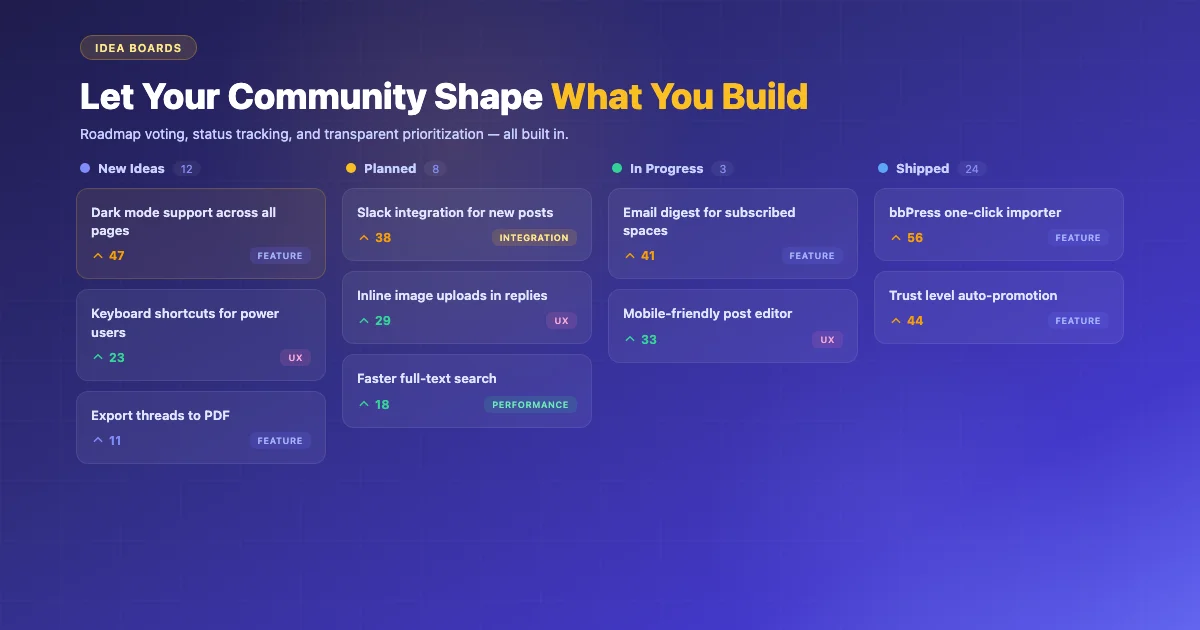
What it is: A space where members suggest ideas, vote on what matters most, and see status updates as ideas progress.
When your community needs it:
- Product feature requests and roadmap planning
- Course content suggestions from students
- Community improvement proposals
- Event planning and activity voting
What makes it valuable:
- Members feel heard when they can vote on what gets built next
- Status tracking (Under Review, Planned, In Progress, Done) shows progress
- Voting data tells you what your community actually wants, not what the loudest voices demand
- Reduces duplicate feature requests since members can upvote existing ideas instead
If you sell a product, run a membership site, or manage a course, idea boards give you a direct line to what your community values most. That’s market research you don’t have to pay for.
4. Social Feed
What it is: Short-form posts, quick updates, and real-time conversation. Think of it as a community timeline.
When your community needs it:
- Quick wins and member celebrations
- Behind-the-scenes updates from your team
- Link sharing and resource discovery
- Casual interaction that builds community culture
Why it complements forums:
- Not everything needs a full discussion thread. Sometimes “Just shipped our first order!” deserves a quick congratulation, not a forum topic.
- Lower barrier to participate, since posting a quick update is easier than creating a forum topic
- Keeps the community feeling active between longer discussions
Why Mixing Formats Actually Increases Participation
There’s a real psychological reason a single forum format underperforms a mix of spaces, and it comes down to how much effort a member has to spend before they’ll bother posting anything at all. Writing a forum topic requires a title, a clear question or statement, and the implicit expectation that it deserves a real reply thread. That’s a meaningful amount of friction for someone who just wants to say “this worked great, thanks” or drop a quick link they found useful.
A social feed removes almost all of that friction, which is exactly why it captures a different, much larger volume of low-effort but genuinely community-building activity. Members who would never start a forum thread will happily drop a two-sentence update into a feed, and those small interactions add up to a community that feels alive between the bigger discussions, rather than one that only shows signs of life when someone posts a substantial question.
Q&A spaces solve a different friction problem: the fear of asking something that’s already been answered, or of getting buried in a long thread with no clear resolution. Structuring a space specifically around accepted answers removes the anxiety of “is this a dumb question” that keeps a lot of members lurking instead of posting, since a Q&A format signals clearly that asking is exactly what the space is for.
Moderation Looks Different Across Each Space Type
Running four different space types well means recognizing that moderation needs shift depending on the format, rather than applying one blanket set of rules everywhere. A forum’s biggest moderation challenge is usually off-topic drift and duplicate threads, both of which get solved with clear categories and a pinned FAQ that catches repeat questions before they spawn a new thread. A social feed’s main moderation concern is closer to spam and low-effort noise, since the lower posting barrier that makes a feed valuable also makes it easier for someone to post something disruptive without much friction.
Q&A spaces need moderation focused on answer quality rather than just behavior, since a wrong or outdated answer marked as “accepted” actively misleads future visitors searching for a solution. Idea boards carry a different risk entirely: managing expectations. A voting system that never results in visible status changes, ideas sitting in “Under Review” indefinitely, trains members to stop bothering to vote or suggest anything new, which defeats the entire purpose of the space. Committing to actually updating idea statuses, even just to mark something “Not Planned” with a brief explanation, matters more for long-term trust than the voting mechanism itself.
Measuring Engagement Across Different Formats
A single “total posts” metric hides more than it reveals once a community runs multiple space types, since a healthy social feed naturally generates far more posts than a healthy Q&A space, without one being more valuable than the other. Tracking metrics specific to each format gives a clearer picture: response time and accepted-answer rate for Q&A, vote counts and status-change frequency for idea boards, thread depth and return-visitor rate for forums, and posting frequency plus reaction counts for a social feed.
Watching how members move between spaces is worth tracking too. A member who starts in the social feed, gets comfortable with the community’s tone, and eventually posts their first forum thread or Q&A question weeks later represents exactly the kind of engagement ladder that a single-format community structurally can’t create, since there was never a low-stakes on-ramp for that member to warm up in first.
Common Mistakes When Launching Multiple Spaces
The most common mistake is launching all four space types at once with no existing content in any of them, which leaves every space looking empty and unwelcoming to the first members who show up. Seeding each new space with a handful of genuine posts, real questions your team has actually answered before, a couple of ideas you’re already planning to build, gives new members something to react to instead of facing a blank page.
A second common mistake is failing to communicate which space is for what, leaving members to guess and often defaulting back to whichever single format they’re used to, usually the forum. A brief onboarding message or a pinned post in each space explaining its specific purpose solves most of this confusion quickly, and revisiting that messaging periodically helps as new members join long after the initial rollout.
A third mistake is treating all four spaces as permanent and equal from day one rather than letting actual usage guide where to invest further design or feature effort. If your community turns out to barely use the idea board six months in, that’s useful information, not a failure. It might mean your particular community doesn’t have much of a product-feedback dynamic, and that’s fine. Not every community needs every space type used heavily; the value is in offering the right container for whichever kinds of interaction your specific members actually want to have.
How to Set This Up on WordPress
You have two paths:
Option A: Multiple Plugins
Install a forum plugin (bbPress), a Q&A plugin (DW Question & Answer), a voting plugin, and use BuddyPress activity for social feeds. This works but means managing 4+ plugins, ensuring compatibility, and dealing with different interfaces for each format.
This route has a real advantage worth naming: each individual plugin is often more mature and feature-rich in its specific category than a bundled all-in-one tool, since a dedicated forum plugin has usually had years to refine exactly that one feature set. The cost is integration work. Getting bbPress, a separate Q&A plugin, and BuddyPress to share a consistent look, a single search, and one unified member profile usually takes custom development time that a lot of site owners underestimate going in.
Option B: Jetonomy (All Four in One)
Jetonomy includes all four space types in a single free plugin. Create a Forum space, a Q&A space, an Ideas space, and a Social Feed space from one settings panel. Consistent design, shared user profiles, unified search, and one plugin to maintain.
| Approach | Plugins Needed | Consistent UX | Maintenance |
|---|---|---|---|
| Multiple plugins | 4+ | No (different designs) | High |
| Jetonomy | 1 | Yes | Low |
Getting the Mix Right
You don’t need all four spaces on day one. Start with what your community needs most:
Support community? Start with Q&A + Forum. Add Ideas later for feature requests.
Course community? Start with Q&A + Social Feed. Students ask questions and share progress.
Product community? Start with Ideas + Forum. Collect feature requests and discuss them.
General interest community? Start with Forum + Social Feed. Add Q&A as common questions emerge.
The key is matching the format to the interaction type. When your members can ask questions in Q&A, vote on ideas in Idea boards, discuss in Forums, and share quick updates in Social Feed, you cover how communities actually work, not just how old forum software worked.
Signs Your Community Has Outgrown a Single Forum
A few recurring patterns tend to show up right before a community outgrows a single forum format, and recognizing them early makes the transition to multiple spaces smoother than waiting until members are visibly frustrated. If your most active members start using forum threads as makeshift feature-request lists, tagging staff and asking “any update on this,” that’s a clear signal an idea board would capture that same energy in a format built for it, complete with status tracking instead of a thread that just goes quiet.
Similarly, if you notice the same basic questions getting asked and answered repeatedly across different threads, with no easy way for a new member to find the previous answer, that’s the classic case for a Q&A space, and it’s worth checking your search analytics or support inbox for the specific questions that keep recurring before building the space out, so it launches already stocked with the answers members actually need. A forum’s search can technically find an old thread, but it doesn’t surface which reply in that thread was actually the working solution, which is exactly the gap a Q&A format’s accepted-answer feature closes.
And if your forum has gone quiet between big discussions, with long stretches of no new activity, a social feed often revives that sense of a living community faster than trying to generate more forum topics artificially. Low-stakes, quick-to-post updates fill the gaps between substantial discussions in a way a forum’s higher-effort format structurally can’t.
Migrating Existing Content Into a New Space Structure
If you’re adding new space types to a community that already has an active forum, you don’t need to migrate old content to make the new spaces useful. Existing forum threads can stay exactly where they are while new questions start flowing into a fresh Q&A space and new feature requests start landing on a new idea board. Over time, the newer, better-structured spaces naturally absorb the type of activity they’re built for, without requiring a disruptive one-time migration that risks breaking old links or losing search history.
The one thing worth doing proactively is pointing your community toward the new spaces the first time each comes up. A pinned announcement explaining “feature requests now go here” or “technical questions now go in Q&A instead of the general forum” redirects behavior faster than expecting members to discover the new structure on their own. It also helps to have a moderator gently redirect the first few misplaced posts with a friendly link rather than deleting or ignoring them, since that early guidance teaches the whole community where things belong far more effectively than a rules page nobody reads.
Frequently Asked Questions
Do I need separate user accounts for each space type?
No, and requiring that would defeat much of the value of running multiple spaces in the first place. A member should be able to post in the forum, ask a Q&A question, vote on an idea, and drop an update in the social feed all under one profile, with one reputation history that reflects their contributions across every space rather than four disconnected identities.
Can I start with just two space types and add more later?
Yes, and for most communities that’s the more realistic starting point than launching all four at once. Adding a new space type later, once you’ve noticed a clear gap in how members are trying to interact, tends to land better than guessing upfront at what your specific community will need.
How do I decide which existing content goes into which space?
Rather than manually sorting old content, it’s usually more practical to leave existing forum history where it is and let new activity flow into whichever new space fits it going forward. Members naturally start posting feature requests to a new idea board and troubleshooting questions to a new Q&A space once those options exist and get pointed out clearly.
Will splitting content across four spaces make my community feel smaller or quieter?
It’s a fair worry, especially for a smaller community that’s already worked hard to build up forum activity. In practice, the opposite tends to happen once each space finds its footing, since a member who wouldn’t have posted a forum thread will often drop a quick update in a social feed, meaning total activity across all four spaces usually ends up higher than what a single forum alone would have generated. The one caveat is timing. A brand-new community with only a handful of active members is better off starting with one or two spaces rather than four, simply because there isn’t enough activity yet to spread meaningfully across that many formats without each one looking sparse.