
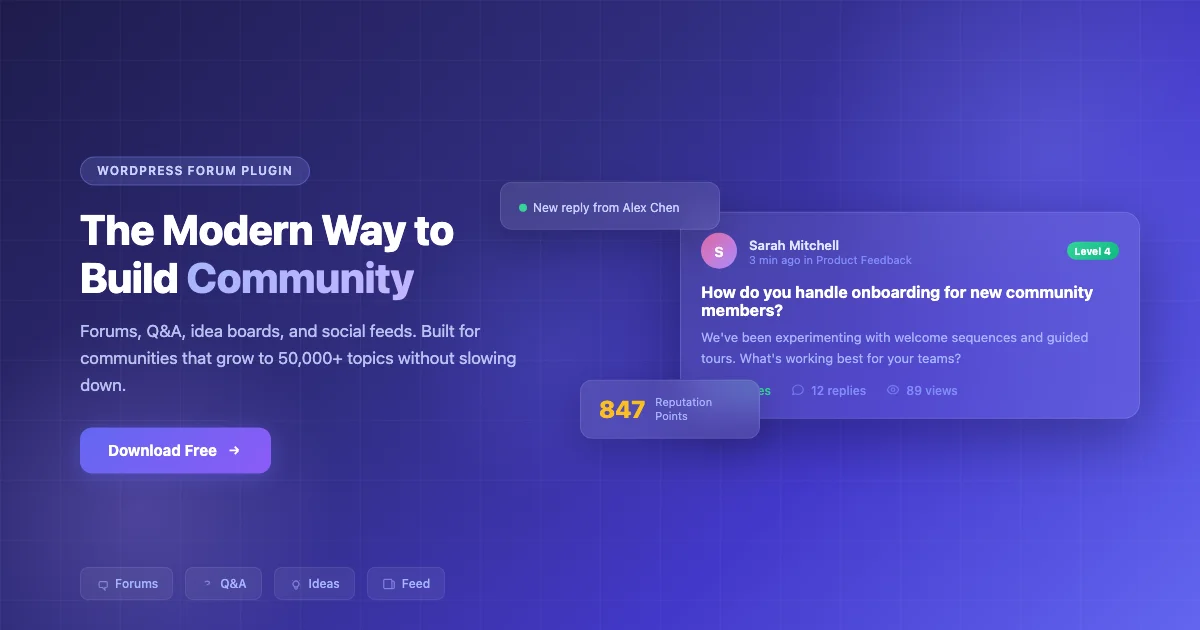
Adding a forum to your WordPress site turns passive visitors into an active community. But with dozens of forum plugins available, picking the right one matters, the wrong choice means more work for you and a worse experience for your members.
This guide compares the best WordPress forum plugins, with honest assessments of what each does well and where it falls short. If you want the short answer: Jetonomy is the standout free option, four community formats, self-moderating trust levels, and no feature locks. Download it free or keep reading for the full comparison.
| Plugin | Best For | Q&A Mode | Auto-Moderation | Price |
|---|---|---|---|---|
| Jetonomy | All-in-one communities | Yes | Yes (trust levels) | Free |
| bbPress | BuddyPress communities | No | No | Free |
| wpForo | Standalone forums + SEO | Yes | No | Free (Pro from $59/yr) |
| Asgaros Forum | Small communities | No | No | Free |
| ForumWP | Block editor users | Yes | No | Free (Pro $69/yr) |
| Simple:Press | Complex permissions | No | No | Free (Pro $59/yr) |
| BuddyBoss | Premium communities | No | No | $228/yr |
How We Compared These Plugins
Every plugin below was evaluated on the same criteria: how the forum performs once a directory has real volume, not just a demo install with a dozen test posts; how much moderation happens automatically versus how much falls on a human admin; how cleanly the plugin integrates with an existing WordPress theme rather than forcing its own visual shell; and whether the pricing is transparent, meaning the free tier is genuinely usable rather than a crippled trial. Plugins that looked good on paper but relied on paid add-ons for core functionality, like search or basic moderation, were marked down accordingly.
1. Jetonomy - Best All-in-One Forum Plugin
Jetonomy gives you four types of community spaces in one free plugin: discussion forums, Q&A with accepted answers, idea boards with voting, and social feeds.
What sets it apart is automatic moderation. New members start with limited permissions and earn more access as they contribute through six trust levels. Your community largely moderates itself as it grows, instead of creating more work for you. It also handles growth well, your forum stays fast regardless of how many discussions you have. It pairs cleanly with BuddyX 5.1.3 running on the BuddyNext engine, giving you forums and a full social layer on the same WordPress install.
The trust-level system is worth explaining in more detail, since it’s the feature that does the most work. New accounts start with restricted posting limits and no ability to post external links. As a member’s contributions get upvoted and their content survives without flags, they graduate to higher trust levels that unlock link posting, image uploads, and eventually light moderation abilities over new members’ content. That progression means the admin workload doesn’t scale linearly with community size the way it does on a plugin with flat permissions for every registered user.
Strengths
- Four community formats in one plugin
- Self-moderating through trust levels
- Import from bbPress, wpForo, or Asgaros
- Matches your theme automatically
- Setup wizard - live in 5 minutes
- Free with no feature locks
Limitations
- Newer plugin - smaller third-party ecosystem
- Pro extensions cost extra (messaging, polls, analytics)
Best for: New communities that want forums, Q&A, and idea boards without managing multiple plugins.
Try the demo | Download free | See BuddyX demos | Free vs. Pro
2. bbPress - Best for BuddyPress Communities
bbPress is the classic WordPress forum plugin from Automattic. It integrates natively with BuddyPress, forum activity shows in streams, forums appear inside groups, and everything shares the same user profiles.
The honest downside: core development has slowed, the default design looks dated, and performance can struggle on larger sites. You’ll also need paid add-ons for most advanced features. But for existing BuddyPress communities, bbPress paired with a theme like BuddyX remains the most integrated option.
On a forum with a few thousand topics, bbPress leans heavily on your hosting and caching setup rather than doing much query optimization on its own. Object caching and a decent page cache make a real difference; without them, topic-heavy forums start to feel sluggish well before they hit true scale. If you’re already committed to the BuddyPress ecosystem for profiles and groups, that trade-off is usually worth it for the tight integration alone.
Best for: BuddyPress social communities that want forums alongside profiles, groups, and activity streams.
3. wpForo - Best for SEO-Focused Forums
wpForo ships with four layouts, built-in SEO tools, and a reputation system, all free. If search engine visibility is your top priority, wpForo handles it better than any other plugin on this list. The trade-off: no automatic moderation, and premium add-ons add up quickly.
The SEO tooling goes beyond generic meta tags. wpForo generates structured breadcrumbs, clean topic URLs, and schema markup for Q&A-style threads out of the box, which matters if organic search traffic to individual topic pages is part of your growth plan. The reputation system rewards active posters with visible badges, which helps surface trustworthy answers in older, high-traffic threads, though unlike Jetonomy’s trust levels it doesn’t gate posting permissions automatically.
Best for: Standalone forum sites where search engine traffic matters most.
4. Asgaros Forum - Best for Simplicity
Asgaros Forum is the lightweight option. Install, add a shortcode, done. No Q&A, no trust levels, no social features, just clean, fast forums for small communities.
The simplicity is genuinely the point rather than a limitation dressed up as a feature. Asgaros doesn’t try to be a community platform; it’s a discussion board, and it stays fast because it isn’t rendering activity feeds, reputation widgets, or social graphs alongside every topic. For a blog that wants a comment-adjacent discussion space without adopting an entire community stack, that focus is an advantage.
Best for: Bloggers and small niche sites wanting a no-fuss discussion board.
5. ForumWP - Best for Block Editor Users
ForumWP was built from scratch for the Gutenberg block editor. Supports topic types (discussion, question, idea), voting, and front-end management. Still newer with a smaller community, but actively developed.
Because it’s block-native, forum layouts sit inside the same editor most site owners already use for pages, which shortens the learning curve considerably compared to plugins with their own separate settings screens for every layout choice. Front-end topic management, letting members edit or move their own topics without a trip to wp-admin, is a smaller but genuinely useful detail that older forum plugins often lack.
Best for: WordPress developers who want a block-editor-native forum.
6. Simple:Press - Best for Complex Organizations
Simple:Press offers 300+ configuration options and the deepest permission system available. Steep learning curve, but unmatched control for companies and institutions with complex access requirements.
That permission depth is the whole reason to pick Simple:Press over a simpler plugin. You can define access down to individual forum sections by user group, department, or custom role, which is exactly what an intranet or a school with distinct student, faculty, and parent groups needs and exactly what a small niche community doesn’t. The learning curve is real, budget setup time before launch rather than expecting a same-day configuration.
Best for: Company intranets, schools, and multi-department communities.
7. BuddyBoss Platform - Best Premium Solution
BuddyBoss bundles forums, social networking, mobile apps, and LMS integration into one commercial product. The most polished out-of-the-box experience on this list, but costs $228+/year.
The price buys a genuinely cohesive product: forums, activity feeds, groups, and course integration all designed by one team to work together, plus native iOS and Android apps if a mobile presence matters to your community. For a course creator or membership site with the budget, that cohesion removes a lot of the plugin-compatibility troubleshooting that comes with stitching together separate free tools.
Best for: Course creators and premium membership sites with budget.
Which Plugin Fits Your Community Size?
A forum with a few hundred posts behaves nothing like one with fifty thousand. If you’re planning for real growth, a few things matter more than feature lists. Confirm the plugin paginates topic and reply listings rather than loading everything at once, since an unbounded query is the single most common cause of a forum grinding to a halt as it ages. Check whether search is built in or bolted on; forums with years of history are only useful if members can actually find old answers. And look at how moderation scales: a plugin that requires a human to approve every post works for a hundred members and becomes a full-time job at ten thousand, which is exactly why trust-level or reputation-based auto-moderation, as in Jetonomy or wpForo, matters more the bigger a community gets.
Setting Up Your Forum in Under an Hour
Regardless of which plugin you pick, the first-hour setup follows roughly the same path. Install and activate the plugin, then create your top-level categories before opening registration, a handful of well-named categories are easier for new members to navigate than twenty narrow ones added piecemeal later. Set your registration and posting permissions next: decide whether guests can read but not post, whether new accounts need email verification, and whether a moderation queue applies to first posts only or every post. Configure notifications so members get emailed when someone replies to their topic, this single setting has an outsized effect on return visits. Finally, style the forum to match your theme, either through the plugin’s own appearance settings or, with Jetonomy, automatically through CSS custom properties pulled from your active theme.
Seed the forum with a handful of genuinely useful starter topics before announcing it publicly. An empty forum with no activity reads as abandoned even on day one; five or six real threads, an introductions topic, an FAQ, and a couple of substantive discussions, give new visitors something to respond to instead of staring at a blank category list.
Mobile Access and Notifications
Most forum traffic today arrives on a phone, so how a plugin handles small screens matters as much as its desktop feature set. bbPress and wpForo both rely on your active theme’s responsive styles, which means the mobile experience is only as good as your theme’s forum templates, worth checking directly on a phone rather than assuming it works. Jetonomy’s layout adapts through the same theme-matching system it uses for desktop styling, so it inherits your theme’s breakpoints rather than shipping a separate, potentially mismatched mobile view. BuddyBoss is the outlier here with dedicated native apps rather than a responsive web view, which is part of what the higher price covers.
Email notifications deserve the same attention as layout. A member who replies to a thread and never gets notified of a response has little reason to come back. Test the notification flow end to end after setup, reply to your own test topic from a second account and confirm the email actually arrives, rather than trusting a settings toggle that claims it’s enabled.
Accessibility Matters More Than It Gets Credit For
A forum is only as useful as the number of people who can actually navigate it. Keyboard-only navigation, and whether topic lists and reply forms are reachable without a mouse, is worth testing directly rather than assuming it works because the plugin looks modern. Screen reader support depends heavily on whether headings, form labels, and ARIA attributes are implemented correctly in the plugin’s templates, something that varies more between these plugins than marketing pages usually admit. bbPress and wpForo, being older and widely used, have had more time for accessibility issues to surface and get patched through community bug reports. Newer plugins like ForumWP and Jetonomy are still building that track record, so a quick manual check with a keyboard and a screen reader before launch is worth the twenty minutes it takes, especially for any community site with a legal obligation to meet accessibility standards.
Data Ownership and Exporting Your Forum
Every one of these plugins stores forum content in your own WordPress database, which is worth stating plainly because it’s the reason self-hosted forum plugins remain worth the setup effort compared to a hosted third-party forum service. Your topics, replies, and member data live in tables you control, on hosting you control, with no external company able to shut off access or change pricing terms on a platform your community depends on. That also means standard WordPress database backups cover your forum automatically, no separate export step required, as long as your backup routine already covers the full database and not just files.
If you do eventually want to move the forum content elsewhere, whether to a different plugin or off WordPress entirely, exporting is a matter of a standard WordPress XML export for content, plus a direct database export for anything the standard exporter doesn’t capture, like custom taxonomy relationships or plugin-specific meta fields. It’s worth testing an export and reimport on a staging site occasionally, well before you actually need it, so a real migration isn’t the first time you discover what the export does and doesn’t preserve.
Handling Growth Once Your Forum Takes Off
The plugin choice that made sense at launch doesn’t always stay the right one two years later. A forum that started as a simple Q&A board sometimes grows into something that needs proper categories, sub-forums, or a reputation system it didn’t originally have. Revisit the decision periodically rather than treating the initial choice as permanent: check whether posting volume has started outpacing what a moderation queue can realistically review by hand, whether members are asking for features the current plugin doesn’t support, and whether page load times on the busiest topics have started to slip. Catching that drift early, before members start complaining publicly, makes any eventual migration a planned project instead of an emergency response.
Starting fresh? Jetonomy, most features for free, self-moderating community.
Already on BuddyPress? bbPress + BuddyX theme for the tightest integration.
Need great SEO? wpForo handles search engine optimization best.
Want simplicity? Asgaros Forum, five minutes and done.
Have budget for premium? BuddyBoss for the most polished experience.
Frequently Asked Questions
What’s the best free forum plugin for WordPress?
Jetonomy offers the most features for free: forums, Q&A, idea boards, social feed, trust-based moderation, and importers for bbPress and wpForo.
Can I switch from bbPress to another plugin?
Yes. Jetonomy includes a built-in bbPress importer with preview and resume support. wpForo also imports from bbPress.
Which plugin works best with BuddyX?
BuddyX 5.1.3 on BuddyNext has built-in styling for bbPress forums. Jetonomy adapts to any theme automatically through CSS custom properties, so both work well with BuddyX.
How do I prevent forum spam?
Jetonomy uses trust levels that automatically limit new accounts. bbPress relies on Akismet. Both benefit from requiring registration before posting.
Can I run a forum and a full BuddyPress community together?
Yes. Both bbPress and Jetonomy coexist with BuddyPress profiles, groups, and activity streams on the same install. bbPress ties directly into BuddyPress groups, while Jetonomy runs alongside BuddyPress as a separate but visually matched community layer.
Do any of these plugins support private, invite-only forums?
Simple:Press and BuddyBoss both support granular, group-based access restrictions suited to private or invite-only sections. bbPress inherits BuddyPress’s group privacy settings, so a private BuddyPress group’s forum is private by extension. Jetonomy and wpForo are built primarily around open, public discussion, though both support restricting individual categories to logged-in members.
How much does hosting a forum add to my WordPress costs?
Beyond the plugin itself, the main added cost is hosting headroom. Forums generate more database writes than a typical blog, since every reply, vote, and notification touches the database, so a forum with real traffic benefits from object caching (Redis or Memcached) and a host that doesn’t throttle database connections. None of the plugins here require special hosting to launch, but all of them get noticeably faster with a proper caching layer once traffic grows past a small community.