
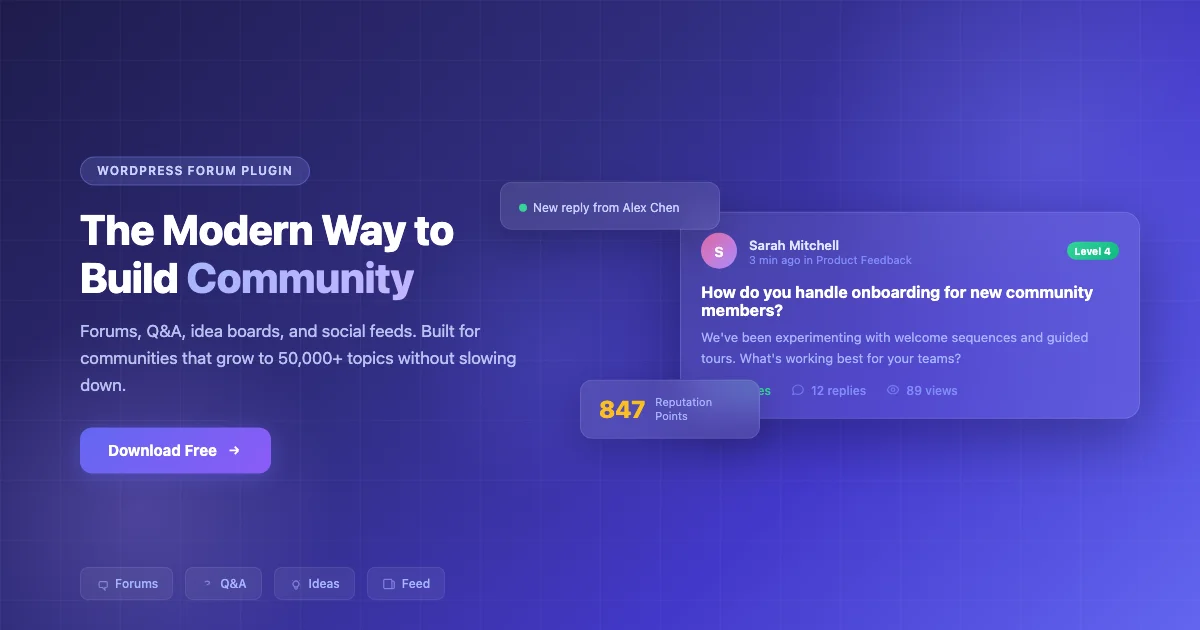
Most WordPress forum plugins give you the tools to build a discussion board. Then they leave you to deal with spam and manage user permissions manually, on top of patching together five add-ons just to get basic features working. Jetonomy takes a different approach.
Jetonomy is a free, open-source WordPress forum plugin that ships with everything most communities need out of the box: four types of discussion spaces and automatic moderation through trust levels, plus a design that matches your theme without custom CSS. No premium tiers. No feature locks. Download it free from the store or read on to see what you get.
What Makes Jetonomy Different
Four Community Spaces in One Plugin
Most forum plugins do one thing: threaded discussions. Jetonomy gives you four formats that cover how real communities actually interact:
| Space Type | How It Works | Best For |
|---|---|---|
| Forums | Traditional threaded discussions | General conversation, announcements, topic-based chat |
| Q&A | Questions with accepted answers, voting | Support, knowledge base, expert communities |
| Ideas | Feature requests with voting and status tracking | Product feedback, roadmaps, community input |
| Social Feed | Short-form posts and conversations | Quick updates, casual interaction, news sharing |
Instead of installing a forum plugin, then a Q&A plugin, then a voting plugin separately, Jetonomy handles all four in one place. Fewer plugins means fewer compatibility issues and less maintenance.
The four formats aren’t just cosmetic variations on the same thread view. Forums handle open-ended discussion the way people expect: someone starts a topic and replies stack underneath in order, so the conversation stays readable as it grows. Q&A spaces work differently on purpose. A member asks a question and other members answer. The original poster, or a moderator, then marks one response as the accepted answer, so the next visitor who lands on that page from a search engine sees the correct fix at the top instead of scrolling through forty replies. Ideas spaces behave almost like a lightweight public roadmap. A member submits a feature request and other members vote on it. You change its status as you work through the backlog, so people can watch a suggestion move from “under review” to “planned” without filing a support ticket. Social Feed drops the structure entirely for posts that don’t need it - a short update or a quick question that would feel out of place as a formal thread.
Because all four formats live in the same plugin, a member profile shows someone’s forum replies next to their answered questions and their feed posts. Nothing gets siloed into a separate app or a separate login.
Your Community Moderates Itself
This is the feature that changes everything for growing communities.
Jetonomy uses a trust level system inspired by Discourse. When someone joins your community, they start with limited permissions. They can’t post links and they’re rate-limited to a few posts per day; full access to every feature unlocks as they build trust. This stops most spam before it reaches your community.
As members contribute positively - posting helpful content, receiving upvotes, staying active - they automatically progress through six trust levels. Each level unlocks more capabilities: posting links, editing their own content, flagging inappropriate posts, and eventually helping moderate. You configure the promotion thresholds once, and the system runs on its own.
In practice, the early levels are about containing risk. A brand-new account can post text but can’t drop a link in a reply, which closes off the most common spam vector on any open forum: someone registers an account purely to paste a promotional URL. As an account builds a track record, links open up, then the ability to edit posts without a moderator reviewing the change first, then flagging privileges that let a trusted member help keep the space clean. The highest levels are reserved for the people who’ve been active long enough and contributed enough that giving them light moderation powers actually reduces your workload instead of creating a new risk. You set the thresholds for post count and account age, plus a reputation score, once in the settings screen; after that, promotion happens automatically, and demotion happens too if someone’s account starts racking up flags instead of upvotes.
The result: by the time your community is active, your most engaged members are also your moderators. You spend less time policing content and more time building value.
Stays Fast at Any Size
Many WordPress forum plugins store data in the same tables as your blog posts and pages. That works for small communities but causes slowdowns as discussions grow into the thousands. Jetonomy was purpose-built for community workloads, so your forum stays responsive whether you have 100 discussions or 100,000.
The plugin keeps forum content in its own dedicated tables rather than overloading wp_posts, and it indexes the columns that actually get queried on a busy forum: space, status, author, and last-activity time. That matters more than it sounds like it should. A site that stores every reply as a custom post type eventually runs into a wp_posts table with hundreds of thousands of rows mixed in with pages and product listings, on top of every media attachment WordPress stores as a post, and every query touching that table gets slower for it. Keeping forum data separate means your blog stays fast and your forum stays fast, independently of each other.
Works with Any WordPress Theme
Jetonomy uses CSS custom properties to inherit your theme’s colors and fonts, along with its spacing, automatically. It works beautifully with community themes like BuddyX - including BuddyX 5.1.3 running on the BuddyNext engine - and looks good on any WordPress theme without requiring custom CSS or compatibility patches. See how the two work together on the BuddyX demos page.
Because the styling is token-driven rather than hardcoded, a dark-mode toggle on your theme carries over into the forum automatically instead of leaving the discussion area stuck in a bright white panel that clashes with the rest of a dark site. The layout also respects right-to-left languages out of the box, which matters if any part of your audience reads Arabic, Hebrew, or Urdu and expects the reply column and the vote buttons to mirror correctly instead of rendering left-to-right regardless of the page’s text direction.
The theme integration also carries over to keyboard navigation and screen readers. Vote buttons, the accept-answer control, and the reply editor are all reachable without a mouse, which matters for members who navigate by keyboard and for any site that needs to meet accessibility requirements rather than treat them as optional.
Why the Structured Data Matters
A Q&A thread with no schema markup is invisible to Google’s rich results, no matter how good the answer inside it is. Jetonomy outputs QAPage and DiscussionForumPosting structured data automatically on every relevant thread, which is the same markup format Google looks for when deciding whether to show an expandable answer preview directly in search results. That preview is what turns a search result into a click instead of getting skipped for a competitor’s listing.
This isn’t a setting you have to configure. It runs by default on every Q&A thread and every forum discussion the moment the plugin is active, so older threads that were already indexed pick up the markup the next time search engines crawl them.
Setting Up Jetonomy
Installing the plugin drops you into a setup wizard rather than a blank settings screen. The wizard asks what kind of community you’re running and offers to create your first space with sensible defaults already filled in. It also gives you the option to load demo content so you can see how a populated forum looks before your own members show up. Most site owners get from a fresh install to a working forum in well under an hour, including the time spent picking colors and deciding which space types to enable first.
You don’t have to enable every space type on day one. A site that only needs support Q&A can turn off Forums and Social Feed entirely and keep the settings screen focused on the one format members will actually use. Spaces can be added later without touching existing content, so a support-only launch can grow into a full forum-plus-ideas-plus-feed setup once the community is established.
Migrating from bbPress, wpForo, or Asgaros
A lot of Jetonomy installs aren’t fresh forums. They’re migrations off a plugin that’s been discontinued, stopped receiving updates, or simply hasn’t kept pace with how the site’s community has grown. Jetonomy ships with importers for bbPress, wpForo, and Asgaros that map topics, replies, and authors into the new structure, and every import runs in dry-run mode first. That preview step matters: you get to see exactly what will be created before anything touches your live database, catch mapping issues while they’re still free to fix, and only commit the import once the preview looks right.
Existing bbPress installs are common enough on WordPress that keeping a dedicated importer maintained, rather than pointing people at a generic export/import tool, is worth the extra engineering effort. A migration that preserves who said what, and when, is the difference between a forum that keeps its history and one that starts over with an empty room. That history has real value beyond nostalgia: a five-year-old thread answering a common question is often still the top result Google shows for that question, and losing the URL or the content in a botched migration means losing that ranking along with it.
Jetonomy Compared to a Typical WordPress Forum Setup
The usual path to a WordPress forum looks like this: install bbPress for threads, add a separate plugin because bbPress has no native Q&A or voting, add another one for reactions, and then spend an afternoon in custom CSS trying to make all three look like they belong on the same site. Each plugin has its own settings screen and its own update schedule, plus its own way of handling spam, which usually means none of them handle it particularly well because none of them were designed around the problem specifically.
Jetonomy treats that whole stack as one plugin with one settings screen and one spam-prevention system that applies everywhere at once. That’s a smaller footprint on your site and fewer plugin conflicts to debug when something breaks after a WordPress core update, plus one changelog to check instead of three or four.
What’s Included Free
- Four space types: Forums, Q&A, Ideas, Social Feed
- Six trust levels with automatic member promotion
- Voting, reputation scores, and community leaderboard
- Full-text search with type filtering
- MemberPress and Paid Memberships Pro integration
- bbPress, wpForo, and Asgaros importers with dry-run preview
- SEO structured data (QAPage, DiscussionForumPosting)
- Member flagging with centralized moderation queue
- Setup wizard with optional demo content
- Works with any WordPress theme
What Jetonomy Pro Adds
The free plugin is complete and has no feature limits. For communities that want more, Jetonomy Pro adds 13 optional extensions:
- Private messaging
- Emoji reactions
- Polls
- Analytics dashboard
- Custom badges
- Email digests
- Webhooks
- White-label branding
- Bookmarks
- Post formatting toolbar
- Auto-close inactive topics
- Saved replies for moderators
- Pinned posts per space
Pro starts at $69/year for 1 site. Each extension can be enabled or disabled independently, so you only activate what you need.
None of these extensions are gated behind the free version being crippled first. The free plugin handles a fully functional forum on its own; Pro is for site owners who specifically want private messaging between members, a formatting toolbar for longer posts, or an analytics dashboard that shows which spaces get the most activity. A support-focused Q&A site might only ever need saved replies for moderators and email digests, and can skip the rest.
The webhooks extension is worth calling out separately because it’s the one that lets Jetonomy talk to tools outside WordPress entirely. New questions, new topics, and status changes on an idea can all fire an outbound webhook that a team connects to whatever external tool they already run, whether that’s a help desk, a project tracker, or a team chat app, without a developer writing custom integration code first. For teams already relying on those tools day to day, that connection saves someone the job of manually copying a forum thread over every time something needs attention.
Who Should Use Jetonomy
You’re starting a new community - Jetonomy is the fastest path from install to live community. The setup wizard gets you running in 5 minutes, with forums and Q&A spaces already configured and moderation included from the start.
You’re tired of managing spam manually - Trust levels handle spam prevention automatically. New accounts can’t post links or flood your community.
You need more than just forums - Q&A spaces, idea boards, and social feeds cover how real communities interact, without installing multiple plugins.
You’re outgrowing bbPress - Built-in importers let you migrate your existing bbPress, wpForo, or Asgaros content with a preview before committing.
You want to gate access for members - MemberPress and PMPRO integration lets you restrict premium spaces to paying subscribers.
Frequently Asked Questions
Is Jetonomy really free, or is this a freemium bait-and-switch?
The core plugin has no feature caps and no member limits, and there’s no watermark pushing you toward Pro. Pro exists as a set of optional extensions for teams that want private messaging, analytics, or white-labeling. A site can run Jetonomy free indefinitely without hitting a wall.
Does Jetonomy require BuddyPress or BuddyNext?
No. Jetonomy runs standalone on any WordPress install. It pairs naturally with BuddyNext because both come from the same team and share a design language, but neither one requires the other.
What happens if a trusted member starts misbehaving after being promoted?
Trust levels move in both directions. An account that racks up flags or gets content removed by moderators loses promotion eligibility and can be demoted, so a member who was helpful for a year and then starts posting spam doesn’t keep elevated permissions indefinitely.
Can I run Jetonomy on a multisite network?
Yes, each site on the network gets its own independent set of spaces, trust levels, and moderation settings.
Will switching from bbPress break my search rankings?
The dry-run import preview is there specifically to catch that risk before it happens. Reviewing the URL structure and redirect setup for your existing threads before committing the migration is the way to protect the search equity those old threads have already built up.
Does Jetonomy work with caching plugins?
Yes. Because forum content lives in its own tables with proper cache invalidation on new replies and votes, standard WordPress caching plugins can cache forum pages without serving stale reply counts to visitors.
Can members log in with an existing WordPress account?
Yes, Jetonomy uses WordPress’s own user system rather than a separate login table. Anyone who already has an account on your site can post in a forum, ask a question, or submit an idea without registering again.
Jetonomy and the Free Wbcom Community Stack
Jetonomy adds structured forums and Q&A to a WordPress site, but a full community needs more than a forum. It also needs a social engine where members can post updates and follow each other, building real connections over time. BuddyNext is Wbcom’s free standalone community engine for exactly that: activity feeds, member spaces, profiles, and messaging, all built into WordPress without any third-party dependency. BuddyX, also free, is the theme designed to bring the whole thing together visually. Check the BuddyX free vs. Pro comparison to see which tier fits your needs.
When you run Jetonomy alongside BuddyNext, members get both a social feed and a real forum on the same site. One person posts a quick update to their feed; another opens a Q&A space to ask a detailed question that stays searchable and answered. Both tools come from the same team and share the same design language. Both are free to use. You can build a complete, fully featured community on WordPress without spending anything.
Try It
Jetonomy is free to download and use on any WordPress site. No account required, no trial period, no feature restrictions.