
Building a community on WordPress shouldn’t require ten plugins
Anyone who has tried to stitch together a real community site on WordPress has run into this problem eventually. You start with BuddyPress for profiles and groups. Then you need a media plugin, because members want to share photos and it turns out the default WordPress media library wasn’t built for that. Then a forum plugin, because a simple activity feed doesn’t hold structured discussions well. Then a messaging solution, because members keep asking why they can’t DM each other. Then a moderation tool, because someone eventually uploads something that shouldn’t be public. Before you know it, you’re running a dozen plugins from a dozen different vendors, none of which were designed with each other in mind. Conflicts start showing up in the console, styles clash between plugins that both assume they own the profile page layout, and support tickets pile up faster than any one developer can chase down.
There’s a more sustainable way to build this. Three products, built by the same team, designed to work together from the start rather than bolted on after the fact.
Try the complete stack in a free sandbox
The stack
BuddyX Pro, the community theme
BuddyX Pro handles the visual layer: responsive layout, BuddyPress UI components, and the overall design system the rest of the stack builds on top of. Member profiles, group pages, activity feeds, notifications, and the admin dashboard all look coherent out of the box instead of looking like three plugins fighting over the same page.
BuddyX Pro deliberately doesn’t try to do everything itself. It’s a theme, not a platform. It provides the design system and layout framework that plugins extend, rather than baking media handling or forum logic directly into the theme where it becomes hard to update independently. When WPMediaVerse adds a media tab to a profile, BuddyX Pro’s CSS handles the styling so it looks native. When Jetonomy adds discussion forums, they inherit the theme’s existing typography and spacing instead of shipping their own competing design language.
That separation matters more than it might seem. Themes that try to be full platforms in themselves, bundling social, media, and forum functionality directly into the theme code, create a lock-in problem. Switch themes later and you risk losing functionality that was never meant to live in a theme in the first place. With BuddyX Pro, the actual features live in plugins that keep working regardless of which theme sits on top of them. Change the visual layer without touching the data.
WPMediaVerse, the media layer
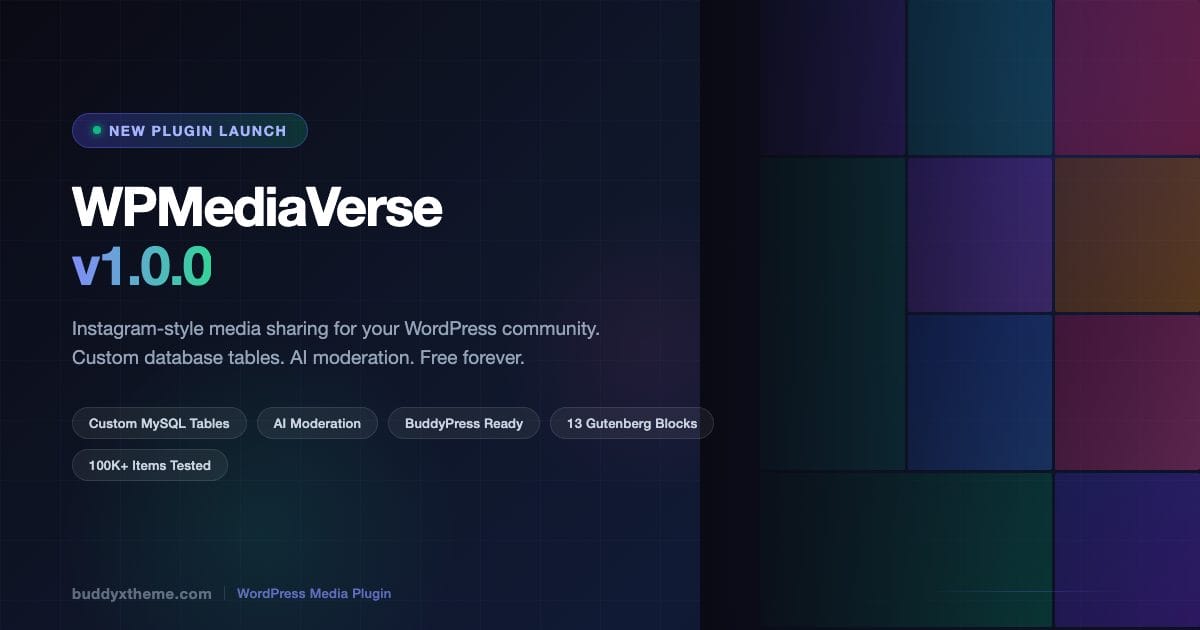
WPMediaVerse adds Instagram, Flickr, Pinterest, and Dribbble-style media sharing to a WordPress community. Members upload photos and videos, organize them into albums, react, comment, follow each other, and browse an explore feed, the kind of media-first social experience that used to require a dedicated platform outside WordPress entirely.
A few things set it apart from other WordPress media plugins:
- AI moderation on the free tier, every upload gets scanned automatically through OpenAI Vision before it’s visible to other members.
- Custom database tables (three indexed tables specifically for media, meta, and stats), so media queries don’t bloat the wp_posts table the way a naive implementation would, and performance holds up as an upload count grows into six figures.
- Built-in direct messaging, text and media messaging between members without needing a separate chat plugin layered on top.
- Photo battles in the Pro tier, one-on-one challenges, bracket tournaments, and community voting for engagement-driven communities.
- Five layout modes in Pro Personal, Instagram grid, Pinterest masonry, Flickr justified, and Dribbble showcase, so the media feed can match the visual style of whatever kind of community it’s serving.
- Video transcoding with HLS in Pro, genuine adaptive-bitrate video streaming rather than serving one static file regardless of connection speed.
- 80-plus REST API endpoints across 17 controllers, covering essentially every operation, which matters directly if a mobile app is on the roadmap at any point.
When BuddyPress is active, WPMediaVerse automatically adds media tabs to user profiles and groups, posts new uploads into the activity feed, and keeps comments synced between media items and BP activity entries, so a comment on a photo shows up in the same place a comment on a status update would.
Jetonomy, the discussion layer
Jetonomy is a WordPress forum plugin built for forums, Q&A boards, and idea communities, positioned as what bbPress might look like if it were designed today rather than carrying architecture decisions from over a decade ago. It supports three distinct space types: traditional forums, Q&A boards with accepted-answer marking, and idea boards with voting, which covers a wider range of community formats than a single generic discussion board.
Underneath that, it runs on custom database tables built for performance at scale, rather than relying on the wp_posts table the way bbPress does, which is one of the more common performance bottlenecks reported on large bbPress installations. It includes six trust levels with automatic member promotion, rate-limiting and link-blocking for new accounts to cut down on spam, full-text search with optional Elasticsearch or Algolia integration for larger installs, and migration tools from bbPress and wpForo with a dry-run option so a migration can be tested before it’s committed.
Jetonomy integrates with BuddyPress the same way WPMediaVerse does: profile tabs, group discussions, activity feed items, and a shared notification stream, so members experience one unified system rather than three separate plugins each demanding their own attention.
Why this combination works
Same team, same architecture
All three products come from Wbcom Designs, built to the same coding standards, the same hook and filter patterns, the same admin UI framework, and the same EDD-based licensing system. When a support ticket comes in, one team handles the entire stack rather than three separate support queues each pointing fingers at the others.
Compare that to running, say, BuddyBoss plus rtMedia plus bbPress from three unrelated vendors. When something breaks at the seam between two of them, each vendor has a legitimate incentive to blame the other plugin rather than dig into a genuinely shared bug. With a single-team stack, there’s no ambiguity about who owns the fix.
No feature overlap
Each product in the stack has a clearly scoped job:
| Layer | Product | What it does |
|---|---|---|
| Theme | BuddyX Pro | Design, layout, responsive UI |
| Social | BuddyPress | Profiles, groups, activity, notifications |
| Media | WPMediaVerse | Uploads, albums, reactions, follows, DMs, AI moderation |
| Discussions | Jetonomy | Forums, Q&A, ideas, threads, rich text, mentions |
No duplicate messaging systems fighting for the same notification bell. No conflicting handlers both trying to add a tab to the same profile page. Clean separation of responsibility paired with deep integration where it actually matters to the end user.
Progressive enhancement instead of a big-bang install
None of this needs to go in on day one. Start with BuddyX Pro and BuddyPress for a basic community: profiles, groups, an activity feed. Add WPMediaVerse once members start asking to share photos. Add Jetonomy once discussions outgrow what an activity feed comfortably holds. Each plugin detects BuddyPress automatically and activates its integration, so there’s no manual wiring required at any stage.
Each plugin also works entirely standalone, which matters for sites that don’t want the full social layer. WPMediaVerse doesn’t require BuddyPress to function. Neither does Jetonomy. A site that just wants a media-sharing gallery without member profiles can run WPMediaVerse alone. A site that just wants forums without the social graph can run Jetonomy alone.
What members actually get
- Rich profiles: avatar, cover image, bio, a media gallery tab, a discussion tab, and an activity feed, all in one place instead of scattered across separate plugin dashboards.
- Media sharing: drag-and-drop uploads, albums, smart collections, and an explore feed with filtering.
- Social interactions: follow, react, comment, bookmark, and favorite, consistently across both media and discussions rather than each feature working differently depending on which plugin built it.
- Direct messaging: built into WPMediaVerse without a separate chat plugin to install and maintain.
- Photo competitions: battles, tournaments, and challenges with community voting.
- Forum discussions: threaded conversations, rich text editing, mentions, and reactions.
- Groups: shared media albums, group-specific discussions, and a group activity feed.
- Notifications: one unified stream across all three plugins instead of three separate notification systems competing for attention.
- Content safety: AI moderation on every upload, with automatic scanning before anything goes live.
What site owners get
- One support relationship instead of three, since Wbcom Designs handles the whole stack.
- Performance built for scale, with custom database tables for media rather than an implementation that quietly slows down once wp_posts fills up with tens of thousands of media entries.
- Mobile readiness, since 80-plus REST API endpoints already exist for building a companion app rather than needing custom API work bolted on later.
- Gamification: points, streaks, badges, and leaderboards spanning engagement across the whole stack, not siloed per plugin.
- Cloud storage options: S3 and BunnyCDN support once local storage stops being practical.
- Migration tooling for moving off rtMedia, MediaPress, BuddyBoss, or bbPress without starting from a blank slate.
- No platform lock-in: GPL-licensed, self-hosted, and built on standard WordPress architecture rather than a proprietary hosted platform that owns the data.
Use cases worth thinking through
Photography community
BuddyX Pro provides the visual layout. WPMediaVerse in Pinterest or Flickr layout mode handles the gallery. Photo battles drive ongoing engagement between members rather than a static feed nobody revisits. Jetonomy runs the critique forums and technique discussions where the actual conversation happens. AI moderation keeps the public feed clean without a human reviewing every single upload manually.
Education platform
Student profiles sit inside BuddyPress groups organized per class. WPMediaVerse handles assignment submissions and portfolio sharing in a format students already understand from social media. Jetonomy runs class discussions and Q&A, with the accepted-answer feature specifically useful for instructor responses that need to stay visible above the general chatter. Storage quotas can be set per student tier to keep costs predictable.
Creative agency intranet
Team profiles and project-specific groups replace scattered Slack channels and shared drives. WPMediaVerse handles sharing design assets and work-in-progress in a format that’s easier to browse than a folder of files. Jetonomy runs project discussions and feedback threads with proper threading, avoiding the flattened chaos of a group chat trying to hold a design review. The whole thing can run private by default, with no public-facing pages required at all.
Hobby community
Car enthusiasts, gardeners, crafters, musicians, any hobby group benefits from the same basic shape. BuddyX Pro themed to match the hobby’s visual identity. WPMediaVerse for sharing photos of projects and progress. Photo battles for something like “show us your best restoration” as a recurring engagement format. Jetonomy for tips, tutorials, and event planning that needs more structure than an activity feed comment thread can hold.
Beyond social communities: using Jetonomy for support and retention
It’s worth calling out a use case that gets less attention than the social-community angle: Jetonomy’s Q&A boards work well as a self-serve support layer for products with an active user base, not just as a discussion forum for hobbyists. A SaaS product or a plugin ecosystem with recurring customer questions can run a Q&A space where the accepted-answer feature lets a support team mark the correct response, turning every resolved ticket into a searchable public answer instead of a private email thread that helps exactly one customer and then disappears.
This matters for retention specifically because it changes the relationship between a customer and a product from purely transactional (pay, use, occasionally email support) into something closer to a community, where customers start answering each other’s questions and building a reason to keep checking back beyond the product itself. Combined with BuddyPress profiles, contributors who consistently answer questions well can build visible reputation, which turns community support into something closer to a status game rather than an unpaid chore nobody wants to do. Products that adopt this pattern tend to see support volume plateau even as their user base keeps growing, since a meaningful share of repeat questions get answered by the community itself before ever reaching a support inbox.
How this compares to running BuddyBoss instead
BuddyBoss is the most common alternative site owners compare this stack against, so it’s worth being direct about the trade-offs rather than dodging the comparison. BuddyBoss bundles theme, app builder, and core community features into a single product with a single vendor relationship, which some site owners prefer specifically because it means fewer decisions to make upfront.
The trade-off is that BuddyBoss’s bundled approach means media, messaging, and forum functionality are baked into a platform that’s harder to swap pieces out of individually. If a site outgrows BuddyBoss’s media handling specifically, there isn’t a clean way to swap in a different media layer without disrupting the rest of the platform. The BuddyX Pro plus WPMediaVerse plus Jetonomy stack trades a single unified purchase for the ability to upgrade, replace, or drop any single layer independently, theme, media, or discussions, without the other two layers being affected. Which approach fits better depends mostly on how much a site expects to customize or replace individual pieces over time versus wanting one vendor and one dashboard from day one. Neither answer is universally correct. It comes down to how much the site owner values flexibility later against simplicity now.
What this stack doesn’t solve
It’s worth being honest about the limits here too, since no stack solves every problem. This combination is built for communities where profiles, media, and discussion are the core activities. It isn’t a learning management system, so a site built primarily around structured courses and certifications needs a dedicated LMS layered in alongside it rather than trying to force course delivery through a discussion board. It isn’t an e-commerce platform either, so a community with a marketplace component still needs WooCommerce or a similar solution integrated on top. The stack is deliberately scoped to do the social, media, and discussion layer well, not to be the only plugin a site will ever install. Trying to force a stack like this to also handle course delivery or checkout flows tends to produce a worse result than pairing it cleanly with a purpose-built plugin for those specific jobs.
What migrating from an existing setup actually looks like
Sites already running some version of a community, an old bbPress install, rtMedia handling uploads, or a BuddyBoss subscription they’re reconsidering, don’t need to start from zero. Jetonomy’s migration tooling for bbPress and wpForo includes a dry-run mode specifically so a site owner can see what the migration would produce before committing to it, which matters a lot more than it sounds like when the alternative is discovering broken thread structure after the fact with no way back.
The realistic sequence for a live site looks like this: run the dry-run migration on a staging copy first, review how threads, categories, and user accounts mapped over, fix anything that mapped incorrectly (custom taxonomies are the most common source of mismatches), and only then run the real migration against production during a low-traffic window. Media migration from rtMedia or MediaPress follows a similar staging-first pattern, since re-encoding or re-organizing thousands of existing uploads is not something to attempt for the first time directly on a live site.
Getting started
Try the sandbox, a free demo site with WPMediaVerse already installed, no signup required to poke around.
- Install the BuddyX Pro theme.
- Install and activate BuddyPress.
- Install WPMediaVerse (free) and run the setup wizard.
- Install Jetonomy (free), forums are ready as soon as it’s active.
- Optionally upgrade to WPMediaVerse Pro and Jetonomy Pro for layout modes, competitions, and the more advanced features covered above.
Each plugin ships with its own setup wizard, and the whole stack is realistically running within about ten minutes for someone who already has WordPress installed. From there, the actual work shifts to the part no plugin can automate: writing the content, seeding the first few discussions, and inviting the first cohort of members who’ll shape what the community actually becomes.