Express More with Emojis in BuddyPress


Communication is a crucial aspect of building strong relationships and fostering engagement within online communities. BuddyPress, a popular plugin for WordPress, provides a platform for users to share their thoughts, feelings, and experiences through activities. Sometimes words alone may not be enough to convey the intended message. This is where emojis in BuddyPress come in, a powerful tool to add tone, emotion, and personality to your messages. Let’s Learn how to express more with emojis in BuddyPress.
What are emojis?

Emojis are small digital images or icons used to express emotions, ideas, or objects in electronic communication. They have become an integral part of online communication, allowing users to convey complex emotions and ideas in a simple and visually appealing way. BuddyPress, with its vast array of plugins and extensions, has made it easier for users to incorporate emojis into their activities. To use emojis in BuddyPress activities we are gonna use the BuddyPress status Plugin by Wbcom Designs.
How to Use Emojis in BuddyPress Activities
1. Install and activate the BuddyPress Status plugin
i) Get The Plugin here.
ii) Go to the Plugins option from the WordPress Dashboard.
iii) Click on Add New and then Upload Plugin.
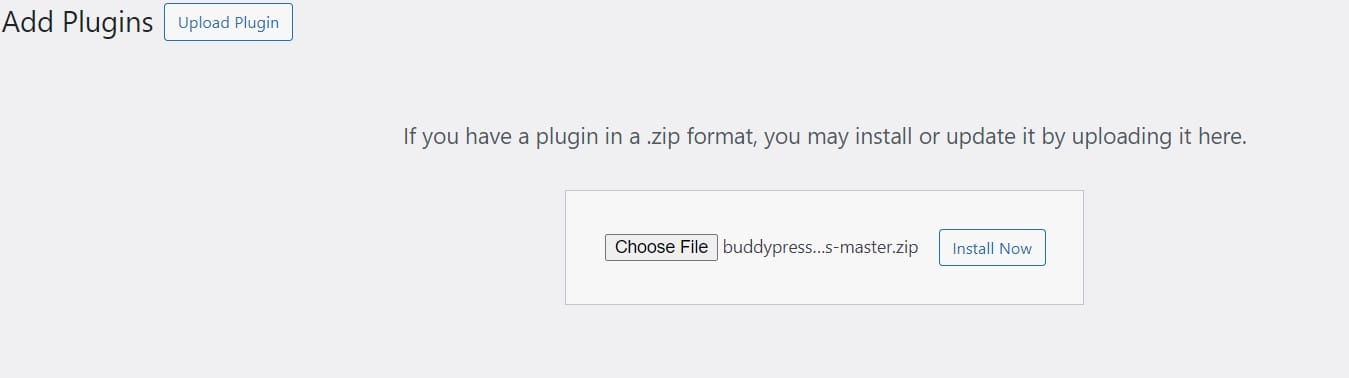
iv) Select your ZIP file by clicking Browse or dragging and dropping it, then click Install Now.
v) After successful installation, hit the Activate button and you’re all set.
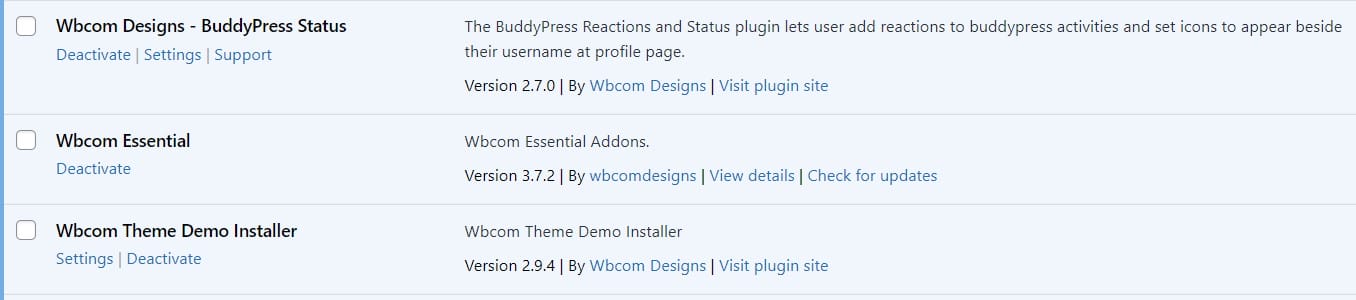
2. Plugin settings
Go to Dashboard > WB Plugins >BP Status>General
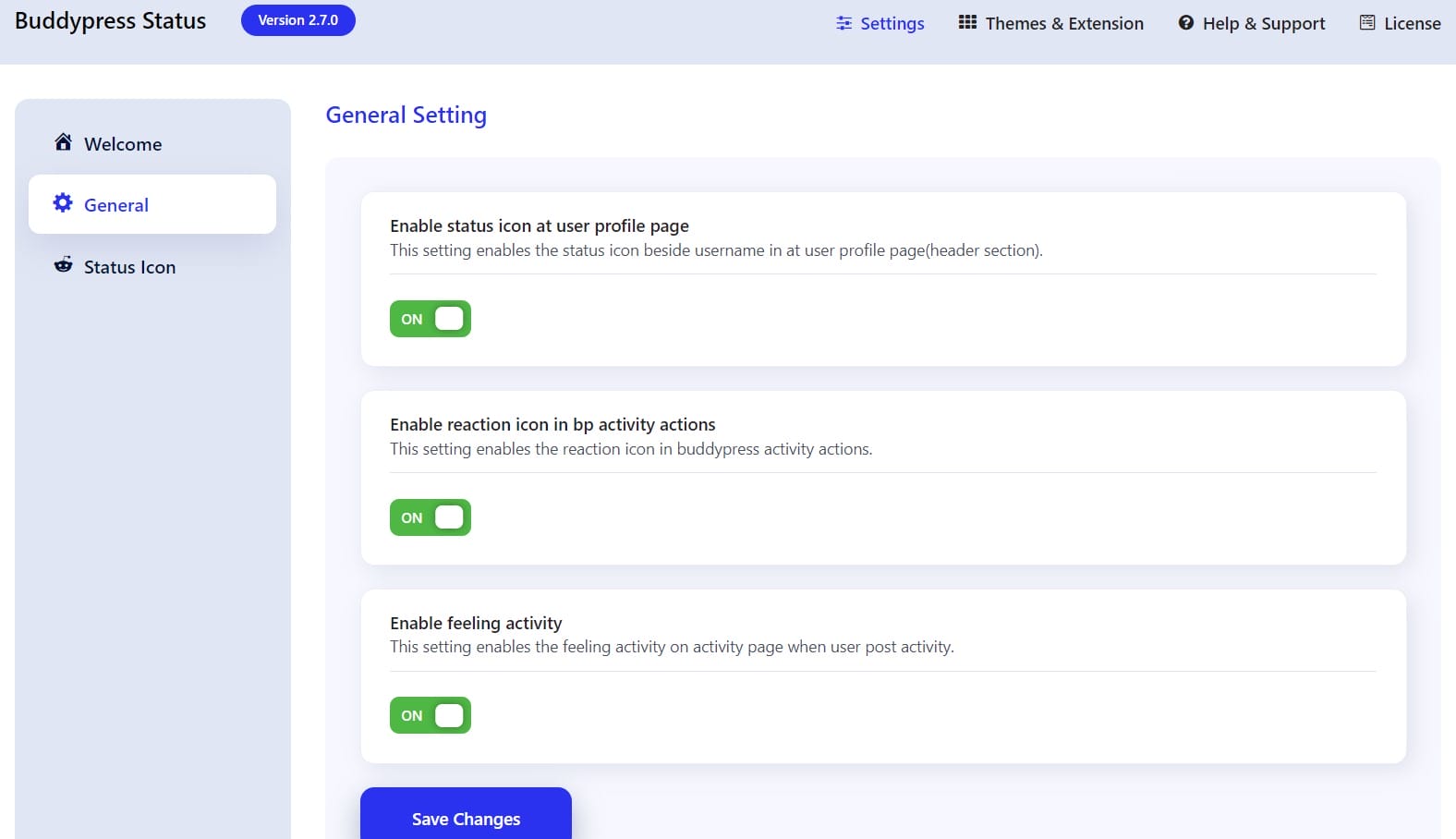
i) Enable status icon in activity loop: This setting enables the status icon beside the username in the activity loop.
ii) Enable status icon on user profile page: This setting enables the status icon beside the username on a user profile page(header section).
iii) Enable reaction icon in BP activity actions: This setting enables the reaction icon in BuddyPress activity actions.
3. Updating status in the Profile Tab
BuddyPress Members can easily update their status and mood from their profile page.
Users can see the profile status tab in their profile where they can set their status.
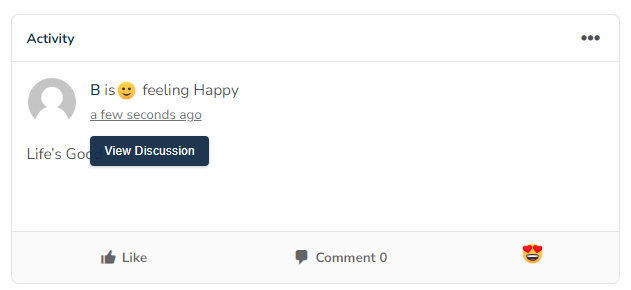
4. Setting Mood on Activity Updates
5. Reaction to Activity
Users can easily give a reaction to every activity post by just clicking on the icon. You can see reaction icons on every post.
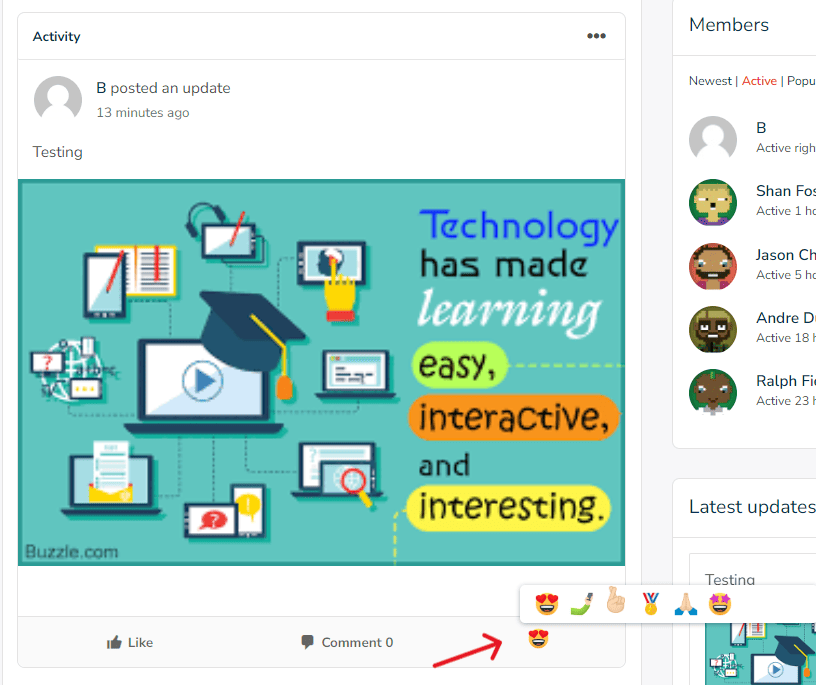
6. Admins have full control over the reactions and status features. They can add, edit, delete, and display reactions and statuses as desired.
Benefits of Using Emojis in BuddyPress Activities
1. Enhanced Communication: Emojis in BuddyPress help convey emotions and ideas more effectively, reducing the risk of misinterpretation and improving communication within the community. By adding visual cues, users can express their feelings and reactions in a way that text alone often cannot capture, leading to clearer and more relatable interactions.
2. Increased Engagement: Emojis add a touch of personality to your messages, making them more engaging and entertaining for your audience. The playful and expressive nature of emojis in BuddyPress can capture users’ attention and encourage them to participate more actively in discussions and activities.
3. Improved User Experience: Emojis make your activities more visually appealing, enhancing the overall user experience and making it easier for users to navigate and engage with your content. A visually rich environment can make interactions feel more dynamic and enjoyable, fostering a positive atmosphere within the community.
4. Faster Communication: Emojis can convey complex ideas and emotions quickly and succinctly. Instead of typing out a long message to express happiness, sadness, or approval, users can simply select an appropriate emoji, saving time and streamlining communication.
5. Universal Understanding: Emojis often transcend language barriers, making it easier for people from different linguistic backgrounds to understand each other. This universal aspect of emojis can foster a more inclusive and diverse community where everyone can participate and feel understood.
Embrace Emojis for Enhanced Communication and Engagement in Your BuddyPress Community
Emojis in BuddyPress significantly enhance communication, engagement, and user experience. 🌟 They facilitate clearer expression of emotions and ideas, fostering a more connected community where members can interact more meaningfully. 📈 Emojis in BuddyPress also add vibrancy and personality to interactions, making BuddyPress activities more dynamic and enjoyable for all users. Embrace the power of emojis to create a more inclusive, expressive, and engaging online community with BuddyPress! 🎉
Interesting Reads
How to Create a Facebook-like Page in BuddyPress