

Engaging with your audience is crucial for building a strong online presence. To facilitate this, Wbcom Designs has developed a powerful plugin, BuddyPress Polls, which helps you spice up your community by adding interactive survey polls. This plugin allows your community members to create survey polls as activities and posts, making it easy for them to participate and respond. Let’s learn how to use Survey Polls to engage your community.
Quick Links
What are BuddyPress Polls?
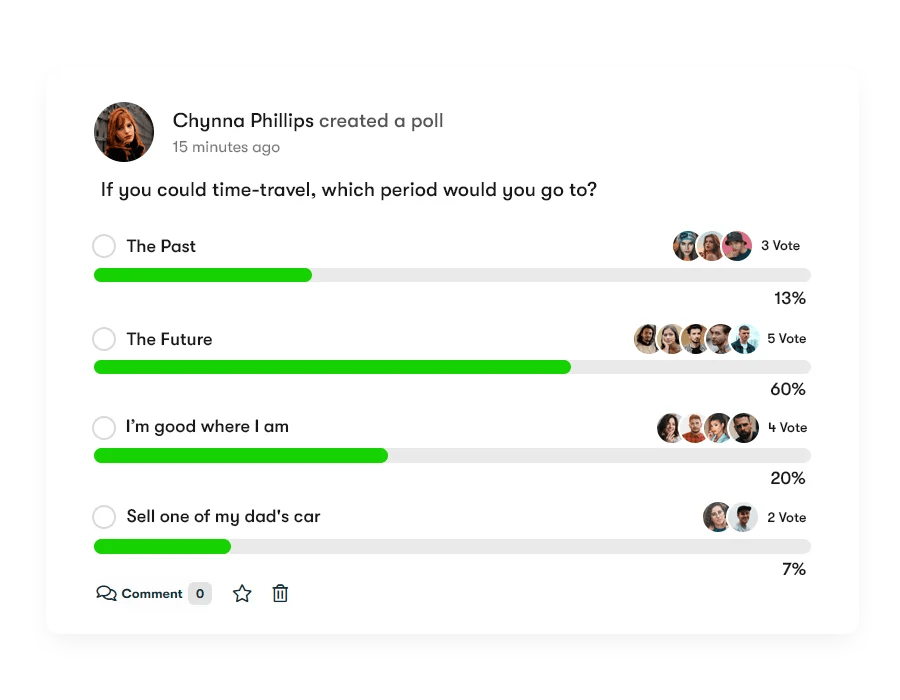
BuddyPress Polls is a WordPress plugin developed by Wbcom Designs that allows community members to create survey polls. Using this feature, members can reach out to their networks to collect feedback on different topics and products or services.
Surveyors can even share the results of polling with others using a built-in feature. BuddyPress Polls can be used to start new conversations or make decisions based on the responses of people. This plugin is designed to work seamlessly with popular community platforms like BuddyPress and BuddyBoss, providing a comprehensive solution for tracking and analyzing poll results. You can also use it as a Post, you don’t need to use any community plugin. By installing this plugin, you can enhance user engagement, gather valuable insights, and create a more interactive Website.
Also Read: Best Customer Database Software
Features of BuddyPress Polls
1. Create poll: The new feature in BuddyPress Polls allows community members to create polls directly from the front end, promoting increased engagement and interaction within the community.
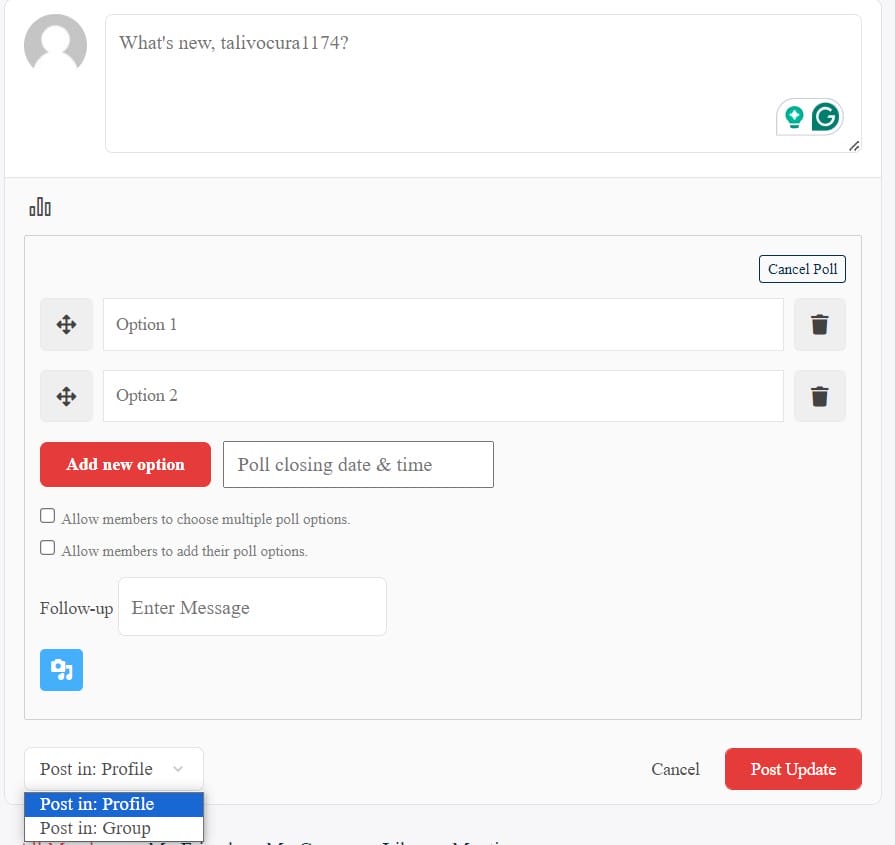
2. Poll DashBoard: The BuddyPress Poll plug-in now allows the community members to create and manage the polls from the front end itself. For that reason, it provides a new page Poll Dashboard on the plugin installation.
3. Widgets: The Plugin provides two widgets to make the site more interactive.
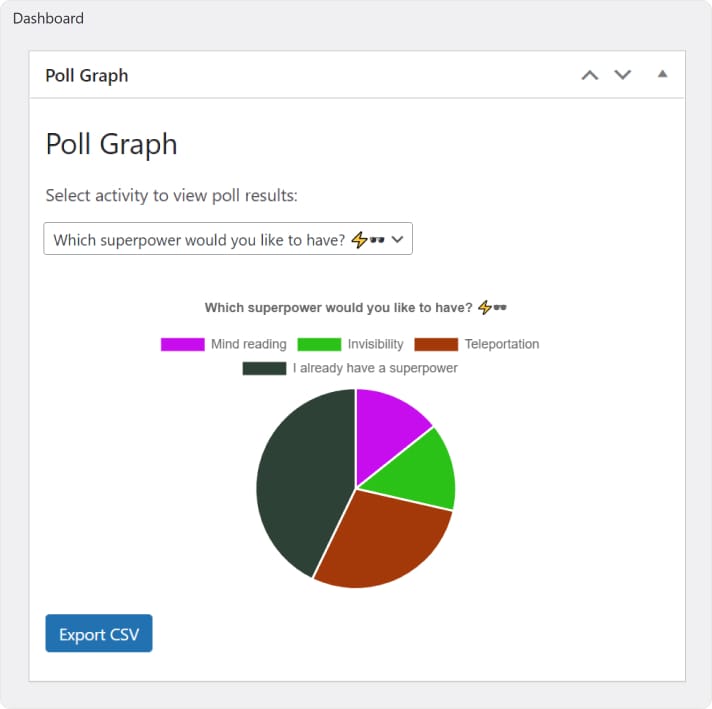
i) Poll Graph: It is used to display poll results with graphs.
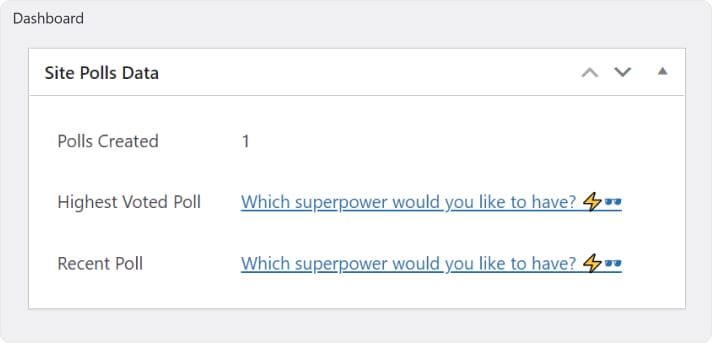
ii) Site Poll Data: The BuddyPress Polls widget allows the site admin to view data from all polls created sitewide, accessible directly from the WordPress Dashboard.
4. Re-voting: The plugin allows users to re-vote, ensuring that their opinions are counted and that the results are accurate. This flexibility is crucial for dynamic communities where opinions might change over time.

5. Set Poll Option Limits: BuddyPress Polls allows you to set the limit for each poll option, ensuring balanced and fair polling. This feature prevents any single option from becoming overwhelmingly dominant, which can skew results.

6. Setup Poll Closing Date and Time: You can set a closing date and time for polls, ensuring timely and relevant interactions. This feature is essential for managing the lifecycle of polls and maintaining their relevance.
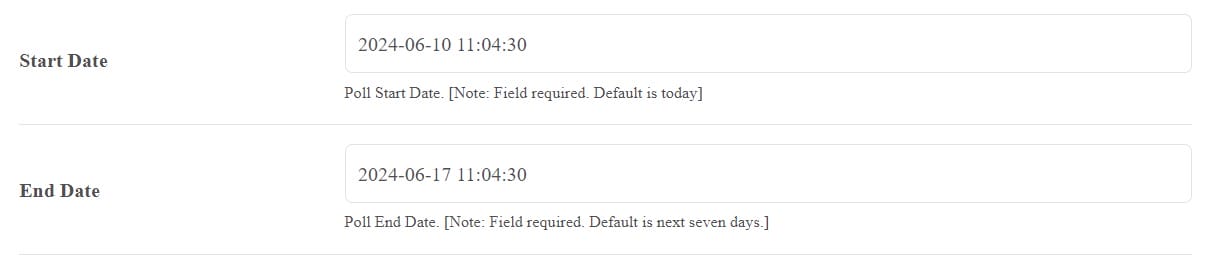
7. Hide Poll Scores: The plugin allows you to hide the current poll score from non-voters to prevent bias and ensure impartial voting. This encourages more genuine and unbiased participation.

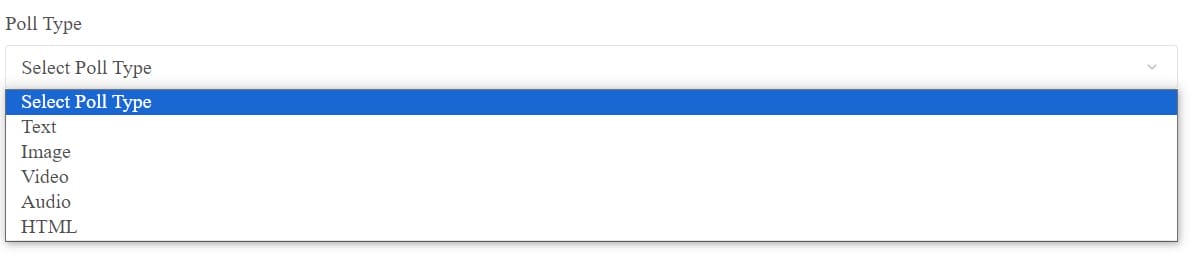
8. Set different poll types: BuddyPress Polls offers a variety of poll types to cater to different engagement strategies and user preferences. When creating a poll, you can select from text, image, video, audio and HTML.
9. View Voter List and Poll Results: BuddyPress Polls allows your members to view the voter list and poll results, fostering transparency and engagement. This openness can increase trust and participation within the community.
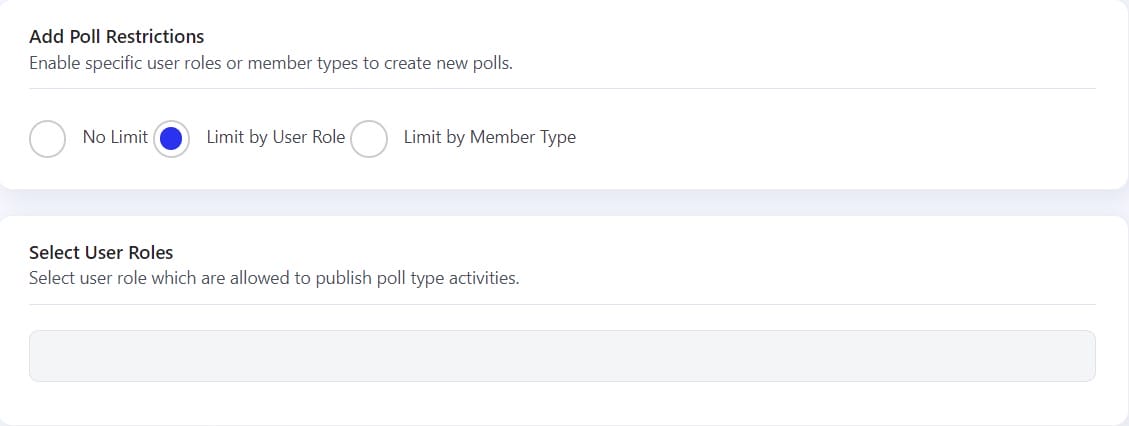
10. Limit Poll Creation: The plugin allows you to limit poll creation according to user role and member type, ensuring that only authorized members can create polls. This control helps maintain the quality and relevance of polls.
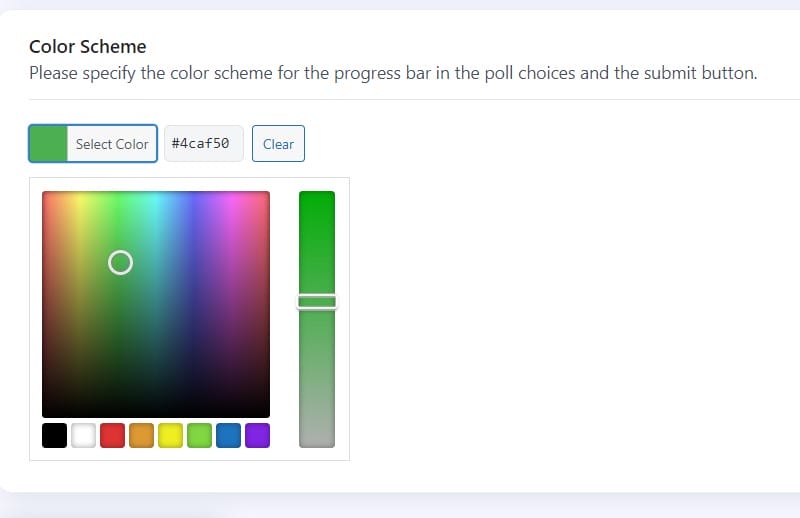
11. Manage Color Scheme: You can manage the color scheme of your survey polls to match the WordPress site’s branding and aesthetic. This customization ensures that the polls seamlessly integrate with your site’s design.
Benefits of BuddyPress Polls
1. Increase Community Engagement: Survey polls are interactive and encourage participation, keeping your audience engaged with your content.
2. Gain Valuable Insights: Survey Polls provide valuable insights into the activities of your community members, helping you understand what they are interested in and what they need. These insights can guide your content strategy and community management.
3. Improve Content: By analyzing survey poll results, you can improve your content and create more engaging posts that resonate with your audience. Understanding your audience’s preferences can lead to more targeted and effective content creation.
4. Community Building: Survey polls encourage interaction among community members, fostering a sense of belonging and participation.
5. Educational Purposes: Educational channels can use survey polls to see what content viewers are struggling with and where they need extra help understanding. This makes BuddyPress Polls an excellent tool for educators and trainers who want to assess and address the learning needs of their audience.
6. Re-engagement: BuddyPress Polls can be used to redirect site users to old posts for more views, increasing engagement and activity on your site. This feature helps keep your content relevant and continuously engaging.
7. Promotion: Survey polls can be shared on social media or other channels to attract new audience members and increase visibility.
8. Easy Implementation: Survey polls are easy to create and can be quickly integrated into various platforms and communication channels.
Also Read: Best Automated Sales CRM Software
How to Create Survey Polls
To create a Survey Poll visit the “Create Poll” page and fill in the following details:
1. Add Title: Enter the title of the poll.
2. Add Description: You can describe the poll using this field.
3. Poll Types: The BuddyPress Poll plugin allows you to create different types of polls. These types are given below:
- Text Answer
- Image Answer
- Video Answer
- Audio Answer
- HTML Answer
4. Start Date: Enter the start date of the polls.
5. End Date: Enter the expiration date of the polls here.
6. Never Expire: Select the option “yes”, If you want this poll to never expire.
7. Enable MultiChoice: Opt for the “Yes” choice if you desire users to have the ability to select multiple options.
8. Front-end after the poll is posted: Once the poll is posted it will look something like this.

Conclusion
BuddyPress Polls by Wbcom Designs is a powerful plugin that helps you spice up your community by adding interactive activities. With its range of features, seamless integration with BuddyPress and BuddyBoss platforms, and excellent support, this plugin is an essential tool for anyone looking to elevate their online engagement. By using BuddyPress Polls, you can increase community engagement, enhance user experience, and gain valuable insights into the activities of your community members.
Incorporating BuddyPress Polls into your community strategy can lead to more meaningful interactions, higher user satisfaction, and a stronger sense of community. If you are looking to gather feedback, encourage discussions, or simply do a survey poll on your site, BuddyPress Polls offers the perfect solution.
Interesting Reads
How to Add Instagram-Like Stories in WordPress

