
Disclosure: This post contains affiliate links. If you sign up through them, we may earn a commission at no extra cost to you.
Creating a presentation usually turns into a chain of smaller jobs. You need to outline the story, write the content, clean up the wording, find supporting visuals, review source documents, and then spend another round fixing the slide design. That workflow is exactly why all-in-one AI workspace tools are getting attention.
PopAi positions itself as more than a slide generator. On its official site, it combines AI Presentation, AI ChatPDF, AI Chat, AI Writing, AI Image, and related productivity tools into one workspace. For users who regularly build decks from messy notes, PDFs, or web research, that combination is more interesting than a presentation tool alone.
If your main goal is to go from “I have raw material” to “I have a presentable deck” faster, PopAi is worth a serious look.
Bottom line: PopAi is strongest when your presentation workflow starts with source material like PDFs, notes, reports, or research rather than a blank slide canvas.

Table of Contents
- What PopAi Actually Does
- Best Features
- Who PopAi Is Best For
- PopAi Pricing
- Pros and Cons
- How PopAi Compares
- Should You Try PopAi?
- FAQs
PopAi is built around one central idea: help users move from raw information to finished output with fewer tools.
Instead of opening one app for chatting with AI, another for reading PDFs, and another for building presentations, PopAi tries to keep that work in one environment. Based on its official product pages, the core workflow includes:
- turning prompts or files into structured slide decks,
- chatting with PDFs and documents,
- summarizing and rewriting content,
- generating images,
- brainstorming ideas,
- and exporting finished work in useful formats.
That matters because most people do not start presentations with a blank idea. They start with:
- meeting notes,
- research papers,
- internal documents,
- client briefs,
- sales reports,
- or half-finished outlines.
PopAi’s strongest pitch is not just “AI can make slides.” It is “AI can help you process the input first, then turn it into slides.”
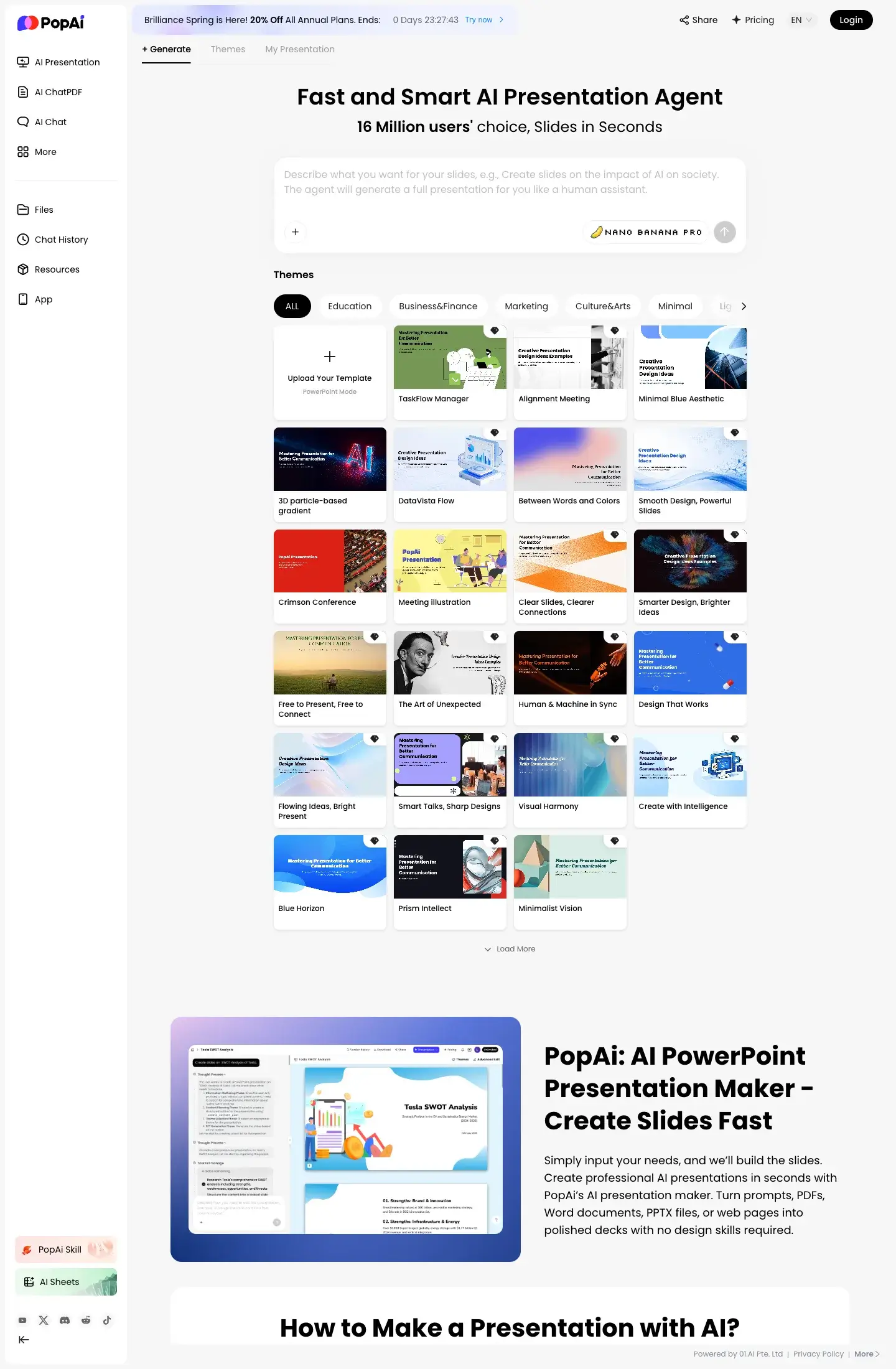
1. AI Presentation Generation
PopAi’s presentation tool is the main reason most people will click through. According to the official site, it can transform topics or uploaded files into complete, structured decks using AI-driven generation.
What stands out here is the combination of:
- instant deck generation,
- layout optimization,
- designer-style themes,
- and chat-based slide editing.
That last part matters. Plenty of AI presentation tools can generate a first draft. Fewer make iteration feel easy. If you can keep refining slides through natural prompts instead of manually rebuilding sections, the tool becomes much more practical for real work.
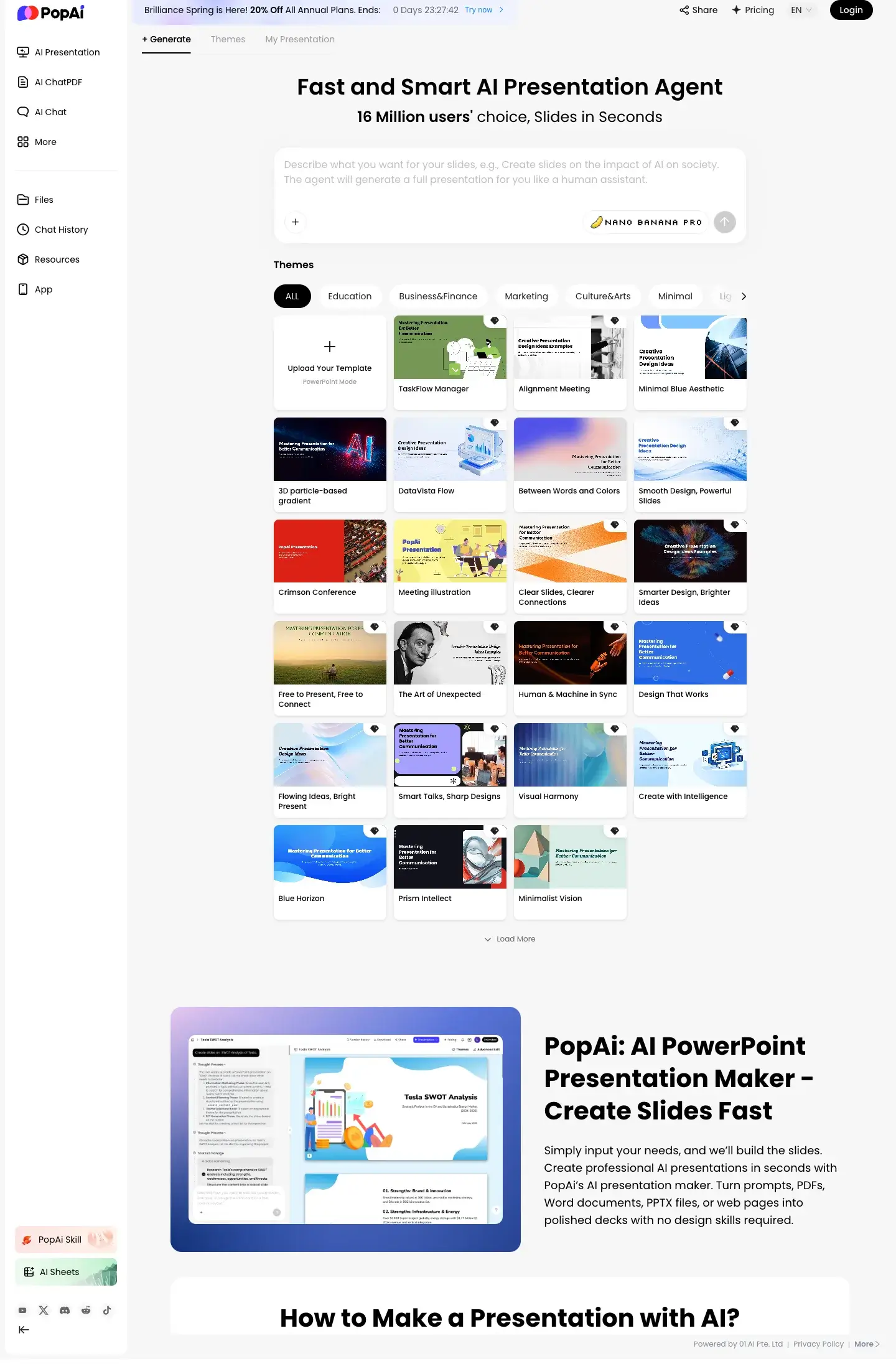
2. AI ChatPDF
This is where PopAi becomes more than a presentation tool.
Its official product pages highlight:
- flexible upload options from files, Google, or URLs,
- smart reading and comprehension,
- translation and automatic flowchart generation,
- annotation and note management,
- and automatic save/manage functions.
For students, researchers, consultants, and internal strategy teams, this is a strong feature. Many presentations depend on source material, and extracting useful ideas from long PDFs is often slower than building the slides themselves.
3. AI Chat and Brainstorming
PopAi also includes a general AI chat layer for:
- current answers,
- idea generation,
- summarization,
- and problem solving.
That makes it useful when your slide deck is still fuzzy. You can use the AI to:
- shape a narrative,
- simplify technical language,
- turn notes into talking points,
- or create a cleaner structure before generating the deck.
4. AI Writing and Content Cleanup
A lot of presentation work is really writing work in disguise.
You are usually rewriting:
- headlines,
- speaker points,
- bullet summaries,
- proposal language,
- pitch statements,
- and internal updates.
PopAi’s writing layer helps tighten that process so you are not switching between chat tools and design tools constantly.
5. One Workspace Instead of Fragmented Tools
This may be the real advantage for many users.
If you currently use:
- one AI app for brainstorming,
- another for PDF summarization,
- and another for slides,
then PopAi’s all-in-one setup can reduce friction. That is especially useful for solo operators, students, startup teams, and agencies moving fast on deadlines.
For teams comparing broader software stacks, our guide to all-in-one productivity platforms for business covers the bigger category.

PopAi will not be the right tool for everyone. It is best suited to users who create presentation-heavy work and deal with source material often.
Best for students and researchers
If you regularly read:
- papers,
- textbooks,
- reports,
- or class materials,
then the ChatPDF plus slide-generation workflow is valuable. You can reduce the amount of manual summarization before you even start slide creation.
Best for consultants and agency teams
Client work usually includes source docs, drafts, revisions, and decks. PopAi’s mix of document reading, writing assistance, and presentation building can save time across that chain.
Best for startup founders and operators
Founders often need:
- investor slides,
- strategy decks,
- internal updates,
- and sales materials.
A tool that can help with structure, wording, and visual layout in one place has obvious value.
Best for educators and trainers
Teachers, trainers, and course creators often need to turn concepts into structured, clear teaching materials quickly. PopAi fits that workflow well.
If your work is more visual web output than presentation output, a tool from our roundup of AI web design tools for solopreneurs may be more relevant.
Based on PopAi’s official pricing page as checked on May 20, 2026, the platform offers:
- Free plan at
$0 - Monthly Pro at
$9.90/month - Monthly Unlimited at
$40/month - Annual Pro at about
$8.30/month - Annual Unlimited at about
$33/month - Enterprise pricing for organizations with custom needs
| Plan | Best for | Price |
|---|---|---|
| Free | Testing the workflow | $0 |
| Monthly Pro | Regular deck and document users | $9.90/month |
| Monthly Unlimited | Heavy daily users | $40/month |
| Annual Pro | Lower-cost long-term use | about $8.30/month |
| Annual Unlimited | Frequent power users | about $33/month |
| Enterprise | Teams with custom requirements | Custom |
The pricing page also highlights differences in:
- usage volume,
- PDF/DOC access,
- AI creation features,
- image chat access,
- and “Boost Mode” availability.
For many users, the real decision is simple:
- choose Free if you want to test workflow fit,
- choose Pro if you build decks or work with documents regularly,
- choose Unlimited if PopAi is becoming part of your daily stack.
If you want to test it directly, you can try PopAi here.
Pros
- Combines presentation generation, PDF chat, AI writing, and brainstorming in one place
- Useful for turning raw documents into structured decks faster
- Chat-based slide editing is more practical than one-shot generation alone
- Free plan makes it easy to test before paying
- Pricing is relatively accessible compared with many specialist tools
- Good fit for users who need both document comprehension and presentation output
Cons
- If you only want a pure slide design tool, an all-in-one workspace may feel broader than necessary
- Heavy users may still compare it against dedicated presentation tools like Gamma or Beautiful.ai depending on design preferences
- AI-generated decks still need human review, especially for client-facing or high-stakes presentations
- Teams with strict brand systems may need extra manual refinement after generation
PopAi is easiest to understand when compared by workflow, not just by feature count.
PopAi vs pure presentation tools
Some presentation tools focus mostly on:
- prettier themes,
- cleaner templates,
- and fast deck generation.
PopAi’s edge is the document-to-deck workflow. If your starting point is usually a PDF, a URL, or rough research notes, PopAi can reduce the work before design even begins.
PopAi vs general chat tools
A general AI chatbot can help outline a presentation, but it usually does not handle the full presentation workflow as smoothly. PopAi is more structured around content-to-output use cases.
PopAi vs broader AI creation platforms
There are broader AI ecosystems that cover writing, images, and productivity, but not all of them are equally strong at presentation-specific output. PopAi’s differentiation is that presentations are not an afterthought.
That makes it relevant in the same broader market conversation as tools in our posts on best AI app builders and best conversational AI website builders, though the use case is clearly different.
If your work regularly involves:
- building presentations,
- digesting PDFs,
- rewriting messy notes,
- or packaging research into something presentable,
then yes, PopAi is worth trying.
It is especially attractive if you are tired of bouncing between multiple apps just to finish one deck.
The strongest reason to test PopAi is not that it promises magical slides. It is that it addresses the full chain behind slide creation:
- understand the material,
- organize the message,
- generate the deck,
- refine the wording,
- and export a usable result.
That is a more realistic productivity win than “AI makes beautiful slides in one click.”
If that workflow sounds useful, try PopAi here.
PopAi looks strongest for people who need an AI presentation maker plus document understanding tool, not just a standalone slide builder.
Its official feature set around:
- AI Presentation,
- AI ChatPDF,
- AI Chat,
- AI Writing,
- and multi-format content support
gives it a practical edge for real-world presentation workflows.
For students, consultants, startup teams, educators, and content-heavy professionals, that combination can be more useful than a prettier but narrower deck tool.
If your main bottleneck is getting from information overload to a finished presentation, PopAi is worth a closer look.
Is PopAi only for presentations?
No. PopAi also includes document chat, AI writing, brainstorming, image features, and related productivity tools. Presentation creation is the headline feature, but not the only one.
Does PopAi have a free plan?
Yes. PopAi offers a free version, which is the easiest way to test whether the workflow fits your needs before upgrading.
What is PopAi best known for?
PopAi is best known for AI presentation generation and AI ChatPDF workflows, especially for users who need to turn documents into polished decks quickly.
Is PopAi good for students?
Yes. It is a strong fit for students who need help summarizing papers, reading PDFs, organizing notes, and building presentations from source material.
Is PopAi better than a normal chatbot for slide work?
For slide-focused workflows, usually yes. A normal chatbot can help with outlines and writing, but PopAi is more structured around turning that work into actual presentation output.
What paid plan makes the most sense?
For most regular users, Pro is the logical starting point. Unlimited makes more sense if PopAi becomes part of your daily workflow.