

Finding the right words under a deadline is one of the more common frustrations in both academic and professional writing. Whether you’re a student, a content creator, or someone drafting a report at 11pm, AI paraphrasing tools have changed how people rewrite and refine text under time pressure. Used well, they improve clarity, catch awkward phrasing, and help you say the same thing in a fresher way. Used badly, they flatten your voice into something that reads like everyone else’s AI-assisted draft. This guide covers ten paraphrasing tools that are genuinely active right now, what each one actually does well, and how to use them without losing your own writing voice in the process.
What Are AI Paraphrasing Tools?
AI paraphrasing tools are software applications that use natural language processing to rewrite text while keeping its original meaning intact. Instead of just swapping words for synonyms the way older “spinner” tools did, modern versions analyze sentence structure and context, then restructure sentences and adjust word choice to produce something that reads coherently rather than like a word-substitution exercise. The better tools in this category can also shift tone, formality, and length depending on what you tell them you need.
Why Use AI Tools for Paraphrasing
AI paraphrasing tools earn their place in a writing workflow for a few concrete reasons. They save real time compared to manually rephrasing sentence by sentence, especially when you’re revising a long document. They can also function as a kind of writing tutor, showing you alternative phrasings that expand how you naturally express an idea. For students and researchers, a good paraphrasing tool helps restate a source’s point in your own words without slipping into accidental plagiarism, though it’s worth being clear that paraphrasing a source still requires citing it. Writers, marketers, and researchers all get some version of this value, just applied to different kinds of text.
How Do AI Paraphrasing Tools Actually Work?
Most tools in this category run on large language models trained on enormous amounts of text, which lets them recognize grammar patterns, vocabulary choices, and structural conventions well enough to produce a rewrite that holds together. They analyze your input sentence by sentence, sometimes paragraph by paragraph, and generate an alternative version while tracking the original meaning. Better tools let you adjust settings like tone (formal, casual, academic), creativity level, and target reading complexity, so the output can match a college essay or a marketing email without you manually rewriting the settings for each use case.
Also Read: AI-Powered Voice Assistants for Businesses
Top 10 AI Tools for Paraphrasing in 2026
1. QuillBot

QuillBot remains one of the most widely used paraphrasing tools thanks to its clean interface and multiple writing modes, including formal, creative, and concise. It integrates directly with Google Docs and Microsoft Word, so you can rewrite text without leaving your existing workflow, and its synonym slider lets you control exactly how aggressively it rewrites a sentence.
2. Wordtune
Wordtune focuses on real-time, in-line suggestions rather than a bulk rewrite of a whole document. As you write, it offers alternative phrasings you can accept or reject on the spot, which makes it feel less like handing your draft to a machine and more like having an editor look over your shoulder. Its strength is sentence-level polish rather than large-scale restructuring.
3. Copy.ai
Copy.ai leans toward marketing and creative writing use cases, with paraphrasing built in as one feature among a broader toolkit for generating ad copy, product descriptions, and social captions. Marketers who need to repurpose the same core message across multiple channels tend to get the most value from it, since it’s built for variation and tone-shifting rather than academic precision.
4. Jasper
Jasper offers paraphrasing as part of a larger AI writing platform aimed at content teams and marketers producing high volumes of blog posts, ad copy, and long-form articles. Its customizable brand voice settings mean paraphrased output can be tuned to match a specific company’s tone across a whole team, not just a single writer’s preference.
5. Paraphraser.io
Paraphraser.io offers multiple rewriting modes (word changer, formal, creative, academic, and others) alongside supplementary tools like plagiarism checking, grammar correction, and text summarization bundled into one platform. It’s a practical option for students and researchers who want several writing tools without juggling separate subscriptions.
Also Read: Best Business Process Management Software
6. Rewriter Tools
Rewriter Tools keeps its interface deliberately simple, aimed at users who want a fast paraphrase without configuring a dozen settings first. Its algorithms prioritize coherence over aggressive rewriting, which makes it a reasonable pick for students who need to restructure a paragraph without changing its meaning beyond recognition.
7. Spinbot
Spinbot is built for speed and bulk text processing rather than nuance, which makes it popular with content creators who need to quickly generate alternate versions of shorter pieces of text. Its output tends to need more manual cleanup than QuillBot or Wordtune, so treat it as a fast first draft generator rather than a finished-product tool.
8. AISEO.ai
AISEO.ai pairs paraphrasing with SEO-focused content suggestions, aimed at writers who need rewritten text that also targets specific keywords and readability scores. It’s a narrower use case than the general-purpose tools on this list, but a good fit if your paraphrasing work is specifically for search-optimized content.
Also Read: Google Nano Banana Launch: Everything You Need to Know
9. Prepostseo
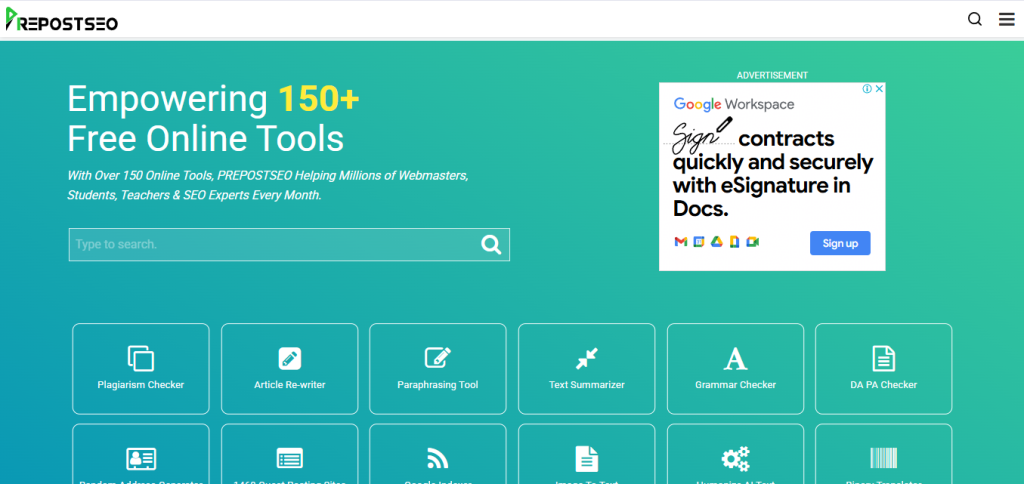
Prepostseo bundles paraphrasing with a wider suite of writing and SEO utilities, including plagiarism checking and grammar review, all built around keeping output plagiarism-free. Writers, marketers, and educators who want a single dashboard for several writing checks at once tend to gravitate toward it.
10. Grammarly’s Rewrite Feature
Grammarly, best known for grammar and clarity checking, has built rewriting suggestions directly into its core product rather than treating paraphrasing as a separate tool. For anyone already using Grammarly for proofreading, the built-in rewrite suggestions mean one less tool to juggle, even if it’s not as deep on pure paraphrasing modes as a dedicated tool like QuillBot.
Key Features to Consider When Choosing a Paraphrasing Tool
Selecting the right paraphrasing tool involves weighing a handful of practical factors. Accuracy comes first: a tool has to preserve your original meaning while improving readability, not just swap in fancier synonyms. Customization options matter too, since the ability to adjust tone, formality, and complexity lets one tool serve multiple writing contexts instead of needing a different app for each. Integration with the platforms you already write in, like Google Docs or Word, saves real time compared to copying and pasting between windows. And if you’re working with sensitive or unpublished material, check the tool’s data retention and privacy policy before pasting in anything you wouldn’t want stored on a third-party server.
Best Practices for Using AI Paraphrasing Tools
Getting real value out of these tools takes a bit of discipline. Always review the generated text against your intended meaning rather than accepting it wholesale, since even good tools occasionally shift emphasis in ways you didn’t intend. Combine the AI output with your own insights and phrasing so the final piece still sounds like you, not like a tool. Proofread the final version regardless of which tool you used, since paraphrasing software can introduce awkward transitions or subtle grammar issues that a spell checker won’t catch. The goal is a tool that speeds up your process, not one that replaces your judgment about what the piece should actually say.
Common Mistakes to Avoid When Paraphrasing
A few habits consistently cause problems for people relying heavily on these tools. Over-reliance on automation, running every sentence through a paraphraser without reviewing it, tends to strip the personality and specific detail out of writing, leaving something technically correct but forgettable. Accepting AI-generated content without checking it for accuracy is another common trap, particularly when a tool rephrases a technical or numerical claim in a way that subtly changes its meaning. Running the same passage through a paraphraser multiple times in a row, sometimes called double or triple spinning, tends to degrade coherence with each pass rather than improving it. Staying mindful of these patterns keeps the tools useful instead of letting them work against you.
Paraphrasing Tools and Academic Integrity
If you’re a student, it’s worth being direct about something these tools can’t do for you: paraphrasing a source, even perfectly, doesn’t remove the need to cite it. Restating someone else’s idea in different words is still using their idea, and most academic integrity policies treat uncited paraphrase the same as uncited direct quotation. Use these tools to help you express a properly cited idea more clearly in your own words, not as a way to disguise where an idea came from. Many universities also now run submissions through AI-detection software, and heavily paraphrased text sometimes triggers false positives or genuine flags depending on how the rewrite was done, so check your institution’s specific policy on AI writing tools before leaning on one for graded work.
Free vs. Paid Paraphrasing Tools: What You Actually Lose
Almost every tool on this list offers a free tier, but the limitations aren’t always obvious until you hit them mid-project. Understanding what you’re giving up helps you decide whether an upgrade is actually worth it for your use case.
Word count caps. Free tiers typically cap how much text you can paraphrase per request or per day, often somewhere between 300 and 500 words. That’s fine for a paragraph but forces you to break a full essay or article into chunks, which can hurt consistency across the piece.
Fewer rewriting modes. Paid tiers usually unlock additional tone settings, like academic, expand, or shorten modes, that free versions restrict to one or two basic options. If your work regularly shifts between formal and casual writing, this limitation shows up fast.
Slower processing and ads. Free versions of several tools on this list queue requests behind paid users or show ads between rewrites, which adds friction if you’re working against a deadline.
No API or integration access. If you need paraphrasing built into a larger workflow, like a content pipeline or a browser extension, that access is almost always gated behind a paid plan.
For occasional use, like an email or a single paragraph here and there, a free tier is usually enough. For anyone paraphrasing regularly as part of their actual job, whether that’s content marketing, academic writing, or research, the paid tier tends to pay for itself in time saved within the first month.
How to Tell If Paraphrased Text Still Sounds Like You
The biggest risk with heavy reliance on these tools isn’t accuracy, it’s voice. A paragraph can be perfectly grammatical and still read like it came from nobody in particular. A few checks worth running on anything you’ve paraphrased before you publish or submit it:
Read it out loud. Sentences that a paraphrasing tool generates sometimes have a rhythm that reads fine silently but sounds stilted spoken aloud. If it trips your tongue, it probably needs a manual edit.
Check for your usual quirks. Everyone has small habits in how they write, certain transition words, a tendency toward short sentences, specific examples they’d naturally reach for. If a paraphrased paragraph is missing all of that personality, it’s worth manually reinserting a sentence or two that sounds like you rather than the tool.
Watch for generic replacements. Paraphrasing tools sometimes swap a specific, vivid word for a vaguer synonym because the vaguer word is statistically more common. If a paraphrase replaced “sprinted” with “moved quickly,” that’s a sign to manually restore the more specific choice.
Compare length and structure to your draft. If every sentence in your original piece was roughly the same length after paraphrasing, that uniformity itself is often a tell that something in your natural writing rhythm got flattened out.
Paraphrasing vs. Summarizing vs. Rewriting: Knowing the Difference
These three terms get used loosely, but they solve different problems, and picking the wrong one for your task wastes time.
Paraphrasing restates a specific passage in different words while keeping it roughly the same length and covering the same points in the same order. Use this when you need to avoid repeating a source’s exact phrasing while still covering everything it covered.
Summarizing condenses a longer piece down to its key points, cutting detail and length substantially. Use this when you need the gist of a long document, not a full rewrite of every sentence in it.
Rewriting is the broadest of the three, potentially changing structure, argument order, tone, and length all at once. Use this when a piece needs more than a word-level refresh, like adapting a blog post into a LinkedIn post or turning a formal report into a casual email update.
Several tools on this list, including QuillBot and Prepostseo, offer separate summarizing features alongside their paraphrasing tools, so check which mode you’re actually using before you paste in a long document expecting a full rewrite and getting a three-sentence summary instead, or the reverse.
How AI Detection Tools Interact With Paraphrased Text
AI detection software has gotten more common in classrooms, publishing platforms, and hiring pipelines, and it’s worth understanding how paraphrasing interacts with it rather than assuming a rewrite makes text undetectable. Detection tools generally look for statistical patterns in word choice and sentence structure that differ from typical human writing, not a literal fingerprint of a specific AI model. Heavily paraphrased text sometimes still trips these detectors, particularly if the rewrite smooths out the natural unevenness, the slightly awkward phrasing, the occasional run-on sentence, that real human drafts tend to have.
The most reliable way to keep writing that reads as genuinely yours isn’t to chase whatever currently evades detection software, since that’s a moving target and detection tools update constantly. It’s to actually edit what a paraphrasing tool gives you rather than pasting it in unchanged: add a specific example only you would think to include, cut a sentence that feels generic, and let a few of your own phrasing quirks back into the text. That approach solves the actual problem, writing that doesn’t sound like anyone, rather than gaming a detector that might flag it for entirely different reasons next month.
A Quick Workflow for Using These Tools Well
A practical sequence that tends to produce better results than pasting a whole draft into a paraphraser and accepting the output wholesale:
Write your first draft yourself. Even a rough one. Starting from your own words, however messy, keeps your actual argument and voice as the foundation rather than starting from a machine’s interpretation of a prompt.
Identify the specific sentences that feel weak. Not the whole document, just the parts that feel clunky, repetitive, or unclear. Paraphrasing tools are more useful as a scalpel than as a document-wide hammer.
Run those specific sections through a tool and compare two or three output options. Most tools on this list offer multiple rewrite suggestions per input. Read them against each other rather than accepting the first one that appears.
Edit the chosen output by hand. Swap back in a specific detail, a stronger verb, or a transition that sounds like you rather than the tool’s default phrasing.
Read the full piece straight through before publishing. Paraphrasing sentence by sentence can leave inconsistent tone or repeated ideas across the piece that only show up when you read it end to end.
Choosing the Right Tool for Your Writing Needs
The ten tools covered here each serve a slightly different niche, from QuillBot’s all-purpose flexibility to Wordtune’s in-line editing style to Jasper’s brand-voice consistency for content teams. Whether you’re after improved clarity, faster revision, or SEO-optimized copy, matching the tool to your actual use case matters more than picking whichever one ranks highest on a list. Start with a free tier where one’s available, test it against a real piece of your own writing, and judge the output against your own ear for how the sentence should read, not just whether the meaning technically survived the rewrite. The best paraphrasing tool is the one you actually edit afterward, not the one that requires the least effort from you.
Interesting Reads:
10 Best AI Tools for Blog Writing