

Effective time management is essential for success in both professional and personal life. With numerous tasks, meetings, and deadlines to manage, finding the right calendar management software can make a significant difference. The right tool can simplify scheduling, improve collaboration, and enhance your overall productivity. This guide explores the 10 best software for calendar management, helping you choose the one that aligns with your unique needs.
What is Calendar Management Software?
Calendar management software is designed to help users organize their schedules, appointments, and events efficiently. These tools offer features like reminders, automated scheduling, and collaboration capabilities. By centralizing important dates and integrating with other productivity tools, they streamline your workflow and improve time management.
Why is Calendar Management Software Important?
Effective calendar management tools ensure you stay organized, punctual, and productive. They reduce the risk of missing deadlines, forgetting meetings, or double-booking your time. By integrating with communication platforms, they also enhance collaboration within teams. With advanced features like task prioritization and time blocking, these tools empower you to optimize your daily routines and achieve your goals efficiently.
How to Choose the Best Calendar Management Software
Selecting the ideal calendar management software depends on your specific needs. Consider factors such as ease of use, integration capabilities, customization options, and platform compatibility. Additionally, look for features like reminders, collaboration tools, and task prioritization. Whether you’re managing a personal schedule or coordinating a team’s workflow, choosing the right software will ensure smooth operations and improved efficiency.
Also Read: Best KPI Software for Tracking Performance
The 10 Best Software for Calendar Management
1. Google Calendar

Google Calendar is a widely used solution known for its seamless integration with Google Workspace. It offers easy scheduling, automatic reminders, and event notifications. With its intuitive interface, users can organize their schedules effectively, set recurring events, and color-code tasks for better visibility. Google Calendar’s integration with Gmail, Google Meet, and third-party apps makes it ideal for both personal and professional use.
2. Microsoft Outlook Calendar
Outlook Calendar is a powerful option for Microsoft 365 users. It offers robust scheduling features, including email integration, shared calendars, and task management. The platform allows users to schedule meetings, send invitations, and access group calendars to coordinate with teams effectively. Its powerful reminder system and built-in task tracking make it a top choice for businesses and enterprises.
3. Apple Calendar
Apple Calendar is an excellent choice for Apple device users. With seamless synchronization across iPhone, iPad, and Mac devices, users can manage their schedules effortlessly. Apple Calendar’s simple interface and Siri integration allow users to add events, set reminders, and receive alerts. For those invested in the Apple ecosystem, this tool provides a streamlined and user-friendly experience.
4. Calendly
Calendly is a popular scheduling tool that simplifies meeting coordination. It eliminates the hassle of back-and-forth emails by allowing users to share their availability via personalized links. Clients or colleagues can easily book appointments based on predefined time slots. Calendly integrates with major platforms such as Google Calendar, Outlook, and Zoom, ensuring smooth scheduling for individuals and teams alike.
Also Read: Best CRM Software for Small Business
5. Fantastical
Fantastical is a powerful calendar app designed for Apple users. Known for its sleek design and intelligent features, Fantastical allows users to add events using natural language input. It supports multiple calendar views, integrates with Apple Reminders, and offers weather forecasts for better planning. With its advanced features, Fantastical is ideal for users seeking both functionality and aesthetics.
6. Zoho Calendar
Zoho Calendar is a versatile tool that supports collaborative scheduling, event management, and task tracking. Integrated with Zoho’s suite of business applications, this platform is ideal for teams that rely on Zoho products. Zoho Calendar enables users to create group calendars, set permissions, and organize virtual meetings efficiently.
7. TimeTree
TimeTree is a collaborative calendar app that helps families, friends, and teams stay organized. Designed for sharing schedules and events, TimeTree allows users to create multiple calendars for different purposes. It offers detailed reminders, chat features, and shared notes, making it an excellent choice for coordinating group activities and personal schedules alike.
8. Asana
Asana, known for its project management capabilities, also offers powerful calendar management features. It allows teams to plan projects, assign tasks, and track deadlines using its intuitive calendar view. By visualizing timelines and dependencies, Asana helps users manage complex workflows efficiently. With integrations like Slack, Google Drive, and Zoom, Asana streamlines collaboration for teams of all sizes.
9. Trello
Trello’s calendar features provide an excellent visual approach to task and project scheduling. Using Trello’s calendar power-up, users can assign due dates, track milestones, and visualize project timelines effortlessly. Trello’s drag-and-drop functionality and customizable boards make it ideal for creative professionals and agile teams seeking flexible scheduling solutions.
10. ClickUp
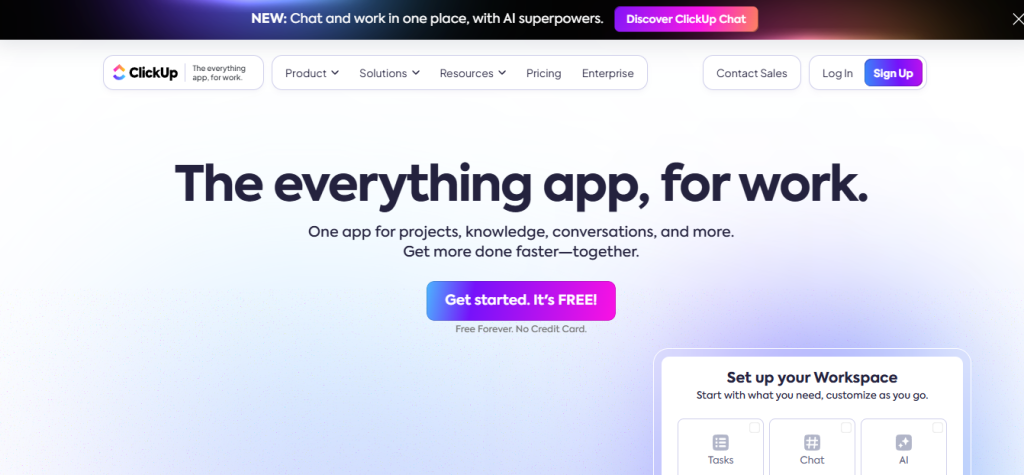
ClickUp is an all-in-one productivity platform that offers powerful calendar management features. With customizable views, recurring tasks, and goal-setting options, ClickUp empowers teams to stay organized. ClickUp’s calendar integration simplifies task planning, allowing users to prioritize deadlines and align projects with their schedules. Its robust features and seamless collaboration tools make it an excellent choice for businesses and freelancers alike.
What Features Should You Prioritize in Calendar Management Software?
Choosing the best calendar management software depends on your specific needs. Key features to consider include:
- Integration with existing tools and platforms
- Customizable notifications and reminders
- Collaborative scheduling capabilities
- Recurring event management
- Task prioritization and goal tracking
By prioritizing these features, you can ensure your calendar software meets your organizational requirements.
Why Calendar Management Software is Essential for Teams
For teams, calendar management software plays a crucial role in ensuring seamless coordination and efficient workflow. With shared calendars, team members can track project timelines, manage deadlines, and avoid scheduling conflicts. Calendar tools also facilitate remote collaboration by aligning tasks with team availability, ensuring everyone stays informed and on track.
How to Improve Calendar Management with Automation
Automation can significantly enhance your calendar management experience. Tools like Calendly, ClickUp, and Asana automate scheduling, reminders, and recurring events to save time. By setting automated workflows, users can reduce manual efforts, minimize errors, and ensure consistency in their schedules. Automation empowers teams to focus on critical tasks while keeping appointments and deadlines organized.
Wrapping Up
Selecting the 10 best software for calendar management can elevate your productivity and organization. Tools like Google Calendar, Microsoft Outlook, and ClickUp offer powerful features to streamline scheduling and improve collaboration. By understanding your needs and prioritizing essential features, you can find the perfect solution to manage your time effectively and achieve your goals.
Interesting Reads:
Best Software for Word Processing