

Most publishers who outgrow a single AdSense unit end up running three plugins instead of one. A display-ad plugin to sell banner space. An affiliate-cloaking plugin to turn long Amazon or SaaS links into clean, trackable URLs. And, if they’re serious about revenue, a sponsored-post workflow that’s usually just a spreadsheet, a Google Form, and a lot of manual invoice-chasing. Each tool has its own settings screen, its own shortcode syntax, its own update cycle, and its own way of breaking when a theme update ships.
The plugin-conflict part is not theoretical. Ad-insertion plugins hook into the_content to inject banners. Link-cloaking plugins rewrite outbound URLs and intercept template_redirect. When both are active, you get duplicate redirects, double-counted clicks, or an affiliate link that renders inside an ad slot and gets swallowed by the wrong tracking script. Add a third tool for sponsored content and now three plugins are competing for the same hooks, the same cron jobs, and the same cache invalidation triggers. Nothing is broken on day one. It breaks six months later, after an update, when nobody remembers which plugin owns which hook.
WB Ad Manager exists because this is a solvable problem, not an inevitable one. It runs direct display ads and cloaked affiliate links from a single free WordPress plugin, and its Pro tier adds a self-serve advertiser portal and paid classifieds on top. For a publisher who wants to run all three streams, display ads, affiliate links, and sponsored posts, on one publication, the fix isn’t finding a fourth plugin. It’s consolidating onto the one tool that already owns two of the three data layers, and using its link-cloaking engine to bring the third one into the same tracking system. This guide walks through exactly how.
Last updated: 6 November 2026
What You’re Building
Before the how-to, the shape of the end state. A full-stack publisher monetization setup on WB Ad Manager runs four revenue streams in parallel, not three, because most serious niche publications eventually add a newsletter:
- Display advertising, banner, sidebar, and in-article placements, mixing AdSense with direct-sold inventory.
- Affiliate links, cloaked and click-tracked through branded
/go/URLs. - Sponsored posts, full-article placements, disclosed per FTC guidelines, with a cloaked link doing the click tracking.
- Newsletter sponsorships, sold and scheduled by the publisher, also tracked through a cloaked link.
WB Ad Manager runs the first two natively: ad placement, rotation, and scheduling for display inventory, and branded link cloaking with server-side click counts for affiliate URLs. It does not ship a dedicated sponsored-post marketplace or a newsletter-booking module, and it’s worth being upfront about that rather than overselling it. For sponsored posts and newsletter slots, the publisher still does the selling and the invoicing. What the plugin does is give every sponsor a cloaked link, so their clicks get counted in the same system as everything else, instead of in a fourth, disconnected tool.
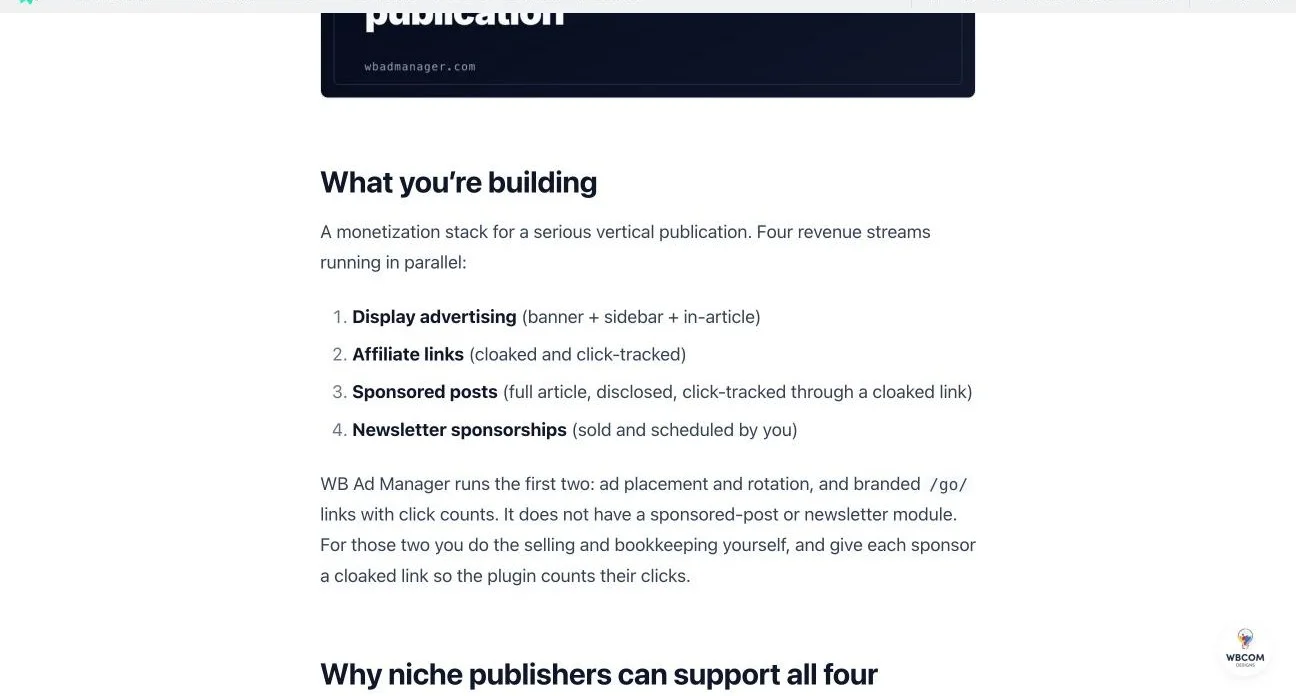
Table of Contents
- By the numbers
- Why Niche Publishers Diversify Revenue
- Step 1: Setting Up the Display-Ad Layer
- Step 2: Layering In Cloaked Affiliate Links
- Step 3: Adding Sponsored Posts as a Third Revenue Stream
- Step 4: Avoiding Ad Fatigue While Running All Three
- Step 5: Unified Reporting Across Revenue Streams
- Real-World Scenario: One Plugin Instead of Three
- FAQ
- Sources
By the numbers
The global digital advertising market was valued at USD 567.9 billion in 2025 and is projected to reach USD 1,692.9 billion by 2033, growing at 14.3% a year from 2026, according to Grand View Research. Most of that money goes to the big platforms, which is why a niche community selling its own inventory is a different proposition.
Why Niche Publishers Diversify Revenue
The pressure to run more than one monetization stream isn’t coming from a growth-hacking blog post. It’s structural. According to Demand Sage’s 2026 affiliate marketing statistics, 94% of publications now run multiple affiliate programs rather than a single partner relationship, and US advertiser spend on affiliate marketing alone is projected to hit $13.81 billion in 2026, up 11.3% from $12.42 billion in 2025 (citing eMarketer figures). That’s affiliate spend specifically. Add programmatic and direct-sold display inventory, plus the sponsored-content budgets brands now carry as a standing line item, and a single-income-stream publisher is leaving real money on the table every month.
94% of publications run multiple affiliate marketing programs rather than a single partner relationship, and US affiliate marketing ad spend is projected to reach $13.81 billion in 2026, up 11.3% year over year. (Source: Demand Sage, citing Affise and eMarketer data)
Relying on one stream also concentrates risk in a way that’s easy to ignore until it hurts. A publisher running AdSense only is at the mercy of RPM swings and policy changes they don’t control. A publisher running affiliate links only is exposed to a single network’s commission-rate cuts. Diversifying isn’t about chasing every dollar; it’s about making sure no single platform decision can zero out a month’s revenue. The practical obstacle has never been the business case. It’s been the tooling, running three monetization plugins means three attack surfaces, three support queues, and three places a tracking pixel can silently fail.
Step 1: Setting Up the Display-Ad Layer
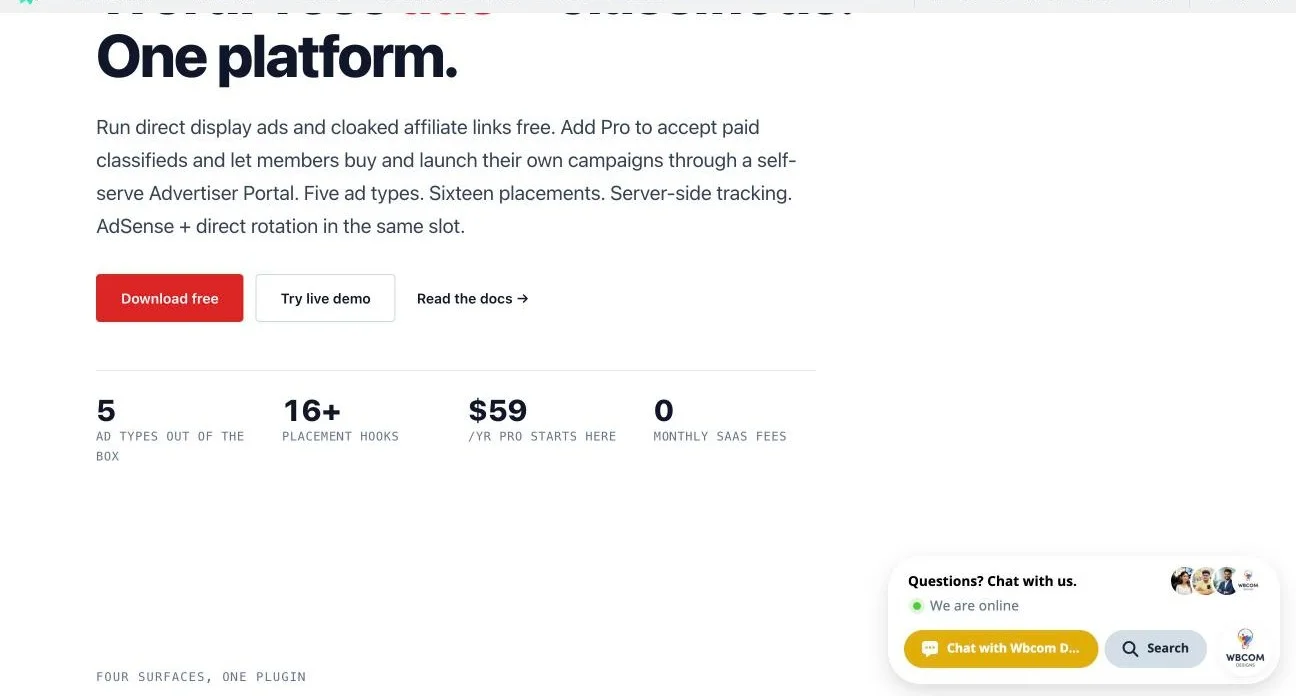
Start with the foundation stream: display ads. WB Ad Manager ships five ad types out of the box, image banners, rich HTML content, raw HTML/JS code blocks, native AdSense units, and email-capture forms, across 16+ placement hooks that cover headers, sidebars, in-content, and feed positions without touching theme template files.
The setup that matters for a full-stack publisher is mixing programmatic and direct-sold inventory in the same slots, rather than running them as competing layouts:
- Install and activate WB Ad Manager from the free tier, no license key needed to start.
- Create an ad post for each unit, choosing image, rich content, code, AdSense, or email-capture as the type.
- Pick a placement from the 16+ available hooks, after-content, sidebar, header, or in-feed, matching where the slot historically performed best.
- Set a priority weight so a direct sponsor’s creative takes precedence over AdSense when one is booked, and AdSense fills automatically when the slot is open. This is the mechanic covered in depth in how to mix AdSense and direct sponsors in the same ad slots, and it’s the piece that makes a hybrid display layer viable instead of a maintenance headache.
- Add a schedule, start date, end date, and frequency cap, so a direct booking runs for its paid window and then falls back to programmatic automatically.
Server-side click and impression tracking runs underneath all of this without a third-party script, which matters once you start layering affiliate and sponsored-content tracking on top: everything reports through the same counters instead of three different JavaScript tags fighting for the same pageview.
Step 2: Layering In Cloaked Affiliate Links
With the display layer running, the second stream is affiliate links, and this is where most publishers are already losing money without realizing it. A raw affiliate URL, long, ugly, and tied to one network’s domain, does three things badly: it looks untrustworthy to a reader who’s learned to distrust long tracking strings, it can’t be updated in bulk when a program changes its URL structure, and it gives you no first-party click data of your own.
WB Ad Manager’s link cloaking turns that long URL into a branded /go/<slug> link on your own domain, with server-side click tracking included at no cost on the free tier:
- Add the destination URL, your Amazon, ShareASale, Impact, or direct-merchant affiliate link.
- Set a branded slug, so
yoursite.com/go/product-namereplaces the raw tracking URL in every post. - Configure
rel="nofollow"andrel="sponsored"per link, nofollow is ticked by default on new links, sponsored isn’t until you tick it, matching what Google’s guidelines actually ask for rather than guessing. - Apply geo-targeting where a program has region-specific destination URLs, so a US reader and a UK reader land on the correct storefront from the same cloaked link.
- Drop the cloaked link into content the normal way, as an inline link inside a product mention, a comparison table, or a “buy now” button.
This is the same mechanic covered from the affiliate-tooling angle in ThirstyAffiliates vs. Pretty Links vs. WB Ad Manager, and the reason it matters for a full-stack setup specifically is that the cloaking engine doesn’t stop at affiliate networks. Because every cloaked link reports clicks through the same system regardless of destination, you can point the identical /go/ mechanic at a sponsor’s URL instead of a merchant’s, which is exactly what the next stream needs.
Step 3: Adding Sponsored Posts as a Third Revenue Stream
Sponsored posts are the stream most publishers manage worst, not because the content is hard to produce, but because the tracking and disclosure usually live nowhere. A sponsor pays for a post, the publisher emails over a Google Analytics screenshot a month later, and there’s no persistent click record either side can audit. WB Ad Manager doesn’t ship a sponsored-post marketplace module, and it shouldn’t pretend to: selling the placement, negotiating the rate, and invoicing the sponsor stay manual, the same way they would with a dedicated SaaS tool. What it gives you is the tracking infrastructure to make that manual process accountable:
- Write and publish the sponsored post as a normal article, with disclosure language at the top, “This post is sponsored by X,” stated plainly, not buried in a footer.
- Cloak every outbound link to the sponsor using the same
/go/system from Step 2, so a sponsor’s call-to-action link gets the identical server-side click count as an affiliate link. - Tag the sponsored post’s cloaked links distinctly, a naming convention like
/go/sponsor-brandnamekeeps sponsored-post clicks visually separable from straight affiliate clicks when you’re reviewing the link report. - Send the sponsor a click count, not a vague traffic estimate, pulled directly from the plugin’s tracking rather than a third-party analytics export that takes a day to generate.
- Repeat for newsletter sponsorships, the fourth stream, using the same cloaked-link pattern inside the email send, so a newsletter sponsor’s performance data lives in the identical system as the on-site inventory.
The honest version of this pitch: WB Ad Manager doesn’t automate the sales process for sponsored content, nothing does, that’s still relationship-driven work. What it removes is the need for a fourth tool just to prove a sponsor got what they paid for. One cloaked link, one click counter, applied to display-ad direct sales, affiliate links, sponsored posts, and newsletter slots alike.
Step 4: Avoiding Ad Fatigue While Running All Three
Running three or four revenue streams at once creates a real risk that’s separate from the tooling problem: overloading the page. A reader who hits a banner ad, two in-content affiliate links, and a sponsored-post call-out in the same article is not going to come back, no matter how clean the tracking is underneath. Balancing the streams matters as much as setting them up.
A few guardrails that hold up in practice:
- Cap display ad density per page. Use the frequency-cap setting to keep a single reader from seeing the same unit repeatedly in one session, and limit active placements to two or three per article rather than filling every available hook.
- Keep affiliate links contextual, not decorative. A cloaked link inside a genuine product recommendation reads differently than five cloaked links crammed into a single paragraph. Readers, and increasingly Google’s helpful-content signals, can tell the difference.
- Reserve sponsored-post slots for dedicated articles rather than inserting sponsor mentions into unrelated editorial content. A clearly labeled sponsored post that a reader can choose to engage with performs better, and causes less trust erosion, than a sponsor plug dropped into an article about something else.
- Rotate which stream gets priority by content type. A buyer’s-guide post can carry more affiliate links without feeling cluttered; a long-form opinion piece should carry fewer, if any, and lean on a single well-placed display unit instead.
- Watch bounce rate by page, not site-wide. A site-wide average hides the one article that’s overloaded. Cross-reference your ad placement report against pages with rising bounce rates monthly.
The AdSense-plus-direct priority system from Step 1 does double duty here: because a direct sponsor’s unit only shows when it’s actually booked, you’re never running a half-empty rotation of low-value filler ads just to keep a slot occupied. Idle slots can stay quieter rather than being stuffed with low-RPM units.
Step 5: Unified Reporting Across Revenue Streams
The reporting case is the real argument for consolidating onto one plugin. Three separate tools means three separate dashboards, an ad plugin’s impression log, a link-cloaker’s click report, and whatever spreadsheet is tracking sponsored-post performance, none of which talk to each other. Reconciling them at month-end is manual work that doesn’t scale past a handful of active sponsors.
With WB Ad Manager, display-ad impressions and clicks, and cloaked-link clicks for affiliate, sponsored-post, and newsletter URLs, all report through the same server-side tracking layer:
- Per-ad impressions and CTR for every display unit, broken out by placement.
- Per-link click counts for every cloaked
/go/URL, whether it points to an affiliate network, a sponsored-post CTA, or a newsletter sponsor’s landing page. - A single data source to screenshot or export when a sponsor asks for performance proof, instead of toggling between three admin panels.
This isn’t a unified revenue dashboard that totals dollars earned across all four streams, since two of those streams, sponsored posts and newsletter sponsorships, are sold and invoiced manually and don’t have a standardized rate card the way AdSense or an affiliate network does. What you get instead is a single, consistent click-and-impression ledger underneath every stream, which is the piece that actually breaks when publishers run three separate plugins, and the piece most sponsors are really asking for when they request a performance report.
Real-World Scenario: One Plugin Instead of Three
Consider a mid-sized outdoor-gear review site publishing two articles a week. For two years it ran AdSense through a basic ad-insertion plugin, affiliate links through a dedicated cloaking plugin, and sponsored posts tracked manually in a shared spreadsheet with the sales contact. Each tool worked fine in isolation. The friction showed up at the seams.
The ad-insertion plugin and the affiliate-cloaking plugin both hooked into the_content, and a theme update introduced a filter-priority conflict that caused affiliate links inside ad-adjacent content blocks to occasionally render as plain text, no cloaking, no tracking, for roughly ten days before anyone noticed the click numbers had dropped. The spreadsheet tracking sponsored posts had no persistent link, so when a sponsor asked for a mid-campaign performance update, the only answer was a manual Google Analytics pull that took half a day to assemble and still didn’t match what the sponsor’s own UTM tracking showed.
The site consolidated onto WB Ad Manager over a single weekend. Existing AdSense units moved into the ad-type system with the same placements; existing affiliate links were re-cloaked under a consistent /go/ slug structure; and new sponsored-post campaigns, from that point forward, used cloaked links from day one instead of raw URLs. Three plugins became one. The theme-update conflict that broke affiliate tracking for ten days couldn’t recur, because there was no longer a second plugin competing for the same content hook. And when the next sponsored-post inquiry came in, the publisher pulled a click count from a single report instead of assembling one from three sources.
Nothing about the underlying revenue changed overnight, consolidating tooling doesn’t invent new sponsors or traffic. What changed was the time spent maintaining the stack, and the confidence that a tracking number reported to a sponsor was actually accurate.
Get WB Ad Manager
WB Ad Manager runs display ads and cloaked affiliate links free, with no monthly SaaS fee at any tier. Pro starts at $59/year and adds the self-serve advertiser portal and paid classifieds for publishers who want members or advertisers to book inventory themselves. Visit wbadmanager.com to download the free plugin or see the full feature breakdown.
Summary
Running ads, affiliate links, and sponsored posts as three separate plugins isn’t a sign of a serious monetization operation, it’s usually a sign that the operation hasn’t been audited yet. The conflicts are predictable: competing content hooks, duplicate tracking scripts, and a reporting process that requires manually reconciling three dashboards every time a sponsor asks a question. None of that scales, and all of it is avoidable.
WB Ad Manager doesn’t claim to automate the sales side of sponsored content or newsletter sponsorships, that work stays human. What it does is give a publisher one plugin, one tracking layer, and one set of cloaked links underneath all four revenue streams, display advertising, affiliate links, sponsored posts, and newsletter sponsorships, so the tooling stops being the bottleneck. Start with the free tier, move display ads and affiliate links over first, then bring sponsored-post tracking into the same system on the next campaign.
FAQ
Can WB Ad Manager really run display ads, affiliate links, and sponsored posts from one plugin?
It runs display ads and affiliate link cloaking natively, both with built-in placement, scheduling, and server-side click tracking. Sponsored posts and newsletter sponsorships aren’t a dedicated module, the selling and invoicing stay manual, but every sponsored link gets cloaked through the same /go/ system, so all four streams report through one tracking layer instead of three disconnected tools.
Do I need the Pro version to run all three revenue streams?
No. Display ads and affiliate link cloaking, including the mechanics this guide covers, are available in the free plugin. Pro adds the self-serve advertiser portal and paid classifieds marketplace, which matter if you want members or advertisers to book and pay for their own inventory, but they’re not required to stack ads, affiliates, and sponsored posts manually.
Will running AdSense and direct sponsors in the same ad slot cause a policy problem with Google?
No, running AdSense alongside direct-sold creative in the same rotation is standard publisher practice and doesn’t violate AdSense policy on its own. The priority-weighting system simply decides which creative shows when both are eligible; AdSense still serves under its own policies when it’s the one selected.
How is a cloaked affiliate link different from just pasting the raw affiliate URL?
A cloaked link replaces a long, network-specific tracking URL with a short, branded link on your own domain, yoursite.com/go/product instead of a 150-character string. It reads as more trustworthy to readers, can be bulk-updated if the destination URL changes, and gives you first-party click data instead of relying entirely on the affiliate network’s own dashboard.
Should sponsored-post links be nofollow or sponsored?
Sponsored content links should carry rel="sponsored" per Google’s guidelines on paid links, since the link exists because of a commercial relationship. WB Ad Manager exposes both the nofollow and sponsored attributes as checkboxes per link, nofollow is ticked by default, sponsored needs to be set explicitly, which keeps the choice deliberate rather than accidental.
How many ad placements can one page realistically support without hurting the reader experience?
There’s no universal number, but two to three active display placements per article, plus contextual affiliate links inside genuine product mentions, is a reasonable ceiling for most content. Beyond that, CTR per unit tends to drop and bounce rate tends to climb, which is why the frequency-cap and placement controls matter more than raw ad count.
Can I track how much a specific sponsor’s post actually earned them in clicks?
Yes, as long as the sponsor’s call-to-action link was cloaked through WB Ad Manager rather than linked directly. The click count for that specific /go/ link is available in the link report, giving you an auditable number to share with the sponsor instead of an estimate.
What happens to my existing AdSense units and affiliate links if I switch to WB Ad Manager?
Existing AdSense units can be recreated as ad posts using the native AdSense ad type, keeping the same ad unit IDs. Existing affiliate links need to be re-cloaked under WB Ad Manager’s /go/ structure, which is the main migration effort, best done in a batch pass rather than link by link, prioritizing your highest-traffic posts first.
Is geo-targeting available for both display ads and affiliate links?
Geo-targeting by country is available on the free tier for both ad placements and cloaked links, which matters for affiliate programs that route US and international traffic to different storefronts, and for sponsors running region-specific campaigns.
Does consolidating onto one plugin actually reduce site performance overhead compared to running three?
Generally yes. Three plugins each loading their own tracking scripts and each hooking into content-rendering filters adds more PHP execution and more render-blocking or async JS than one plugin handling the same jobs through a single tracking layer. The performance gain isn’t the primary reason to consolidate, but it’s a real secondary benefit.
Sources
- Grand View Research: Digital Advertising Market
- Demand Sage: affiliate marketing statistics (cited in the body, not re-verified)
- Wbcom Designs: WB Ad Manager pricing and plans (checked 6 November 2026)