
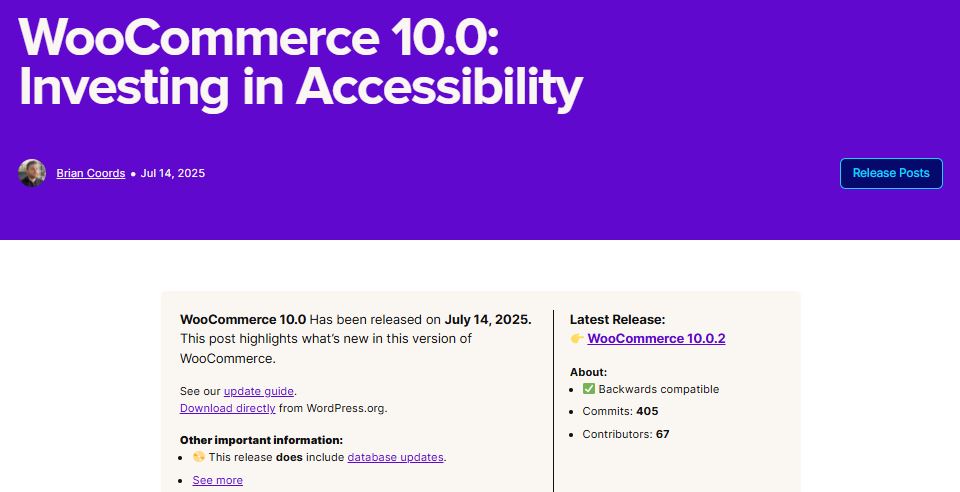
WooCommerce 10.0 shipped July 14, 2025, marking the point where WooCommerce moved to its own independent, time-based release schedule instead of tying versioning to WordPress core cycles. Worth noting upfront: WooCommerce has continued releasing regularly since then and is now well past 10.0 (currently in the 10.9.x line as of this writing), so treat this as a look at what changed at that milestone, not a description of the current release. Check the official release notes directly for what’s actually current.
WooCommerce 10.0 at a glance
| Item | Details |
|---|---|
| Release Date | July 14, 2025 |
| Compatibility | Fully backwards-compatible, no major DB changes |
| Main Focus Areas | Accessibility, checkout UX, content management, developer flexibility |
Why 10.0 was a real milestone, not just a number
A few things distinguished this release from a routine point update to WooCommerce. It was the first release under the platform’s new, simplified, independent versioning strategy, a structural change rather than a features-only update. It carried meaningful under-the-hood performance work affecting both frontend and backend speed, the kind of change that rarely makes headlines but shows up in real page-load numbers over time. Extensibility for developers improved too, particularly around blocks and hooks, and new APIs arrived alongside the deprecation of older ones as part of an ongoing modernization push that had been building for several releases before this one.
The versioning change in particular is worth sitting with for a moment, since it’s easy to gloss over as an administrative detail. For years, store owners had to track WordPress core’s own release rhythm to guess roughly when a WooCommerce update might land. Decoupling the two gave WooCommerce room to ship on its own cadence, which in turn gave merchants and developers a more predictable schedule to actually plan maintenance windows around.
What changed in 10.0
1. Independent versioning model
WooCommerce dropped its legacy versioning model, which had been loosely tied to WordPress core update cycles, in favor of its own predictable, time-based release cadence. The practical effect: feature releases and security patches landed on a more consistent, transparent schedule, easier to plan around for both developers maintaining custom code and merchants scheduling their own update windows.
2. Performance improvements
Database query handling was refactored in ways that reduced load times specifically for stores running large product catalogs, the kind of store where a slow query compounds across thousands of listings rather than staying a minor annoyance. Checkout rendering saw adjustments to the block-based checkout that reduced render time, directly touching the page every paying customer has to load. REST API endpoints returned responses more efficiently too, which smoothed out third-party integrations that depend on quick round trips, mobile apps, headless frontends, and inventory sync tools among them.
3. Block-based product editor compatibility
10.0 moved WooCommerce closer to full Gutenberg compatibility: reusable block-based product templates, layout customization without writing custom PHP templates, and new APIs for developers to extend or override individual blocks rather than forking an entire template file. This mattered most for stores running full site editing themes, where the whole point is managing layout through the block editor rather than a theme’s PHP template hierarchy.
4. Checkout and cart blocks became the stable default
The previously optional Checkout Block and Cart Block became the default recommendation after years of testing. The shift brought fewer steps in the checkout flow, easier customization through block settings instead of template overrides, and better compatibility with payment gateways and shipping extensions that had spent that testing period catching up to the new block architecture.
5. Admin experience updates
Settings pages were unified with native WordPress admin styling, closing a long-standing visual inconsistency between WooCommerce’s own screens and the rest of wp-admin. Filtering for orders, products, and customers improved, and onboarding for new store owners got streamlined, shortening the gap between installing the plugin and having a functional store.
Developer notes from that release
Deprecated functions and APIs: several outdated functions, actions, and filters were deprecated rather than removed outright, which gave developers a runway rather than a hard break. If you’re maintaining a site still running code from that era, it’s worth auditing for deprecated calls and migrating to current APIs before a future release removes them entirely rather than just flagging them.
PHP 7.4 minimum: WooCommerce 10.0 raised the minimum to PHP 7.4. That’s still the stated minimum today, with PHP 8.0 or newer recommended for both performance and continued vendor support, since PHP itself has its own end-of-life schedule that store owners should track independently of WooCommerce’s requirements.
Security changes in 10.0
Data validation was hardened across checkout and account forms, closing gaps in exactly the two places where customers submit sensitive information. CSRF and nonce handling improved for critical actions, reducing the surface for cross-site request forgery attacks against logged-in sessions. Permission checks on REST API endpoints got tighter too, an area that matters more than it used to now that so many stores expose data to headless frontends, mobile apps, and third-party integrations through that same API surface.
Regardless of which version you’re running, SSL enforcement, keeping automatic security patching enabled where available, and pairing WooCommerce with a security plugin like Wordfence or Jetpack Protect remain good baseline practice. None of those depend on which WooCommerce version is installed, and skipping them undercuts even the most current release’s own security work.
If you’re upgrading an older store
- Back up your site first. Files and database, before any major version jump.
- Test in staging. Confirm theme and plugin compatibility before touching the live site.
- Update themes and plugins to versions confirmed compatible with your target WooCommerce version.
- Test the block-based checkout specifically against your actual payment gateways.
- Audit custom code for deprecated functions if you or a developer customized WooCommerce templates or hooks.
That checklist looks obvious written out, and it is, but it’s exactly the sequence store owners skip when a version jump feels routine. A WooCommerce major update touches checkout, the one page on the entire site where a bug directly costs revenue, so the extra caution here is worth more than it would be for most other plugin updates.
Budget real time for the staging test specifically. A rushed five-minute check rarely surfaces the kind of edge-case bug that shows up only with a specific payment gateway, a specific shipping zone, or a coupon combination a customer actually tries. A slower, deliberate pass through the checkout flow with a few different payment methods catches far more than a quick glance at the homepage ever will.
Where WooCommerce has gone since
WooCommerce has kept shipping on the faster, independent release cadence 10.0 introduced, currently in the 10.9.x line. Rather than speculate on specific future roadmap items here, check WooCommerce’s own release announcements for what’s actually shipped since, that’s a more reliable source than any single roadmap prediction made from outside the project.
Extension and third-party compatibility during the transition
A release this structural inevitably creates a compatibility window where extension developers need time to catch up. Payment gateway plugins, shipping calculators, and inventory sync tools that hooked into older template files or deprecated functions needed updates of their own to keep working cleanly against the new block-based checkout and the refreshed API surface.
Most major extensions caught up within the following weeks, but it’s a real reason the upgrade checklist above puts staging testing before touching a live store. An extension that worked fine on the previous WooCommerce version isn’t guaranteed to behave identically the moment the underlying platform shifts this much at once, even when the changelog says nothing broke. Checking an extension’s own changelog for explicit compatibility statements against the target WooCommerce version, rather than assuming silence means everything is fine, is a small habit that catches problems before a customer does.
Hosting considerations tied to the performance work
The database query refactoring and checkout rendering improvements in 10.0 matter more on some hosting setups than others. A store already running on a host tuned for WooCommerce, with object caching and a reasonable PHP version configured, tends to feel these improvements more distinctly than a store on generic shared hosting where other bottlenecks, server resource limits especially, mask the gains WooCommerce itself made at the application layer.
This isn’t a knock on the release. It’s a reminder that a plugin update can only improve what’s within its own control. Pairing a WooCommerce update with a periodic review of hosting and caching configuration tends to surface more real-world speed improvement than either change alone, and it’s a review worth doing on its own schedule regardless of which WooCommerce version happens to be running at the time.
What the faster cadence means for how you plan updates
A more frequent, predictable release schedule changes how a store owner should think about updates in practice. Waiting a full year between WooCommerce updates, which used to be a common risk-averse habit, now means missing several releases’ worth of security patches and compatibility fixes rather than just one. The safer default shifted toward smaller, more frequent update cycles tested in staging, rather than one large, higher-risk jump attempted once a year.
Agencies managing multiple client stores felt this shift the most. A predictable release calendar makes it realistic to build update testing into a recurring maintenance schedule, rather than reacting to updates as they land unpredictably throughout the year.
There’s a real tradeoff worth naming here too. A faster release cadence means more frequent testing overhead, which is a genuine cost for a small team managing one store with limited time. The payoff is smaller, more contained changes per release rather than one large, riskier jump, which on balance tends to reduce total disruption even though it asks for attention more often.
Accessibility work that shipped alongside the headline changes
Accessibility sat among 10.0’s stated focus areas, and while it didn’t generate the same attention as the checkout and performance changes, it’s worth calling out on its own. Improvements here typically touch keyboard navigation through checkout forms, screen reader labeling on interactive elements, and color contrast adjustments in the admin interface, the kind of work that rarely shows up in a feature announcement but directly affects whether a store is usable for every customer trying to complete a purchase, not just the majority who never think about it.
For merchants operating in regions with accessibility compliance requirements, WCAG-aligned improvements baked into the platform itself reduce the custom work needed to meet those standards independently. That’s a quieter kind of value than a faster checkout, but it matters just as much to the customers it actually serves, and it’s the kind of improvement that’s easy to overlook entirely if nobody on the team is specifically checking for it release after release.
What merchants noticed versus what developers noticed
A store owner logging in the week after the update mostly noticed a checkout that felt slightly faster to load and an admin area that looked a bit more consistent with the rest of WordPress. None of that reads as dramatic in a screenshot, which is part of why this release quietly mattered more than its changelog headline suggested. The improvements that affect a customer’s actual buying experience rarely announce themselves loudly.
Developers noticed something different: a cleaner set of APIs to build against, fewer workarounds needed for block-based product pages, and a versioning model that made it noticeably easier to target a specific WooCommerce release in a plugin’s compatibility testing matrix. Agencies building custom extensions got a more stable foundation to work from, which paid off in fewer support tickets tied to version-specific quirks down the line, and less time spent explaining to a client why a feature that worked last month suddenly didn’t.
How 10.0 compares to past major WooCommerce jumps
WooCommerce has had a handful of releases over the years that reshaped how stores get built, the original introduction of blocks-based checkout being one, the shift toward the block-based product editor being another. What set 10.0 apart wasn’t a single flashy new feature so much as the structural change underneath it: a new release model that made every future update, big or small, land on a schedule merchants could actually plan around instead of guess at.
That’s a different kind of milestone than a version that adds one headline feature. It’s the kind that changes how every subsequent release gets consumed, which is part of why revisiting it months later still tells a useful story about where WooCommerce as a platform was headed, and why the 10.9.x line that followed feels like a natural continuation rather than a separate reinvention.
Common questions about the 10.0 release
Do I need to update to 10.0 specifically, or can I skip straight to the current version?
Skip straight to the current version. WooCommerce is well past 10.9.x at this point, and there’s no reason to stop at 10.0 specifically unless you’re troubleshooting a compatibility issue tied to that exact release. Always target the current stable version for a fresh update, checking the official release notes for anything version-specific worth knowing before you start.
Will updating from an older WooCommerce version break my custom theme?
It depends entirely on how the theme was built. A theme using deprecated template overrides or outdated hooks is the most likely to break, which is exactly why the staging test and custom code audit in the upgrade checklist above matter more than they might seem to at first glance, especially for an older theme that hasn’t seen an update from its own developer in a while.
Does the independent versioning model mean WooCommerce updates more often now?
Yes, noticeably. The predictable, time-based schedule introduced with 10.0 has kept WooCommerce shipping releases at a steadier pace than the WordPress-core-tied model that came before it, which is part of why the 10.9.x line existed so soon after 10.0 itself, and why a store owner checking back a year later should expect several point releases to have landed in between.
Is the block-based checkout mandatory now?
It became the default recommendation with 10.0, not a forced requirement. Stores still running the older shortcode-based checkout can generally continue doing so, though migrating eventually is worth planning for as extension support increasingly targets the block-based version going forward, leaving the shortcode-based path with a shrinking pool of actively maintained compatible extensions over time.
Why open-source still holds up
Against hosted platforms like Shopify or BigCommerce, WooCommerce’s case remains the same one it’s always made: full customization control, hosting flexibility (Cloudways, Kinsta, and similar work well with it), and owning your code and data rather than renting a platform. That argument doesn’t change release to release, but each release that ships real performance and security improvements, like 10.0 did, reinforces it a little more concretely than the argument alone ever could. Store owners weighing a platform migration are better served comparing what actually shipped over the last year than relying on either side’s marketing copy.
A quick note for anyone reading this well after the fact: none of the version-specific numbers above change, but check WooCommerce’s own release notes before acting on any upgrade plan, since the current line has moved well past 10.0 by now.