
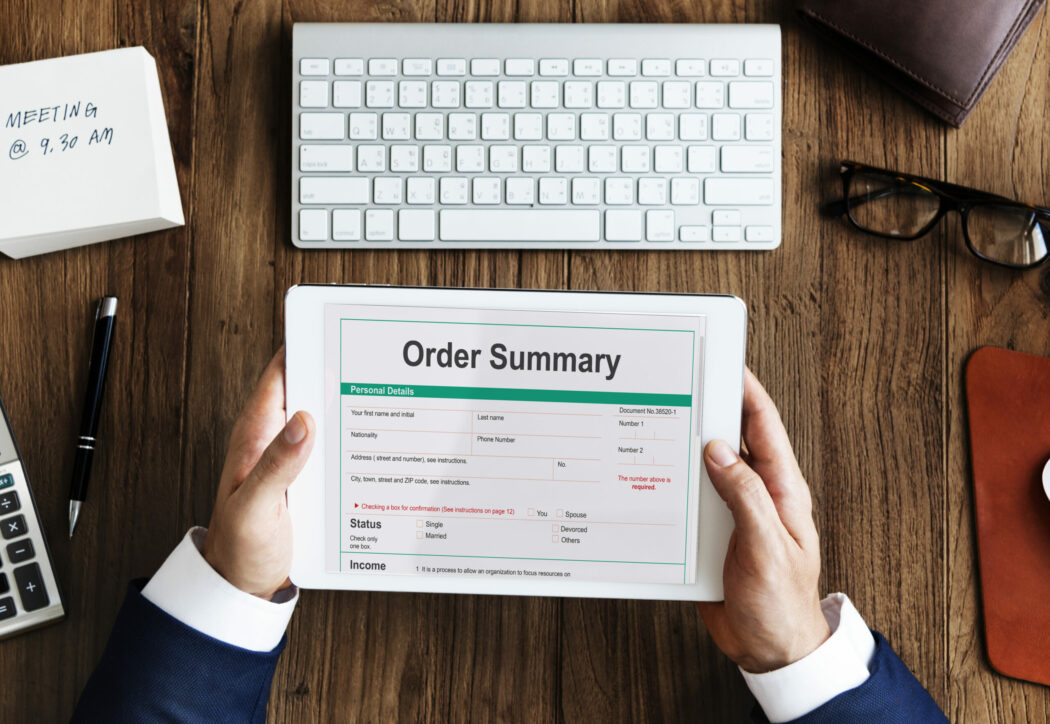
Manual invoicing doesn’t scale past a handful of orders. These plugins automate PDF invoice, packing slip, and credit note generation for WooCommerce, so every order gets a document without anyone touching it by hand.
Why This Isn’t Optional Past a Certain Order Volume
A store doing five orders a day can get away with manually emailing invoices, or skipping them entirely and relying on the order confirmation email as the record. That approach breaks down fast once volume grows, or once you’re selling into markets with stricter invoicing requirements. Several EU countries require a formal, sequentially numbered VAT invoice for B2B transactions regardless of order size, and even in markets without that legal requirement, customers making business purchases routinely expect a proper invoice for their own accounting and tax records, not just an order confirmation email.
Beyond compliance, there’s the practical bookkeeping angle: sequential invoice numbering, consistent tax line items, and a standardized document format make your own accounting and end-of-year reconciliation dramatically less painful than trying to reconstruct invoice history from raw order data after the fact.
What These Plugins Actually Do
- Customization of layout, branding, and content to match the store.
- Automatic generation and delivery, usually attached to the order confirmation email or available for download from the customer’s account.
- Tax/compliance handling, sequential invoice numbering and tax line items for most jurisdictions.
- Bulk generation in some plugins, useful for batch-processing older orders or end-of-month accounting.
How Automatic Generation Works Under the Hood
Most of these plugins hook into WooCommerce’s own order status transitions, typically woocommerce_order_status_completed or woocommerce_order_status_processing, depending on the plugin and your configuration. When an order moves into the qualifying status, the plugin generates a PDF from a template, populated with the order’s line items, customer details, and tax data, then either attaches it to the relevant WooCommerce transactional email or makes it available as a download link in My Account, sometimes both. This matters practically for one reason: if invoices aren’t generating for a specific order, the first thing worth checking is which order status triggers generation in your plugin’s settings, and whether that order actually reached that status (a manually marked “on-hold” order that never got flipped to “processing” or “completed,” for instance, may never trigger invoice generation at all).

1. YITH WooCommerce PDF Invoices & Packing Slips
Handles proforma invoices, packing slips, and credit notes in one plugin. Customers can download their own invoices from My Account, and documents can auto-backup to Dropbox or Google Drive. $79.99/yr. YITH’s product pages block automated verification (a recurring pattern for this vendor across this campaign), confirm current pricing directly on yithemes.com.
2. WooCommerce PDF Invoices (Official Extension)
The official WooCommerce.com extension. Confirmed active, v5.1.2, 5,000+ active installs. Pricing is now shown in INR (₹7,583/yr for a single site, roughly $88 depending on exchange rate) rather than a flat USD figure, matching a pattern seen on several other WooCommerce.com extensions recently.
3. Auto-Generate PDF Invoices, Packing Slips & Credit Notes (WebToffee)
Bulk preview, download, and print for invoices, packing slips, and credit notes, individually or in batches. $69/yr single site, cancel renewal anytime.
4. PDF Invoice and Packing Slip for WooCommerce (WebAppick)
Automated document generation with sequential numbering and email delivery. Pricing tiers: $29 single site, $59 for 5 sites, $129 for 10 sites. WebAppick’s product page blocked automated verification this round, confirm current details directly on their site.
5. PDF Generator for WP Pro (WP Swings)
Broader in scope than the others here, it’s not WooCommerce-specific: builds custom PDF templates from any WordPress content via the Gutenberg editor, with role-based generation and watermark support. Worth including if you want one tool that also handles non-order PDFs (member documents, reports) alongside invoices. $59/yr. Current availability wasn’t independently reconfirmed this session, worth a quick check before buying.
Comparing the Five at a Glance
| Plugin | Starting Price | Bulk Generation | Best Fit |
|---|---|---|---|
| YITH PDF Invoices & Packing Slips | $79.99/yr | Yes | Existing YITH ecosystem stores |
| WooCommerce PDF Invoices (official) | ~$88/yr | Yes | Stores wanting the official WooCommerce.com extension |
| WebToffee | $69/yr | Yes | Budget-conscious stores wanting core features without extras |
| WebAppick | From $29/yr | Yes | Multi-site licensing on a tighter budget |
| PDF Generator for WP Pro | $59/yr | Yes | Stores needing non-order PDFs alongside invoices |
Setting Up Invoice Templates: What to Get Right
Whichever plugin you pick, a handful of setup details matter more than the visual template design itself:
- Sequential numbering without gaps. Most tax authorities expect invoice numbers to be sequential and gap-free. Test how your chosen plugin handles cancelled or refunded orders, some skip a number in the sequence when an order is voided before invoicing, which can raise questions during an audit even though nothing improper happened.
- Correct tax display for your jurisdiction. VAT-registered EU businesses, US sales-tax stores, and GST-registered stores in markets like Australia or India all have different formatting expectations for how tax is broken out on the document. Confirm the plugin’s tax line item format matches what your accountant or local requirements expect before relying on it in production.
- Legal business details in the header/footer. Business registration number, VAT ID, registered address, whatever your jurisdiction requires on a formal invoice, needs to be part of the template, not something you’re adding after the fact.
- Consistent numbering across refunds and credit notes. If you issue partial refunds regularly, confirm the plugin generates a proper credit note referencing the original invoice number rather than just a generic refund confirmation.
Storage, Retention, and Data Protection
Generated PDF invoices typically contain personal data, name, billing address, purchase history, which puts them squarely within the scope of GDPR (for EU customers) and similar data protection regulations elsewhere. If a plugin auto-backs up invoices to a third-party service like Dropbox or Google Drive, as YITH’s option above does, confirm that storage location is accounted for in your store’s privacy policy and data processing documentation, since it represents an additional place customer data is being stored beyond your own server and database. Most jurisdictions also have minimum retention requirements for financial records (commonly several years), worth confirming your chosen plugin’s storage approach won’t accidentally purge older invoices before you’re legally required to keep them.
Integrating With Accounting Software
If your store already exports order data to accounting software (QuickBooks, Xero, or similar), check whether your chosen invoicing plugin’s numbering and format align with what your accounting integration expects, mismatched invoice numbers between your WooCommerce-generated PDFs and your bookkeeping system create reconciliation headaches at tax time. Some of the plugins above integrate directly with popular accounting tools; for others, you’re relying on the invoice number matching the WooCommerce order number consistently enough to cross-reference manually.
Invoices vs. Packing Slips vs. Credit Notes: Not Interchangeable
These three document types get bundled together in most of the plugins above, but they serve distinct purposes, and it’s worth understanding the difference when configuring generation rules:
- Invoices are the formal billing document, itemized products, prices, tax, totals, typically what a customer needs for their own records or expense reporting.
- Packing slips ship physically with the order (or get included as a reference document for the warehouse team) and typically omit pricing entirely, listing just the items and quantities, useful when a gift order shouldn’t reveal the price paid to the recipient, or when a fulfillment team needs a picking reference without financial detail.
- Credit notes document a refund or partial refund against a specific original invoice, and in most jurisdictions with formal invoicing requirements, a credit note needs to reference the original invoice number it’s correcting, not just exist as a standalone refund receipt.
If your store fulfills physical products through a third-party warehouse or dropshipping partner, confirm your plugin can generate a price-free packing slip specifically, rather than just reusing the invoice template with pricing stripped inconsistently.
Testing Before You Commit to a Plugin in Production
A short staging-environment checklist before rolling any of these out to a live store:
- Place a full test order covering your most common tax scenario (standard rate, any reduced-rate products, any tax-exempt categories if applicable) and confirm the generated invoice reflects tax correctly.
- Test a partial refund and confirm the resulting credit note references the correct original invoice number.
- Test with a business customer entering a VAT/tax ID at checkout, if your store collects one, and confirm it appears correctly on the generated document.
- Check how the plugin behaves with special characters in customer names or addresses (accented characters, non-Latin scripts) since PDF generation libraries occasionally mishandle character encoding in ways that only show up with real-world international customer data.
- Confirm the PDF attaches correctly to the actual transactional email your store sends, rather than just generating correctly in isolation, since some plugin/theme/email-service combinations have compatibility quirks specifically around attachments.
Multi-Currency Considerations
If your store sells in multiple currencies (through a currency-switcher plugin or WooCommerce’s own multi-currency features on certain hosting platforms), confirm your invoicing plugin generates the invoice in the currency the transaction actually completed in, not a default store currency that might not match what the customer was charged. This is a common gap in invoicing plugins that weren’t built with multi-currency stores specifically in mind, and it’s worth testing directly with a non-default-currency order during your staging checks above rather than assuming compatibility.
Print-Friendly Output vs. Purely Digital Delivery
Most of these plugins are built primarily around digital delivery, email attachment or account download, but if your business also fulfills orders that ship with a printed packing slip inside the box, confirm the plugin’s print output is genuinely print-friendly: reasonable margins, no cut-off content at standard paper sizes (both Letter and A4, if you ship internationally), and legible output at standard printer resolution rather than something optimized only for on-screen viewing. This is easy to overlook when evaluating a plugin purely from its screenshot or on-screen preview.
Support and Update Cadence Matter More Than the Feature List
Invoicing plugins interact directly with WooCommerce’s checkout and order-processing flow, which means a compatibility break after a WooCommerce core update isn’t just an inconvenience, it can mean orders silently failing to generate invoices, something you might not notice until a customer complains weeks later. When comparing the options above, active update cadence and responsive support matter as much as the feature checklist. A plugin that hasn’t been updated in step with recent WooCommerce releases is a real risk here, not just a stale-feeling product page.
Digital Products and Invoices
If your store sells downloadable products or memberships rather than physical goods, invoicing still matters, arguably more so, since there’s no physical packing slip to double as an informal receipt. Confirm your chosen plugin’s template handles digital-only orders cleanly, some default templates include shipping address fields and shipping-cost line items that look awkward or blank on an order with no physical shipment at all. A few of the plugins above offer conditional template logic to hide shipping-related fields automatically when an order contains only downloadable or virtual products, worth checking for specifically if that’s a meaningful share of your catalog.
A Note on E-Invoicing Mandates
A growing number of countries are moving toward mandatory structured e-invoicing, standardized machine-readable invoice formats submitted directly to a government platform or a network like Peppol, rather than a simple PDF attached to an email. Italy’s SDI system and Mexico’s CFDI requirements are established examples, and several other markets have rolled out or announced similar requirements in recent years. None of the plugins compared above are positioned as full e-invoicing compliance solutions in that specific structured-data sense, they generate a standard PDF document. If your store operates in, or sells B2B into, a market with a formal e-invoicing mandate, treat that as a separate compliance requirement from the plugins on this list, and consult with a local accountant or a specialized e-invoicing integration rather than assuming PDF generation alone satisfies it.
Troubleshooting: Invoices Not Generating
If invoices stop generating for new orders, work through these in order before assuming the plugin itself is broken:
- Check the triggering order status. As covered above, most plugins generate on a specific status transition (commonly “processing” or “completed”). An order stuck in “on-hold” or “pending payment” may never trigger generation.
- Check for a recent WooCommerce or WordPress core update. A version mismatch between your invoicing plugin and current WooCommerce core is one of the most common causes of silent generation failures, particularly right after a major WooCommerce update.
- Check your site’s PDF generation library requirements. Many of these plugins rely on a PHP library (commonly something in the mPDF or DOMPDF family) to actually render the PDF, and hosting environments with restrictive PHP memory limits or missing extensions can cause silent failures on more complex templates or larger orders with many line items.
- Check whether a caching plugin is interfering. Aggressive page or object caching can occasionally serve a stale version of an order-confirmation email template that predates the invoice attachment being added, worth excluding transactional emails from caching if this is a factor.
Picking One
If you’re already using other YITH products, YITH’s invoicing plugin keeps things consistent. Otherwise the official WooCommerce.com extension is the safest default. WebToffee and WebAppick both undercut it on price if per-site licensing across many sites matters more than being the “official” option. PDF Generator for WP Pro is the outlier, pick it only if you need PDFs beyond just invoices.
Whichever you land on, treat the staging-environment testing checklist above as a required step, not an optional one. Invoice generation is exactly the kind of feature that looks fine on a demo order and then quietly fails on the edge cases, refunds, international customers, multi-currency, subscriptions, that don’t show up until real order volume starts flowing through it.
Frequently Asked Questions
Do I legally need to issue PDF invoices for every order?
Requirements vary significantly by jurisdiction and transaction type. B2B sales in many countries, particularly within the EU, carry stricter formal invoicing requirements than typical B2C retail. If you’re unsure what applies to your specific business and markets, this is worth confirming with an accountant or tax advisor familiar with your jurisdiction rather than assuming any single plugin’s default template satisfies every requirement automatically.
Can I generate invoices retroactively for orders placed before I installed the plugin?
Most of the plugins listed above support bulk or manual generation for existing historical orders, not just new ones going forward, though the exact workflow (bulk action from the orders list, a dedicated regeneration tool) varies by plugin. Worth testing on a handful of old orders before assuming full historical coverage.
Will switching invoicing plugins break my existing invoice numbering sequence?
It can, depending on how the new plugin initializes its counter. Check whether your new plugin lets you manually set a starting invoice number that continues from your prior sequence, rather than resetting to 1, if maintaining an unbroken numbering history matters for your bookkeeping or compliance needs.
Do these plugins work with subscription or recurring-billing orders?
Most support recurring orders generated through WooCommerce Subscriptions or similar recurring-billing extensions, generating a fresh invoice for each renewal, but compatibility and exact behavior vary by plugin. If subscriptions make up a meaningful share of your order volume, test a full renewal cycle in staging specifically, rather than assuming one-time-order testing covers the recurring case.
Can customers access old invoices without contacting support?
This depends on the plugin’s My Account integration. Most of the options above, including YITH’s, add an invoice download link directly to each past order in the customer’s account area, which meaningfully reduces “can you resend my invoice” support tickets compared to email-only delivery, worth weighing if support volume is a consideration in your decision.
Also read: Unlocking Growth: The Powerful Benefits of User-Generated Content