

Running a dropshipping or warehouse-based online store can be tricky without the right tools. If you’re using WordPress with WooCommerce, plugins can help you manage orders, suppliers, inventory, and shipping smoothly. Here, we’ll explore the 10 best WordPress warehouse and dropshipping plugins, their benefits, how to choose the right one, and how to set them up.

Quick Links
What Is a Dropshipping Plugin?
A dropshipping plugin connects your online store to suppliers. When someone places an order, the plugin sends the order directly to the supplier who ships the product to the customer. You don’t have to keep any stock or handle shipping yourself.
Warehouse plugins, on the other hand, help store owners who manage their own inventory. They make it easier to keep track of products, restock when items run low, and handle large shipments.
Using these plugins can save time, reduce manual work, and lower the risk of mistakes with orders or stock.
Benefits of Using Dropshipping & Warehouse Plugins
Save Time and Effort
These plugins automate many tasks like adding products, updating stock levels, and sending order details to suppliers. You won’t need to spend hours doing these things by hand.
Reduce Human Errors
Manually entering orders or tracking stock can lead to mistakes. A good plugin updates everything in real-time, so your store always shows the correct product availability and order details.
Manage Multiple Suppliers Easily
Some plugins let you work with several suppliers at once. You can assign products to different warehouses or vendors and let the plugin take care of sending the right order to the right supplier.
Keep Customers Happy
With automated order tracking, quick updates, and fewer errors, your customers get a better shopping experience. Happy customers are more likely to come back.
10 Best WordPress Warehouse & Dropshipping Plugins
1. AliDropship

AliDropship is a plugin made for people who want to dropship products from AliExpress. It connects your WordPress store directly with AliExpress, so you can easily find and import products with just a few clicks. You don’t have to copy and paste product info or images—it’s all done for you.
Once you make a sale, the plugin helps you place the order with the supplier automatically. This saves a lot of time and makes the order process much easier. You don’t need to message the supplier or manually enter details each time.
AliDropship also lets you set your own prices, edit product descriptions, and even mark up prices automatically. It’s a great tool for anyone who wants to run a hands-off dropshipping store using AliExpress.
2. WooDropship
WooDropship is another popular plugin for AliExpress dropshipping. It works well with WooCommerce and helps you import products from AliExpress straight into your store. You can change the titles, prices, and images before adding them to your shop.
One cool feature is the Chrome extension. It lets you browse AliExpress and add items to your store with one click. It makes adding products very fast and easy, even if you want to add dozens of items at once.
WooDropship also helps with automatic order fulfillment. When someone buys a product, the plugin helps send the order to the supplier, including all the correct details. It’s a simple way to run a dropshipping business without having to do everything by hand.
3. Dropified
Dropified is a powerful dropshipping tool that works with AliExpress and other platforms like eBay. It’s built for store owners who want to manage large inventories and save time. With Dropified, you can import hundreds of products, edit them, and organize them easily in your store.
What makes Dropified special is its automation. You can set it up to automatically place orders, update tracking info, and even change prices if they go up or down on the supplier’s site. This helps keep your store accurate and your profits safe.
Another helpful feature is product bundling and editing in bulk. If you like tweaking product details or selling custom packages, Dropified gives you the tools to do it faster. It’s great for busy store owners who want to scale up.
4. Spocket
Spocket is a plugin that connects your store with suppliers from the US and Europe. This means faster shipping times compared to plugins that rely only on China-based suppliers. If your customers are in the US or Europe, this can make a big difference.
You can search for products inside the plugin and import them directly into your store. Spocket shows you real photos, supplier info, and shipping times before you add the product. It’s simple to use and doesn’t take much time to set up.
Another good thing is the focus on quality. Many Spocket suppliers offer branded invoicing, which means your store looks more professional to the customer. It’s a great option if you care about customer experience and want to build trust in your brand.
5. Printful
Printful is made for print-on-demand stores. This means you can design items like shirts, mugs, bags, and posters. When someone places an order, Printful prints the item and ships it for you. You don’t need to keep any stock or print anything yourself.
The plugin connects your WordPress site with Printful’s system. You upload your design, add it to a product, and then sync it with your store. It’s all done inside the dashboard, so you don’t have to bounce between websites.
Printful is perfect for creative people or small brands that want to sell custom products without buying large quantities upfront. It’s reliable and has warehouses in different parts of the world, which helps reduce shipping delays.
6. Wholesale Suite
Wholesale Suite is a great plugin for store owners who sell to other businesses or buy products in bulk. It lets you create wholesale pricing, set minimum order amounts, and offer volume discounts. This helps if you’re running a warehouse or selling large quantities.
With Wholesale Suite, you can manage both regular customers and wholesale buyers in the same store. You can create different prices for different types of customers and choose which products are available to whom.
The plugin also supports easy product ordering for wholesalers. It gives them a quick-order form so they can add many items to their cart quickly. If you sell to retailers or bulk buyers, this plugin can really help streamline the process.
7. WP Amazon Shop
WP Amazon Shop is a plugin that lets you import products from Amazon into your WordPress store. You don’t have to ship anything yourself—you simply earn a commission when someone buys a product through your affiliate link.
It works well for people who want to build a store without handling inventory or customer service. You can pick products from Amazon, display them on your website, and get paid for each sale that comes through your link.
The plugin also updates prices and product info automatically from Amazon. This way, your store always shows the latest details without you having to keep checking and changing things manually.
8. WooCommerce Dropshipping
This plugin is designed to help you manage suppliers easily. When someone places an order, the plugin automatically sends an email to the supplier with the order details. This way, your supplier knows what to ship and where.
It’s a simple and clean plugin that doesn’t require a lot of setup. You just upload your supplier’s information and assign them to products. From there, the plugin does the rest of the work.
If you’re working with a few trusted suppliers and want an easy way to pass along orders, WooCommerce Dropshipping is a solid choice. It’s especially helpful for small or medium-sized stores.
9. Inventory Manager for WooCommerce
This plugin is perfect for stores that keep their own stock in a warehouse. It helps you track your inventory, get alerts when stock runs low, and see detailed inventory reports.
Instead of guessing how many items you have left, you can rely on the plugin to keep you updated. It shows product quantities, sales history, and restock status all in one place.
Inventory Manager also helps you avoid overselling. It keeps your website synced with your real stock levels, so you don’t sell something that’s out of stock. It’s a must-have for warehouse-based businesses.
10. ELEX WooCommerce Catalog Mode
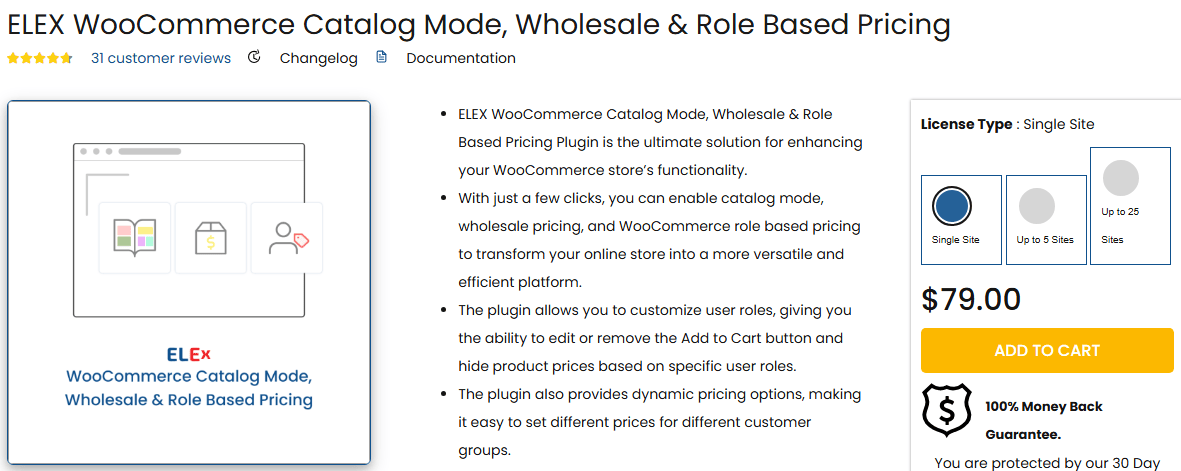
This plugin is different from the others—it’s more about controlling how your store works. With this plugin, you can hide prices and the “Add to Cart” button. That’s helpful if you want to show products without letting people buy them online.
Many warehouse businesses or B2B stores use this feature to collect inquiries instead of taking orders through the website. You can turn your store into a product catalog where customers contact you directly.
It’s easy to turn the cart back on when you’re ready to sell. This makes the plugin useful for stores that are under maintenance, in pre-launch mode, or working with manual orders.
How to Choose the Right Plugin for Your Needs
Think About Your Business Model
If you’re not holding stock, go with dropshipping plugins like Spocket or AliDropship. If you store products yourself, choose warehouse plugins like Inventory Manager or Wholesale Suite.
Check Supplier Location and Shipping Time
Some plugins connect to suppliers in the US or Europe, which means faster delivery. If quick shipping is important to your customers, pick a plugin that supports local suppliers.
Look at Features You’ll Actually Use
Don’t get distracted by too many fancy options. Focus on what you really need—like product import, auto-order, stock tracking, or supplier management.
Read Reviews and Support Options
Make sure the plugin is reliable and has good customer support. A helpful support team can save you when something goes wrong.
Installation and Setup Tips
1. Choose a Compatible Plugin
Make sure the plugin works with your version of WordPress and WooCommerce. Check the plugin’s page for system requirements.
2. Install Through Your Dashboard
Go to your WordPress dashboard, click on “Plugins,” then “Add New.” Search for the plugin, click “Install Now,” and then “Activate.”
3. Follow Setup Instructions
Most plugins have a setup wizard or guide to help you connect your store with suppliers or configure warehouse settings. Follow each step carefully.
4. Test Before Going Live
Add some test products and place a few test orders. This helps you see if everything is working properly before customers start shopping.
Final Thoughts
Using the right WordPress dropshipping or warehouse plugin can make your life much easier. Whether you’re just starting or trying to grow your store, these tools can help you save time, avoid mistakes, and serve your customers better.
Pick one that fits your business style and test it out. With a bit of setup, your store will run smoother and more efficiently.
Have you tried any of these plugins before? Let us know in the comments!
Interesting Reads:

