

Dropshipping and warehouse management are genuinely different problems: one connects your store to a supplier who ships for you, the other helps you track stock you actually hold. WooCommerce covers neither well on its own, these plugins fill that gap.
Why These Plugins Matter
Automated product import, stock updates, and order forwarding to suppliers replace hours of manual entry that would otherwise fall on whoever runs the store day to day. Real-time sync means your storefront reflects actual availability rather than a manually updated guess, which matters more than it sounds the first time a customer orders something that’s already out of stock at the supplier. And routing different products to different suppliers or warehouses automatically beats tracking that logic in a spreadsheet, particularly once a catalog grows past the size where one person can hold all the supplier relationships in their head.
10 Best Plugins
1. AliDropship

AliDropship imports AliExpress products directly, no manual copy-paste of images or descriptions, and automates order placement with the supplier once a sale happens. Supports custom pricing and automatic markup, so a rule you set once (say, a flat 40% markup) applies consistently across every imported product without you touching each listing individually.
2. WooDropship
WooDropship (confirmed active) covers similar AliExpress-import ground, with a Chrome extension for one-click adding while browsing AliExpress directly. That browser-extension workflow is genuinely useful for adding many products quickly, since you’re evaluating and importing in the same window rather than switching between a supplier site and a separate import dashboard.
3. Dropified
Handles AliExpress and eBay sourcing, with automation for order placement, tracking updates, and price-change syncing when a supplier adjusts their price. Bulk editing and product bundling round it out for larger catalogs, where updating a hundred listings one at a time isn’t a realistic workflow.
4. Spocket
Sources from US and EU-based suppliers specifically, meaningfully faster shipping than China-sourced dropshipping if your customers are in those regions. It shows real product photos, supplier info, and shipping estimates before you import, and many suppliers offer branded invoicing, which matters if you’re trying to build a store that feels like a real brand rather than a pass-through reseller.
5. Printful
Print-on-demand: upload a design, sync it to a product, Printful prints and ships per order, no inventory held anywhere in the process. Multiple warehouse locations globally help reduce shipping delays, since an order can route to whichever facility is geographically closest to the customer rather than always shipping from one central location.
6. Wholesale Suite
Built for B2B and bulk selling: wholesale pricing tiers, minimum order quantities, and a quick-order form for wholesale buyers, while still serving regular retail customers from the same store. That dual-audience capability is the actual value here, running a separate wholesale-only site is more overhead than most stores need once one plugin handles both audiences cleanly.
7. Affiliate Toolkit
Free (WordPress.org, 2,000+ installs). Displays Amazon, and other network, affiliate products on your site without holding inventory; you earn commission per sale rather than fulfilling orders yourself. Note: an earlier version of this post referred to this concept as “WP Amazon Shop,” which doesn’t exist under that exact name; Affiliate Toolkit is a real, current equivalent.
8. Dropshipping XML for WooCommerce
Automates supplier communication: when an order comes in, the plugin sends order details to the assigned supplier automatically. Straightforward setup, good fit for stores working with a small number of trusted suppliers rather than a sprawling multi-supplier catalog. Note: an earlier version of this post used the generic name “WooCommerce Dropshipping,” which isn’t a real exact product title; this is the closest genuine match for that description.
9. ATUM WooCommerce Inventory Management
The established option for stores holding their own stock: low-stock alerts, detailed inventory reports, and real-time sync to prevent overselling. Note: an earlier version of this post used the generic name “Inventory Manager for WooCommerce”; ATUM is the real, well-established plugin actually covering this ground.
10. ELEX WooCommerce Catalog Mode
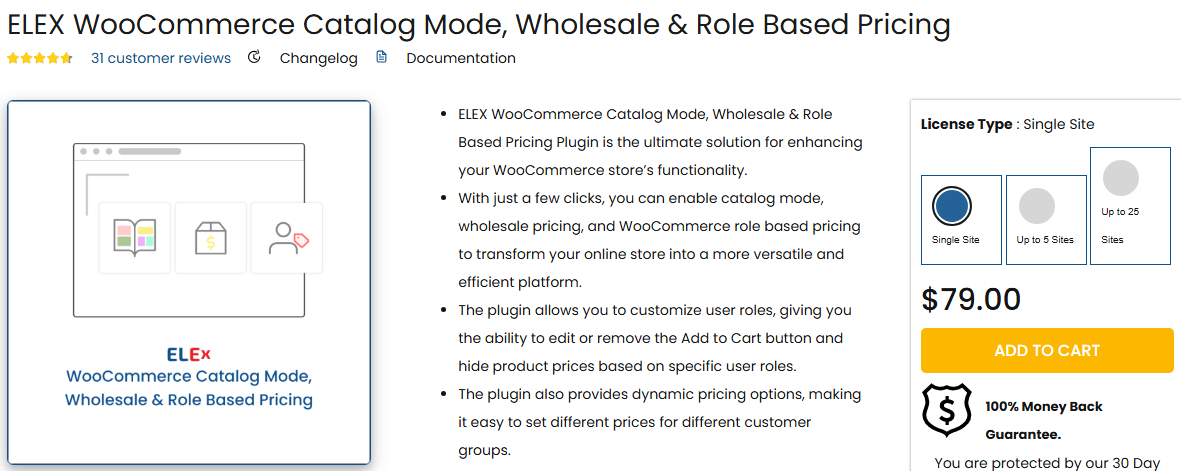
ELEX Catalog Mode (free, WordPress.org, 306,000+ downloads, v1.5.3, updated February 2026) hides prices and the Add to Cart button, useful for B2B stores that want to collect inquiries rather than take orders online, or for pre-launch and maintenance-mode catalogs. Toggle it off once you’re ready to sell.
Dropshipping Versus Holding Inventory: The Real Tradeoffs
It’s worth stepping back before picking a tool, since the plugin choice follows from a bigger decision most new store owners underweight. Dropshipping removes the capital risk of buying stock upfront and the physical space needed to store it, which is exactly why it’s attractive to someone testing a product idea without committing serious money. What it costs you in exchange is margin, since a supplier handling sourcing and fulfillment takes a cut that holding your own inventory avoids, and it costs you control over shipping speed and packaging quality, both of which directly shape how a customer experiences your brand on their end. Holding your own inventory flips both sides: better margins, full control over fulfillment quality, but real capital tied up in stock that might not sell, and a warehouse or storage cost that exists whether or not sales come in that month.
A lot of stores that start pure dropshipping eventually migrate a subset of their best-selling products to held inventory once volume justifies it, keeping the rest of the catalog on the dropshipping model for products that sell occasionally or that they’re still testing. That hybrid approach is worth planning for from the start rather than treating the two models as a permanent, exclusive choice, since ATUM and a dropshipping tool like AliDropship or Spocket can genuinely run side by side on the same WooCommerce install. Deciding which products graduate from dropshipped to held inventory is usually a straightforward look at repeat order volume and margin, a product selling steadily every week with healthy margin justifies the upfront capital of bulk ordering stock, while a product that sells sporadically is better left on the dropshipping model indefinitely, regardless of how well it performs.
Supplier Reliability Is the Part No Plugin Fixes
Every plugin on this list automates the mechanics, importing, order forwarding, stock sync, but none of them can make an unreliable supplier reliable. Before committing to a supplier through any of these tools, order a sample yourself. Check actual shipping time against what’s advertised, check the product against the photos, and check what happens when you email their support with a question, since that’s a preview of what your own customers will experience when something goes wrong with their order. A supplier with a five-star aggregate rating and a two-week actual shipping time will generate support tickets and refund requests that no amount of plugin automation smooths over, the automation just makes the bad experience arrive faster and more consistently. Keep a running record of which suppliers actually hold up over a few months of real orders versus which ones looked good on paper, since supplier quality tends to drift, a reliable supplier six months ago isn’t guaranteed to still be reliable today, and periodic spot-checks catch that drift before it shows up as a wave of customer complaints.
Return Policies Deserve a Direct Look Before Launch
Dropshipping complicates returns in a way a lot of new store owners don’t fully think through until the first return request arrives. You’re the merchant of record as far as the customer is concerned, but the physical item is sitting with a supplier who may be on the other side of the world and may or may not accept returns on your behalf at all. Read your specific supplier’s return and refund policy in detail, not just the summary on their landing page, before advertising a return policy of your own to customers. A store promising 30-day free returns while its dropshipping supplier explicitly doesn’t accept returns is setting up a situation where the store owner eats every return as a straight loss, refunding the customer while getting nothing back from the supplier.
Customs, Duties, and International Fulfillment
Selling internationally through a dropshipping model adds a layer most first-time store owners haven’t dealt with before: customs and import duties on the receiving end. A product sourced from an AliExpress supplier and shipped to a customer in a different country can arrive with an unexpected duty charge the customer has to pay before the package is released, which produces a genuinely bad unboxing experience even when everything else about the order went perfectly. Some suppliers, and some of the tools listed above, support delivered-duty-paid shipping where the cost is built into the price the customer pays upfront rather than surprising them at delivery. Where that option exists, it’s worth the modest price increase to offer it, since a surprise customs bill is one of the more reliable ways to generate a negative review even when the store itself did nothing wrong.
Shipping times deserve the same honesty. A product genuinely taking three to four weeks to arrive from an overseas supplier needs to say so clearly on the product page, not a vague “ships in 5-7 business days” that quietly excludes the actual international transit time. Spocket’s US and EU supplier network exists specifically to solve this problem for stores that can’t accept the long shipping windows typical of China-sourced dropshipping, worth the tradeoff in product selection for a store where fast delivery is part of the value proposition.
Common Mistakes First-Time Dropshippers Make
Importing an entire supplier catalog at once, rather than starting with a small, carefully chosen selection, is a common early misstep. A storefront with two thousand thin, generic product listings reads as exactly what it is to both customers and search engines, and it dilutes attention away from the handful of products that would actually sell well with proper photography and real product descriptions. Starting narrow, twenty to thirty genuinely well-presented products, and expanding once those are selling, builds a more credible store faster than a mass import ever does.
Copying supplier product descriptions verbatim is another near-universal early mistake. Beyond the SEO cost of duplicate content matching dozens of other stores selling the identical item from the identical supplier, a generic machine-translated description undermines the trust a real product page is supposed to build. Rewriting descriptions in your own voice, even briefly, is worth the time for anything you expect to be a meaningful seller.
And underpricing to compete purely on cost against other stores selling the identical dropshipped item is a race with no real winner, since anyone can undercut a price with zero product differentiation. Competing on curation, presentation, customer service, and genuinely useful product information holds up better over time than competing purely on being the cheapest listing for a product a hundred other stores are also selling.
Choosing One
No stock on hand: AliDropship, WooDropship, or Dropified for AliExpress sourcing; Spocket if faster US/EU shipping matters more than price; Printful for print-on-demand. Holding your own inventory: ATUM for stock tracking, Wholesale Suite if you also sell B2B. Dropshipping XML for WooCommerce if you just need reliable supplier notification without a full sourcing platform.
Setup Notes
- Confirm compatibility with your WordPress and WooCommerce versions before installing.
- Use the plugin’s setup wizard where available, most connect to suppliers or configure warehouse settings step by step.
- Place test orders before going live to confirm supplier notifications and stock sync actually work end to end.
- Order a physical sample from any new supplier before listing their products, and time the actual delivery against what’s advertised.
- Read the supplier’s return policy in full and make sure your own store’s stated policy doesn’t promise more than the supplier will honor.
Frequently Asked Questions
Can I run more than one of these plugins on the same store?
Yes, and it’s common. A store might use AliDropship or Spocket for the dropshipping side of the catalog and ATUM to track inventory on products it holds itself. Where it gets messy is running two dropshipping-sourcing tools simultaneously without a clear split of which products belong to which supplier pipeline, that’s a genuine source of duplicate-order and stock-sync bugs worth avoiding by keeping the split clean from day one.
How long does a typical dropshipping setup take from scratch?
Installing and connecting the plugin itself is usually under an hour. The part that takes real time is vetting suppliers, importing and cleaning up product listings so they don’t read as an obvious mass-import job, and running enough test orders to trust the pipeline. Budget a few days for a genuinely careful first setup rather than treating it as a same-afternoon launch.
Do these plugins handle sales tax automatically?
Not directly, sales tax calculation is generally handled by WooCommerce’s own tax settings or a dedicated tax plugin, separate from the sourcing and fulfillment tools on this list. Dropshipping across state or country lines can create tax-nexus questions worth a direct conversation with an accountant familiar with ecommerce, since the rules vary meaningfully by where your suppliers and customers are both located. This is one area where a generic answer isn’t actually useful, the right setup depends on your specific business structure and the specific jurisdictions involved, so treat any general guidance, including this, as a starting point for that conversation rather than a substitute for it.
What happens if a supplier runs out of stock after I’ve already listed the product?
This is exactly what the real-time stock sync in tools like AliDropship, Dropified, and ATUM is meant to prevent, catching a stockout before a customer can order something that can’t actually be fulfilled. No sync is perfectly instantaneous, though, so it’s worth having a clear customer-communication plan, an immediate refund or a swap offer, for the rare case where an order slips through before the sync catches up.
Is it worth using multiple suppliers for the same product to reduce risk?
For a genuinely important, high-volume product, yes, worth considering once you’ve validated demand. Relying on a single supplier for a top seller means a single point of failure, a supplier stockout, a shipping delay, a quality issue, directly hits your store’s ability to fulfill orders with no fallback. Dropified and a few of the other tools here support routing the same or similar product across multiple supplier sources, though setting this up correctly takes more configuration than a single-supplier setup and is generally not worth the added complexity until a product has proven itself as a consistent seller.
Should I disclose to customers that an order is dropshipped?
There’s no legal requirement to volunteer your fulfillment model in most jurisdictions, but the practical question is whether hiding it creates a worse experience than being upfront about realistic shipping timelines. What actually damages trust isn’t the dropshipping model itself, plenty of legitimate, well-run stores use it, it’s a mismatch between promised delivery times and actual ones. A store that’s honest about a two-to-three-week delivery window and consistently delivers within it builds more trust than one that implies next-day shipping and then quietly misses that expectation on every order.