
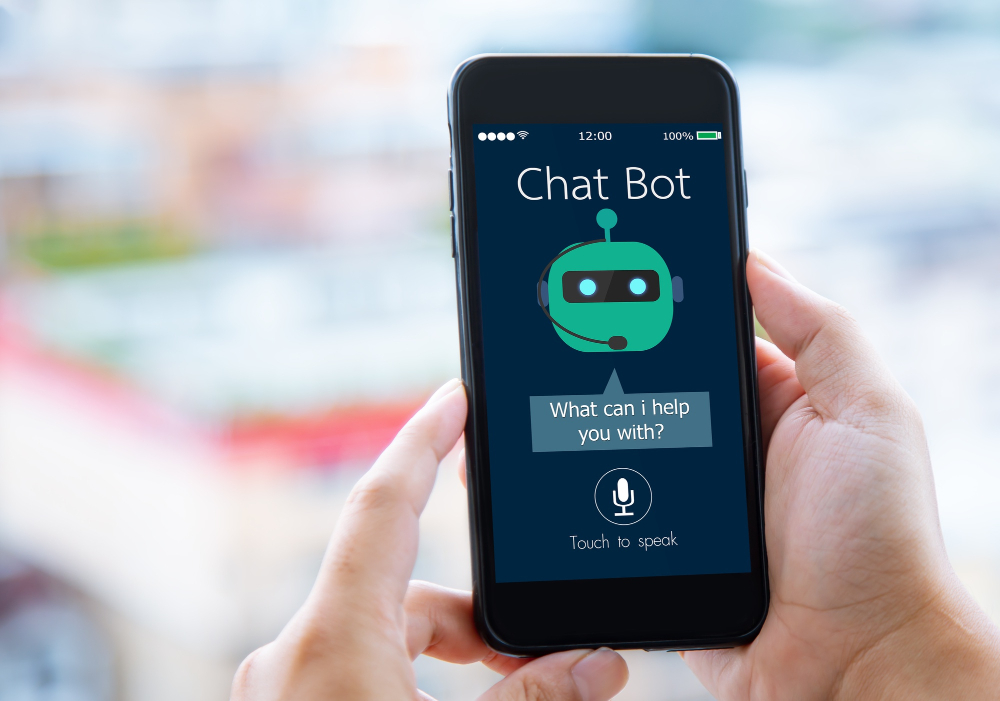
A chatbot handles the repetitive questions, shipping times, store hours, basic troubleshooting, so a human doesn’t have to answer the same thing for the hundredth time. It also responds instantly at 2am, which a support team can’t. That’s the whole pitch, and it’s a genuine one. Here are 10 real, verified options, with one important warning up front.
Why Add One
Common questions get handled automatically, which frees up actual support time for the complex cases that need a human anyway. Instant replies keep a visitor engaged instead of bouncing while they wait on an email response that might take a day. Several of these tools also collect contact info or feed straight into a CRM, quietly turning a conversation into a tracked lead without anyone on your team having to manually log it.
None of that means a bot replaces support. It means a bot absorbs the questions that don’t need a person, so the questions that do get answered faster because nobody’s buried under the easy ones.
A Warning First: Drop WP-Chatbot for Messenger If You’re Running It
An earlier version of this post recommended WP-Chatbot for Messenger. It was permanently closed on WordPress.org in March 2026 for a security issue, so if you installed it from an old recommendation, remove it now rather than after something goes wrong. Chaty (free, WordPress.org, 7.4M+ downloads, updated within days of this writing) is a genuinely current alternative covering Messenger alongside WhatsApp, Telegram, and other chat channels in one widget.
9 Real Chatbot and Assistant Plugins
1. Tidio

Tidio combines live chat with AI-handled common questions, shipping, hours, order status, escalating to a human agent when a question is too complex for the automated flow to handle safely. The free tier is genuinely usable rather than a crippled trial, and a mobile app is included so whoever’s watching support that day can answer from a phone between other tasks. What makes Tidio a reasonable default pick for a first bot is that the handoff from bot to human is smooth, a visitor doesn’t feel like they hit a wall when the automated part runs out of answers.
2. ChatBot by LiveChat
From the LiveChat team, built with a drag-and-drop bot builder that needs no code, and branching conversation paths based on the choices a visitor makes along the way. It connects natively if you already use LiveChat elsewhere in your stack, which matters more than it sounds, stitching together two separate support tools after the fact is a common source of dropped context between systems that were never meant to talk to each other.
3. Chaty
Covers the Messenger-integration use case honestly (see the warning above), plus WhatsApp, Telegram, and other channels in one configurable widget. For a store or service business whose customers actually prefer messaging apps over live chat widgets, and a large share of mobile-first audiences do, Chaty meets people where they already are instead of asking them to learn a new interface just to ask a question.
4. AI Engine (Jordy Meow)
Connects to OpenAI directly, letting you define the bot’s tone and behavior yourself rather than using a fixed script someone else wrote. It’s genuinely flexible: answer questions, draft replies, even suggest content ideas on the backend, all from the same plugin. Placement is shortcode-based, with controls to limit resource usage so a busy site doesn’t run up an unexpected API bill overnight. The tradeoff for that flexibility is setup time, you’re configuring behavior rather than picking from a template, so budget more than the ten minutes a packaged tool like Tidio needs.
5. IBM Watson Assistant
IBM’s conversational AI product, now positioned under the broader watsonx platform (direct verification of current product naming was blocked by ibm.com, worth confirming the exact current name before committing). It needs more setup overhead than the others here, an IBM account, more configuration steps, but it’s capable of handling genuinely complex conversations. Worth it specifically for technical support or financial-services use cases with real conversational depth requirements, not for a store that just needs shipping-hours answers.
6. Collect.chat
Turns form-filling into a conversation: name, email, appointment time, collected via chat instead of a static form nobody enjoys completing. It’s a good fit for booking flows specifically, a dentist’s office, a consultant, anyone whose main website goal is getting a visitor onto a calendar rather than answering product questions. No coding required, and the resulting flow is mobile-friendly by default.
7. ManyChat
Built primarily for Facebook and Instagram bots, usable alongside a WordPress site for automated replies, list growth, and scheduled follow-ups like cart abandonment reminders or product announcements. Setup takes longer if you’re connecting Facebook accounts and verifying business permissions, but once configured it’s a genuine marketing-automation tool, not just a chat widget.
8. Formilla
Live chat and AI bot combined: chat live yourself when you’re available, or let the bot take over when you’re not. Confirmed active, with 100,000+ companies per their own published figures, and it now ships with ChatGPT-integrated chatbot capabilities rather than the older rule-based scripting some competitors still rely on.
9. Cliengo
Lead-generation focused: greets a visitor, asks qualifying questions, name, email, need, then feeds that straight into your CRM or email tool without anyone retyping it. Confirmed active with 3,000+ companies using it, and it’s particularly useful for service businesses and real estate, where every site visit is a potential lead worth capturing rather than a transaction to close on the spot.
Bonus: WPBot

WPBot is self-contained: FAQs, site search, and info collection without depending on an external service staying online. That self-hosted nature matters for sites in regions where a third-party chat service might be slow or blocked. It ships with multi-language support, and an optional Dialogflow integration if you want more advanced natural-language processing layered on top of the basic FAQ matching.
What a Bot Actually Costs You If You Get It Wrong
A chatbot that confidently gives a wrong answer is worse than no chatbot at all. A visitor who gets told the wrong return policy, or a wrong shipping estimate, doesn’t blame the software, they blame the store, and they’re less likely to trust the next thing your site tells them too. Before launch, actually test the bot with the questions real customers ask, not just the happy-path demo questions the plugin’s own documentation walks you through. Pull ten real support tickets from the last month and run each one through the bot manually. If it gets three or four wrong, that’s not a minor tuning issue, that’s a bot that isn’t ready to be customer-facing yet.
Data handling is worth a direct look too, particularly for anything connecting to OpenAI or a similar external AI service. Chat transcripts often get logged and, depending on the tool, may be used to further train the underlying model unless you’ve explicitly opted out. If your store handles anything sensitive, health-adjacent products, financial services, anything under GDPR-style regulation, check the specific plugin’s data retention and processing terms before a customer starts typing personal details into a chat window that may not be as private as it looks.
Chatbot Versus AI Assistant: A Distinction Worth Making
These terms get used interchangeably in plugin marketing copy, but the underlying mechanics differ enough to matter for your setup choice. A traditional chatbot, the kind Collect.chat or ManyChat run by default, follows a decision tree you build yourself: if the visitor clicks this, show that. It’s predictable and never says anything you didn’t script, but it also can’t handle a question you didn’t anticipate. An AI assistant, the category AI Engine and Watson Assistant fall into, generates responses dynamically based on a language model, which means it can answer things you never explicitly programmed, at the cost of occasionally generating something confidently wrong. Neither approach is universally better. A return-policy bot is safer as a scripted decision tree, since a wrong answer there has real consequences. A general product-discovery assistant benefits from the flexibility of an actual language model, since the range of things a shopper might ask is too wide to script exhaustively.
Getting the Setup Right the First Time
Start with a narrow scope. A bot that tries to answer everything on day one usually answers everything badly. Pick the five or six questions your support inbox actually gets most often, shipping times, return policy, sizing, order status, and build those out properly before expanding. Set a visible, easy escalation path to a human for anything outside that scope; a bot that traps a frustrated visitor in a loop of unhelpful auto-replies does more damage to trust than simply not having a bot. And check how the widget actually renders on mobile before launch, a chat bubble that covers the checkout button on a 375px screen is a self-inflicted conversion problem that’s trivial to catch with one real device test and easy to miss if you only ever check on a desktop monitor.
What These Actually Cost, Roughly
Most of the tools on this list follow a familiar shape: a usable free tier capped by conversation volume or seat count, then a jump to a paid plan once a site gets real traffic. Tidio’s free tier covers a genuinely small operation well and becomes worth upgrading once conversation volume climbs past what the cap allows. ChatBot by LiveChat and Formilla both price around team size and message volume rather than a flat per-site fee, so the right plan depends more on how many people need dashboard access than on how big your catalog is. AI Engine is a different cost model entirely, since the plugin itself may be free or low-cost but every conversation runs through your own OpenAI API key, meaning your actual monthly cost scales directly with usage rather than a fixed subscription. Before committing to any of these for a high-traffic site, check the specific current pricing page rather than trusting a number that might be a year stale by the time you read it, these tools adjust tiers more often than most WordPress plugins do.
Questions Worth Asking Before You Pick One
Does it slow down my site? Most of these load asynchronously, meaning the chat widget itself doesn’t block the rest of the page from rendering, but it’s still worth running a real page-speed test with the widget active versus a clean baseline. A slow-loading bot bubble undermines the exact conversion goal you installed it to help with.
What happens to a conversation after hours? Some tools queue the message and notify your team by email; others let the AI-handled portion keep going indefinitely without ever routing to a human. Know which behavior you’re getting, since a visitor who thinks they’re talking to a person and is actually stuck in an unmonitored bot loop overnight is a worse outcome than a simple “we’ll reply in the morning” message.
Can you export the conversation history? If you’re using chat transcripts to spot recurring product questions or documentation gaps, confirm the plugin actually lets you export or search past conversations rather than locking that data inside a dashboard you have to scroll through manually.
Does it work with your specific theme? Chat widgets occasionally clash with a theme’s own sticky elements, a floating “back to top” button, a sticky add-to-cart bar, a cookie-consent banner all fighting for the same corner of the screen. A five-minute check on a staging copy of your actual site catches this before it becomes a live visual bug your customers notice before you do.
Does it support the languages your visitors actually speak? This gets overlooked constantly on sites that serve an international audience. A bot that only responds well in English will misfire on a large share of non-English visitors, sometimes silently, offering a generic fallback answer rather than a genuine error, which makes the problem harder to spot in your own analytics. WPBot’s multi-language support and a handful of the AI-backed options here handle this reasonably well; a purely rule-based, English-only bot will not, no matter how polished its default demo looks.
A Realistic Timeline
Budget an afternoon, not a weekend, for a first working setup on any of the no-code tools here. Installing the plugin and connecting an account takes minutes. The part that actually takes time, and is worth taking time over, is writing the initial set of scripted answers and testing them against real questions pulled from your own support history rather than guesses about what customers might ask. Treat the first week live as a monitoring period: check the conversation logs daily, catch the questions the bot is fumbling, and patch those specific gaps rather than trying to anticipate everything on day one. A chatbot that improves steadily over its first month based on real conversations will outperform one that launched with a theoretically complete script nobody ever tested against an actual customer.
Frequently Asked Questions
Will a chatbot actually reduce my support workload, or just move it around?
It depends entirely on scope. A bot handling genuinely repetitive questions, order status, shipping windows, return policy, removes real volume from the queue. A bot pointed at open-ended questions it can’t reliably answer just creates a second queue of confused visitors who now have to ask twice, once to the bot and once to a human after the bot fails. Start narrow and expand only after the narrow version is working well.
Do I need coding knowledge to set any of these up?
No, for most of the list. Tidio, ChatBot by LiveChat, Collect.chat, Chaty, and WPBot are all built around visual, no-code setup flows. AI Engine and Watson Assistant ask a bit more of you, mostly around configuring how the underlying AI model should behave, but neither requires writing custom code for a standard setup.
Can a chatbot hurt my SEO?
Not directly, chat widgets typically load after the main page content and don’t interfere with how search engines crawl a page. Where it can matter indirectly is page speed: a poorly optimized third-party script can add enough load time to affect Core Web Vitals scores, which do factor into ranking. Check your site’s speed test before and after installing, and if a specific tool tanks your load time noticeably, that’s a real reason to pick a lighter-weight alternative from this list instead.
Is a free plugin ever a bad idea for something customer-facing like this?
Not inherently, several free options here (WPBot, the free tiers of Tidio and Formilla, Affiliate Toolkit-style free plugins generally) are actively maintained and genuinely reliable. The real risk with any free tool, chatbot or otherwise, is picking one that’s stopped receiving updates. Check the plugin’s last-updated date and active install count before committing, the same diligence that matters for any WordPress plugin applies just as much to one sitting on your storefront answering customer questions.
Choosing One
Support-focused: Tidio or ChatBot by LiveChat. Lead generation: Cliengo. Booking and appointments: Collect.chat. Marketing automation via Facebook and Instagram: ManyChat. Full customization with your own AI backend: AI Engine. Whichever you pick, test it with real questions before launch. A bot that answers wrong is worse than no bot at all, and the fix costs nothing but a genuine hour of your own time before you flip it live.