
Stories aren’t just an Instagram thing anymore. Communities, membership sites, and niche social networks all want that same tap-through, disappearing-content format, because it drives daily return visits in a way a static activity feed never does. It’s one of the concrete features that keeps a community active on WordPress. WP Stories by Wbcom Designs brings exactly that format to WordPress, with native BuddyPress, BuddyBoss Platform, and PeepSo integration, or as a standalone feature on any site.
We installed WP Stories 2.5.0 on a clean WordPress site, posted a real story through the plugin’s own form, and tested the full flow, posting, viewing, moderation, and settings. Here’s everything it can do, and where it fits.

What Is WP Stories?
WP Stories adds a familiar stories row to your WordPress site: circular avatars members tap to post photos and videos, and a fullscreen, tap-through viewer for everyone else to watch them. Stories can disappear after a set number of days or stay up until the member removes them. It works on BuddyPress, BuddyBoss Platform, and PeepSo out of the box, and just as well on a plain WordPress site with no community plugin at all.
Key Features
- Three display layouts, Instagram-style circles, squares, or a list, in Small, Medium, or Large sizes.
- Built-in photo editor, crop, rotate, draw, add text, and apply filters before posting, without leaving the page.
- Story expiry and auto-deletion, set how many days a story stays visible, and optionally auto-delete expired stories and their media after a grace period.
- Granular visibility, Public, Members, Friends-only, or Private (self + admins), chosen per story.
- Story analytics for authors, a “Seen by” list showing who viewed and who liked each item, visible only to the author.
- Full publishing controls, submission limits per member, items per story, max file size, and a checklist of exactly which image/video formats are allowed.
- Moderation, publish member stories instantly, or require admin review first.
- Admin-curated Stories & Collections, site owners can publish their own official stories and group highlights into Story Collections, separate from member-generated content.
- Brand styling, custom colors for the ring, viewer background, title text, and buttons; everything else follows your theme, including dark mode.
- RTL and multilingual support, right-to-left layout support plus a WPML configuration so one story shows across every site language instead of duplicating per language.
How It Works: Posting a Story
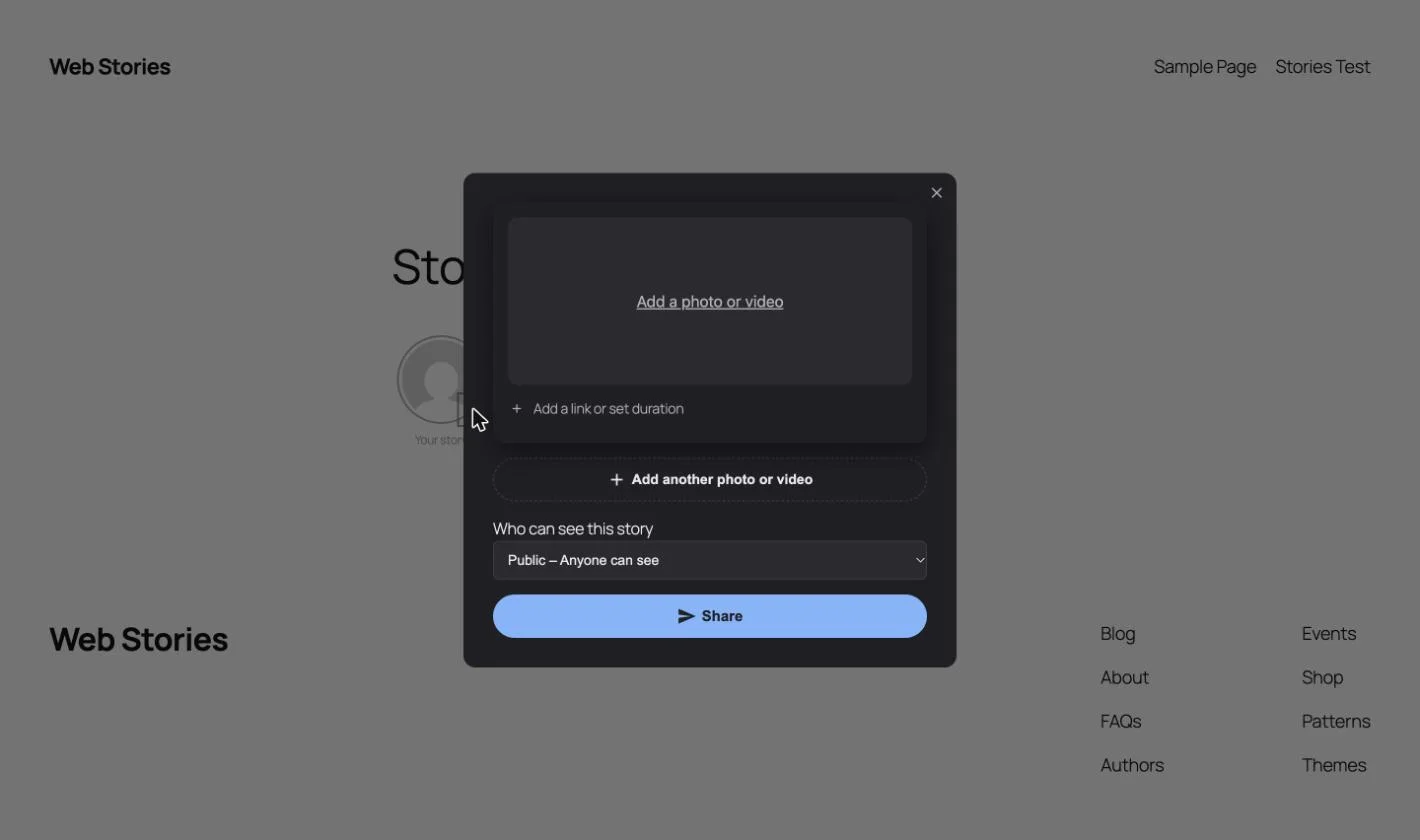
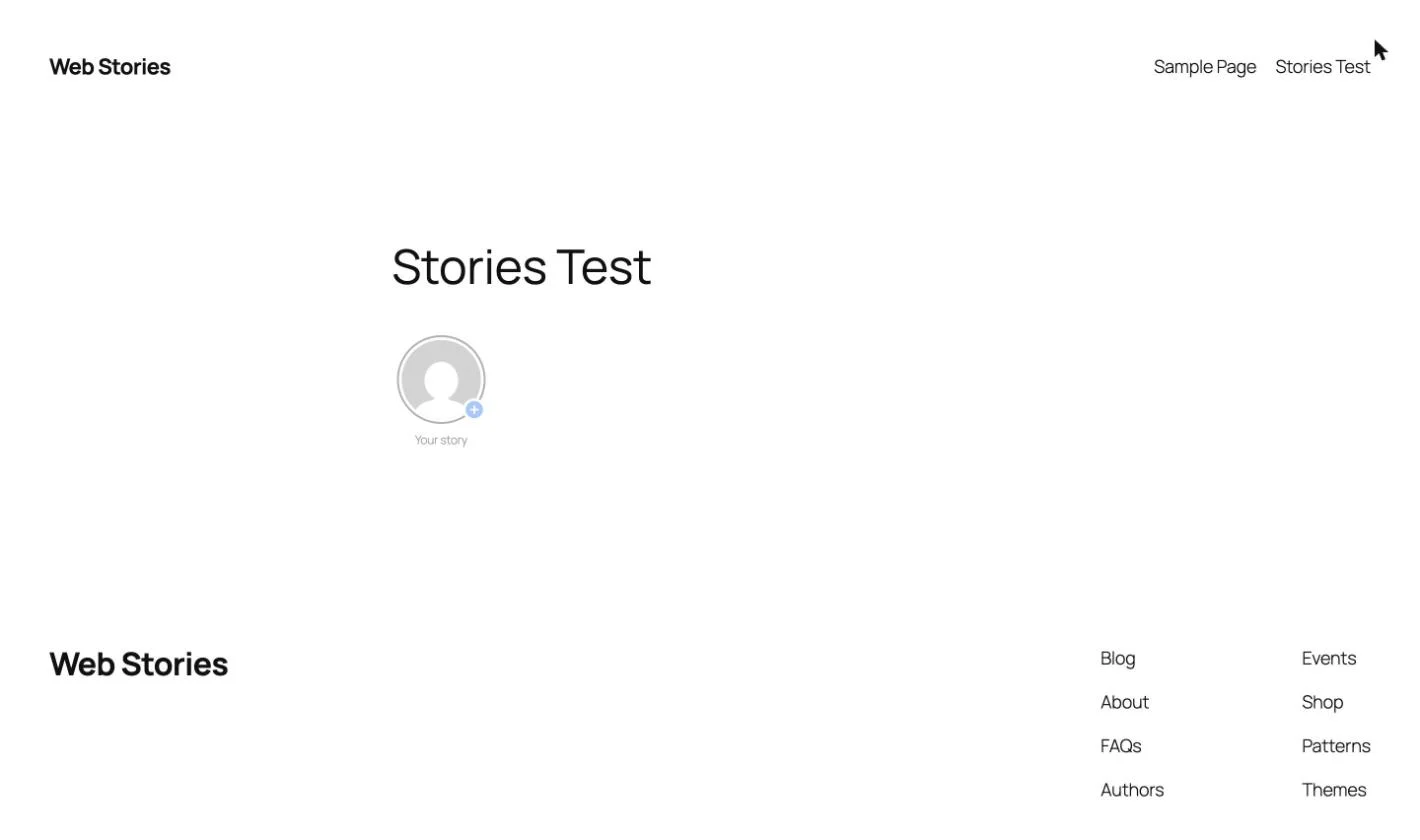
On the front end, every visible member gets a “Your story” circle with a small + badge. Tapping it opens a single-step form: pick a photo or video, optionally tuck a link, duration, or collection behind the “Add a link or set duration” toggle, choose who can see the story, and hit Share. That’s the entire flow, one screen, one visibility choice for the whole story, no separate steps per item.
Once published, the story circle picks up a colored ring, and other visitors can tap through it in a fullscreen viewer with navigation arrows, keyboard shortcuts (Esc to close, arrow keys to move, Space to pause, M to mute), double-tap to like, and an author-only “…” menu to delete an item directly from the viewer.
BuddyPress, BuddyBoss & PeepSo Integration
On BuddyPress and BuddyBoss Platform, stories appear directly on the activity page and get their own tab on member profiles, no separate page needed. On PeepSo, stories show in the activity stream and on profiles the same way. Neither integration requires custom code; you simply turn it on from the Integrations tab once BuddyPress, BuddyBoss, or PeepSo is detected as active.
If you’re not running a community plugin at all, WP Stories still works: drop the [wb-story-activities form="1"] shortcode on any page, or use one of the three included widgets (activity feed, a member’s public stories, or a member’s single stories) in any widget area.
Admin Settings, End to End
Everything lives under WB Plugins → WP Stories in wp-admin, split into focused tabs:
- General, display style, navigation arrows, transition effects, and whether logged-out visitors can see stories at all.
- Displaying Options, story expiry duration and scheduled automatic deletion, with a grace period before anything is permanently removed.
- User Publishing, default publish status (published, draft, or pending review), submission limits, item caps, story duration, max file size, and a full checklist of allowed image and video formats.
- Styling Options, colors for the viewer background, title text, and buttons, with gradient or solid options.
- Integrations, only visible once BuddyPress, bbPress, or PeepSo is active.
Practical Use Cases
If you’re still picking a theme for your community before layering on features like this, our roundup of the best free WordPress community themes is a good place to start.
1. BuddyPress / BuddyBoss Community Sites
Niche social networks, alumni groups, and professional communities get an Instagram-style stories row on the activity feed and member profiles, a proven way to lift daily engagement.
2. PeepSo-Based Social Platforms
Native integration into the PeepSo activity stream and profiles, with no extra setup beyond turning it on.
3. Standalone WordPress Sites
No community plugin required. Drop the shortcode on any page for event recaps, daily updates, or behind-the-scenes content, without building a full social layer.
4. E-Commerce & Brand Sites
Admin-curated Stories work as a lightweight promo carousel for new arrivals, flash sales, or announcements, kept separate from member-generated content.
5. Schools, Associations & Intranets
Pending-review publication status lets members post while admins retain approval control before anything goes public.
6. Time-Sensitive Content Communities
Story expiry plus scheduled auto-deletion (including attachments) keeps job boards, classifieds, or event check-ins from accumulating stale content indefinitely.
7. Multilingual Communities
The built-in WPML configuration shows one story across every site language, instead of requiring a duplicate per language.
Installation
- In WordPress, go to Plugins → Add New → Upload Plugin, choose the
wp-stories.zipfile, and click Install Now, then Activate. - Open WB Plugins → WP Stories and activate your license on the License tab.
- On a BuddyPress, BuddyBoss, or PeepSo site, turn on the integration from the Integrations tab. On any other site, add the
[wb-story-activities form="1"]shortcode to a page.
Frequently Asked Questions
What is WP Stories?
WP Stories is a WordPress plugin that adds an Instagram-style stories row to your site. Members post photos and videos that others watch in a fullscreen, tap-through viewer, with an optional expiry so stories disappear after a set number of days.
Does WP Stories work without BuddyPress?
Yes. WP Stories works on any WordPress site using the [wb-story-activities form="1"] shortcode or its included widgets. BuddyPress, BuddyBoss Platform, and PeepSo integrations are optional add-ons that appear automatically once those plugins are active.
Can stories be private or restricted to certain members?
Yes. Each story can be set to Public, Members only, Friends only, or Private (visible only to the author and site admins), chosen at the time of posting.
Do stories expire automatically?
Only if you enable Story Expiry in Displaying Options. You choose the number of days, and can optionally turn on Scheduled Automatic Deletion so expired stories and their media are permanently removed after a grace period.
How many stories can a member post?
You control this from the User Publishing settings: a submission limit per member, a maximum number of items per story, story duration, and a maximum file size, all configurable, with a full checklist of which file types are allowed.
Can I moderate stories before they go live?
Yes. Set the Default Publication Status to “Pending Review” in User Publishing, and member stories won’t appear publicly until an admin approves them.
Is WP Stories mobile-friendly?
Yes. The posting form, image editor, and story viewer are all built for touch, with the image editor’s tool panels opening as a bottom sheet on phones and full keyboard support for desktop viewers.
Is there a free and a paid version?
No. WP Stories is one product with every feature included, there’s no separate free tier missing functionality.
Final Thoughts
WP Stories is a focused plugin that does one thing well: bring the stories format WordPress site owners already know their users love, without needing to bolt on a heavier app-like framework. Whether you’re running a BuddyPress community, a PeepSo network, or a plain WordPress site that just wants a stories row for updates, it’s a drop-in fit.
Get WP Stories from Wbcom Designs and see the stories row on your own site in minutes.