
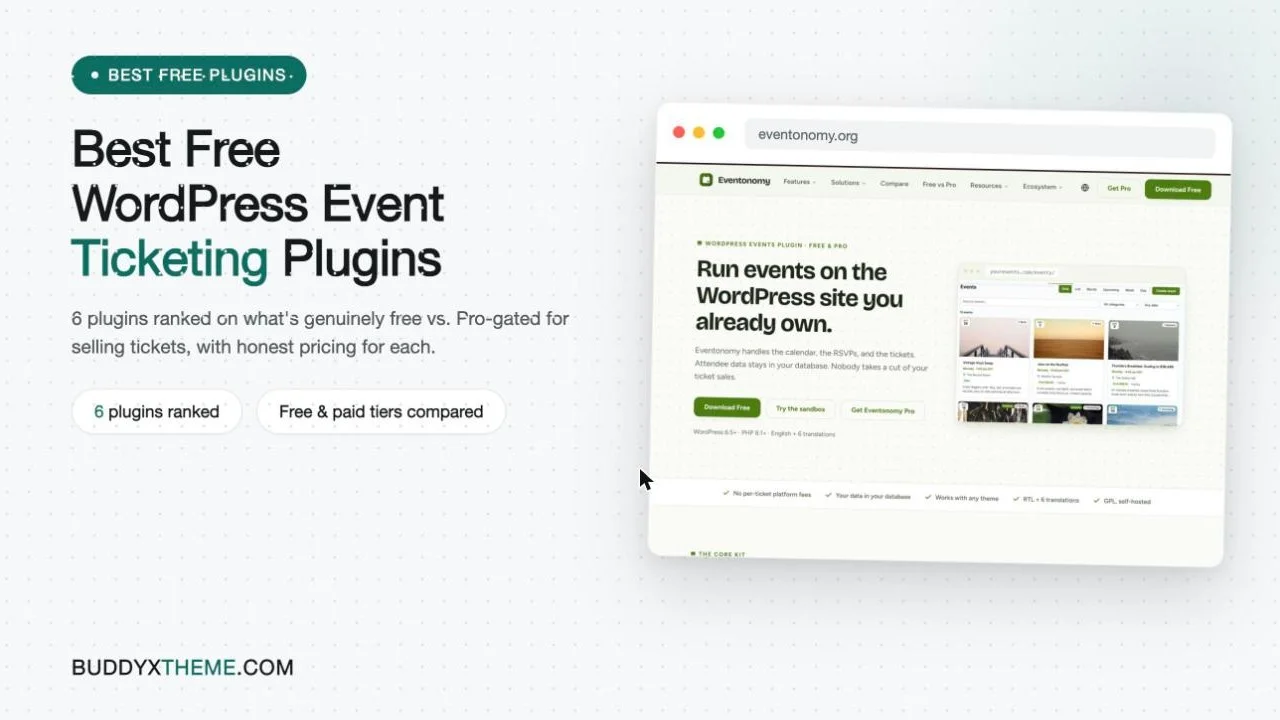
“Free event ticketing plugin” is one of the more misleading phrases in the WordPress plugin directory. Nearly every plugin in this category is free to install. Far fewer are free to actually take money with. The split usually happens at the payment gateway: the free tier lets you build an event page, collect RSVPs, and design a pretty ticket, then stops you right before the part where a card gets charged, routing you to a paid add-on for Stripe, PayPal, or a WooCommerce bridge.
That is not a criticism of any single plugin, it is how the category is built. Calendar and listing tools are cheap to give away; payment processing, tax handling, and checkout security are not, so most vendors reasonably gate them behind a paid tier. The problem is that comparison lists rarely say which is which, and “ticketing” gets used loosely to describe everything from a free RSVP button to a fully paid checkout flow.
This list ranks six real WordPress ticketing plugins, including Eventonomy, the plugin we build at Wbcom Designs, and is explicit about what is genuinely free to sell a ticket with versus what requires a paid upgrade or add-on for each one. No plugin here gets a pass just because its homepage says “free.”
Last updated: 6 November 2026
Quick answer: Event Tickets is the only plugin here that sells paid tickets for free with no add-on, through its built-in PayPal and Stripe connections. Event Booking Manager for WooCommerce is the pick if WooCommerce is already installed. Eventonomy is the best free choice for RSVPs and waitlists on a BuddyPress or BuddyNext community, and Tickera suits sites that want scannable PDF and QR tickets.
Table of Contents
- What “Free” Actually Means in This Category
- Market snapshot
- The 6 Best Free WordPress Event Ticketing Plugins
- 1. Eventonomy
- 2. Event Tickets (by the team behind The Events Calendar)
- 3. WP Event Manager
- 4. Eventin
- 5. Event Booking Manager for WooCommerce
- 6. Tickera
- Side-by-Side Comparison
- How to Actually Choose
- Common Mistakes When Picking a “Free” Ticketing Plugin
- FAQs
- Sources
What “Free” Actually Means in This Category
The Events Calendar, the most widely used WordPress events plugin, runs on 600,000+ active sites, and its companion ticketing plugin, Event Tickets, runs on a further 90,000+, both counted directly from their WordPress.org listings. That scale says something: WordPress is where a large share of free and low-budget event ticketing actually happens, not Eventbrite, which keeps around 3.7% of the ticket price plus roughly $1.79 per ticket on its standard paid plan, taken off the top of every sale regardless of whether the event sells out.
Keep two separate questions apart when you read “free” on a plugin listing page. First: can you build and publish an event for nothing? Almost always yes, across every plugin on this list. Second: can you actually charge someone money for a ticket without paying the vendor anything beyond standard card-processing fees? That answer varies plugin to plugin, and inside some plugins, varies by which payment gateway you pick. A plugin can be completely honest in its marketing and still leave you needing a credit card for an add-on before your first ticket sells.
Market snapshot
- The WordPress.org directory shows The Events Calendar at 600,000+ active installations, Event Tickets and Registration at 90,000+, WP Event Manager at 20,000+, Eventin at 10,000+, Event Booking Manager for WooCommerce at 7,000+ and Tickera at 2,000+ (WordPress.org plugin directory, November 2026).
- Eventbrite charges a 3.7% + $1.79 service fee per paid ticket plus 2.9% payment processing per order, paid by buyers by default, and charges nothing on free events (Eventbrite pricing, November 2026).
The 6 Best Free WordPress Event Ticketing Plugins
Ranked on how much of a real paid-ticket checkout you get without paying the plugin vendor anything, what specifically moves behind a paywall, and what the paid tier costs when you do need it.
1. Eventonomy
Eventonomy is the events and RSVP plugin we build at Wbcom Designs, built on WordPress and native to BuddyPress and BuddyNext community sites. Worth stating plainly before anything else: Eventonomy’s free version does not include paid ticketing. It covers unlimited free events and RSVPs with waitlists, guest RSVPs via magic links, custom RSVP questions, four calendar views (Grid, List, Month, Upcoming), daily/weekly/monthly recurring series, a venue and organizer catalog, CSV exports, and branded confirmation emails, all at no cost and with no event-count ceiling. What it does not do on the free tier is take a card payment for a ticket.
Paid ticketing, Stripe, PayPal, or WooCommerce checkout, along with tax calculation, booking fees, and coupon codes, is part of Eventonomy Pro, which runs $99/year for one site (or $249 one-time), $199/year for five sites ($499 one-time), or $249/year unlimited sites ($629 one-time). Pro also adds week and day calendar views, map and geocoding support, a door check-in scanner, analytics and reports, a public discovery feed with follow/save, SMS reminders via Twilio, and custom email templates.
The reason Eventonomy earns the top spot on a free ticketing list despite gating ticketing behind Pro is the combination of what the free tier covers and what Pro costs when you need the rest. Most community sites run far more free meetups and RSVP events than paid ones; Eventonomy’s free tier handles all of that without ever asking for a card, and without an event limit most competitors eventually impose. When a community does need to sell its first ticket, Pro is a single flat annual or lifetime fee with no per-ticket platform cut on top, which beats paying a percentage-plus-flat-fee to a dedicated ticketing SaaS on every sale forever. It is also, among the plugins on this list, the only one built with native BuddyPress and BuddyNext integration, tying RSVPs and ticket purchases to a member’s existing community profile rather than a separate guest checkout record.
2. Event Tickets (by the team behind The Events Calendar)
Event Tickets is the companion ticketing plugin to The Events Calendar, and it is the most genuinely free paid-ticketing option on this entire list. The free plugin connects directly to PayPal with no API keys to configure, and to Stripe for card payments, plus Afterpay, Clearpay, Alipay, Giropay, and Klarna through the same free Stripe connection. A free Tickets Commerce option also adds Paystack. None of that sits behind a paywall; a free RSVP option ships alongside the paid tickets for events that are not charging at all.
What does require the paid Event Tickets Plus upgrade: custom attendee registration fields beyond the defaults, QR-code check-in, Apple Wallet passes and generated PDF tickets, Zoom integration for virtual events, and WooCommerce-routed payment gateways beyond the free Stripe/PayPal set, including Braintree, Square, and Amazon Pay. For an organizer who just needs to sell a ticket and collect a name and email, none of that gap matters. For one running door check-in at a 500-person conference, it matters a lot.
Event Tickets has 90,000+ active installs and a 3.5-star rating across 236 reviews on WordPress.org, a visibly more mixed rating than its 600,000-install, 4.2-star parent plugin, which is consistent with payment plugins generally: a checkout flow that works for most sites still generates sharper complaints than a display-only calendar when it breaks for the sites it does not.
3. WP Event Manager
WP Event Manager’s free core is genuinely useful and genuinely free: unlimited event creation, box or list view listings, a frontend event submission form so organizers can post without backend access, a customizable field editor, event categorization, a preview step before publishing, Gutenberg and Elementor compatibility, and 40 built-in language translations. It has 20,000+ active installs and a 4-star rating.
Ticketing is not part of that free core. Selling a ticket requires the paid Sell Tickets add-on, which routes payment through WooCommerce, alongside a wider catalog of 37+ premium add-ons covering recurring events, a visual calendar display, custom registration forms, and commission-split payments for multi-organizer sites, priced individually or in bundles that scale with site count. WP Event Manager is honest about this split; nothing in its free listing implies ticketing is included, and the lightweight core is a legitimate choice for a site that only needs free event listings and plans to add ticketing later, deliberately, through one specific paid add-on rather than a bundled upgrade.
4. Eventin
Eventin positions itself as an all-in-one events plugin, calendar, registration, tickets, bookings, and RSVP, with WooCommerce and Zoom support built into the free version’s own description. In practice, the free tier’s path to taking payment runs through WooCommerce: a ticket becomes a WooCommerce product, and whichever payment gateway your WooCommerce install already has configured processes the charge. That is a real, working free path to a paid ticket if WooCommerce is already on the site, but it is not a native, no-dependency checkout the way Event Tickets’ free Stripe/PayPal connection is.
Eventin Pro adds direct Stripe and PayPal gateways without needing WooCommerce as the intermediary, plus marketing tools, multiple organizer and speaker management, advanced Zoom features, and additional registration customization. Eventin has 10,000+ active installs on WordPress.org. For a site that already runs WooCommerce for other products, the free tier’s ticketing is a reasonable zero-cost option; for a site that does not want to install and maintain a full ecommerce plugin just to sell event tickets, the free tier’s practical ticketing path effectively does not exist.
5. Event Booking Manager for WooCommerce
This one flips the usual pattern: instead of WooCommerce dependency being the thing that gates you out of free ticketing, it is the thing that makes free ticketing possible. Event Booking Manager for WooCommerce (by MagePeople) is a genuinely free plugin, 7,000+ active installs, that sells event tickets as WooCommerce products from the start, no paid add-on required to process a payment. Because the charge runs through WooCommerce’s own gateway system, and WooCommerce itself ships several free payment gateway plugins (the official WooCommerce Stripe Gateway and WooCommerce PayPal Payments both cost nothing), a site that is willing to run WooCommerce gets a real free checkout, not a crippled one waiting on an upsell.
The plugin covers event registration, recurring events, RSVP, attendee management, and an event calendar on top of the WooCommerce checkout. The tradeoff is the dependency itself: WooCommerce is a full ecommerce plugin, heavier than a dedicated events tool, and worth running only if the site either already has it or is comfortable adding it specifically to get free ticket sales.
6. Tickera
Tickera’s free core is strong on the parts of ticketing that are not payment processing: a drag-and-drop ticket designer that generates real PDF tickets, QR and barcode delivery, and basic check-in support through barcode readers or a web app. It has 2,000+ active installs and the highest rating on this list, 4.5 stars across 292 reviews.
Where Tickera is the clearest example of the “free ticketing plugin, paid payment gateway” pattern this whole list is built around: the free version’s own payment options are limited to 2Checkout, custom offline payments, and free (unpaid) orders. Stripe, PayPal, and the other 15+ processors Tickera supports all require Tickera Premium add-ons, as does the official WooCommerce bridge and mobile check-in apps. A site can build a genuinely good-looking, scannable ticket with the free plugin and still be unable to take a credit card without buying an add-on, which is exactly the gap worth checking for before picking any plugin on a “free” label alone.

Side-by-Side Comparison
| Plugin | Free ticket sales? | Free payment gateways | What’s Pro/paid-gated | Starting paid price |
|---|---|---|---|---|
| Eventonomy | No (free = RSVP/events only) | None on free; Stripe/PayPal/WooCommerce on Pro | All ticketing, tax, coupons, check-in, analytics | $99/yr, 1 site |
| Event Tickets | Yes | PayPal, Stripe (+BNPL options), Paystack | QR check-in, Apple Wallet/PDF, Zoom, extra WooCommerce gateways | Event Tickets Plus, priced per site |
| WP Event Manager | No (core is listings only) | None on core | Ticketing via paid Sell Tickets add-on (WooCommerce) | Per-add-on, bundles scale by site count |
| Eventin | Partial (via WooCommerce) | Whatever WooCommerce gateway you already run | Direct Stripe/PayPal, marketing tools, multi-organizer | Eventin Pro, annual per-site license |
| Event Booking Manager for WooCommerce | Yes (via WooCommerce) | Free WooCommerce gateways (Stripe, PayPal Payments) | Advanced extras beyond core booking | Free core is fully usable |
| Tickera | Partial (free orders/offline only) | 2Checkout, offline, free orders | Stripe, PayPal, 15+ gateways, WooCommerce bridge, mobile check-in | Tickera Premium add-ons, per feature |

If a “free ticketing plugin” doesn’t list a specific payment gateway as free in its own feature list, assume it isn’t, until you’ve confirmed it on the plugin’s own pricing page. The absence is usually the honest answer, not an oversight.
How to Actually Choose
Start from what the site needs this quarter, not what it might need eventually. A community running mostly free meetups with an occasional paid conference does not need a dedicated ticketing plugin at all until that first paid event is actually on the calendar; Eventonomy’s free tier (or The Events Calendar’s free core) covers everything up to that point at zero cost and with no artificial event limit pushing an early upgrade.
A site that needs to sell a ticket today, with no WooCommerce already installed and no budget for an add-on, has exactly one plugin on this list that does it natively and for free: Event Tickets, through its built-in PayPal and Stripe connections. A site that already runs WooCommerce for other products should look at Event Booking Manager for WooCommerce or Eventin’s WooCommerce-routed free tier before paying for anything, since the payment infrastructure is already sunk cost either way.
A site that wants the ticket itself to look professional, PDF, QR code, scannable at the door, and is fine paying specifically for payment processing rather than for the whole plugin, fits Tickera’s model: pay once for the gateway add-on, keep the free ticket designer indefinitely. And a community site built on BuddyPress or BuddyNext that wants RSVPs and tickets tied to a member’s actual profile rather than a disconnected guest checkout record is the specific case Eventonomy was built for, free up through unlimited RSVP events, one flat annual fee the moment tickets need to be sold for real money.
Common Mistakes When Picking a “Free” Ticketing Plugin
- Reading the plugin name, not the pricing page. “Event Tickets,” “Sell Tickets,” and “Ticketing” appear in half the plugin names in this category whether or not the free tier can actually process a payment. Check the gateway list specifically, not the feature headline.
- Assuming WooCommerce is free infrastructure. WooCommerce itself costs nothing, but it is still a full ecommerce plugin: product catalog, cart, checkout, order management, all running on a site that may not need any of that outside event tickets. Installing it just to unlock a ticketing add-on’s free path is a real tradeoff, not a free one.
- Picking the plugin with the most installs without checking the fit. The Events Calendar’s 600,000+ installs make it the safe default for a standalone calendar, but Eventonomy’s native BuddyPress/BuddyNext integration is worth more on a community site than raw install count, and WP Event Manager’s lightweight core is worth more on a site that only needs listings.
- Not budgeting for the add-on before announcing a paid event. If the free plugin in use requires a paid gateway add-on, buy and configure it, then run a real test transaction, before the ticket page goes live. Finding out mid-announcement costs more in delay than the add-on itself.
- Ignoring per-ticket fees when comparing “free.” A plugin with a free core but a percentage-based transaction fee on every sale (common on some hosted ticketing tools bundled as WordPress plugins) is not free at volume, even though the install itself costs nothing. Flat-fee and gateway-only-fee models, like Eventonomy Pro’s or Event Tickets’ own Stripe connection, cost less than a per-ticket cut once an event sells more than a handful of tickets.
FAQs
1. Is there a WordPress plugin that sells paid tickets for completely free, no add-on needed?
Yes. Event Tickets (the companion plugin to The Events Calendar) connects to PayPal and Stripe for free in its core version, with no paid add-on required to accept a card payment. Event Booking Manager for WooCommerce also sells paid tickets for free, provided WooCommerce and a free WooCommerce payment gateway are already on the site.
2. Does Eventonomy’s free version include paid ticketing?
No. Eventonomy’s free tier covers unlimited free events and RSVPs with no paid-ticketing capability. Stripe, PayPal, and WooCommerce checkout, along with tax, coupons, and booking fees, are part of Eventonomy Pro, starting at $99/year for one site.
3. Why do so many “free” ticketing plugins not include a payment gateway for free?
Payment processing carries real integration and support costs, PCI compliance, gateway API maintenance, fraud and chargeback handling, that calendar and listing features don’t. Most vendors give away the display and RSVP layer freely and charge for the checkout layer, which is the part that costs them the most to build and support.
4. What does Eventonomy Pro cost if a community site needs real ticket sales?
$99/year or $249 one-time for one site, $199/year or $499 one-time for five sites, or $249/year or $629 one-time for unlimited sites. There is no additional per-ticket platform fee on top of that license at any tier.
5. Is WP Event Manager worth using if it doesn’t sell tickets for free?
Yes, for a site that primarily needs free event listings and frontend submission and plans to add ticketing later through one specific paid add-on. Its free core is genuinely unlimited and well-reviewed; the ticketing gap is clearly disclosed rather than hidden.
6. Can Eventin sell tickets without buying Eventin Pro?
Only if WooCommerce is already installed and configured with its own payment gateway. Eventin’s free tier routes tickets through WooCommerce checkout rather than offering a direct Stripe or PayPal connection of its own; the direct gateways are part of Eventin Pro.
7. Why does Tickera have the highest rating on this list if its free payment options are limited?
Its rating reflects what it does well: ticket design, PDF generation, and QR/barcode check-in, which are the features most reviewers interact with and judge. The payment-gateway limitation on the free tier is real but doesn’t show up as strongly in reviews as a broken checkout would, since most reviewers on the free version are using offline or free-order checkout, not a card gateway.
8. Does Eventonomy integrate with BuddyPress or BuddyNext specifically?
Yes. Eventonomy is built natively for BuddyPress and BuddyNext community sites, tying RSVPs and ticket purchases to a member’s existing profile rather than treating every registration as a separate guest checkout. None of the other five plugins on this list have that native community-profile integration.
9. If a site just needs free RSVPs with no paid tickets at all, which plugin is the best fit?
Eventonomy’s free tier or The Events Calendar’s free core both cover unlimited free RSVP events well. Eventonomy adds a member dashboard, waitlists, and recurring series on a community site; The Events Calendar has the larger install base and a longer track record as a standalone calendar.
10. Can a site switch from a free-ticketing plugin to Eventonomy later without losing its event history?
Event data generally needs to be migrated manually or through an import tool when switching plugins, since there’s no universal event-data standard across these plugins. Plan the switch around a natural break in the events calendar, rather than mid-series, to avoid disrupting RSVPs already collected on the old plugin.
Where This Leaves You
Treat “free” as a claim about the calendar and RSVP layer until a specific plugin’s own documentation names a payment gateway as included at no cost. Five of the six plugins here are honest about where that line sits once you read their actual feature pages rather than their marketing headline; the sixth, Event Tickets, is the rare case where the free tier genuinely includes a working card payment flow with no add-on required. Pick based on what the site needs to do this month, not what the homepage implies it can do for free.
Interesting Reads:
How to Add Paid Ticketing to a Community Site
Replace The Events Calendar on Your Community Site with Eventonomy