
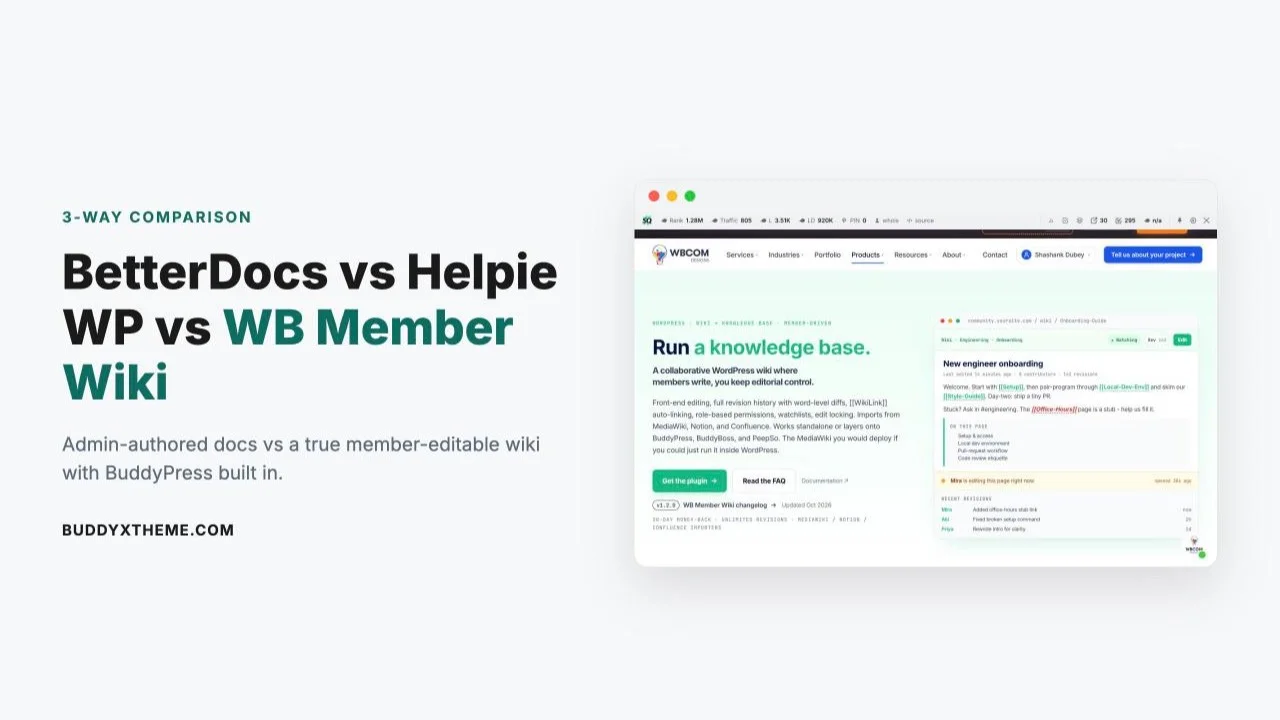
BetterDocs and Helpie WP both answer the same question well: how do you put a searchable knowledge base on a WordPress site? What neither one answers is a different question entirely - how do you let your own members write, edit, and maintain that knowledge base together, the way Wikipedia’s editors do. That’s the gap WB Member Wiki is built to fill, and it changes which of these three plugins actually fits a community site.
Last updated: 6 November 2026
Quick answer: Pick BetterDocs for a polished support knowledge base with AI search and an optional chatbot. Pick Helpie if you want a simple per-site-priced knowledge base with frontend editing. Pick WB Member Wiki if your members should write and edit pages together as a real community wiki, starting at $49 a year.
All three are capable, actively maintained WordPress plugins with real free tiers. But “knowledge base plugin” and “member wiki plugin” are not the same product category, even though they get lumped together in search results. This comparison breaks down what each one actually does, what it costs at the tier you’d realistically need, and which one fits a site where members - not just admins - are expected to contribute.
Table of Contents
- Market snapshot
- Why These Three Get Compared
- BetterDocs: The Established Docs Standard
- Helpie WP: Collaborative Docs, Admin-Centered
- WB Member Wiki: Built for Member Editing
- A Real-World Scenario: Docs vs a True Wiki
- Migrating From MediaWiki, Notion, or Confluence
- Governance and Moderation
- Who Each Plugin Is Actually Built For
- How a Member-Written Wiki Affects Search Traffic
- What a Year (and Three Years) Actually Costs
- Side-by-Side Comparison Table
- How to Choose
- FAQs
- Sources
67% of customers prefer self-service over contacting a support agent, and a well-built knowledge base typically cuts support ticket volume 20-35% within six months of launch. The question this comparison answers isn’t whether to build a knowledge base - it’s whether your admins write it alone, or your members help write it.
Market snapshot
- BetterDocs shows 30,000+ active installations on WordPress.org (checked 6 November 2026).
- Helpie FAQ shows 8,000+ active installations on WordPress.org (checked 6 November 2026).
- BetterDocs lists Pro plans from $69 a year (Starter, 1 site) to $149 a year for multiple sites, a Visionary lifetime license at $299, and an optional AI Chatbot add-on at $8.99 a month or $69 a year; the free core plugin includes an MCP server per the BetterDocs pricing page (checked 6 November 2026).
- Helpie KB lists $59 a year for 1 site, $149 for 5 sites and $299 for 30 sites, each with all Pro features, while Helpie FAQ is priced separately at $38.99, $69 and $99 per the Helpie pricing page (checked 6 November 2026).
Why These Three Get Compared
BetterDocs and Helpie WP show up on nearly every “best WordPress knowledge base plugin” list because they’re the two most polished options for the classic use case: a support or documentation section your team writes and your visitors search. WB Member Wiki gets pulled into the same comparisons because it also organizes articles into categories with search - but it was built around a completely different workflow, front-end member editing with full revision history, not backend-only authoring.
BetterDocs: The Established Docs Standard
BetterDocs is the most widely installed WordPress documentation plugin, with a free core on WordPress.org and a mature Pro add-on for teams that need more than a single flat knowledge base.
Key strengths:
- Polished, instant-search frontend with a clean docs UI out of the box
- Pro’s AI chatbot add-on (from $8.99/month or $69/year) layers conversational search on top of existing articles
- Large install base means extensive documentation and third-party tutorials
Where it falls short:
- Multiple knowledge bases, analytics, Instant Answers, and role-based internal docs all require Pro ($69-149/year, or $299 lifetime)
- Built for admin/staff authoring - there’s no native concept of a member submitting or editing an article from the front end
- No wiki-style cross-linking between articles; organization is category-based, not link-based
Helpie WP: Collaborative Docs, Admin-Centered
Helpie WP positions itself as a hybrid between a documentation tool and a wiki, with co-editing support aimed at internal teams who want several staff members keeping docs current together.
Key strengths:
- Multiple internal editors can collaborate on the same knowledge base, closer to a true co-authoring workflow than BetterDocs’ single-author model
- Straightforward per-site-count pricing: $59/year (1 site), $149/year (5 sites), $299/year (30 sites)
- 7-day Pro trial lets you test collaborative editing before paying
Where it falls short:
- Collaboration is designed around internal staff/editor roles, not open member contribution from logged-in community accounts
- No native BuddyPress, BuddyBoss, or PeepSo integration - it’s a standalone documentation tool, not a community feature
- No [[WikiLink]]-style auto-linking between articles, revision diffing, or watchlists
WB Member Wiki: Built for Member Editing
WB Member Wiki starts from a different premise: instead of a small team authoring a knowledge base, your members write it together, the way a company wiki or a fan wiki actually works, with the editorial control staying with you.

Key strengths:
- All tiers (including the $49/year Personal tier) include front-end editing with full revision history and word-level diffs, [[WikiLink]] auto-linking with automatic stub creation, and native BuddyPress, BuddyBoss, and PeepSo integration
- Importers for MediaWiki, Notion, and Confluence make migrating an existing wiki realistic rather than a rebuild-from-scratch project
- Developer tier ($79/year) adds role-based permissions and moderation, watchlists with email notifications, edit locking, a zero-result search log, REST API, and 40+ developer hooks
- Works standalone on any WordPress site, or layers directly onto an existing BuddyPress community - the wiki tab auto-appears on member profiles
Worth knowing:
- It does have a paid tier for anything beyond a single site - this isn’t a “free forever” product the way some other Wbcom plugins are, so be accurate about what you’re comparing
- Uses Gutenberg for editing rather than traditional wiki markup, which is friendlier for most members but means it isn’t a drop-in MediaWiki syntax replacement
- Smaller install base than BetterDocs, so fewer accumulated third-party tutorials exist
A Real-World Scenario: Docs vs a True Wiki
Picture a software company running a BuddyPress-powered user community alongside its product. The support team wants two things: a polished help-center section for official documentation, and a place where power users can document workarounds, integrations, and edge cases the official docs don’t cover.
With BetterDocs, the official help center works well immediately from the free core. But the second need - letting power users write and maintain their own reference pages - isn’t something the plugin does at all; it would require routing every community tip through an admin who manually publishes it, which quickly becomes a bottleneck.
With Helpie WP, a small internal team could collaboratively maintain both the official docs and a curated “tips” section, but community members still can’t edit directly - the $59-299/year tiers add editor seats for staff, not member accounts.
With WB Member Wiki, the company could run its official documentation as admin-moderated wiki pages (moderated mode routes member edits into a review queue) while power users contribute directly to a community tips section with revision history tracking who changed what. The BuddyPress integration means the wiki tab just appears on member profiles and in the activity feed without custom development.
Migrating From MediaWiki, Notion, or Confluence: What to Expect
A lot of teams evaluating these three plugins aren’t starting from zero - they already have a wiki or docs site somewhere and are looking to consolidate it onto WordPress. This is where the gap between the three becomes very concrete rather than theoretical.
Neither BetterDocs nor Helpie WP ships a dedicated import tool for MediaWiki, Notion, or Confluence content. In practice, migrating into either means exporting your existing content (usually as HTML or Markdown), then manually recreating each article as a new post inside the plugin’s structure. For a documentation set of a few dozen pages that’s tedious but doable in an afternoon. For a wiki with hundreds of interlinked articles, it’s a real project, and every internal [[WikiLink]]-style cross-reference has to be manually rebuilt as a standard WordPress link.
WB Member Wiki’s built-in importers for MediaWiki, Notion, and Confluence handle the structural conversion directly, including converting MediaWiki’s native [[WikiLink]] syntax into the plugin’s own auto-linking system rather than requiring you to hand-rebuild every cross-reference. This matters most for teams migrating off MediaWiki specifically, since MediaWiki’s link syntax is otherwise one of the hardest things to carry over cleanly into a different platform.
Whichever plugin you land on, run the migration on a staging copy first and spot-check a sample of articles with heavy internal linking before committing. Automated importers handle the common cases well but can miss edge cases like deeply nested categories or non-standard templates.
Governance and Moderation: Keeping Member Contributions Accurate
The single biggest objection to opening any knowledge base to member editing is the fear that quality will collapse - that the wiki will fill with errors, spam, or just abandoned half-written stubs. This is a legitimate concern, and it’s also the exact design problem BetterDocs and Helpie WP sidestep entirely by not allowing member editing in the first place. WB Member Wiki has to solve it directly, and it does so with a few concrete controls rather than an all-or-nothing switch.
Moderated mode is the core lever: turn it on and any edit from a non-admin role lands in a review queue instead of publishing immediately, with the option to approve, reject, or leave an inline comment explaining what needs to change before it can go live. Role-based permissions (available from the Developer tier) let you be more granular than a blanket moderated/unmoderated toggle - trusted long-time members can publish directly while new accounts go through review, which is a pattern that scales much better than moderating every single edit forever.
Watchlists and email notifications close the loop for anyone with a stake in a specific article: a product manager can watch the pages covering their feature and get notified the moment a member edits them, without having to manually check back. Edit locking prevents two people from overwriting each other’s work on the same article at the same time, which becomes a real problem on any wiki with more than a handful of active contributors. And the zero-result search log quietly solves a different problem - it shows you exactly what members searched for and didn’t find, which is a direct, prioritized list of the articles your wiki is missing.
Who Each Plugin Is Actually Built For
BetterDocs fits a team that wants the most polished, most widely-documented help-center experience and is comfortable keeping all authoring in-house. Its AI chatbot add-on makes it a particularly strong fit for a product with a high volume of repetitive support questions, since conversational search on top of existing docs content can deflect a meaningful share of “where do I find X” tickets without any member contribution model at all.
Helpie WP fits a small-to-midsize internal team, several people who all need write access to the same knowledge base, but who don’t want to open editing to the public or to community members. Its straightforward per-site pricing also makes it a reasonable fit for an agency maintaining documentation across several client sites without the complexity of a wiki’s moderation layer.
WB Member Wiki fits anyone whose knowledge genuinely lives in more than one person’s head - a community where members collectively know more than any admin team could document alone, an internal company wiki where the unwritten rules of how things actually work need to be captured by the people doing the work, or a migration off a legacy MediaWiki install that’s become too heavy to maintain. It’s a worse fit for a simple, single-author support section that doesn’t need collaborative editing at all; for that narrower case, the free tier of either competitor is sufficient and you don’t need to pay for a wiki’s moderation tooling you won’t use.
How a Member-Written Wiki Affects Search Traffic
There’s a secondary effect worth factoring into the cost comparison: a knowledge base that only your admin team writes grows only as fast as your admin team has time to write it. A wiki that your members also contribute to grows every time someone documents an answer, which compounds in a way solo-authored content structurally can’t.
Every well-written wiki article is also a page that can rank for the exact long-tail question someone typed into a search engine, and reference content tends to match search intent unusually well because it was written to answer a specific question in the first place. For a community site specifically, that means the same content that reduces internal support questions also becomes one of the steadier channels for new members discovering the community through search - a benefit that’s structurally available to WB Member Wiki’s model in a way it isn’t to a single-author documentation plugin, simply because of who’s allowed to write the pages.
What a Year (and Three Years) Actually Costs
BetterDocs’ Pro features (multiple knowledge bases, analytics, Instant Answers) run $69-149/year depending on site count, or a one-time $299 for the unlimited-site Visionary lifetime license. Helpie WP runs $59-299/year depending on how many sites you’re covering. WB Member Wiki’s Developer tier (5 sites, the most popular option, with moderation and the REST API) runs $79/year or $199 lifetime.
| 3-year total (mid-tier, multi-site) | Cost |
|---|---|
| BetterDocs (Innovator, unlimited sites) | ~$447 (3 × $149/year), or $299 once as Visionary lifetime |
| Helpie WP (5 sites) | ~$447 (3 × $149/year) |
| WB Member Wiki (Developer, 5 sites) | ~$237 (3 × $79/year), or $199 once as lifetime |
Figures are approximate, based on publicly listed pricing as of October 2026. All three offer lifetime licensing as a cheaper long-term option than annual renewal.
Side-by-Side Comparison Table
| BetterDocs | Helpie WP | WB Member Wiki | |
|---|---|---|---|
| Front-end member editing | No | No (staff only) | Yes, all tiers |
| BuddyPress/BuddyBoss/PeepSo integration | No | No | Native, all tiers |
| [[WikiLink]] auto-linking | No | No | Yes, all tiers |
| Revision history + diffs | Limited | Pro only | Full, all tiers |
| MediaWiki/Notion/Confluence import | No | No | Yes, all tiers |
| AI chatbot add-on | Yes, from $69/year | No | No |
| Entry price (1 site) | Free core, Pro $69/yr | $59/yr | $49/yr or $149 lifetime |
How to Choose
If you need a polished, admin-authored help center and nothing more, BetterDocs’ free core plus its AI chatbot add-on covers that use case well and has the largest community of users to learn from. If several staff members need to collaboratively maintain internal or customer-facing docs without member contribution, Helpie WP’s co-editing model and simple per-site pricing fit that need directly.
If your actual goal is a wiki your members build together - a community reference, an internal company wiki layered onto BuddyPress, or a migration off MediaWiki - WB Member Wiki is built specifically for that workflow from its $49/year entry tier, not bolted on as an afterthought.

Summary
BetterDocs earns its popularity as a polished, admin-authored documentation tool with the widest support ecosystem of the three. Helpie WP fits teams that want several staff members collaborating on docs without opening editing to the wider community. WB Member Wiki solves a different problem entirely: a wiki your members actually build together, with BuddyPress integration and real moderation controls, at the lowest entry price of the three.
The right choice depends on who’s supposed to be writing the content. If it’s your team, BetterDocs or Helpie WP both do that job well. If it’s your members, WB Member Wiki is the only one of the three built for it.
FAQs
Can BetterDocs or Helpie WP let community members write articles directly?
Not natively. Both are built around admin or staff authoring. BetterDocs has no front-end contribution system at all, and Helpie WP’s collaboration features are aimed at internal editor roles, not open community member accounts.
Is WB Member Wiki actually free?
No - unlike some other Wbcom plugins, WB Member Wiki is a paid product starting at $49/year (or $149 lifetime) for a single site. It’s less expensive than BetterDocs Pro or Helpie WP at comparable tiers, but it isn’t free.
Does WB Member Wiki require BuddyPress to work?
No. It’s a complete wiki on its own. If BuddyPress, BuddyBoss, or PeepSo is active, the wiki tab automatically appears on member profiles and wiki edits surface in the activity feed, but none of those plugins are required.
Can I require admin approval before member wiki edits go live?
Yes. WB Member Wiki’s moderated mode routes any edit from a non-admin role into a review queue, where you can approve or reject it, optionally with an inline comment for the contributor.
Is WB Member Wiki a real MediaWiki alternative?
For most communities, yes. It supports [[WikiLinks]], revision history, watchlists, namespaces (categories), template-style includes, and full search. What it doesn’t do is wiki-syntax markup (it uses Gutenberg instead) or MediaWiki’s millions-of-articles scale.
Which of the three is cheapest for a single site?
WB Member Wiki’s Personal tier at $49/year is the lowest entry price of the three, followed by Helpie WP at $59/year, with BetterDocs’ free core covering basic docs before Pro pricing starts at $69/year.
Does any of these three include an AI chatbot?
BetterDocs is the only one with a dedicated AI chatbot add-on, starting at $8.99/month or $69/year for one site. Neither Helpie WP nor WB Member Wiki currently ship a native AI chatbot feature.
Can I import an existing wiki into WB Member Wiki?
Yes, it includes importers for MediaWiki, Notion, and Confluence, which is relevant if you’re migrating an existing company wiki or community reference onto WordPress rather than starting from zero.
What’s the real difference between a knowledge base and a wiki?
A knowledge base is typically authored and maintained by a small team (support or docs staff) and organized by category. A wiki is maintained collaboratively by many contributors and organized by cross-links between articles, with full edit history. BetterDocs and Helpie WP are knowledge-base tools; WB Member Wiki is a wiki tool that also functions as a knowledge base.
Can I run a wiki and a traditional help center on the same site?
Yes, and it’s a common setup - official, admin-moderated documentation using WB Member Wiki’s moderated mode for accuracy-critical pages, alongside open member contribution for community tips and edge cases, all in the same plugin rather than running two separate systems.
Do I need developer help to set any of these three up?
No, all three are designed for non-developer setup through their admin interfaces. BetterDocs and Helpie WP both use standard WordPress post-type structures that will feel familiar if you’ve used the block editor before. WB Member Wiki’s category and permission setup takes a bit more initial planning if you’re running moderated mode with role-based access, but none of it requires custom code - the REST API and developer hooks exist for teams that want to extend it further, not as a requirement to get a working wiki live.
What happens to existing content if I switch between these plugins later?
Switching away from any of the three generally means exporting what content format each one allows and reimporting into the new platform, since none of them share a common data format with each other. This is worth weighing before committing, particularly for a wiki with meaningful revision history - WB Member Wiki’s diff and revision data is specific to its own structure and won’t carry over automatically to a different plugin, so treat the choice as a multi-year commitment rather than something to swap casually.
How much does Helpie KB cost in 2026?
Helpie’s pricing page (checked 6 November 2026) lists Helpie KB at $59 a year for 1 site, $149 for 5 sites and $299 for 30 sites, with all Pro features on every plan and a 7-day free trial. Helpie FAQ is a separate product at $38.99, $69 and $99 for the same site counts.
Sources
Interesting Reads:
How to Build a Private Family Photo Archive with WPMediaVerse