
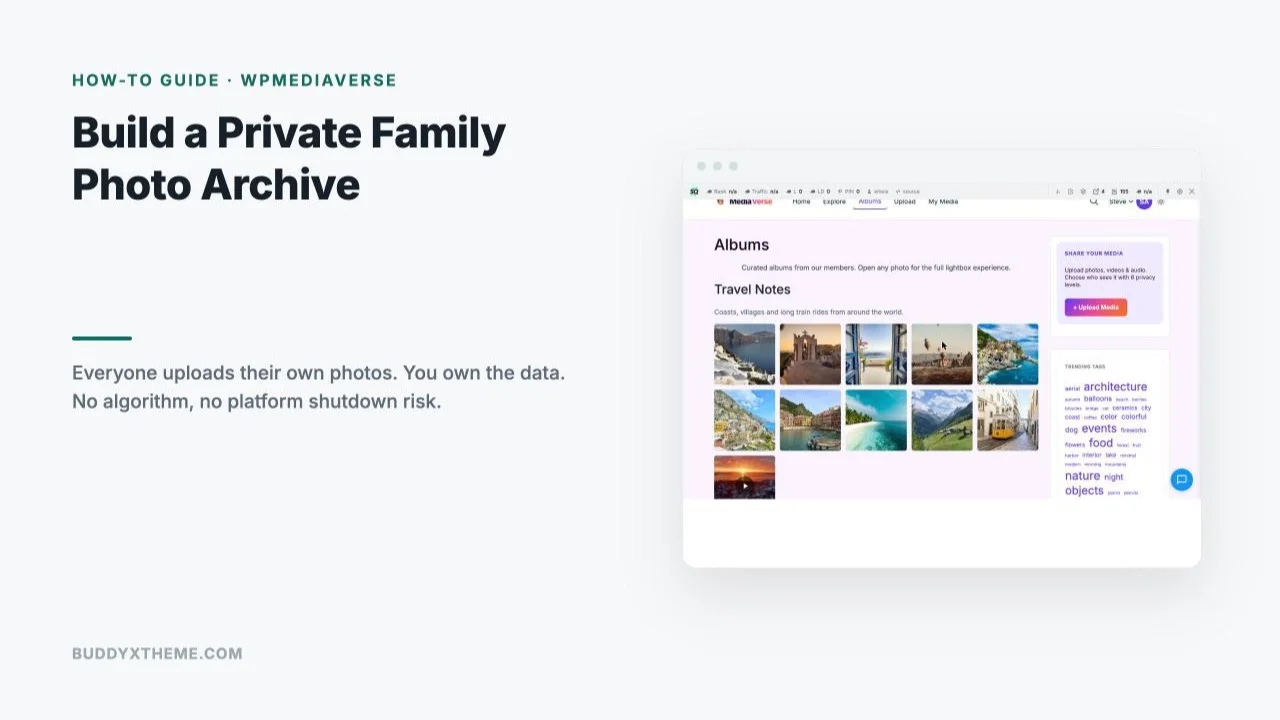
A family photo archive almost always starts the same way: one person becomes the unofficial keeper, chasing relatives for their phone photos after every holiday, sorting them into folders, and re-sharing them through whatever app everyone happens to be using that year. It works for a while, until that person gets busy, the group chat gets buried under a thousand other messages, or the platform everyone relied on shuts down or changes its policies, and years of photos either scatter or disappear.
Last updated: 6 November 2026
WPMediaVerse flips that model: instead of one person collecting and re-sharing everyone else’s photos, every family member uploads directly to a site you own, with per-photo privacy controls so nothing is more public than you intend. This guide walks through setting one up as a real, permanent family archive, not a seasonal project that quietly dies the first time the family admin gets too busy to keep running it.
Table of Contents
- By the numbers
- Why a Self-Hosted Archive Beats a Group Chat
- What You Need Before You Start
- Setting Up WPMediaVerse for a Family Archive
- Inviting Family Members as Contributors
- Organizing Albums by Year, Event, or Person
- Privacy Controls: Keeping It Family-Only
- Uploading From a Phone
- A Real-World Scenario: The Family That Lost a Decade of Photos
- Keeping the Archive Alive for Years, Not Months
- What Maintaining This Actually Looks Like Over Time
- Who This Is Actually Built For
- FAQs
- Sources
Roughly 1 in 3 smartphone users will experience a lost, stolen, or broken phone in any given year, and about 60% of people have no real backup strategy at all. Cloud storage appears permanent but often isn’t: Snapfish lost photos predating January 2014 during a 2016 platform migration, and Digital Railroad shut down in 2008 with only a short window for customers to download their archives before the service vanished entirely. A photo archive that depends on one company staying in business, or one relative’s phone surviving, is a riskier bet than it feels like day to day.
By the numbers
- Pew Research Center’s 2026 survey of 5,511 US adults (fielded 30 January to 18 June 2026) found that YouTube and Facebook are the most widely used social platforms and that about half of US adults use Instagram, per Pew Research Center.
- WordPress is used by 39.5% of all websites and holds 58.2% of the content management system market, according to W3Techs (checked 6 November 2026).
Why a Self-Hosted Archive Beats a Group Chat
A family group chat or shared cloud folder solves the sharing problem but not the archive problem. Messages scroll away, compressed phone-app images lose quality, and nobody actually owns the collection, the platform does, on terms that can change without much notice. A self-hosted archive on your own WordPress site removes that dependency: the photos live on hosting you control, under a domain you own, with no algorithm deciding what anyone sees and no risk of a consumer app discontinuing a feature your family’s memories happen to depend on.
WPMediaVerse’s core value proposition for this specific use case is distributed uploading with centralized storage: every relative adds their own pictures directly from the front end, so no single person has to collect, sort, and re-share everything by hand.
Eliminating the one-person bottleneck is why this approach tends to survive years longer than a group-chat archive that depended on one person’s ongoing effort.
What a self-hosted archive solves, compared to a group chat or shared cloud folder:
- Ownership. The photos live on hosting and a domain the family controls, not a platform’s servers under a ToS that can change.
- No single curator. Every relative uploads directly, so the archive doesn’t stall when one person gets busy.
- Real organization. Albums, not an endless scrolling message thread, make old photos findable years later.
- Granular privacy. Per-photo and per-album controls, not a single all-or-nothing share setting.
- No shutdown risk. Nothing depends on a consumer product’s roadmap or a company staying in business.
What You Need Before You Start
WPMediaVerse’s free tier is a genuinely complete media community, not a limited trial: member uploads for photos, video, and audio, albums and personal libraries, per-item privacy controls, gallery grid blocks, and BuddyPress integration, all included with no expiration and no site limit. For a family archive specifically, the free tier covers everything described in this guide. Pro ($69/year single site or $199 lifetime, scaling to $199/year or $499 lifetime for unlimited sites) adds things like cloud storage integrations, named feed layouts, and photo-competition tools, none of which a private family archive typically needs, so there’s no reason to budget for Pro unless the family specifically wants one of those extras.
You’ll need a WordPress site (new or existing) and, if you want the richest profile and privacy experience, BuddyPress installed alongside it, though WPMediaVerse works as a standalone media library even without it.
Setting Up WPMediaVerse for a Family Archive
Install and activate WPMediaVerse from WordPress.org like any other plugin. The admin Overview screen gives an at-a-glance view of total media, albums, pending moderation items, and storage used, useful for keeping an eye on the archive’s growth over time without digging through individual screens.

Before inviting anyone, spend a few minutes on the basics: set a clear site name and tagline that signal what this is (a family archive, not a public blog), and decide whether the whole site should require login to view anything, a sensible default for a family-only archive even before individual album privacy comes into play.
Inviting Family Members as Contributors
Create a WordPress user account for each family member who’ll contribute, Subscriber-level access is enough since uploading and album creation happen through WPMediaVerse’s front-end interface, not wp-admin. Send each person a login link and a short note on what the archive is for and how to upload, most relatives need this explained once, not repeatedly.
The front end is built for non-technical uploading: a member logs in, clicks Upload Media, selects photos, videos, or audio, and that’s the entire submission flow, no approval workflow required unless you specifically enable moderation. For a true family archive, light-touch moderation (spot-checking rather than approving every single upload) usually keeps the archive feeling open and welcoming rather than bureaucratic.
Organizing Albums by Year, Event, or Person
Albums are where a pile of individual uploads turns into something navigable years later. A member creates an album, gives it a title and description, picks a cover photo, and adds their own uploaded media to it. Common organizing patterns for a family archive: by year (“2026”), by recurring event (“Thanksgiving”, “Summer Reunion”), or by person or family branch for a larger extended family where one combined feed gets overwhelming fast.

Because any member can create an album from their own uploads, the archive’s organization doesn’t bottleneck on one person deciding how everything should be structured. A grandparent can build “Old Family Photos, Scanned” while a cousin builds “Wedding 2026” independently, and both become permanent, browsable parts of the same shared archive without either person needing the other’s permission or help.
Privacy Controls: Keeping It Family-Only
WPMediaVerse supports privacy controls at the individual item level, and separately at the album level, so a family archive doesn’t have to be all-public or all-private as a single blanket setting. A member can keep one album visible to everyone with site access while keeping another, say, a sensitive hospital-visit album, restricted further. Combined with requiring login site-wide, this gives a family archive a privacy posture that’s genuinely tighter than posting the same photos to a social platform, where “private” still means a company’s servers and a company’s data-handling policies.
Set expectations early about what “family-only” actually means on your specific setup, whether that’s every registered user, a specific member role, or something more granular, so nobody assumes a privacy level the site isn’t actually enforcing.
Uploading From a Phone
Most real-world contributions to a family archive happen from a phone, right after an event, not from a desktop days later. WPMediaVerse’s front-end upload flow works in a mobile browser without a dedicated app, log in, tap Upload, select photos from the camera roll, done. For relatives who aren’t comfortable with a mobile browser, a home-screen shortcut to the upload page (most phones support “Add to Home Screen” from the browser share menu) removes most of the remaining friction, making the upload page feel like an app without actually requiring one.
A Real-World Scenario: The Family That Lost a Decade of Photos
Picture a family that spent a decade organizing photos through whichever free cloud-photo app happened to be popular that year, three different apps across ten years, each migration losing a few photos and all the captions and comments that gave them context. When the most recent app announced it was shutting down its free tier with 60 days’ notice, the family spent a frantic weekend downloading what they could, a smaller archive than they’d built, missing the context that made old photos meaningful.
Moving to a self-hosted WPMediaVerse archive after that experience changed the calculation entirely: the domain, hosting, and WordPress install are now things the family controls directly rather than renting access to. Uploads happen the same way they always did, from a phone, right after the event, but now nothing depends on a company’s product roadmap or free-tier decisions. The family set up albums by year going forward and slowly backfilled older photos as people found time, with no deadline forcing a rushed migration ever again.
Three years later, the archive holds contributions from twelve family members across four generations, something no single person could have built alone, and the family patriarch, previously the reluctant unofficial keeper of everyone’s photos, now just uploads his own and lets everyone else do the same.
The backfilling turned out to matter more than anyone expected going in. An aunt spent a weekend scanning a shoebox of physical prints from the 1980s and built an album nobody in the younger generation had ever seen before, photos of grandparents as young adults, a wedding that predated anyone’s living memory of it. That album became, by a wide margin, the most-viewed thing in the entire archive, proof that a self-hosted family archive isn’t just insurance against future loss, it’s also a genuine occasion to surface and preserve the past that was already sitting in a drawer somewhere, uncatalogued and at real risk of being lost the next time someone moved house or cleaned out a closet.
Keeping the Archive Alive for Years, Not Months
The biggest risk to any family archive isn’t technical, it’s momentum. A few practices keep it alive past the initial enthusiasm: seed it with a batch of real photos before inviting anyone, an empty archive signals nobody’s using it yet and discourages the first contributors. Nominate one or two family members as light moderators who gently prompt relatives after major events (“don’t forget to upload your photos from today”). And treat it as infrastructure, not a project, the same way the family group chat doesn’t need a launch announcement every year, the archive shouldn’t either, it should just be the place photos go.
Standard WordPress maintenance, keeping the plugin and WordPress core updated, applies here the same as any other site; budget occasional time for that rather than treating the archive as something that runs itself indefinitely once set up.
What Maintaining This Actually Looks Like Over Time
A family archive that’s expected to run for decades needs a realistic picture of what ongoing upkeep looks like, since “set it up once and forget it” is how most well-intentioned digital archiving projects quietly die.
On the technical side, this is a standard WordPress site: core, theme, and plugin updates on a normal schedule, a hosting plan that doesn’t lapse, and a backup routine separate from the archive’s own content, the same baseline maintenance any WordPress site needs regardless of what it’s used for.
On the human side, the maintenance is lighter than it sounds once the initial setup is done. There’s no daily task, no approval queue to clear every morning, no content calendar to maintain. The real ongoing work is social, not technical: someone occasionally reminding family members after a gathering to upload their photos, someone noticing when storage usage is climbing and deciding whether to upgrade hosting, someone making sure login credentials get handed off if the original administrator becomes less involved. None of this requires technical skill, just continuity of attention from at least one person in the family.
Storage is worth planning for explicitly rather than discovering as a surprise. A family uploading full-resolution phone photos and the occasional video will use more storage over a decade than a typical blog ever would; check with your hosting provider about storage limits and image-compression settings before the archive gets large enough for that to become an urgent problem rather than a planned one. WPMediaVerse’s admin Overview screen shows total storage used at a glance specifically so this doesn’t sneak up on whoever’s responsible for the hosting bill.
Succession planning deserves a direct mention, since it’s the part most families skip until it’s urgent. Make sure at least two people, not just the original setup person, have WordPress administrator access and know the hosting account’s login details. A family archive with a single point of failure on the admin side is only marginally better than the single-person-curator problem it was built to solve in the first place.
Who This Is Actually Built For
This setup fits a family (or any tight-knit group, a close friend circle, a small reunion community) that wants a permanent, private home for shared photos and doesn’t want one person stuck as the perpetual curator. It fits especially well for extended families spread across locations and generations, where a single shared phone or cloud account was never realistic in the first place.
It fits less well as a replacement for real backup, treat it as the family’s shared, organized collection, not the only copy of anything irreplaceable; standard WordPress hosting backups should still run underneath it, the same as any site holding content you can’t afford to lose.
Summary
The core shift this approach makes is structural, not just technical: instead of one person collecting everyone else’s photos and carrying that responsibility indefinitely, every family member contributes directly to something the whole family owns together. WPMediaVerse’s free tier covers everything a private family archive needs, uploads, albums, and real per-item privacy, with no deadline-driven migration ever forced by a company’s roadmap decisions. Set it up once, seed it with real photos, invite the family, and let it grow the way a shared family project should, driven by whoever has something worth adding that week.
Before inviting the whole family, run a small pilot checklist:
- Seed a few real albums yourself so the archive doesn’t look empty on day one
- Invite one or two relatives first, not the whole family at once
- Confirm uploading from their actual phones works smoothly, not just from your own desktop
- Check that privacy settings behave the way you expect before anything sensitive goes up
- Only then send the link to everyone else
A ten-minute test with one person catches login confusion or upload friction far more cheaply than discovering it after announcing the archive to the whole family at once.
FAQs
Does every family member need technical skill to use this?
No. The front-end upload and album-creation flow is built for non-technical use, log in, click Upload, select files. Most relatives need a one-time walkthrough, not ongoing tech support.
Is WPMediaVerse really free for this, or will we hit a paywall eventually?
The free tier has no expiration and includes everything described in this guide: uploads, albums, privacy controls, and BuddyPress integration. Pro exists for specific extras (cloud storage, photo competitions) a private family archive typically doesn’t need.
Can older, non-smartphone photos (scans) be added too?
Yes, any image file can be uploaded regardless of its original source, scanned prints work exactly the same as a photo taken directly on a phone.
What happens if a family member accidentally uploads something privately that should be more visible, or the reverse?
Privacy is set at the item and album level and can be changed after the fact by the person who uploaded it (or an admin), so a mistake isn’t permanent, it just needs to be corrected once noticed.
Can we require approval before a relative’s upload becomes visible to everyone?
Yes, a moderation queue is available if you want to review uploads before they’re visible site-wide, though for a genuine family archive, lighter-touch spot-checking usually keeps the archive feeling open rather than gated.
Does this work if some family members are not very active online?
Yes, the archive doesn’t require everyone to participate equally. Even a family where only two or three people actively upload still ends up with a permanent, organized, owned collection, better than the alternative of no shared archive existing at all.
Can we invite family members who don’t want a public WordPress login visible to others?
Standard WordPress user accounts aren’t publicly listed by default, and the site itself can require login just to view anything, so a family member’s account existing is not something outside visitors would ever see or need to know about.
What happens to the archive if the person who set it up stops being involved?
Since it’s a standard WordPress site with multiple real user accounts, any family member with admin access can take over hosting and maintenance responsibilities, unlike a personal cloud account tied to one person’s login that nobody else can access if that person becomes unavailable.
Is video supported, not just photos?
Yes, WPMediaVerse’s free tier supports photo, video, and audio uploads, so event videos and even voice recordings can live in the same archive as photos.
How is this different from just using a shared Google Photos or iCloud album?
A shared cloud album is convenient but rented: it runs on the provider’s terms, storage limits, and continued existence as a product. A self-hosted WPMediaVerse archive runs on infrastructure the family actually owns, with no dependency on a single consumer product staying available or unchanged for the next twenty years.
How much storage does a family photo archive actually need?
It varies widely, but a reasonable planning baseline is a few gigabytes per active contributor per year for phone photos and occasional video; check with your hosting provider about plan limits and whether image optimization is handled automatically before the archive grows large.
Can we export everything later if we ever want to move the archive elsewhere?
Since it’s standard WordPress media in your own database and uploads directory, the content is exportable the same way any WordPress site’s media library is, you’re not locked into a proprietary format the way a closed consumer app would lock you in.
Sources
Interesting Reads:
Best WordPress Photo Album Plugins (Member-Owned vs Admin-Curated)