Common Mistakes to Avoid When Using an AI TikTok Video Editor

AI TikTok video editors have revolutionized content creation, making it faster and more accessible for creators of all skill levels. These tools enable users to create polished, engaging videos with minimal effort. However, improper use of these editors can lead to subpar results, potentially hindering your content’s performance on TikTok. Let’s delve into common mistakes creators make and explore how these errors can impact the success of your videos.
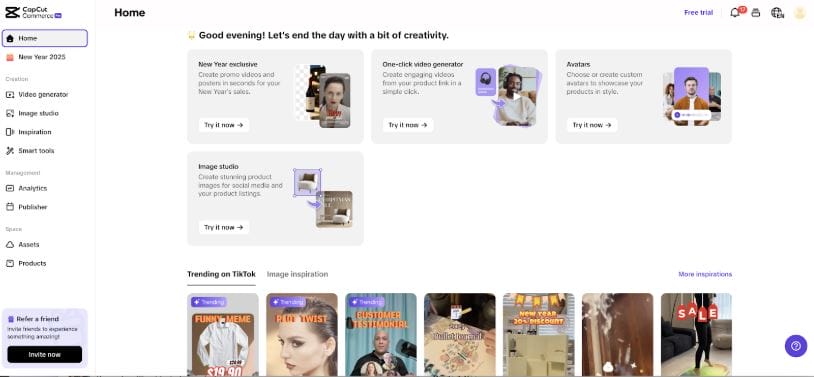
Mistake 1: Overloading Videos with Effects
Impact: Distracts viewers and reduces engagement.
AI-powered tools offer a plethora of effects, transitions, and filters that can enhance your videos. However, overusing these features can overwhelm viewers and obscure your core message. For example, adding multiple transitions or excessive filters can make your video feel chaotic and hard to follow. This diminishes viewer retention and decreases the chances of your content being shared or liked.
Instead, focus on enhancing your video with subtle, purpose-driven effects. A clean and cohesive aesthetic resonates better with audiences and allows your message to shine through. Tools like the best AI video generator can help you strike the right balance by offering customizable templates designed for simplicity and clarity.
Mistake 2: Ignoring TikTok’s Formatting Requirements
Impact: Limits visibility and audience reach.
TikTok has specific formatting guidelines for videos, including an aspect ratio of 9:16, a recommended duration of 15–60 seconds, and file size restrictions. Ignoring these requirements can result in poorly cropped or low-quality videos that fail to capture attention on the platform. Additionally, TikTok’s algorithm prioritizes videos optimized for its format, meaning non-compliant content may see limited reach.
To avoid this, always ensure your videos are formatted correctly. A TikTok video editor often comes with preset aspect ratios and resizing features to help you create platform-optimized content effortlessly.
Mistake 3: Overlooking Audio Quality
Impact: Weakens emotional connection and viewer engagement.
Audio plays a critical role in TikTok videos. Poor sound quality, mismatched music, or lack of background audio can make your videos feel incomplete or unprofessional. For example, a video with distorted or low-volume sound might fail to engage viewers, even if the visuals are stunning.
To avoid this, use AI tools to enhance your audio quality. Many AI editors allow you to add trending music, voiceovers, or sound effects directly within the platform. Ensure the audio aligns with your video’s tone and theme to create a cohesive and engaging experience.
Mistake 4: Failing to Incorporate TikTok Trends
Impact: Reduces discoverability and relevance.
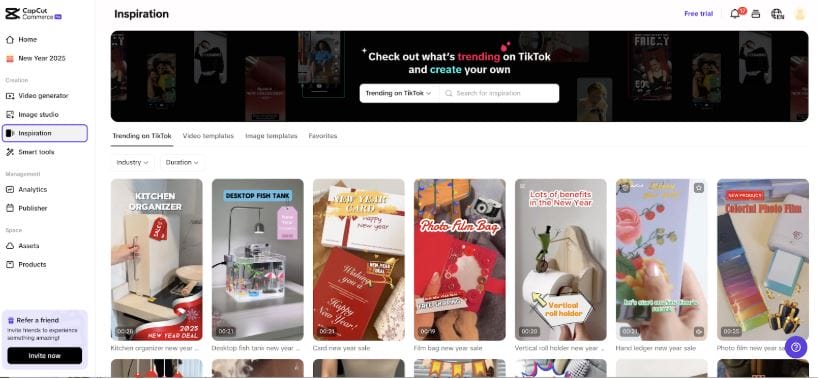
TikTok thrives on trends, from viral dances to popular challenges and soundtracks. Failing to incorporate trending elements into your videos can make your content feel outdated or disconnected from the platform’s culture. This decreases the likelihood of your video appearing on the For You Page (FYP), limiting its potential reach.
Stay up-to-date with TikTok trends and incorporate them creatively into your content. AI editors often provide access to trending templates, music, and effects that align with the latest TikTok culture, enabling you to stay relevant and increase visibility.
Mistake 5: Skipping Previews and Edits
Impact: Leads to errors and reduces professionalism.
Many creators rush through the editing process without previewing their videos or making necessary adjustments. This can result in errors such as mismatched transitions, abrupt cuts, or typos in captions. Such mistakes can make your content appear rushed or unpolished, potentially alienating viewers.
Always preview your video before publishing it. Use the editing tools available in your AI TikTok video editor to refine transitions, sync audio, and polish captions. A small investment of time in the editing phase can significantly improve the final product and enhance the viewer experience.
Mistake 6: Overlooking Captions and Text Overlays
Impact: Missed opportunities for accessibility and engagement.
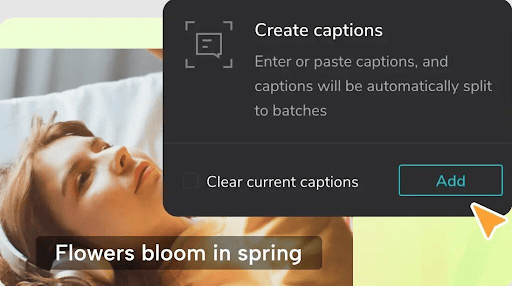
Captions and text overlays are essential for accessibility and engagement on TikTok, especially since many users watch videos without sound. Failing to include captions can limit the accessibility of your content, reducing its appeal to a broader audience.
Use tools like an AI caption generator to add accurate and visually appealing text overlays. These captions not only make your videos more inclusive but also help convey your message effectively, even when audio isn’t available.
Mistake 7: Not Defining Your Target Audience
Impact: Creates generic content that fails to resonate.
TikTok’s diverse user base spans various age groups, interests, and demographics. Creating content without a clear target audience in mind often results in videos that feel generic and fail to resonate with viewers. For instance, using humor that doesn’t align with your audience’s preferences can lead to low engagement rates.
Define your target audience before creating videos and tailor your content accordingly. AI tools can help you analyze audience preferences and generate ideas that align with their interests.
Mistake 8: Over-Reliance on Automation
Impact: Reduces authenticity and personal connection.
AI video editors are designed to simplify the content creation process, but over-reliance on automation can strip your videos of authenticity. For example, using generic templates without customization may make your content look like everyone else’s, reducing its impact.
Strike a balance between automation and personalization. Customize templates, add personal touches, and ensure your unique voice shines through. This helps maintain authenticity and fosters a deeper connection with your audience.
Conclusion
AI-powered TikTok video editors have transformed the way creators produce content, offering tools that enhance efficiency and creativity. However, avoiding common mistakes is essential to maximizing their potential. By steering clear of pitfalls like overusing effects, neglecting formatting, or overlooking audio quality, you can create polished, engaging videos that stand out on TikTok.
Whether you’re a seasoned content creator or a beginner, tools like the best AI video generator and TikTok video editor provide the resources needed to elevate your content. Embrace these tools thoughtfully, and you’ll unlock the full potential of AI-driven video creation, connecting with audiences in meaningful and impactful ways.
Interesting Reads:

Shashank is a seasoned digital marketing and WordPress expert who specializes in SEO, software tools reviews, and cutting-edge strategies for boosting online presence. With a passion for simplifying complex topics, Goutham crafts engaging blog posts that help readers optimize their websites, improve search engine rankings, and stay ahead in the ever-evolving digital landscape.