

An extranet sits in an odd spot between a public website and a fully internal tool. It needs to feel welcoming enough that outside partners, clients, or members actually want to log in, but locked down enough that private documents, internal discussions, and member data stay exactly that, private. Most WordPress themes aren’t built with that balance in mind. A handful genuinely are, and this list covers the ones worth actually considering in 2026.
The term “extranet” itself covers a wide range of real-world setups. A law firm giving clients access to case documents, a manufacturer sharing specs with distributors, a professional association running a members-only forum, all count as extranets even though the day-to-day experience of each looks completely different. That variety is exactly why this list mixes community-focused themes with more operational, document-heavy ones rather than treating them as interchangeable.
WordPress offers several plugins to add any feature to your extranet website, but the theme still matters more than people expect. A theme built specifically for member-gated content handles access control, private profiles, and document areas far more gracefully than a general-purpose theme with a restriction plugin bolted on afterward. All of the themes below are highly customizable, responsive, and flexible, and each one includes some combination of communication, networking, and document management features an organization actually needs.
Best WordPress Extranet Themes
1. BuddyX Theme
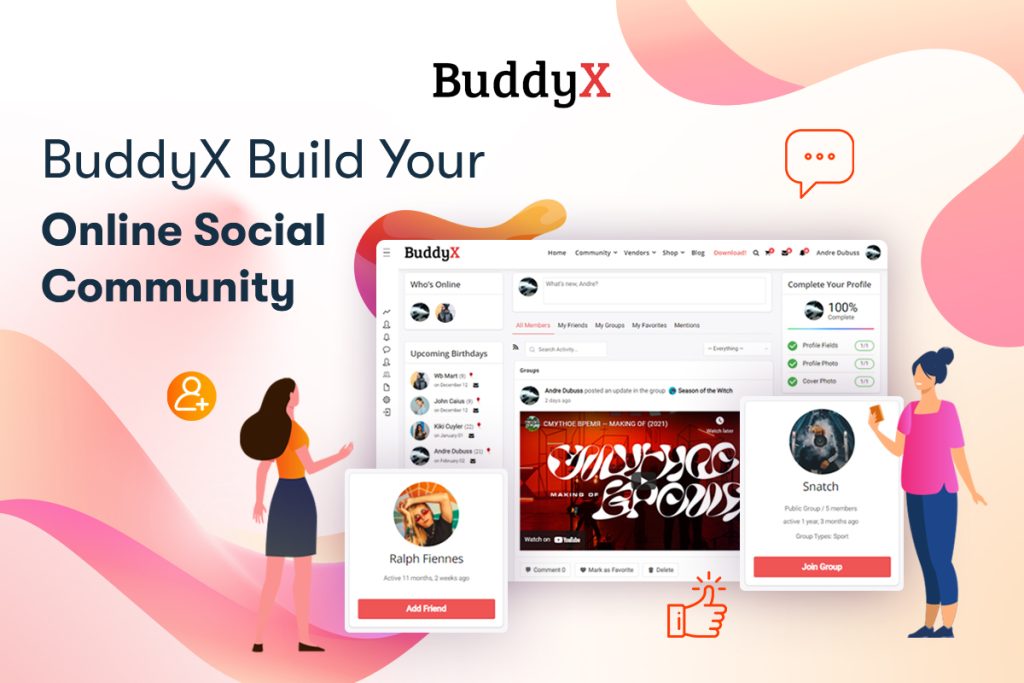
BuddyX Pro is a powerful multi-purpose WordPress extranet theme that delivers a rich and user-friendly experience. It’s the best WordPress theme for creating a social network or extranet website, with full compatibility with BuddyBoss Platform and BuddyPress. You can easily add photos, videos, and music albums to your community website, which matters for extranets that double as a genuine collaboration space rather than just a document repository.
BuddyX offers an optimized mobile menu panel and is fully responsive on all major devices. One-click demo installation gets you started within minutes, and it includes compatibility with BuddyPress, bbPress, and more for varied layouts and structured templates. If you also want to offer services through your extranet network, WP Sell Services Pro pairs well with BuddyX Pro, letting members list and purchase services directly within your community.
What sets BuddyX apart from the more corporate-leaning themes further down this list is its focus on genuine social interaction rather than just document access. If your extranet is meant to feel like a real community, not just a portal for downloading files, this is the strongest starting point on the list.
2. Aardvark

Aardvark is a simple and responsive WordPress extranet theme focused on community. It works well for membership sites, community websites, and extranet projects. You can post updates, create groups, upload media, and sell products using WooCommerce. It includes lots of post and category layouts and customization options, giving it more visual flexibility than some of the more rigid corporate-focused themes further down this list.
3. UnitedCommunity
UnitedCommunity is a flexible and modern WordPress extranet theme built for the latest version of BuddyPress and fully compatible with WooCommerce. You can restrict access so only registered members can view content, which is the core requirement for any real extranet deployment. It is compatible with Elementor and Beaver Builder, includes quick demo content installation, and looks great on every device.
The Elementor and Beaver Builder compatibility is worth calling out specifically. A lot of extranet-focused themes lock you into their own page builder or a narrower customization system, and having genuine page builder support here gives more design flexibility than most competitors in this category offer.
4. Woffice
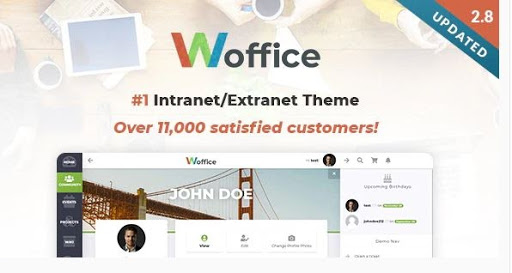
Woffice is a multi-purpose WordPress theme built for intranet and extranet projects. It includes a custom login page, Files Manager, Calendar, eCommerce, and BuddyPress network integration. The theme helps you manage projects online, add events to a calendar, and publish content on an internal wiki, all while keeping your private content secure.
Woffice leans more corporate than community-focused, and that shows in the feature set. The Files Manager and project management tools suit an organization using the extranet as a genuine operational hub, task tracking, document sharing, internal knowledge base, rather than a social space members log into for conversation.
5. Alliance
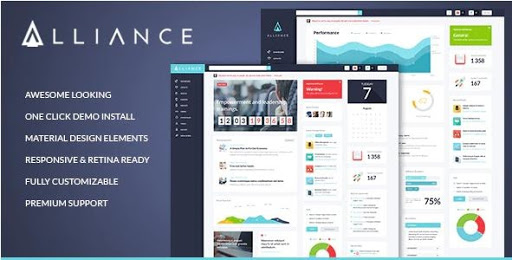
Alliance is a popular and responsive WordPress theme ideal for extranet projects. It features an Events Calendar, BuddyPress integration, survey tools, and a clean, flat design. It’s a perfect solution for corporate communities including business companies, education centers, and administrations. The built-in Visual Composer page builder makes customization straightforward.
The survey tools are a distinguishing feature here. If your extranet needs to regularly poll members, gather feedback from staff, or run internal surveys as part of its core function, Alliance builds that in rather than requiring a separate plugin most of the other themes on this list would need.
6. Micro Office
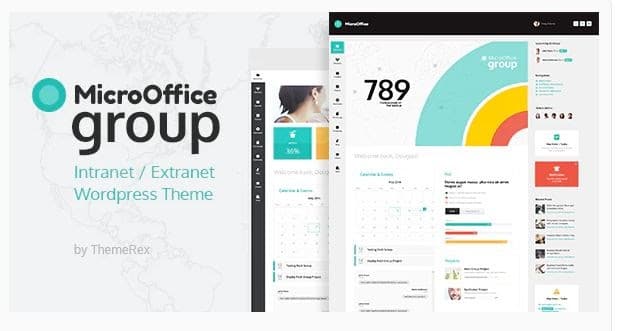
Micro Office is a responsive WordPress extranet theme that is SEO-optimized, multilingual, and supports custom plugins. It’s compatible with Visual Composer’s drag-and-drop builder and includes online quiz and test functionality. The responsive layout works across all devices, and a file storage area lets users upload, view, edit, and download documents.
The multilingual support stands out for organizations operating across regions with staff or members who don’t share a single primary language. Combined with the quiz and test functionality, Micro Office fits well for training-focused extranets, internal certification programs, onboarding modules, compliance training, where the built-in testing tools save building that layer separately.
7. Thrive
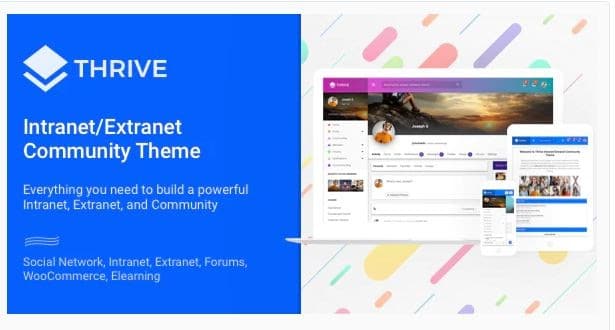
Thrive is one of the best WordPress extranet themes with modern, attractive features. It provides full support for file management, storage, and access control. The theme is fully integrated with BuddyPress, bbPress, Events Calendar, WooCommerce, and WP Form Builder. It offers a private site option with secure member login and a high-quality user profile experience.
The private site option deserves a specific mention. Rather than relying entirely on a separate restriction plugin to gate the whole site, Thrive builds site-wide privacy into the theme itself, which tends to be more reliable than layering a third-party access-control plugin on top of a theme that wasn’t designed with that use case in mind.
What Actually Separates These Themes
The seven themes above split roughly into two camps. BuddyX, Aardvark, and UnitedCommunity lean toward community and social interaction, member profiles, groups, activity feeds, the kind of features that make an extranet feel like a real space people want to spend time in rather than a document dump they visit reluctantly. Woffice, Alliance, Micro Office, and Thrive lean more corporate and operational, project management, file storage, calendars, the tools an organization needs to actually run day-to-day work through the platform.
Neither camp is objectively better. The right choice depends entirely on what your extranet is actually for. A professional association building a members-only community wants the social-first themes. A company building an internal portal for distributed teams wants the operational-first themes. Trying to force the wrong category into your use case usually means fighting the theme’s defaults rather than working with them, spending time customizing away features you don’t need instead of building on top of ones that already fit.
Setup Considerations Beyond the Theme Itself
A theme alone doesn’t make an extranet secure. Access control needs to be configured deliberately, confirming that private content genuinely stays behind a login rather than being accidentally indexed or publicly reachable through a direct URL. Test this specifically after setup, not just by checking that a login form appears, but by attempting to access supposedly restricted pages while logged out or through an incognito browser window.
User role management matters just as much as the theme’s visual features. Most organizations need more than a simple member versus non-member distinction, admins, department leads, general staff, external partners with limited access, each requiring different visibility into different parts of the site. Confirm the theme’s compatibility with a role management plugin if you need granular permissions beyond what ships in the box, and map out your organization’s actual role hierarchy before building the site rather than discovering the gaps after members are already onboarded.
Common Mistakes When Building an Extranet
Underestimating the mobile experience is a frequent one. Extranets often get designed and tested almost exclusively on desktop, since that’s where most setup and admin work happens, but a meaningful share of daily users, especially staff checking updates on the go or partners accessing the site remotely, will be on a phone. Confirm every core workflow, not just the homepage, actually works well at a small viewport, including document uploads and any calendar or scheduling tools that tend to render poorly on small screens if the theme wasn’t built with mobile genuinely in mind.
Overloading the platform with every available feature is another. Just because a theme includes a wiki, a calendar, a file manager, a forum, and a social feed doesn’t mean your organization needs all five active from day one. Start with the two or three features your organization will actually use regularly, and add more only once there’s real demand, rather than launching with a confusing, feature-heavy site nobody has time to learn. A simpler launch that members actually understand beats a comprehensive one that intimidates them into ignoring it.
Pricing and Licensing Across These Themes
BuddyX is free at its core, with BuddyX Pro adding premium features and priority support on top for organizations that need more than the base feature set. That free-to-paid path makes it low-risk to trial before committing, since you can build out the extranet’s structure on the free version and upgrade once you’ve confirmed it fits.
The ThemeForest-listed options, Aardvark, Woffice, Alliance, and Micro Office, follow the typical one-time purchase model common to that marketplace, usually with six months of support included and the option to extend support coverage for an additional fee. Check the current listing directly for exact pricing, since ThemeForest pricing and included support windows shift periodically, and what a theme’s page showed a year ago isn’t guaranteed to still be accurate. Factor the extended support cost into your total budget upfront rather than as an afterthought, since a lapsed support window on a theme handling private organizational data is not the situation you want to discover mid-crisis.
Security Considerations Specific to Extranets
An extranet handling sensitive internal documents or private member data carries more security weight than a typical public blog. Beyond the theme’s own access control features, make sure the broader WordPress installation is hardened appropriately: strong password requirements, two-factor authentication for admin and sensitive roles, and regular backups that specifically include whatever private files members upload through the platform.
SSL is non-negotiable for any extranet handling login credentials or private data, which by definition covers every theme on this list. If your hosting doesn’t provide this automatically, confirm it’s configured correctly before launching the site to real members, not after. A private space that transmits login data unencrypted defeats much of the purpose of restricting access in the first place, and modern browsers increasingly flag unencrypted login forms as unsafe anyway, which undermines member trust before they’ve even logged in.
Frequently Asked Questions
Do I need BuddyPress installed for these themes to work?
Most themes on this list, BuddyX, Aardvark, UnitedCommunity, Woffice, Alliance, and Thrive, are built specifically around BuddyPress integration, so yes, BuddyPress is typically a required companion plugin rather than optional. Confirm each theme’s specific requirements on its official page before purchase, since exact dependencies can shift between theme versions.
Can I switch from a general WordPress theme to an extranet theme without losing content?
Generally yes, since WordPress content lives independently of the active theme. That said, test the switch on a staging copy first, particularly checking how existing pages and any custom layouts render under the new theme, since a theme built around a different structure can require some content reformatting even though the underlying posts and pages themselves aren’t lost.
Which of these themes handles the largest member base best?
This depends more on your hosting and database optimization than the theme itself, though BuddyX Pro and Thrive both have track records with larger community deployments given their BuddyPress-centric architecture. For genuinely large member counts, thousands of active users, invest in quality hosting and caching regardless of which theme you choose, since theme choice alone won’t compensate for underpowered infrastructure. A beautifully built theme on a shared, underpowered hosting plan will still feel slow to members, no matter how well the theme itself is coded.
Is a dedicated extranet theme worth it over a general theme plus a membership plugin?
For anything beyond a very simple gated content setup, yes. A dedicated extranet theme handles the visual and structural details of private profiles, member directories, and access-controlled areas natively, rather than requiring you to bolt those experiences onto a theme that wasn’t designed with them in mind. The time saved on custom styling and layout adjustments alone usually justifies the theme cost, especially once you account for the ongoing maintenance a patched-together setup tends to demand every time WordPress core or a key plugin updates.
Do any of these themes support single sign-on for enterprise use?
Single sign-on typically requires a dedicated plugin layered on top of the theme rather than being built into the theme itself. Check compatibility between your chosen theme and whatever SSO plugin your organization already uses, and test the integration on staging before rolling it out, since SSO setups can be sensitive to how a theme handles login and registration flows, and a conflict here can lock out real users at the worst possible moment.
Where This Leaves You
These are some of the best WordPress extranet themes you can count on in 2026. Whether you’re building a corporate intranet, a member-only workspace, or a private community network, each of these themes provides the tools to keep your team organized and connected. BuddyX Pro remains the top recommendation for organizations that need a social, community-driven extranet with the full power of BuddyPress and BuddyBoss behind it, while Woffice, Alliance, and the other corporate-leaning options in this list fit better for teams that need operational tools first and community features second.
Before committing to any single theme, map out the actual workflows your organization needs to support, document sharing, internal discussion, project tracking, member directories, and match that list against each theme’s core strengths rather than its full feature list. A theme that does three things your team needs really well beats one that claims to do ten things adequately, especially once real people are relying on the platform daily rather than just evaluating it in a demo.
Interesting Reads:
PeepSo vs BuddyPress: Which One is Better?